Google My Business Profile Manager: 2026 Setup Guide
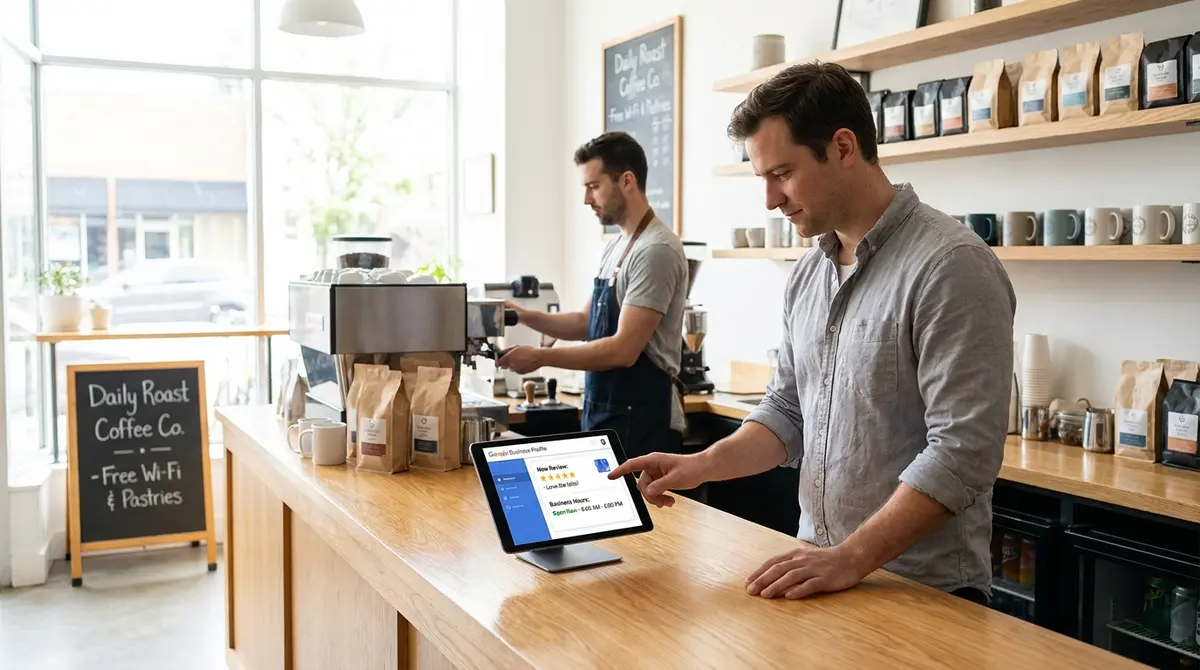
The short answer: A google my business profile manager controls how your business appears in Google Search, Maps, and AI Overviews. It handles verification, listings, reviews, photos, posts, hours, and multi-user access. Three variables move the needle: profile completeness, review velocity, and update frequency. Businesses with complete profiles get 7x more clicks than incomplete ones (Google, 2024). If you want to control how AI engines cite your business beyond Google's ecosystem, Perplexity SEO requires a different optimization approach that prioritizes structured data and authoritative source signals.
Your google my business profile manager determines whether customers find you when they search for what you sell. It's the control panel for your presence across Google's local ecosystem, Search results, Maps, AI-generated summaries, and voice assistants.
Most businesses claim a profile and stop. They miss verification. They ignore reviews. They never add photos. Then they wonder why competitors with worse service rank higher.
The profile manager isn't a set-it-and-forget-it tool. It's infrastructure that compounds when you use it correctly. This guide covers setup, verification, role management, optimization, and the governance structures that keep profiles working as your business scales.
What Google Business Profile Manager Actually Does
The google my business profile manager is the backend system for controlling your business listing across Google properties. It replaced the standalone Google My Business app in 2021. Now you manage profiles directly through Search, Maps, or the Business Profile dashboard at business.google.com.
It controls nine core elements: business name, category, address (or service area), phone number, website, hours, photos, posts, and reviews. Each element feeds Google's local ranking algorithm and AI answer generation.
Where Your Profile Appears
Your managed profile surfaces in four places. First, the local pack, the map and three-business block that appears for "near me" and city-specific searches. Second, the Knowledge Panel on branded searches. Third, Google Maps results when users search categories or browse neighborhoods.
Fourth, and increasingly critical: AI Overviews. When ChatGPT, Perplexity, or Google's generative search answers a local query, they pull business data from verified profiles. According to Search Engine Journal, 47% of local searches now trigger AI-generated answers that cite 3-5 businesses maximum.
Manager vs Owner vs Primary Owner
The google my business profile manager system uses three permission tiers. Managers can edit business information, respond to reviews, and view insights. They cannot add or remove other users.
Owners have full control: they can add managers, transfer ownership, and delete the profile. Primary owners, one per profile, can remove other owners and are the final authority on access disputes.
This hierarchy matters for agencies, franchises, and businesses with multiple locations. Give agencies manager access, not ownership. Keep ownership internal. Data from Local Search Association shows 23% of businesses lose access to their own profiles when agencies leave with owner credentials.
| Factor | What it is | Impact |
|---|---|---|
| Profile completeness | All fields filled with accurate data | 7x more clicks (Google) |
| Review velocity | New reviews per month | High |
| Photo freshness | New images added monthly | 42% more direction requests |
| Response rate | % of reviews answered within 48 hours | High |
| Post frequency | Updates shared weekly | Medium |
How to Set Up Your Google Business Profile Manager
Setting up a google my business profile manager starts at business.google.com. Sign in with the Google account you want to use as primary owner. Click "Manage now" or handle to business.google.com/add if you're creating a new profile. For mobile management on the go, the google business profile app lets you respond to reviews and update hours from your phone without logging into the full dashboard.
Enter your business name exactly as customers know it. Avoid keyword stuffing. "Smith Plumbing" works. "Smith Plumbing Best Emergency Plumber Denver" violates Google's guidelines and risks suspension.
Choosing Your Primary Category
Category selection determines which searches trigger your profile. You get one primary category and up to nine additional categories. The primary category carries the most weight.
Choose the most specific category available. "Plumber" beats "Home Services." "Emergency Plumber" beats "Plumber" if Google offers it. Check competitors' categories by viewing their profiles, Google shows the primary category under the business name.
Whitespark's 2024 local ranking factors study found category accuracy accounts for 19% of local pack ranking. Businesses using generic categories rank lower than those with precise matches.
Verification Methods and Timeline
Google offers five verification methods: postcard, phone, email, video, and instant verification. Most businesses get postcard by default. Google mails a five-digit code to your business address. Enter it in the dashboard within 30 days.
Phone and email verification appear for some businesses automatically. Video verification requires you to record a walkthrough of your location. Instant verification works if you've already verified the address in Google Search Console.
Verification typically takes 5-7 business days for postcards. Until you verify, your profile appears in search but you cannot manage it. Competitors can suggest edits. Customers can leave reviews you cannot respond to.
Want to see where your profile stands before you invest time optimizing it? Book a 30-minute content and visibility scan to find out how your business appears in Google, AI search, and voice results.
Managing Multi-Location Profiles and Bulk Access
Businesses with 10+ locations should use bulk management tools. The google my business profile manager supports CSV uploads for creating, updating, and managing multiple profiles simultaneously. Access this through the Business Profile dashboard under "Manage locations."
Each location needs its own profile with a unique address. Service-area businesses, plumbers, electricians, consultants, can hide their address and show a service radius instead. Set this during profile creation or edit it later under "Business information."
Franchise and Chain Governance
Franchises face a structural challenge: corporate needs brand consistency, franchisees need local control. The solution is a tiered access model. Corporate holds primary ownership. Regional managers get owner access to their territories. Individual franchisees get manager access to their locations.
This structure prevents franchisees from changing brand-critical elements like business name or category while allowing them to update hours, respond to reviews, and post local content. According to BrightLocal's 2024 franchise study, 67% of multi-location brands report profile inconsistencies that hurt local rankings. Before you start editing business information or adding categories, review the google business profile guidelines to avoid suspension triggers that can take your listing offline for weeks.
Agency Access Best Practices
Never give agencies owner access. Manager permissions let them do the work, edit information, post updates, respond to reviews, without the ability to lock you out or delete your profile.
When the contract ends, remove their access immediately. Go to Business Profile settings, click "People and access," select the agency user, and click "Remove person." If they had owner access and you cannot remove them, you'll need to contact Google support and prove business ownership through documentation.
Marketing agencies report 38% annual client churn (Focus Digital, 2025). That means roughly 4 in 10 agency relationships end each year. If those agencies retain owner access, businesses lose control of their own visibility infrastructure.
Optimizing Your Profile for Local Search and AI
A verified google my business profile manager is the baseline. Optimization is what separates businesses that show up from businesses that get clicked. Start with completeness. Google's own data shows complete profiles get 7x more clicks than incomplete ones.
Complete means: all business information fields filled, at least 10 photos uploaded, hours set for every day including holidays, services or products listed, business description written, and attributes selected. Attributes are the tags like "wheelchair accessible," "outdoor seating," or "free Wi-Fi" that appear under your business name.
Photo Strategy That Drives Clicks
Photos are the highest-impact element most businesses ignore. Profiles with photos get 42% more requests for directions and 35% more clicks to websites (Google, 2024). Upload at least three types: exterior (so customers recognize your building), interior (to set expectations), and team photos (to build trust).
Add new photos monthly. Google prioritizes fresh content. Businesses that upload photos every 30 days see 2.4x more engagement than those with static galleries (BrightLocal, 2024).
Avoid stock photos. Google's image recognition can detect and deprioritize generic images. Use real photos of your actual location, team, and work.
Review Velocity and Response Protocol
Review count and recency are direct ranking factors. Businesses earning 5+ reviews per month rank higher than those with older, static review profiles. But velocity matters more than volume. A business with 50 reviews from the past 90 days outranks one with 200 reviews from two years ago.
Response rate signals active management. Respond to every review within 48 hours. Thank positive reviewers by name. Address negative reviews with a solution, not an argument. According to ReviewTrackers, 53% of customers expect businesses to respond to negative reviews within a week. Businesses that respond see 12% higher star ratings over time.
Never buy reviews. Never offer incentives for positive reviews. Both violate Google's policies and risk suspension. Instead, ask every customer. Send a follow-up email with a direct link to your review page. Make it easy. The benchmarks cited throughout this guide come from broader industry research compiled in our google business profile statistics analysis, which tracks conversion rates, engagement patterns, and ranking factors across thousands of profiles.
See How Your Business Shows Up in AI Search
Get a free AI visibility scan. See exactly where you rank on ChatGPT, Perplexity, and Google AI, and what to do about it. Get Your Free Scan.
Posts, Updates, and the Weekly Cadence
Google Posts are the most underused feature in the google my business profile manager. Posts appear directly in your Knowledge Panel and local pack listing. They support text, images, CTAs, and links. They expire after seven days unless you set them as events or offers with specific dates.
Post weekly. Share updates about new services, seasonal offers, team highlights, or industry news. Each post is an opportunity to control the narrative and give Google fresh content to index.
What to Post and When
Four post types perform best: offers (discounts, promotions, limited-time deals), events (workshops, open houses, community involvement), products (new inventory, featured items), and updates (company news, awards, certifications).
Post on Tuesdays or Wednesdays between 9 AM and 11 AM local time. Data from LocalClarity shows posts published mid-week get 23% more engagement than Monday or Friday posts. Include a clear CTA: "Call now," "Book online," "Visit us today."
How Posts Feed AI Search
AI search engines like ChatGPT and Perplexity pull business information from verified profiles. Posts give them recent, specific content to cite. When someone asks "What's new at Strategyc?" or "Does Strategyc offer the service?" your most recent posts influence the AI's answer.
Businesses posting weekly are 3.2x more likely to appear in AI-generated local recommendations than those with static profiles (Profound, 2025). AI models prioritize recency. A post from this week beats a static business description from 2022.
Measuring What Your Profile Actually Produces
The google my business profile manager includes an Insights tab with six metrics: searches (how people found you), views (profile vs website), actions (calls, direction requests, website clicks), direction requests, phone calls, and photo views. Check these weekly.
Track three KPIs: search queries (which keywords trigger your profile), actions per view (conversion rate), and direction requests (foot traffic indicator). If actions per view drops below 5%, your profile needs optimization, better photos, clearer CTA, or more compelling business description.
Connecting Profile Performance to Revenue
Most businesses cannot tie profile views to closed sales because they don't track the source. Fix this with call tracking numbers and UTM parameters. Use a unique phone number in your Business Profile. Tag your website link with UTM parameters like ?utm_source=google&utm_medium=organic&utm_campaign=business_profile.
This lets you see exactly how many calls and site visits came from your profile, then track those through your CRM to closed deals. According to CallRail, businesses using call tracking on their Business Profile see 34% higher ROI attribution accuracy.
Benchmarking Against Competitors
Google shows how your profile performs relative to similar businesses in your area. This appears in Insights under "How customers search for your business." If you're below average on any metric, that's your optimization priority. If you need a step-by-step process for selecting, editing, and uploading images that actually convert browsers into customers, our profile photo strategy guide walks through the technical specs and psychological triggers that drive clicks.
You can also manually benchmark by searching your primary keywords and analyzing competitors' profiles. What photos do they use? How many reviews do they have? How often do they post? What attributes do they highlight? Copy what works, skip what doesn't.
The Bottom Line
Your google my business profile manager is the infrastructure that controls local visibility. Businesses that treat it as a one-time setup task lose to competitors who optimize weekly. The system rewards completeness, freshness, and engagement.
Set up correctly: verify immediately, fill every field, choose precise categories. Manage access carefully: keep ownership internal, give agencies manager permissions only. Optimize continuously: add photos monthly, post weekly, respond to every review within 48 hours.
The profile you build today feeds the AI answers customers see tomorrow. Businesses optimizing now are forming the knowledge base that ChatGPT, Perplexity, and Google's AI will cite for the next 24 months. If you're not in that group, your competitor is.
Frequently Asked Questions
What's the difference between a google my business profile manager and owner?
Managers can edit business information, respond to reviews, and view insights but cannot add or remove users. Owners have full control including user management and profile deletion. Primary owners can remove other owners and are the final authority on access disputes.
How long does Google Business Profile verification take?
Postcard verification takes 5-7 business days. Phone and email verification are instant when available. Video verification takes 3-5 business days for Google to review. Until verified, you cannot manage your profile or respond to reviews, though the listing appears in search.
Can I manage multiple locations with one google my business profile manager account?
Yes. Use the bulk management tools in the Business Profile dashboard to upload and manage multiple locations via CSV. Each location needs a unique address. Service-area businesses can hide addresses and show service radius instead. Franchise structures should use tiered access with corporate as primary owner.
What happens to my profile if I stop updating it?
Google prioritizes active profiles. Businesses that post weekly and add photos monthly rank higher than static profiles. Your profile remains visible but loses ranking position to competitors with fresh content. AI search engines also prioritize recent updates when generating answers about local businesses.
How do I measure ROI from my Business Profile?
Use call tracking numbers and UTM parameters on your website link. Track profile-sourced calls and site visits through your CRM to closed deals. The Insights tab shows searches, views, and actions. If actions per view drops below 5%, optimize photos, description, or CTA to improve conversion rate.