Why Your Google My Business Profile Photo Is Costing You Customers (And How to Fix It in 15 Minutes)
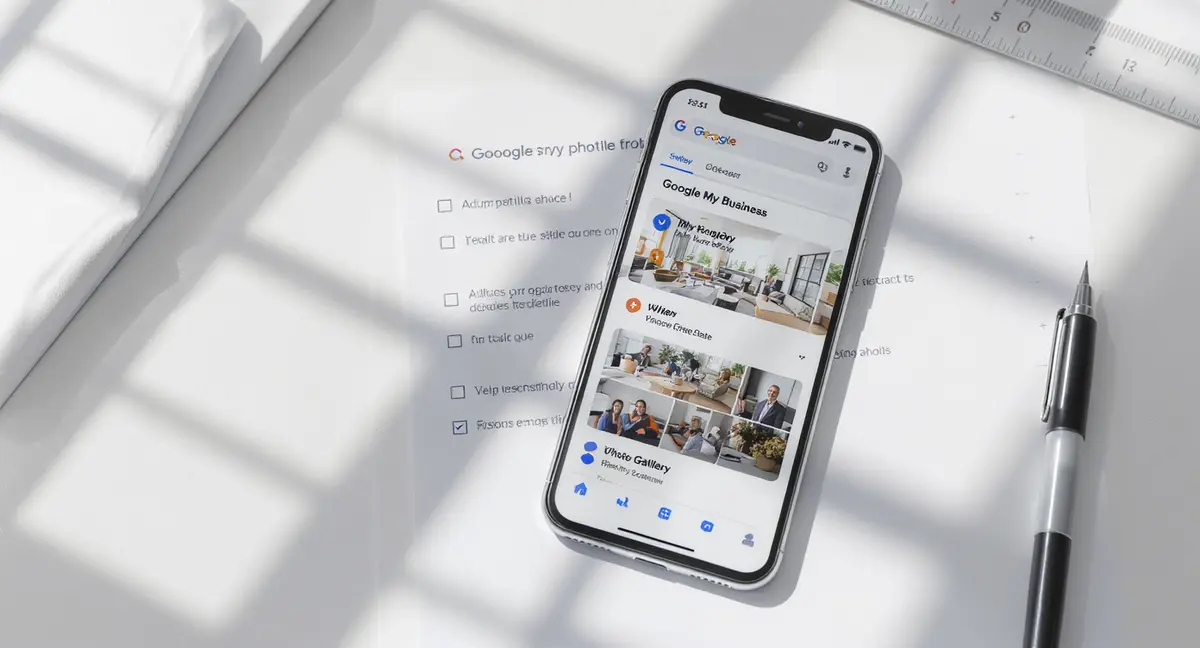
Your Google my business profile photo isn't just decoration. It's the first thing potential customers see when they search for your business, and it directly influences whether they call, visit, or scroll past. According to BrightLocal's 2024 Local Consumer Review Survey, 60% of consumers say they're more likely to consider businesses with complete profiles that include high-quality photos. Yet most businesses upload a single logo and wonder why their competitors get more calls.
This is what's actually happening: Google prioritizes profiles that demonstrate active management and customer value. Photos are one of the strongest signals. Businesses with photos receive 42% more requests for directions and 35% more click-throughs to their websites than those without, according to Google's own Business Profile data. That's not marginal improvement, that's the difference between being visible and being invisible.
This article breaks down exactly which photos matter, how to optimize them for both human visitors and Google's algorithm, and what mistakes are killing your conversion rate right now. You'll learn the technical specs Google requires, the strategic approach that drives actual business results, and how to measure what's working.
What Makes a Google My Business Profile Photo Actually Work
A Google my business profile photo isn't a branding exercise. It's a conversion tool. The photos you upload directly affect how Google displays your business in local search results and Maps, and they influence the split-second decision a potential customer makes about whether you're worth their time.
Google's algorithm evaluates profile completeness as a ranking factor. Profiles with multiple photo types, logo, cover, interior, exterior, team, and product shots, rank higher in local pack results than profiles with minimal imagery. Search Engine Journal's 2024 local SEO study found that businesses in the top three local pack positions had an average of 47 photos on their profiles, compared to 12 for businesses ranking fourth or lower.
But quantity without strategy is noise. Google categorizes photos by type, and each type serves a different function in the customer experience. Your logo appears in search results and Maps pins. Your cover photo dominates the top of your profile. Exterior shots help customers find your location. Interior photos build trust by showing what to expect inside. Product and service photos answer the question "Is this what I need?"
The Five Photo Types Google Prioritizes
Google's Business Profile system recognizes five primary photo categories, and it uses them differently across Search and Maps. Your logo must be square (720×720 minimum) and represent your brand clearly at small sizes. It appears next to your business name in search results, so it needs to be instantly recognizable.
Your cover photo is field-oriented (1024×576 recommended) and appears at the top of your profile. This is your first impression. According to Womply's 2024 local business benchmarking report, businesses that update their cover photo at least quarterly see 18% higher engagement rates than those using static imagery.
Exterior photos show your storefront, signage, and parking. These reduce friction for first-time visitors. Interior photos demonstrate cleanliness, atmosphere, and professionalism. Team photos humanize your business. Product and service photos answer "What do you actually do?" before the customer has to ask.
Why Most Businesses Get This Wrong
The most common mistake is treating your Google my business profile photo gallery like a dumping ground. Businesses upload whatever's on their phone, blurry shots, poorly lit interiors, random team photos from three years ago. Google doesn't penalize low-quality photos directly, but customers do. They scroll past.
The second mistake is inconsistency. Your logo on Google doesn't match your logo on your website. Your cover photo shows a product you discontinued in 2023. Your team photo includes employees who left last year. Inconsistency signals neglect, and neglect signals risk.
The third mistake is ignoring mobile. Eighty-three percent of Google Business Profile views happen on mobile devices, according to Google's 2024 usage data. Photos that look great on desktop get cropped awkwardly on mobile. Faces get cut off. Text becomes unreadable. Your cover photo's focal point ends up in the margins.
Technical Specs That Actually Matter (Not Just Google's Minimums)
Google publishes minimum photo requirements, but hitting the minimum is how you stay invisible. The minimum resolution for most photos is 720×720 pixels. The recommended resolution is 1080×1080 or higher. That gap is the difference between a photo that looks acceptable and one that builds trust.
File format matters less than you'd think. Google accepts JPG and PNG. Most businesses default to JPG because file sizes are smaller, but PNG preserves quality better for graphics-heavy images like logos. For photos with text overlays or sharp edges, PNG prevents the compression artifacts that make text look fuzzy.
File size limits are generous, Google allows up to 5MB per photo, but larger files load slower on mobile. Aim for 500KB to 1MB per image. That's enough headroom for high resolution without punishing users on slow connections. According to Think with Google's 2024 mobile speed research, 53% of mobile users abandon sites that take longer than three seconds to load. Your profile photos are part of that load time.
Aspect Ratios Google Won't Tell You About
Google's help documentation says logos should be square and cover photos should be market. What it doesn't explain is how Google crops images that don't fit perfectly. If you upload a 1920×1080 cover photo, Google will crop it to 1024×576 for display. If your focal point, your storefront, your product, your team, sits outside that crop zone, it disappears.
Test your photos before uploading. Open them in any image editor and overlay a 16:9 crop guide for cover photos or a 1:1 crop guide for logos. If critical elements fall outside the safe zone, reframe the shot. This is especially important for team photos where faces get cropped at the edges, making your business look careless.
Vertical photos (portrait orientation) are a trap. Google displays them in a square or market frame, which means aggressive cropping or awkward letterboxing. Shoot everything in space or square. If you only have vertical shots, crop them to square and accept the loss of vertical space. A well-composed square photo beats a poorly cropped vertical every time.
The Metadata Google Ignores (And What It Reads Instead)
Google doesn't read EXIF metadata the way traditional SEO reads alt text. File names, camera settings, and embedded keywords don't influence how Google categorizes or ranks your photos. What Google does read is visual content through image recognition. It identifies objects, text, faces, and scenes to auto-categorize photos as interior, exterior, product, or team shots.
This means your photo composition matters more than your file name. A photo labeled "best-pizza-restaurant-chicago.jpg" won't rank better if the image shows a blurry countertop. But a well-lit shot of your pizza oven with visible branding will get categorized correctly even if the file name is "IMG_1234.jpg".
That said, consistent file naming helps you manage your own library. Use a naming convention like "BusinessName_PhotoType_Date.jpg" so you can track what's uploaded and when. This becomes critical when you're rotating seasonal photos or updating product shots quarterly.
What to Photograph (And What to Leave Out)
Your Google my business profile photo strategy should answer three questions for every potential customer: Where is this business? What does it look like inside? What will I get? Every photo you upload should answer at least one of those questions. If it doesn't, delete it.
Start with exterior shots. Your storefront, your signage, your parking lot. These photos reduce the cognitive load for first-time visitors. According to Chatmeter's 2024 local search behavior study, 76% of consumers who search for "near me" businesses visit a location within 24 hours. If they can't visually confirm they're at the right place, they leave.
Exterior photos should show your business from multiple angles, straight-on for signage visibility, corner shots to show context, and parking or entrance photos to answer "Where do I actually go?" If you're in a plaza or multi-tenant building, include a wide shot showing neighboring businesses so customers can orient themselves.
Interior Photos That Build Trust Instead of Confusion
Interior photos are where most businesses fail. They upload dark, cluttered shots that make the space look uninviting. Or they upload perfectly staged photos that look nothing like the actual business, which destroys trust the moment a customer walks in.
Shoot during the day with natural light. Turn on all interior lights. Clear clutter from surfaces, but don't stage the space so heavily that it looks fake. According to BrightLocal's 2024 consumer trust survey, 68% of consumers say they're less likely to trust a business if the photos look "too professional" or disconnected from reality.
Show the customer experience. If you're a restaurant, photograph the entrance, the host stand, the dining area, and the bar. If you're a retail store, show the entrance, the main sales floor, and key product displays. If you're a service business, show the waiting area, the service bay or treatment room, and any customer-facing technology or equipment.
Product and Service Photos That Answer "Is This What I Need?"
Product photos should show what you actually sell, not what you wish you sold. If you're a bakery, photograph your best-selling items. If you're a car repair shop, photograph common services, oil changes, brake jobs, tire installations. If you're a law firm, this is harder, but you can photograph your office, your team at work, or client meeting spaces.
Service businesses struggle here because services are intangible. The solution is to photograph the process or the outcome. A landscaping company can show before-and-after shots. A cleaning service can show a team at work. A consultant can show a workshop or a client presentation (with permission).
Avoid stock photography entirely. Google's image recognition can identify stock images, and while it won't penalize you directly, customers notice. Stock photos signal that you don't have real work to show, which raises the question: why not?
How to Upload and Manage Photos Without Wasting Time
Most businesses upload photos once and forget about them. That's a mistake. Your Google my business profile photo gallery should be a living asset, updated quarterly at minimum. Seasonal businesses should update monthly. High-velocity businesses like restaurants should update weekly.
The upload process is straightforward but varies by device. On desktop, log into your Business Profile, handle to the Photos tab, and drag-and-drop images. On mobile, open the Google Maps app, tap your profile icon, select "Your Business Profile," and tap "Add photos." Mobile uploads are faster for on-the-go updates, but desktop gives you better control over cropping and categorization.
Google auto-categorizes most photos, but you can manually assign categories during upload. If Google miscategorizes a product shot as an interior photo, it won't appear in the right context. Review your photo library monthly and recategorize anything that's wrong.
The Photo Rotation Strategy That Keeps Profiles Fresh
Freshness signals activity, and activity signals relevance. According to Moz's 2024 local search ranking factors study, businesses that update their profiles at least monthly rank higher in local pack results than businesses with static profiles. Photos are one of the easiest elements to update.
Create a photo rotation calendar. Plan seasonal updates, holiday decorations in December, outdoor seating in summer, fall colors in October. Plan product updates, new menu items, new inventory, new services. Plan team updates, new hires, team events, community involvement.
Don't delete old photos unless they're outdated or off-brand. Google rewards profile depth, and a gallery with 50+ photos signals more authority than one with 10. Archive old seasonal photos and rotate them back in when relevant. A photo of your holiday display from 2024 is still useful in December 2026 if nothing's changed.
What to Do When Google Removes Your Photos
Google moderates Business Profile photos for policy violations. Common reasons for removal include photos that contain promotional content (text overlays, logos, contact info), photos that violate quality guidelines (blurry, dark, heavily filtered), and photos that don't represent the business (stock images, unrelated locations).
If Google removes a photo, you'll get a notification in your Business Profile dashboard. Review Google's photo guidelines, identify the violation, and re-upload a compliant version. Don't re-upload the same photo, Google will remove it again. Fix the issue first.
The most frustrating removals are false positives, photos that comply with guidelines but get flagged by automated moderation. If this happens, request a review through the Business Profile dashboard. Google's review team typically responds within 3-5 business days. In the meantime, upload an alternative photo so your profile doesn't look incomplete.
Ready to take the next step with Strategyc?
Our team is ready to help you achieve your goals. Get Your Free Scan.
How to Measure Whether Your Photos Are Actually Working
Most businesses upload photos and assume they're helping. That's not measurement. Google provides photo-specific metrics in your Business Profile dashboard, and if you're not checking them monthly, you're flying blind.
The primary metric is photo views. Google tracks how many times each photo is viewed, both in search results and on your full profile. High view counts indicate that customers are engaging with your profile. Low view counts suggest your photos aren't compelling or aren't appearing in the right contexts.
Compare photo views to profile views. If your profile gets 1,000 views per month but your photos only get 200 views, customers aren't clicking through to see more. That's a signal that your primary photos, logo and cover, aren't interesting enough to warrant exploration.
Connecting Photo Performance to Business Outcomes
Photo views are a vanity metric unless you connect them to actions. Google tracks three key actions from Business Profiles: calls, direction requests, and website clicks. If your photo views increase but your actions don't, your photos are attracting attention but not driving decisions.
Run a simple test. Update your cover photo and track actions for 30 days. Then revert to the old cover photo and track for another 30 days. Compare the results. According to GatherUp's 2024 local marketing benchmarks, businesses that A/B test cover photos see an average 12% improvement in direction requests when they switch from generic branding to location-specific imagery.
Track seasonal patterns. If you're a restaurant, do food photos drive more calls than interior shots? If you're a home services business, do before-and-after photos drive more direction requests than team photos? The answer varies by industry, but the only way to know is to measure.
When to Hire Help vs. Doing It Yourself
Most businesses can handle Google my business profile photo management in-house. You don't need a professional photographer for every shot. A modern smartphone camera is sufficient if you follow basic composition rules, good lighting, clear focus, uncluttered backgrounds.
Hire a professional for your hero shots, logo, cover photo, and primary exterior. These are the images that appear in search results and Maps, and they need to be flawless. A professional photographer will cost $200-$500 for a half-day shoot, and you'll get 20-30 high-quality images you can rotate for a year.
For ongoing updates, new products, seasonal changes, team photos, use your phone. Set a reminder to capture new photos monthly. Train your team to take photos during slow periods. Build a library of 100+ images so you always have fresh content to upload.
If you're managing multiple locations, consider a content management system that centralizes photo uploads and ensures brand consistency. Tools like SOCi, Yext, and Chatmeter allow you to upload photos once and distribute them across all locations, with approval workflows to prevent off-brand content from going live.
The Mistakes That Kill Conversions (And How to Avoid Them)
The biggest mistake is treating your Google my business profile photo gallery as an afterthought. You upload a logo, maybe a cover photo, and you're done. Meanwhile, your competitors are uploading 50+ photos, updating them quarterly, and capturing the customers you're losing.
The second mistake is inconsistency. Your Google photos don't match your website. Your cover photo shows a service you discontinued. Your team photo includes people who left two years ago. Every inconsistency is a trust signal that says "This business doesn't pay attention to details."
The third mistake is ignoring mobile. Eighty-three percent of profile views happen on mobile, but most businesses optimize photos for desktop. They upload wide space shots that get cropped awkwardly on mobile. They use small text that's unreadable on a phone screen. They don't test how their photos actually appear to the majority of their audience.
The Over-Editing Trap
Some businesses go too far in the opposite direction. They hire a photographer, get beautiful shots, and then edit them so heavily that they no longer represent reality. Colors are oversaturated. Lighting is artificial. The space looks nothing like what customers will see when they visit.
This backfires. According to BrightLocal's 2024 consumer trust survey, 68% of consumers say they're less likely to trust a business if the photos look "too professional" or disconnected from reality. They assume the business is hiding something, poor maintenance, outdated facilities, or subpar products.
The solution is authenticity with polish. Use good lighting and composition, but don't alter reality. If your restaurant has worn booths, don't Photoshop them to look new. If your retail store is small, don't use wide-angle lenses to make it look spacious. Show what customers will actually experience, just in the best possible light.
The Stock Photo Shortcut That Costs You Trust
Stock photography is the fastest way to destroy credibility. Customers can spot stock images instantly, the too-perfect lighting, the generic settings, the models who don't look like real employees. Stock photos signal that you don't have real work to show, which raises the question: why not?
Google's image recognition can identify stock photos, and while it won't penalize you directly, it won't reward you either. Stock images don't get categorized as location-specific content, which means they don't contribute to local relevance signals.
If you're a new business and don't have real photos yet, use your phone to capture what you do have, your space, your team, your process. Even imperfect real photos outperform perfect stock images. Customers want proof that you're a real business doing real work, not a placeholder profile.
What This Means for Your Business
Your Google my business profile photo gallery isn't a nice-to-have. It's infrastructure. It's the first impression, the trust signal, and the conversion lever that determines whether a potential customer calls you or scrolls to your competitor.
The businesses winning local search in 2026 aren't the ones with the biggest ad budgets. They're the ones with complete, accurate, actively managed profiles that answer customer questions before they're asked. Photos are the fastest, cheapest way to demonstrate that you're a real business worth trusting.
Start with the basics: logo, cover, exterior, interior, and product photos. Upload at least 20 images in the first week. Then build a rotation calendar and commit to monthly updates. Track your metrics, photo views, profile actions, and business outcomes. Adjust based on what's working.
If you're not sure where your profile stands right now, book a 30-minute Content & Visibility Scan. You'll see exactly how your business appears in Google, AI search, and voice search, and what's costing you customers. No commitment, no pressure. Just clarity on what's working and what's not.
Frequently Asked Questions
What's the best size for a Google my business profile photo?
Google recommends 1080×1080 pixels for most photos and 1024×576 for cover photos. Minimum is 720×720, but higher resolution builds more trust. Keep file sizes under 1MB for fast mobile loading without sacrificing quality.
Can I use stock photos on my Google Business Profile?
Technically yes, but it's a terrible idea. Stock photos destroy credibility because customers can spot them instantly. Google's image recognition identifies stock images and won't categorize them as location-specific content. Use real photos of your actual business.
How many photos should I upload to my Google Business Profile?
Businesses in the top three local pack positions average 47 photos, according to Search Engine Journal's 2024 study. Start with 20 minimum, logo, cover, 5 exterior, 5 interior, 5 product, 3 team. Add more monthly to signal active management.
Why was my Google my business profile photo removed?
Common reasons include text overlays, promotional content, poor quality (blurry or dark), stock images, or photos that don't represent your business. Review Google's photo guidelines, fix the violation, and upload a compliant version. Request a review if it's a false positive.
What does it take to own my visibility infrastructure instead of renting it?
Ownership means building systems that keep producing results after the initial work ends. That includes a complete, optimized Business Profile with 50+ photos, a content strategy that answers customer questions, and measurement systems that connect visibility to revenue. You can build this in-house or install it once through a platform like Strategyc's Content & Visibility Engine, but either way, the infrastructure should be yours to keep.