Google Business Profile App: What It Is and How to Use It
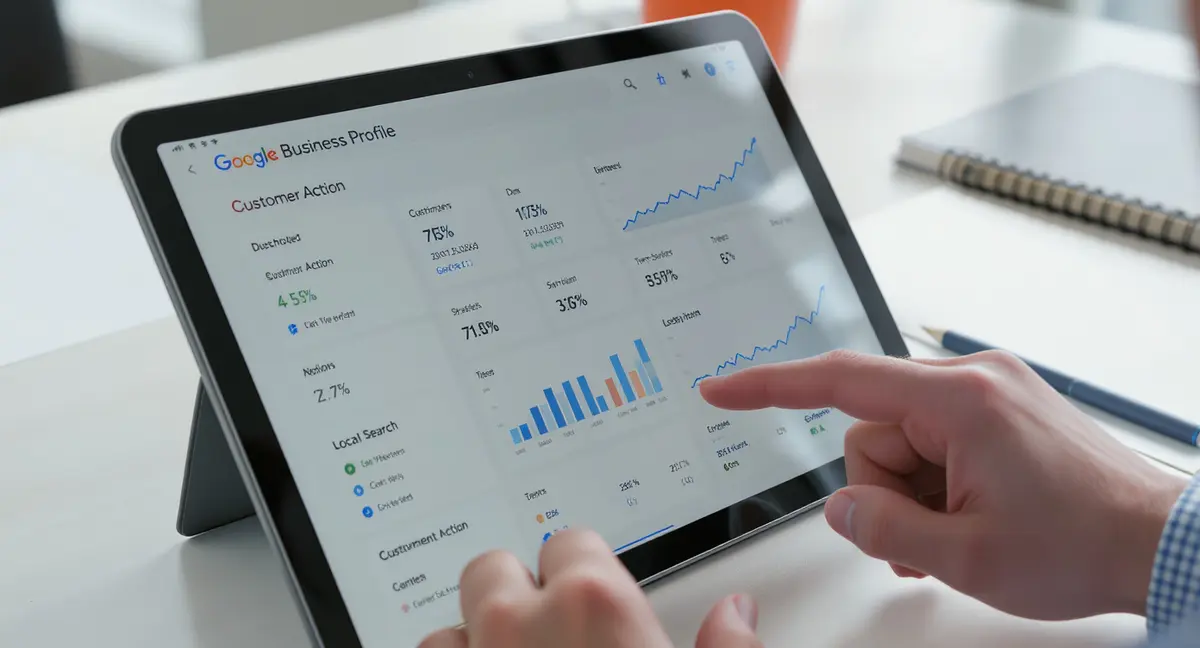
The short answer: The google business profile app is Google's mobile interface for managing your local business presence on Search and Maps. It lets you edit hours, post updates, respond to reviews, and track customer actions from your phone. Top performers focus on complete profile data, regular post activity, and review engagement. According to BrightEdge, businesses with optimized Google Business Profiles see 70% more location visits than those with incomplete listings. If you're in the trades, the same profile optimization principles apply across industries, though roofing marketing requires extra attention to service area definition and seasonal posting strategies.
46% of all Google searches have local intent. That means nearly half the people searching right now are looking for businesses near them. If your Google Business Profile isn't optimized, you're invisible to those searches. The google business profile app gives you direct control over how your business appears when someone searches your name, your category, or "near me" in your area. It's not a marketing tool you might use someday. It's the interface between your business and the largest source of local customer discovery on the planet. Most business owners set up their profile once and never touch it again. That's leaving money on the table. The app makes ongoing optimization simple enough to do in five minutes a day, and the businesses that use it consistently see measurable increases in calls, direction requests, and website clicks. This guide covers what the google business profile app does, how to use it effectively, and which features drive the most visibility and conversions.What the Google Business Profile App Actually Does
The google business profile app is the mobile management interface for your Business Profile on Google Search and Maps. When someone searches for your business name, your category, or a service you offer in your area, Google pulls information from your Business Profile to display your listing. The app is where you control that information. You can edit your address, hours, phone number, website, and business description. You can upload photos of your location, products, and team. You can post updates about promotions, events, or new services. You can respond to customer reviews. You can see how many people viewed your profile, called you, requested directions, or visited your website. According to Google, businesses with complete profiles are 70% more likely to attract location visits. The app consolidates all those tasks into one mobile interface so you don't need to log into a desktop dashboard every time you want to make a change.Mobile-First Management for Local Visibility
The google business profile app replaced the old "Google My Business" app in 2021. The rebrand wasn't just cosmetic. Google shifted the entire local business ecosystem toward a unified Business Profile system that works across Search, Maps, Shopping, and other Google surfaces. The app is the primary way most small business owners interact with that system. You can manage multiple locations from one app if you have more than one. You can assign user roles so employees can post updates without full admin access. The app sends push notifications when you get a new review, a customer asks a question, or Google needs you to verify a change. It's designed for owners who are on the move and need to manage their presence without sitting at a computer. Whitespark's 2024 Local Search Ranking Factors study found that Google Business Profile signals are the number one factor in local pack rankings, ahead of on-page SEO and backlinks. The app is how you control those signals.What You Can and Can't Do in the App
The app handles most day-to-day profile management, but not everything. You can edit business information, upload photos and videos, create posts, respond to reviews, answer questions, view performance insights, and manage messaging if you enable it. You cannot bulk-edit multiple locations simultaneously in the app (you need the desktop Business Profile Manager for that). You cannot manage advanced features like booking buttons, product catalogs, or Google Ads integration from the app. You cannot appeal a suspended profile or resolve certain verification issues without going to the desktop interface. For 90% of single-location businesses, the app is enough. For multi-location brands or businesses with complex service catalogs, the app is the mobile companion to a desktop workflow. The key is knowing which tasks the app handles well and which require the full web interface.How Do I Set Up and Optimize My Profile in the App?
Setting up your google business profile app starts with claiming or creating your Business Profile. If your business already appears on Google Maps, you need to claim it. If it doesn't exist yet, you create it from scratch. Open the app, sign in with the Google account you want to manage the profile with, and follow the prompts. You'll enter your business name, category, location (or service area if you're a service-area business), phone number, and website. Google will ask you to verify ownership, usually by mailing a postcard with a verification code to your business address. Some businesses qualify for instant verification via email, phone, or video. Once verified, your profile goes live on Search and Maps. But going live and being optimized are two different things. According to BrightEdge, incomplete profiles lose 60% of potential customer actions compared to complete ones. Optimization means filling every field, adding rich media, and updating regularly.Complete Every Profile Section
Google rewards completeness. The more fields you fill, the more data Google has to match your business to relevant searches. Start with your business description. You get 750 characters to explain what you do, who you serve, and what makes you different. Use your primary keywords naturally, but write for humans first. Add your hours, including special hours for holidays. Upload at least 10 photos: exterior, interior, products, team, and your logo. Google's data shows that businesses with photos get 42% more requests for directions and 35% more clicks to their website than those without. Add attributes that apply to your business: "wheelchair accessible," "outdoor seating," "free Wi-Fi," "women-led," "Black-owned." These attributes help you appear in filtered searches. If you're a service business, list your services with descriptions and prices. If you sell products, add your product catalog. The google business profile app makes all this easy to do from your phone, but most businesses stop after entering the basics. That's where the opportunity is.Use Posts to Stay Visible
Posts are short updates that appear in your Business Profile on Search and Maps. They expire after seven days (or on the date you set), so they're not permanent content. But they keep your profile active and give you a way to highlight promotions, events, new products, or timely information. You can create four types of posts in the google business profile app: updates (general announcements), offers (discounts or promotions with a coupon code), events (with a start and end date), and products (highlighting a specific item). Posts with photos get more engagement than text-only posts. Posts with a clear call-to-action (book now, learn more, sign up) drive more clicks. According to Search Engine Journal, businesses that post at least once a week see 30% higher engagement on their profiles than those that post sporadically or not at all. The app makes posting fast. You can create and publish a post in under two minutes. Most businesses don't use this feature at all, which means consistent posting gives you an immediate visibility advantage over competitors.Why Does the Google Business Profile App Matter for Local SEO?
Local SEO is how you rank in the map pack and local organic results when someone searches for your category or service in your area. The google business profile app is the control panel for the biggest ranking factor in local SEO. Whitespark's 2024 study found that Google Business Profile signals account for roughly 36% of local pack ranking factors. That includes profile completeness, category selection, keywords in your business name and description, review quantity and rating, photo count, post frequency, and user engagement (clicks, calls, direction requests). You can influence all of those from the app. The businesses that rank in the top three map pack positions get 93% of the clicks, according to BrightEdge. Position four and below might as well be invisible. The difference between ranking third and fourth often comes down to profile optimization, review velocity, and engagement signals. The app gives you direct control over those variables.| Factor | What it is | Impact |
|---|---|---|
| Profile completeness | Percentage of fields filled with accurate data | High |
| Primary category selection | The main category Google uses to match your business to searches | High |
| Review count and rating | Total reviews and average star rating | High |
| Post frequency | How often you publish updates, offers, or events | Medium |
| Photo and video uploads | Visual content showing your business, products, and team | Medium |
How Profile Activity Affects Rankings
Google treats your Business Profile as a living entity. Profiles that get updated regularly signal to Google that the business is active and engaged. The google business profile app makes it easy to maintain that activity. Every time you add a photo, publish a post, or respond to a review, you're sending a freshness signal. Google's algorithm favors fresh, active profiles over stale ones when deciding which businesses to show in the map pack. This doesn't mean you need to post every day. It means you need a consistent rhythm. Businesses that post once a week, respond to reviews within 48 hours, and upload new photos monthly outperform businesses that set up their profile once and forget it. According to BrightEdge, active profiles see 2.5x more profile views and 3x more user actions than inactive ones. The app's push notifications make it easy to stay on top of new reviews and questions, which are the two highest-impact engagement opportunities.Reviews and Ratings Drive Local Pack Position
Review signals are the second most important ranking factor in local SEO, right behind Google Business Profile optimization. The quantity, recency, velocity, and rating of your reviews all matter. The google business profile app notifies you when you get a new review and lets you respond directly from your phone. Responding to reviews, especially negative ones, improves your overall rating perception and signals to Google that you're engaged with customers. According to BrightLocal's 2024 Consumer Review Survey, 76% of consumers read business responses to reviews, and 89% are more likely to use a business that responds to all its reviews. The app makes response easy. You can reply in seconds. Businesses that respond to 100% of reviews rank higher on average than businesses with higher ratings but lower response rates. The app also lets you flag inappropriate reviews for removal, though Google's criteria for removal are strict (spam, fake, off-topic, or containing personal attacks).What Insights Can I Track in the Google Business Profile App?
The google business profile app includes a performance dashboard that shows how customers find and interact with your profile. You can see total profile views, search queries that led to your profile, customer actions (website clicks, direction requests, phone calls), photo views, and post engagement. The data is broken down by time period (last 7 days, last 30 days, last 90 days) and by source (direct searches for your business name vs discovery searches for your category or service). This is the only place you can see exactly how many people called you, visited your website, or requested directions after finding you on Google. Most businesses never look at this data. That's a mistake. The insights tell you which parts of your profile are working and which need improvement. If you're getting lots of views but no calls, your phone number might be wrong or your call-to-action might be weak. If you're getting direction requests but no website clicks, your website link might be broken or your site might be slow. The app surfaces these issues so you can fix them.Which Metrics Matter Most
Not all metrics are equally important. The google business profile app tracks vanity metrics (total views, photo views) and action metrics (calls, clicks, direction requests). Focus on action metrics. These are the behaviors that lead to customers. According to Google, the average local business gets 59 customer actions per month from their Business Profile. High-performing businesses get 200+. The difference is optimization and engagement. Track your action metrics weekly. If they're flat or declining, audit your profile. Are your hours correct? Is your phone number clickable? Do your photos show what you actually do? Are you posting regularly? Are you responding to reviews? Action metrics are leading indicators of revenue. If calls are up 20% month-over-month, revenue usually follows. The app makes it easy to spot trends before they become problems.How to Use Search Query Data
The app shows which search queries triggered your profile. This data is gold for local SEO. You'll see two categories: direct searches (people searching your business name) and discovery searches (people searching your category, service, or "near me"). Discovery searches are where growth happens. If you're a plumber in Austin and you see "emergency plumber Austin" as a top discovery query, that's validation that your category and keywords are working. If you're not seeing the queries you want, you need to adjust your primary category, add secondary categories, or revise your business description to include those terms. The google business profile app doesn't let you optimize for specific keywords the way you would with on-page SEO, but it shows you which keywords Google is already associating with your business. Use that data to guide your content strategy on your website and in your posts. If "24-hour plumber" is a top query but you're not mentioning 24-hour service in your profile or posts, you're missing conversions.See How Your Business Shows Up in AI Search
Get a free AI visibility scan. See exactly where you rank on ChatGPT, Perplexity, and Google AI, and what to do about it. Get Your Free Scan. Before you start editing, make sure you understand the Google Business Profile guidelines to avoid suspension or removal.
Is the Google Business Profile App Enough, or Do I Need Other Tools?
The google business profile app is necessary but not sufficient for full local visibility. It controls your presence on Google Search and Maps, which is the largest source of local discovery. But it doesn't handle your presence on Bing, Apple Maps, Yelp, Facebook, or industry-specific directories. It doesn't track your local rankings across multiple locations or competitors. It doesn't automate review requests or syndicate your posts to other platforms. For single-location businesses with simple needs, the app is enough. For multi-location businesses, franchises, or businesses competing in saturated local markets, the app is the foundation, not the whole system. You'll need additional tools or workflows to manage citations (ensuring your NAP, name, address, phone, is consistent across the web), monitor local rankings, automate review generation, and track competitors. The app is free and owned by Google, which means it's the most direct way to influence your Google presence. Everything else is supplementary.When to Add Citation Management
Citations are mentions of your business name, address, and phone number on other websites. Google uses citation consistency as a trust signal. If your NAP is the same on your website, your Business Profile, Yelp, Facebook, and 50 other directories, Google treats that as validation that your business is real and legitimate. If your NAP is inconsistent (different phone numbers, old addresses, misspelled names), Google's confidence drops, and so does your ranking. The google business profile app doesn't manage citations. You have to do that manually or use a citation management tool. According to Whitespark, citation signals account for roughly 11% of local pack ranking factors. For most businesses, that's enough to justify the effort. Start with the big platforms: Yelp, Facebook, Bing Places, Apple Maps, Yellow Pages, and industry-specific directories (Avvo for lawyers, Healthgrades for doctors, Houzz for contractors). Make sure your NAP is identical everywhere. Then use a spreadsheet or a tool to track where you're listed and when you last updated each listing.When to Track Local Rankings
The google business profile app shows you how many people found you, but it doesn't show you where you rank for specific keywords in specific locations. If you want to know whether you rank in the map pack for "personal injury lawyer Denver" or "HVAC repair Phoenix," you need a rank tracking tool. This matters if you're competing in a crowded market or if you're trying to rank in multiple service areas. Rank tracking tools check your position daily or weekly and show you movement over time. They also show you who your competitors are and where they rank. If a competitor suddenly jumps ahead of you, you can audit their profile to see what changed. The google business profile app doesn't provide this level of competitive intelligence. For businesses in low-competition markets, manual spot-checking (searching your keywords in an incognito browser) is enough. For businesses in high-competition markets, rank tracking is worth the investment.How Often Should I Use the Google Business Profile App?
The google business profile app is most effective when used consistently, not sporadically. The minimum viable routine is weekly: check for new reviews, respond to any you missed, upload one new photo, and publish one post. That takes 10 minutes. The optimal routine is daily: open the app, check notifications, respond to reviews within 24 hours, answer any customer questions, and check your insights for unusual drops or spikes. That takes five minutes. According to Search Engine Journal, businesses that engage with their profile at least once a week see 30% higher customer actions than businesses that log in once a month or less. The app is designed for mobile-first management, which means you can handle most tasks while you're waiting in line, between meetings, or during a coffee break. The businesses that treat their Business Profile as a living marketing asset see measurable results. The businesses that treat it as a one-time setup task see their competitors pass them.What to Do Daily vs Weekly vs Monthly
Daily: Open the google business profile app and check notifications. Respond to any new reviews (positive or negative) within 24 hours. Answer any customer questions. Check your insights for unusual activity. If you see a spike in calls or direction requests, note what might have caused it (a post, a review, a local event). If you see a drop, investigate whether your hours are correct or your phone number is still working. Daily engagement takes five minutes and keeps your profile active in Google's algorithm. Weekly: Upload at least one new photo. Publish one post (an update, offer, or event). Review your insights to see which posts got the most engagement and which photos got the most views. Adjust your content strategy based on what's working. Check your top search queries to see if any new keywords are trending. If you're seeing new discovery queries, consider creating content around those topics on your website or in future posts. Monthly: Audit your entire profile for accuracy. Are your hours still correct? Is your business description still relevant? Are your services and prices up to date? Have you added any new attributes that apply to your business? Upload a batch of new photos if you have them (team photos, new products, seasonal decor). Review your competitor profiles to see what they're doing differently. If they're ranking above you, audit their profile completeness, review count, post frequency, and photo count. The google business profile app doesn't show competitor data, so you'll need to search your category manually and click through to competitor profiles.How to Maintain Momentum Without Burning Out
The biggest challenge with the google business profile app is consistency. It's easy to set up your profile, post for a few weeks, and then forget about it when business gets busy. The solution is to build it into an existing routine. If you already check your email every morning, add a five-minute app check right after. If you have a weekly team meeting, assign someone to handle the weekly post and photo upload. If you use a project management tool, create a recurring task for profile maintenance. The app's push notifications help. If you enable them, you'll get alerted when someone leaves a review or asks a question, which prompts you to open the app. Once you're in the app, you're more likely to check insights, upload a photo, or publish a post. The businesses that succeed with the google business profile app treat it like brushing their teeth: a small, non-negotiable habit that compounds over time.The Bottom Line
The google business profile app is the most direct way to control how your business appears on Google Search and Maps. It's free, mobile-first, and built by the platform that drives 46% of all local searches. The businesses that use it consistently, posting weekly, responding to reviews, uploading photos, and checking insights, see measurable increases in calls, direction requests, and website clicks. The businesses that set it up once and forget it lose ground to competitors who treat their profile as a living asset. Local SEO is not a one-time project. It's an ongoing system. The app makes that system manageable. If you're not using it, you're leaving visibility and revenue on the table.Frequently Asked Questions
Can I manage multiple locations in the Google Business Profile app?
Yes, but with limitations. The google business profile app lets you switch between locations if you manage more than one. You can view insights, respond to reviews, and publish posts for each location individually. You cannot bulk-edit information across all locations in the app. For that, you need the desktop Business Profile Manager. Multi-location businesses typically use the app for daily engagement and the desktop interface for bulk updates. The performance data you see in the app is just the surface layer of what's possible when you track Google Business Profile statistics over time. Most businesses upload a few random images and move on, but your Google My Business profile photo strategy can directly impact conversion rates.
How long does it take to see results from optimizing my profile?
Most businesses see an increase in profile views and customer actions within 7-14 days of completing their profile and posting regularly. Local pack ranking improvements take longer, typically 30-90 days, depending on competition and how often you engage with your profile. According to BrightEdge, businesses that post weekly and respond to all reviews see results faster than those that optimize once and stop. Your logo is the first visual customers see in search results, so choosing the right profile picture matters more than most owners realize.
What should I do if my Google Business Profile is suspended?
The google business profile app will notify you if your profile is suspended. Common reasons include violating Google's guidelines (keyword stuffing in your business name, fake reviews, prohibited business types). You cannot appeal a suspension directly in the app. You must go to the Google Business Profile Help Center, submit a reinstatement request, and provide documentation proving your business is legitimate. Reinstatement can take 3-5 business days or longer.
Do I need to pay for Google Business Profile or the app?
No. The google business profile app and the Business Profile itself are completely free. Google does not charge businesses to appear on Search or Maps. You may see ads or offers for paid features like Google Ads, but the core profile and app are free. Any service charging you to "list your business on Google" is charging for setup labor, not for Google access.
How do I measure ROI from my Google Business Profile?
Track customer actions in the google business profile app insights: calls, website clicks, and direction requests. Multiply those actions by your average conversion rate and customer lifetime value. For example, if you got 50 calls last month, and 20% of calls convert, and your average customer is worth $500, your profile generated $5,000 in revenue. Compare that to the time you spent optimizing and engaging with your profile to calculate ROI.