Wordpress SEO Checklist: 47 Steps to Rank in 2026
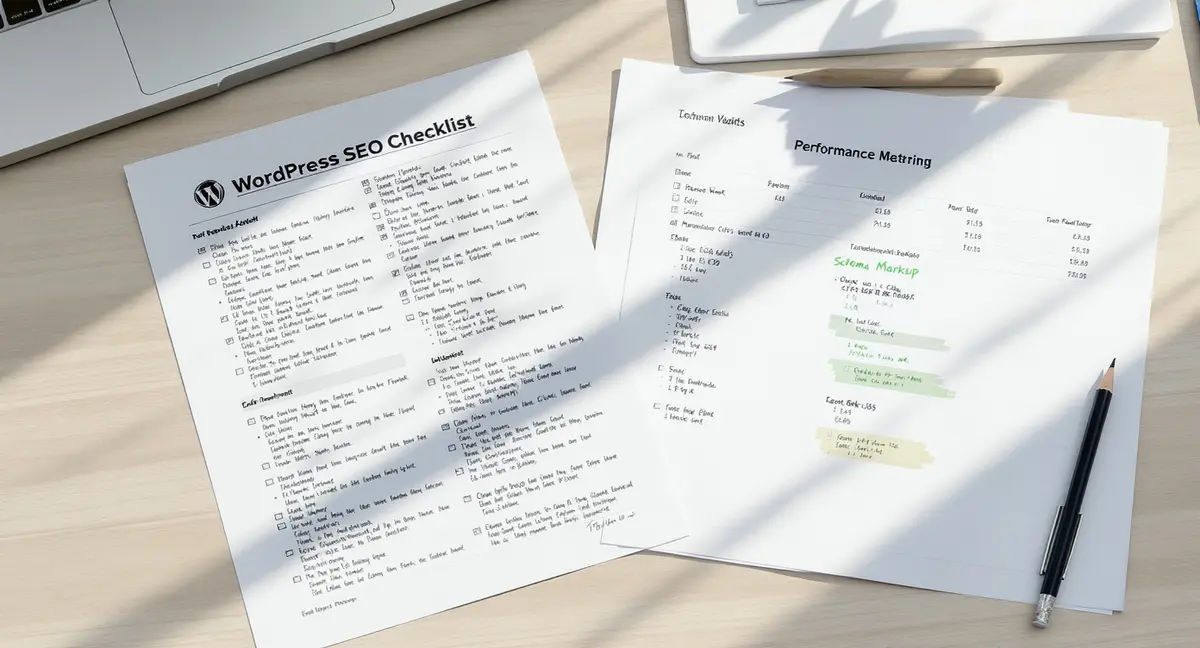
The short answer: A WordPress SEO checklist is a structured workflow covering technical setup, content optimization, and performance tracking to improve organic visibility. Effective checklists include permalink configuration, schema markup, Core Web Vitals optimization, and AI search preparation. Top performers focus on technical foundation, content quality, and measurable tracking. According to BrightEdge, organic search drives 53% of all trackable website traffic.
Most WordPress SEO checklists are outdated before they publish. They tell you to install on-page SEO plugin, set permalinks, and submit a sitemap, tasks that matter, but they're table stakes in 2026. What separates ranking sites from invisible ones isn't plugin installation. It's systematic execution of technical fundamentals, content structure that AI models can parse, and performance optimization that Google's algorithms reward.
WordPress powers 43.5% of all websites globally, according to W3Techs. That ubiquity creates a problem: millions of sites running identical themes, similar plugins, and generic SEO configurations. Your checklist needs to address what actually differentiates performance, site architecture decisions, schema implementation depth, content velocity, and the technical hygiene that compounds over 12-24 months.
This WordPress SEO checklist covers 47 actionable steps across eight categories. Every item includes implementation specifics and performance benchmarks from current industry data. No fluff. No plugin reviews disguised as strategy. Just the technical and editorial decisions that move organic traffic numbers.
What Makes a WordPress SEO Checklist Actually Work?
A functional WordPress SEO checklist isn't a one-time audit. It's a recurring system that catches technical drift, content gaps, and performance degradation before they cost you rankings. According to Search Engine Journal, SEO leads close at 14.6% compared to 1.7% for outbound marketing. That conversion advantage only materializes when your checklist addresses root causes, not symptoms.
The difference between a checklist that produces results and one that wastes time comes down to three factors: specificity, measurability, and integration with your content calendar. Generic items like "optimize images" don't drive action. Specific tasks like "compress hero images to under 100KB using WebP format and validate LCP under 2.5 seconds in PageSpeed Insights" create accountability.
Why Most WordPress SEO Checklists Fail
Most checklists fail because they're designed for beginners who will never execute them or for agencies selling monthly retainers. They include 50+ items with no prioritization, no timeline, and no success metrics. A business owner reads "build quality backlinks" and has no idea where to start. An in-house marketer sees "improve site speed" and doesn't know whether shaving 0.3 seconds matters.
The second failure mode: checklists that ignore WordPress-specific constraints. Recommendations written for hand-coded sites don't translate to WordPress environments where themes control markup, plugins inject scripts, and page builders add rendering layers. You need WordPress-native solutions, .htaccess rules for caching, specific plugin configurations, theme-level optimizations, not generic web development advice.
Third failure: no connection to business outcomes. A checklist that doesn't tie technical tasks to traffic growth, conversion rate improvement, or competitive visibility gains becomes busywork. According to HubSpot's 2024 State of Marketing report, companies that blog get 55% more website visitors. Your WordPress SEO checklist should specify content publishing cadence, not just "create quality content."
The Three Layers Every WordPress SEO Checklist Needs
Effective checklists operate in three layers: foundation, optimization, and growth. Foundation tasks are one-time configurations that set up your WordPress install for long-term performance, permalink structure, XML sitemap generation, Search Console connection, robots.txt rules. These tasks take 2-4 hours total and should never need repeating unless you migrate hosts or rebuild the site.
Optimization tasks are recurring monthly or quarterly reviews, broken link audits, page speed testing, schema markup validation, content refresh cycles. These catch technical debt before it accumulates. Sites with original research get 4x more backlinks than those without, according to Backlinko. Optimization-layer tasks ensure your best content stays competitive as competitors publish newer material.
Growth tasks are content-driven: keyword expansion, topic cluster development, internal linking architecture, and AI search preparation. This layer scales your visibility over time. Data from Demand Gen Report shows B2B buyers consume 3-7 content pieces before engaging sales. Your WordPress SEO checklist should map how those content pieces interconnect and guide users toward conversion.
Technical Foundation: Setting Up WordPress for Search Performance
Technical SEO on WordPress starts with decisions your CMS makes easy to get wrong. Permalink structure, indexing rules, and sitemap configuration all have default settings that work against you. According to Backlinko's 2024 analysis, organic click-through rate for position 1 averages 27.6%. Technical errors that push you from position 1 to position 3 cost you 15+ percentage points of traffic.
The technical foundation layer of your WordPress SEO checklist addresses configuration decisions that affect every page on your site. Get these right once and they compound. Get them wrong and you're fighting uphill on every piece of content you publish.
Permalink Structure and URL Architecture
WordPress defaults to URLs like ?p=123. That structure tells search engines nothing about page content and creates indexing ambiguity. Navigate to Settings > Permalinks and select "Post name" structure. This produces clean URLs like /wordpress-seo-checklist/ that include your target keyword and improve click-through rates in search results. Teams without in-house technical capacity often delegate execution to WordPress SEO companies that handle recurring optimization tasks and performance monitoring.
For existing sites, changing permalink structure breaks inbound links unless you implement redirects. Use a plugin that handles 301 redirects automatically when permalink structure changes, or manually map old URLs to new ones in your .htaccess file. Broken links cost you both user experience and link equity. Every 404 error is lost traffic.
URL length matters. Keep URLs under 60 characters when possible. Remove stop words like "and", "the", "of" from slugs. Use hyphens to separate words, never underscores. WordPress handles this automatically if you keep post titles concise, but manually edit slugs for long-form content to avoid URLs that run 100+ characters.
XML Sitemap Generation and Submission
XML sitemaps tell search engines which pages exist and how often they update. WordPress doesn't generate sitemaps by default. Install a plugin that creates and updates your sitemap automatically, then submit it to Google Search Console and Bing Webmaster Tools. Sitemaps should include all published posts and pages but exclude admin URLs, search results, and tag archives.
Check your sitemap quarterly for bloat. Sites that auto-generate author archives, date archives, and category pages often include hundreds of thin-content URLs in sitemaps. These dilute crawl budget and create indexing noise. Configure your sitemap to exclude low-value page types and focus crawler attention on content that drives traffic.
Video sitemaps and image sitemaps are separate files. If your WordPress site includes substantial video content or relies on image search traffic, generate dedicated sitemaps for those media types. Google processes video and image sitemaps separately from page sitemaps, and proper markup increases visibility in specialized search verticals.
How Do I Configure Google Search Console for WordPress?
Google Search Console is your primary feedback loop for technical SEO. It shows indexing errors, mobile usability issues, Core Web Vitals performance, and manual actions. Connect Search Console within 24 hours of launching a WordPress site, the sooner you start collecting data, the sooner you can identify problems.
Verification requires adding a DNS record, uploading an HTML file, or inserting a meta tag in your site header. Most SEO plugins include a Search Console verification field that handles the meta tag method automatically. Once verified, submit your XML sitemap URL in the Sitemaps section. Google typically processes new sitemaps within 48 hours.
Reading and Acting on Search Console Data
The Performance report shows which queries drive impressions and clicks. Filter by page to see which content ranks for what terms. Filter by query to see position and click-through rate for specific keywords. According to industry benchmarks, position 1 averages 27.6% CTR while position 5 drops to 9.5%. If you rank position 4-6 for a high-volume term, small improvements yield large traffic gains.
The Coverage report identifies indexing errors: pages blocked by robots.txt, pages returning 404 errors, pages with redirect chains, and pages excluded by canonical tags. Fix errors in order of traffic impact. A 404 on a page that received 1,000 impressions last month costs more than a 404 on a page that never ranked.
Core Web Vitals report tracks Largest Contentful Paint, Interaction to Next Paint, and Cumulative Layout Shift. These metrics are confirmed ranking factors. URLs failing Core Web Vitals thresholds show a red "Poor" label. Prioritize fixing poor URLs that receive substantial traffic, improving a high-traffic page's LCP from 4.2 seconds to 2.1 seconds can lift rankings and reduce bounce rate.
Mobile Usability and Manual Actions
The Mobile Usability report flags issues like text too small to read, clickable elements too close together, and content wider than screen. Mobile-first indexing means Google ranks your site based on mobile performance, not desktop. Mobile usability errors directly impact rankings. Fix them immediately.
Manual Actions appear when Google's human reviewers determine your site violates quality guidelines, thin content, unnatural links, cloaking, or other manipulative practices. Manual actions tank your rankings overnight. If you receive one, read the explanation, fix the violation, and submit a reconsideration request. Recovery takes weeks to months depending on severity.
On-Page Optimization: Making Every WordPress Post Rank-Ready
On-page SEO is where most WordPress sites leave traffic on the table. They publish content without structured data, bury keywords in the wrong places, and ignore heading hierarchy. According to Content Marketing Institute's 2024 report, content marketing budgets average 26% of total marketing spend. That investment only pays off when content is technically optimized for discovery.
Every WordPress post you publish should pass a consistent quality gate: keyword in title and first paragraph, proper heading structure, schema markup, internal links, and image optimization. This isn't optional polish. It's the baseline that determines whether Google indexes your content at position 47 or position 7.
Title Tags, Meta Descriptions, and Heading Hierarchy
Title tags should include your target keyword within the first 60 characters. WordPress uses your post title as the title tag by default, but SEO plugins let you customize it. Write titles that promise a specific outcome: "WordPress SEO Checklist: 47 Steps to Rank in 2026" performs better than "WordPress SEO Tips." Businesses evaluating whether to migrate from Wix or commit to WordPress should review the Wix WordPress SEO comparison to understand platform-level ranking constraints before investing in optimization.
Meta descriptions don't directly affect rankings but influence click-through rate. Write 130-155 characters that describe what the reader gains. Include the target keyword naturally. According to Backlinko, higher CTR signals relevance to Google and can improve rankings indirectly. A compelling meta description on a position 3 result can outperform a generic one at position 2.
Heading hierarchy structures content for readability and SEO. Use one H1 per page (WordPress assigns H1 to post titles automatically). Use H2s for major sections, H3s for subsections under each H2. Never skip levels, don't jump from H2 to H4. Search engines use heading tags to understand content structure and extract featured snippet candidates.
Keyword Placement and Density
Place your target keyword in the first 100 words, at least two H2 headings, and the conclusion. Aim for 0.5-1.0% keyword density, if you're writing a 2,000-word article, use the exact keyword 10-20 times. Overuse triggers keyword stuffing penalties. Underuse leaves ranking potential untapped.
Semantic variations matter more than exact-match repetition. If your target is "WordPress SEO checklist," also use "WordPress search optimization," "WordPress ranking factors," and "SEO tasks for WordPress." Google's natural language processing understands synonyms and related terms. Topical depth beats keyword cramming.
Internal linking passes authority and helps Google understand site structure. Link from high-authority pages to newer content that needs a ranking boost. Use descriptive anchor text that includes target keywords, but vary it, don't use identical anchor text for every link to the same page. Aim for 2-5 internal links per 1,000 words.
Is Schema Markup Required for WordPress SEO?
Schema markup isn't technically required, but it's the difference between appearing in rich results and getting buried in blue links. According to research from multiple sources, schema-improved results see higher click-through rates because they display star ratings, FAQs, how-to steps, and other visual elements directly in search results.
WordPress doesn't add schema automatically. You need a plugin or manual JSON-LD insertion. At minimum, implement Article schema on blog posts, Organization schema on your homepage, and FAQ schema on content with question-answer sections. Local businesses should add LocalBusiness schema with NAP data and service areas.
Implementing Schema on WordPress Without Breaking Things
Use JSON-LD format, not microdata or RDFa. JSON-LD sits in a script tag in your page header and doesn't interfere with visible content. Most schema plugins generate JSON-LD automatically based on post metadata. Validate your markup using Google's Rich Results Test tool before publishing.
Common schema types for WordPress sites: Article (blog posts), Product (ecommerce), Recipe (food blogs), Event (event listings), VideoObject (embedded videos), and FAQPage (FAQ sections). Each schema type has required and recommended properties. Required properties must be present or Google won't display rich results. Recommended properties improve appearance but aren't mandatory.
Don't mark up content that isn't visible on the page. Google penalizes hidden schema, marking up a 5-star rating that doesn't appear on the page, for example. Schema should describe what users see, not what you wish they saw. Deceptive markup triggers manual actions.
FAQ Schema and AI Search Visibility
FAQ schema helps your content appear in AI-generated answers. ChatGPT, Perplexity, and Google's AI Overviews pull structured data when generating responses. According to BrightEdge 2025 data, early AI search adopters see 120x impression increases and 800% year-over-year traffic growth from large language models.
Format FAQs as H3 questions with paragraph answers. Use FAQ schema to mark up the question-answer pairs. Each FAQ should answer a specific query users actually search. Generic FAQs like "What is SEO?" waste schema markup. Specific FAQs like "How do I fix duplicate title tags in WordPress?" target real search intent.
See How Your Business Shows Up in AI Search
Get a free AI visibility scan. See exactly where you rank on ChatGPT, Perplexity, and Google AI, and what to do about it. Get Your Free Scan.
Content Strategy: Publishing for Google and AI Search
Content strategy on WordPress isn't about volume. It's about publishing structured, cited, expert-level material that search algorithms and AI models both recognize as authoritative. According to DemandSage 2025 research, 50% of Google queries now trigger AI Overviews, causing a 61% drop in organic click-through rate for traditional results. Your WordPress SEO checklist must account for how AI selects sources.
AI models cite 3-5 brands per query. If your business isn't in that group, your competitor is. The content decisions you make today determine whether AI search sends you traffic or makes you invisible. That means structured formatting, factual density with named sources, and schema markup that AI can parse. Theme-level decisions affect markup, rendering speed, and schema implementation depth, which is why selecting an SEO WP WordPress theme matters more than most site owners realize.
Topic Clusters and Internal Linking Architecture
Topic clusters organize content around pillar pages and supporting articles. A pillar page covers a broad topic at 3,000+ words. Supporting articles dive deep into subtopics and link back to the pillar. This structure signals topical authority to Google and creates natural internal linking patterns.
For a WordPress SEO topic cluster, your pillar might be "Complete WordPress SEO Guide." Supporting articles cover "WordPress permalink optimization," "WordPress schema markup," "WordPress Core Web Vitals," and "WordPress content velocity." Each supporting article links to the pillar and to related supporting articles. The pillar links to all supporting content.
Internal linking architecture should follow a pyramid: homepage links to category pages, category pages link to pillar content, pillar content links to supporting articles. Deep pages that sit 4+ clicks from the homepage receive less crawl priority and link equity. Flatten your architecture by linking high-authority pages directly to important deep content.
Content Refresh Cycles and Update Frequency
Google rewards freshness, especially for query types where recency matters. Update cornerstone content quarterly, add new data, remove outdated examples, expand sections that underperform. Mark updates with "Updated " in the title or introduction. Republish with a new publish date to signal freshness.
Content refresh isn't rewriting. It's adding value. If a 2024 article on WordPress SEO doesn't mention AI Overviews or Core Web Vitals changes, it's obsolete. Add a section covering those topics, cite 2025-2026 research, and update any statistics that reference old years. According to HubSpot, companies that blog get 55% more website visitors, but only if that content stays current.
Track content performance in Search Console and Google Analytics. Identify pages that rank positions 5-15 for high-volume keywords. These are your refresh priorities. Small improvements to underperforming content often yield bigger traffic gains than publishing new articles.
How Fast Does a WordPress Site Need to Load?
Page speed is a confirmed ranking factor and a Core Web Vitals component. Google's thresholds: Largest Contentful Paint under 2.5 seconds, Interaction to Next Paint under 200 milliseconds, Cumulative Layout Shift under 0.1. URLs that fail these thresholds receive a ranking penalty, especially on mobile.
Test your site using PageSpeed Insights, which reports both lab data and field data from real Chrome users. Lab data shows what's possible under ideal conditions. Field data shows actual user experience. If field data shows poor performance, you have a real problem affecting rankings and conversions.
WordPress-Specific Speed Optimizations
WordPress sites slow down from theme bloat, plugin conflicts, unoptimized images, and server response time. Start with hosting, shared hosting plans struggle under traffic spikes. Managed WordPress hosts or VPS plans with server-level caching deliver faster initial response times.
Enable caching at multiple layers: browser caching via .htaccess rules, page caching via plugin, object caching via Redis or Memcached if your host supports it. Caching serves static HTML instead of processing PHP on every request. This cuts server load and improves Time to First Byte.
Minify CSS and JavaScript files. Combine multiple CSS files into one, multiple JS files into one. Defer non-critical JavaScript so it loads after visible content. Inline critical CSS directly in the HTML head so above-the-fold content renders immediately. These techniques improve Largest Contentful Paint by reducing render-blocking resources.
Image Optimization and Lazy Loading
Images are the largest files on most WordPress pages. Compress images before upload using tools that reduce file size without visible quality loss. Convert JPEGs and PNGs to WebP format, which delivers 25-35% smaller file sizes. Serve responsive images using srcset attributes so mobile users don't download desktop-sized files.
Lazy loading defers offscreen image loading until users scroll. WordPress enables lazy loading by default for images in post content, but not for header images, featured images, or images in widgets. Manually add loading="lazy" attributes to those images or use a plugin that handles it automatically.
Specify image dimensions in HTML width and height attributes. This reserves space in the layout before images load, preventing Cumulative Layout Shift. CLS occurs when elements move after the page loads, images without dimensions cause the most common CLS issues.
Tracking and Measurement: Knowing What Works
A WordPress SEO checklist without measurement is just busywork. You need quantifiable proof that technical optimizations, content publishing, and speed improvements drive traffic and conversions. According to Firework's 2025 report, only 8% of marketers feel confident they can measure ROI from their efforts. The other 92% are guessing.
Tracking starts with Google Analytics and Search Console, but those tools only show aggregate trends. You need page-level performance data, conversion attribution, and competitive benchmarking to know whether your WordPress SEO checklist is working or wasting time. Individual page optimization requires a repeatable process that goes beyond plugin defaults, which is where focused WordPress page SEO execution separates ranking pages from invisible ones.
Setting Up Conversion Tracking in Google Analytics
Define conversions based on business outcomes: form submissions, phone calls, purchases, email signups, or PDF downloads. Set up goals in Google Analytics 4 that fire when users complete these actions. Tag conversion pages with event parameters so you can track which traffic sources drive conversions.
Organic search traffic should convert at predictable rates. According to SingleGrain's 2025 analysis, AI-sourced visitors convert at 27% compared to 2.1% from traditional search. If your organic conversion rate sits under 2%, you're attracting the wrong traffic or your landing pages fail to convert. Fix targeting or page design, not just SEO.
Use UTM parameters to track traffic from specific content pieces. Tag links in guest posts, email campaigns, and social media with source, medium, and campaign parameters. This shows which content drives referral traffic and which sits ignored. Content that drives zero referral traffic after 90 days should be refreshed or removed.
Competitive Benchmarking and Share of Voice
Track your rankings for target keywords weekly or monthly. Identify competitors who rank for the same terms. Measure share of voice, the percentage of total impressions your site captures for a keyword set compared to competitors. If competitors gain share while you lose it, their content strategy is outperforming yours.
Analyze competitor content for gaps. If a competitor ranks position 1 for "WordPress speed optimization" with a 4,000-word guide covering 15 techniques, and your article covers 8 techniques in 1,500 words, you know why they outrank you. Close the gap by expanding content depth, adding data, or targeting different search intent.
Monitor backlink profiles quarterly. New backlinks signal growing authority. Lost backlinks indicate link rot or competitor outreach targeting your sources. If you lose 10 backlinks in a quarter and competitors gain 30, you're falling behind in off-page SEO. Address it by publishing linkable assets, original research, data visualizations, or detailed guides that attract natural citations.
The Bottom Line on WordPress SEO Checklists
A WordPress SEO checklist only works if you execute it systematically and measure results. The technical foundation tasks, permalink structure, XML sitemaps, Search Console connection, take 2-4 hours and set up long-term performance. On-page optimization and content strategy are recurring efforts that compound over 12-24 months. Speed optimization and tracking ensure you're not optimizing in the dark.
The businesses that win organic search in 2026 treat SEO as owned infrastructure, not a monthly service. They install systems that keep producing results after the initial setup. Platforms like Strategyc's Content & Visibility Engine take this approach by building publishing workflows businesses own permanently, not retainers that stop working when payments end.
Your WordPress SEO checklist should reduce dependency, not create it. Every task you complete should make your site more autonomous, better structured, faster loading, more visible to both traditional search and AI models. The checklist isn't the goal. Compounding organic visibility that you control is the goal. The checklist just gets you there.
Frequently Asked Questions
How long does it take to see results from a WordPress SEO checklist?
Technical fixes like speed optimization and broken link repairs show impact within 2-4 weeks. Content-driven improvements take 3-6 months as Google crawls, indexes, and ranks new material. Competitive keywords in saturated niches require 6-12 months of consistent execution before you break into top 10 positions.
Can I implement a WordPress SEO checklist without technical expertise?
Foundation tasks like permalink configuration and XML sitemap submission require basic WordPress admin access and plugin installation. Advanced tasks like schema markup, .htaccess caching rules, and Core Web Vitals optimization need technical knowledge or developer support. Most businesses handle 60-70% in-house and outsource the rest.
What does it take to own my visibility infrastructure instead of renting it?
Ownership means building content systems, tracking workflows, and technical configurations on your own infrastructure. You need a publishing process that runs without ongoing agency dependency, analytics that you control, and content that keeps ranking after you stop paying external vendors. Installed systems compound. Monthly retainers stop when payments stop.
How often should I update my WordPress SEO checklist?
Review foundation tasks annually or when migrating hosts. Run optimization tasks quarterly, speed audits, broken link checks, schema validation. Execute growth tasks weekly or monthly depending on content publishing cadence. Google's algorithm updates 3-5 times per year, so your checklist should adapt to new ranking factors as they emerge.
Does WordPress SEO work differently for ecommerce sites versus blogs?
Core principles stay the same, but ecommerce sites prioritize product schema, category page optimization, and conversion tracking. Blogs focus on article schema, topic clusters, and content refresh cycles. Both need technical foundation work, but ecommerce sites face unique challenges like duplicate product descriptions and thin category pages that require different solutions.