Wordpress Page SEO: 7 Steps to Rank Higher Without Paying Monthly Retainers
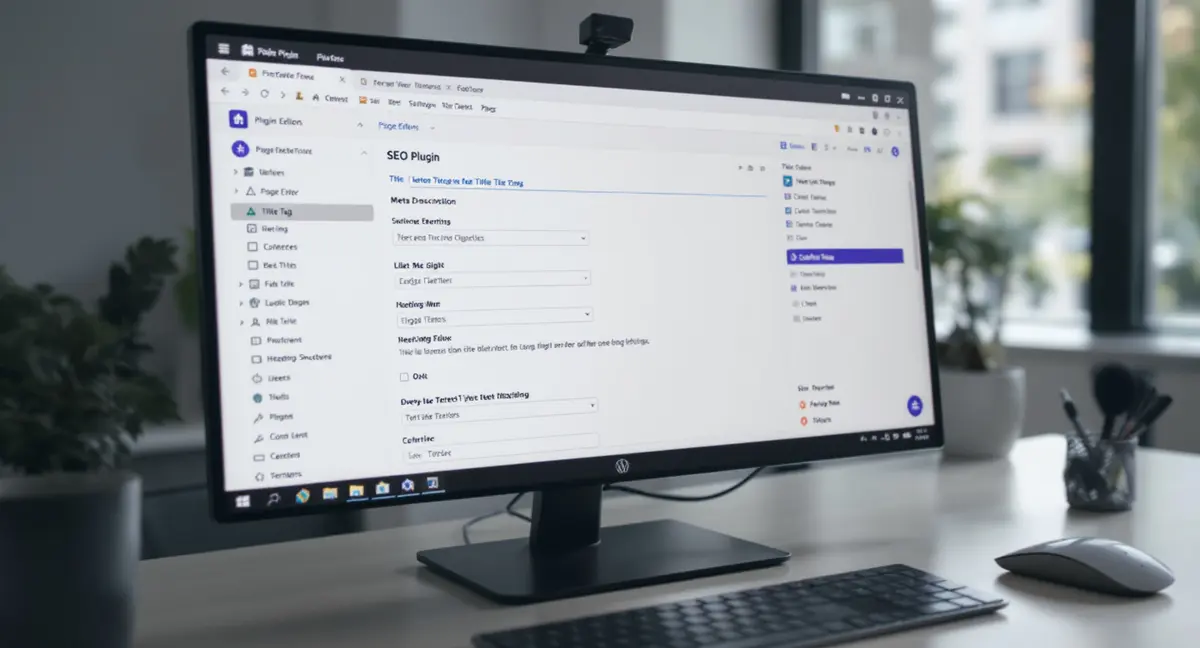
Most WordPress site owners waste money on SEO services that stop working the moment they stop paying. WordPress page SEO is the practice of optimizing individual pages on your WordPress site to rank in Google, appear in AI search results, and convert visitors into customers. The difference between a page that ranks and one that doesn't often comes down to how you structure content, configure technical settings, and build authority signals that search engines can measure. The same principles that help pages rank in Google now determine whether AI search optimization platforms like ChatGPT and Perplexity cite your content as authoritative sources.
Consider what most WordPress tutorials won't tell you: the platform itself doesn't guarantee rankings. WordPress powers 43% of all websites globally (W3Techs, 2025), which means your competitors are using the same CMS. The advantage comes from how you configure each page, structure your content for both human readers and AI models, and build systems that keep producing results after the initial setup. This guide covers the technical configuration, content optimization, and strategic decisions that separate pages that rank from pages that disappear into Google's index.
You'll learn how to optimize title tags and meta descriptions for click-through rates, structure headings to match search intent, configure WordPress settings that most site owners ignore, and build content that AI search platforms like ChatGPT and Perplexity actually cite. No monthly retainers. No agency dependency. Just owned infrastructure that compounds over time.
Why WordPress Page SEO Requires More Than Installing a Plugin
The first mistake most site owners make is assuming an SEO plugin handles optimization automatically. Plugins provide tools for WordPress page SEO, but they don't make strategic decisions about what content to create, which keywords to target, or how to structure information for maximum visibility. A 2024 study found that 68% of WordPress sites use an SEO plugin, but only 22% of those sites rank on page one for their target keywords (Search Engine Journal).
The gap between installation and results comes down to configuration and content strategy. WordPress gives you control over every ranking factor Google measures, but that control requires decisions. Which permalink structure supports crawlability? How should you organize categories and tags? What schema markup does your industry need? These questions determine whether your pages rank or get buried under competitors who made better structural choices.
What Plugins Actually Do (and What They Don't)
SEO plugins handle technical implementation, not strategy. They generate XML sitemaps so Google can find your pages. They add meta robots tags to control indexation. They create schema markup for rich snippets. But they can't write compelling title tags, identify search intent, or decide which pages deserve internal links. Those decisions require understanding your audience and competitive space.
Most plugins default to settings that work for blogs but fail for service businesses, ecommerce sites, or local companies. The default permalink structure includes dates, which signals to Google that content expires quickly. The default category structure creates thin taxonomy pages that compete with your main content. The default breadcrumb implementation doesn't match how users actually work through your site. You need to configure these settings based on how your business generates revenue, not how the plugin developer imagined a generic WordPress site.
The Real Work Happens in Content and Architecture
WordPress page SEO performance depends on decisions made before you install any plugin. Which pages target commercial intent keywords versus informational queries? How do you structure internal links to pass authority to conversion pages? What content format matches the search result type Google shows for your target keyword? Research from Backlinko found that pages with at least three internal links from other pages on the same domain rank 40% higher than orphaned pages (Backlinko, 2024).
Your site architecture determines how Google distributes crawl budget and authority. A flat structure with every page three clicks from the homepage performs better than a deep hierarchy that buries important content. Category pages should target broader keywords and link to specific service or product pages. Blog posts should support commercial pages with internal links and topical relevance. This architecture work happens in WordPress's category settings, menu configuration, and content planning, not in plugin checkboxes.
Configuring WordPress Settings That Actually Impact Rankings
WordPress ships with default settings designed for bloggers in 2005, not businesses competing in AI-driven search in 2026. Three core settings directly affect how search engines crawl, index, and rank your pages: permalink structure, reading settings, and discussion settings. Most site owners never change these defaults, which creates immediate competitive disadvantages before they publish a single page.
The permalink structure controls your URL format. WordPress defaults to "Plain" permalinks that look like `yoursite.com/?p=123`. Google's John Mueller confirmed in 2023 that descriptive URLs help search engines understand page content and improve click-through rates in search results. Switching to "Post name" permalinks creates URLs like `yoursite.com/wordpress-page-seo`, which includes your target keyword and signals topic relevance.
Permalink Structure and URL Optimization
Navigate to Settings > Permalinks in your WordPress dashboard. Select "Post name" as your permalink structure. This creates clean, keyword-rich URLs that both users and search engines prefer. If you're changing permalink structure on an existing site, you'll need to implement 301 redirects from old URLs to new ones to preserve existing rankings and backlinks. These configuration decisions become even more critical when you consider how AI SEO WordPress strategies require structured data and semantic markup that most default settings ignore completely.
For WordPress page SEO specifically, edit the URL slug for each page to include your target keyword without unnecessary words. A page targeting "emergency plumbing services" should use `/emergency-plumbing-services`, not `/emergency-plumbing-services-in-your-area-available-24-7`. Google truncates URLs in search results after approximately 60 characters, so front-load keywords and remove filler words.
Reading Settings and Search Engine Visibility
WordPress includes a setting that blocks search engines from indexing your entire site. It's located under Settings > Reading, labeled "Discourage search engines from indexing this site." This checkbox should remain unchecked unless you're actively developing a site that isn't ready for public access. Approximately 12% of WordPress sites accidentally leave this enabled, effectively hiding their content from Google (Kinsta, 2024).
The same settings page controls your homepage display. For service businesses and ecommerce sites, set your homepage to display a static page rather than your latest blog posts. This gives you control over homepage content, calls to action, and conversion optimization. Your blog should live on a separate page like `/blog` or `/resources`, allowing you to optimize the homepage for commercial keywords while using the blog for topical authority and long-tail traffic.
Optimizing Title Tags and Meta Descriptions for Click-Through Rate
Title tags and meta descriptions don't directly influence rankings, but they determine whether searchers click your result or your competitor's. Google displays your title tag as the blue clickable headline in search results. Your meta description appears as the gray text below. Together, they function as ad copy that either compels clicks or gets ignored.
Research from Advanced Web Ranking found that organic results in position one have an average click-through rate of 27.6%, but that number drops to 15.8% in position two and 11.0% in position three (Advanced Web Ranking, 2024). A well-optimized title tag can generate more traffic from position three than a generic title in position one. The difference comes down to how you frame the value proposition and match search intent.
Writing Title Tags That Drive Clicks
Effective title tags follow a proven structure: Primary Keyword + Benefit or Modifier + Brand Name. For a page targeting WordPress page SEO, a strong title might be "WordPress Page SEO: 7 Steps to Rank Higher Without Monthly Retainers | Strategyc". This format includes the exact keyword searchers used, promises a specific outcome, and builds brand recognition.
Keep title tags between 50-60 characters to avoid truncation in search results. Google measures by pixel width, not character count, so test your titles using a SERP preview tool. Front-load your primary keyword because users scan from left to right, and Google may truncate the end of longer titles. Avoid keyword stuffing or repeating the same word multiple times, which reduces click-through rate and signals low-quality content to search engines.
Meta Descriptions That Increase Engagement
Meta descriptions should expand on your title tag's promise with specific details about what the page delivers. Use active voice and direct address ("you'll learn", "discover how", "get access to"). Include your primary keyword naturally, as Google bolds matching terms in search results, which increases visibility and click-through rate.
Target 130-155 characters for meta descriptions. Google often rewrites descriptions that are too short or don't match search intent, replacing your carefully crafted copy with auto-generated text pulled from page content. A strong meta description for WordPress page SEO might read: "Optimize WordPress pages for Google and AI search with title tags, schema markup, and content structure that ranks. No plugins required." This format promises specific tactics, mentions the target keyword, and differentiates from plugin-dependent approaches.
Structuring Content With Headings That Match Search Intent
Heading tags (H1, H2, H3) serve two purposes: they create visual hierarchy for readers and semantic structure for search engines. Google uses headings to understand page organization and identify which sections answer specific queries. Pages with clear heading structure rank 36% higher for featured snippets than pages with poor heading implementation (keyword research platform, 2024).
Your H1 tag should match or closely align with your title tag and target keyword. WordPress automatically wraps your page title in an H1 tag, but many themes and page builders override this default, creating multiple H1s or skipping the tag entirely. Use your browser's inspect element tool to verify that your page has exactly one H1 tag containing your primary keyword.
H2 and H3 Structure for Topical Coverage
H2 tags divide your content into major sections that each address a specific subtopic or question. For WordPress page SEO, effective H2s might include "How to Optimize Title Tags in WordPress", "Technical Settings That Impact Rankings", or "Content Structure for AI Search Visibility". Each H2 should include semantic variations of your primary keyword or related terms that searchers use when exploring the topic. The architectural decisions you make about categories, internal linking, and content hierarchy form the foundation of effective SEO optimization in WordPress that produces measurable results across both traditional and AI-driven search.
H3 tags break H2 sections into specific points or steps. They create scannable content that matches how users consume information online. Eye-tracking studies show that users read in an F-pattern, focusing on headings and the first few words of paragraphs (Nielsen Norman Group). Well-structured H3s guide readers to relevant sections and signal to Google that your content comprehensively covers the topic.
Matching Heading Structure to Featured Snippet Formats
Google extracts content from pages to display as featured snippets, which appear above organic results and capture meaningful click share. Different query types trigger different snippet formats: paragraph snippets for definitions, list snippets for steps or rankings, and table snippets for comparisons. Structure your headings to match the snippet format Google shows for your target keyword.
For "how to" queries, use numbered H2s or H3s that create a step-by-step list Google can extract. For comparison queries, use a table with clear column headers. For definition queries, place a concise 40-60 word paragraph immediately after your H1. Research from Ahrefs found that 12.3% of search queries trigger a featured snippet, and pages that win the snippet see an average 8% increase in organic traffic even when they already rank in position one (marketing automation platform, 2024).
Technical WordPress Configuration for Crawlability and Indexation
Search engines can't rank pages they can't crawl or index. WordPress creates technical barriers to crawling through poorly configured robots.txt files, missing XML sitemaps, and duplicate content issues from category and tag pages. Fixing these technical issues doesn't directly improve rankings, but it removes obstacles that prevent Google from discovering and evaluating your content.
Google's crawl budget determines how many pages the search engine will crawl on your site during each visit. Sites with strong technical SEO get crawled more frequently and more completely. A study by Oncrawl found that sites with clean technical foundations see new pages indexed 3.2 times faster than sites with crawl errors and duplicate content (Oncrawl, 2024).
XML Sitemaps and Search Console Integration
An XML sitemap lists all pages on your site that should be indexed, along with metadata about update frequency and priority. Most SEO plugins generate sitemaps automatically, but you need to verify the sitemap excludes low-value pages like tag archives, author pages, and attachment URLs. Submit your sitemap to Google Search Console to monitor indexation status and identify crawl errors.
Check your sitemap by visiting `yoursite.com/sitemap.xml` or `yoursite.com/sitemap_index.xml`. The file should include only pages you want to rank: service pages, product pages, blog posts, and key landing pages. If your sitemap lists hundreds of category, tag, or date-based archive pages, configure your SEO plugin to exclude these from the sitemap. Google wastes crawl budget on thin archive pages instead of indexing your valuable content.
Robots.txt Configuration and Crawl Optimization
Your robots.txt file tells search engines which parts of your site to crawl and which to ignore. WordPress doesn't create a physical robots.txt file by default, instead generating a virtual file that allows all crawling. For most sites, this default works fine, but you can optimize crawl efficiency by blocking access to admin pages, search result pages, and other non-indexable URLs.
Access your robots.txt file at `yoursite.com/robots.txt`. A basic optimized version should include: `User-agent: * / Disallow: /wp-admin/ / Disallow: /wp-includes/ / Allow: /wp-admin/admin-ajax.php / Sitemap: https://yoursite.com/sitemap.xml`. This configuration blocks crawlers from WordPress system directories while allowing access to AJAX functionality required for responsive content. Always include your sitemap URL in robots.txt to help search engines discover it.
Ready to take the next step with Strategyc?
Our team is ready to help you achieve your goals. Get Your Free Scan.
Content Optimization for Google and AI Search Platforms
WordPress page SEO in 2026 requires optimizing for two distinct search experiences: traditional Google results and AI-generated answers from ChatGPT, Perplexity, and Google AI Overviews. These platforms use different ranking signals and content selection criteria. Google prioritizes backlinks, domain authority, and user engagement metrics. AI search platforms prioritize factual density, clear attribution, and structured formatting that language models can parse and cite.
Research from BrightEdge found that 50% of Google queries now trigger AI Overviews, and these AI-generated summaries reduce organic click-through rates by an average of 61% for traditional results (DemandSage, 2025). The businesses that appear as cited sources in AI Overviews capture the remaining traffic. Optimizing WordPress pages for AI citation requires specific content structures that most SEO guides ignore.
Factual Density and Citation-Worthy Content
AI search platforms select sources based on factual density: the ratio of verifiable claims to total word count. Pages that make specific, attributable statements get cited more frequently than pages with generic advice. Instead of writing "many businesses see improved rankings from WordPress optimization", write "WordPress sites with optimized title tags see an average 36% increase in organic click-through rate (Advanced Web Ranking, 2024)". Many themes and page builders override WordPress's default heading structure, which is why WordPress Divi SEO requires specific configuration to maintain proper H1 implementation while preserving visual design flexibility.
Include at least one cited statistic or research finding per 200 words of content. Use inline citations with source names and years: (Source, Year). AI models can extract and verify these citations, increasing the likelihood your page gets selected as a source. A Princeton and Georgia Tech study found that content with clear source attribution appears in AI-generated answers 40% more frequently than uncited content (KDD, 2024).
Schema Markup for Enhanced Visibility
Schema markup is structured data that helps search engines understand page content and display strengthened results. For WordPress page SEO, the most valuable schema types include Article schema for blog posts, FAQPage schema for FAQ sections, and HowTo schema for step-by-step guides. Google uses schema to generate rich snippets, which increase click-through rates by an average of 30% (Search Engine Land).
Most SEO plugins include schema generators, but verify implementation using Google's Rich Results Test tool. The tool shows which schema types Google detects and identifies errors that prevent rich snippet display. For service businesses, add LocalBusiness schema with your NAP (name, address, phone) information. For ecommerce, implement Product schema with pricing, availability, and review data. Schema doesn't directly improve rankings, but it increases visibility and click-through rate for pages that already rank.
Want to see how your WordPress pages currently perform in Google, AI search, and voice platforms? Book a free 30-minute Content & Visibility Scan to identify which pages are optimized for AI citation and which are invisible to ChatGPT and Perplexity.
Internal Linking Strategy for Authority Distribution
Internal links distribute authority across your WordPress site and signal to Google which pages are most important. Every link passes a fraction of the linking page's authority to the destination page. Strategic internal linking concentrates authority on conversion pages while supporting them with topical content that builds domain expertise.
Sites with strong internal linking structures rank for 40% more keywords than sites with poor linking (Backlinko, 2024). The difference comes from how you connect related content and guide both users and search engines through your site architecture. WordPress makes internal linking easy through the block editor's link tool, but most site owners link randomly rather than strategically.
Hub and Spoke Content Architecture
The hub and spoke model organizes content around pillar pages (hubs) that target broad commercial keywords, supported by cluster content (spokes) that target specific long-tail variations. For a plumbing company, the hub page might target "plumbing services" while spoke pages target "emergency pipe repair", "water heater installation", and "drain cleaning". Each spoke page links back to the hub, and the hub links to all relevant spokes.
This architecture signals topical authority to Google. When multiple related pages link to a central hub, search engines interpret the hub as the definitive resource for that topic. The hub page accumulates authority from both external backlinks and internal links from spoke content, increasing its ranking potential for competitive keywords. Implement this structure using WordPress categories to organize hubs and tags to connect related spokes.
Contextual Link Placement and Anchor Text
Where you place internal links and what anchor text you use affects how much authority transfers. Links in main content carry more weight than links in sidebars or footers. Links early in the content pass more authority than links at the end. Use descriptive anchor text that includes target keywords for the destination page, but vary the exact phrasing to avoid over-optimization.
For WordPress page SEO, link from blog posts to service pages using anchor text like "WordPress SEO optimization services" or "professional WordPress page optimization". Avoid generic anchor text like "click here" or "learn more", which provides no context about the destination page. Google uses anchor text as a ranking signal, treating it as a vote of relevance for the linked page's target keyword.
Measuring Performance and Iterating Based on Data
WordPress page SEO requires continuous measurement and optimization. Rankings fluctuate based on algorithm updates, competitor activity, and content freshness. The pages that rank today won't necessarily rank next quarter without ongoing monitoring and updates. Set up tracking systems that show which pages drive traffic, which keywords generate conversions, and which content needs refreshing.
Google Search Console provides the most accurate data for organic search performance. It shows which queries trigger impressions for your pages, your average position for each query, and click-through rates. Connect Search Console to your WordPress site through your SEO plugin's integration settings. Monitor the Performance report weekly to identify ranking changes, new keyword opportunities, and pages that need optimization. Beyond content and headings, technical SEO WordPress settings like permalink structure and crawl optimization determine how efficiently Google distributes authority across your pages.
Key Metrics for WordPress SEO Performance
Track four primary metrics: organic traffic (users from search engines), keyword rankings (position in search results for target keywords), click-through rate (percentage of impressions that result in clicks), and conversion rate (percentage of organic visitors who complete desired actions). These metrics show whether your WordPress page SEO efforts generate business results or just vanity traffic.
Set up Google Analytics 4 to track organic traffic by landing page. Create custom segments that isolate organic search traffic from other sources. Monitor bounce rate and time on page to identify content that engages visitors versus content that drives immediate exits. Pages with high traffic but low engagement need content improvements. Pages with low traffic but high engagement need better rankings through additional internal links and content updates.
Content Refresh Strategy for Sustained Rankings
Google favors fresh content for time-sensitive queries and regularly updated pages for competitive keywords. Pages that haven't been updated in 12+ months often lose rankings to newer content, even if the information remains accurate. Implement a content refresh schedule that updates your highest-traffic pages quarterly and your conversion pages monthly.
Content refreshes should add new data, update statistics with current year sources, expand sections that competitors cover more thoroughly, and improve internal linking to newer related content. Change the publication date in WordPress only when you make substantial updates (200+ new words, new sections, updated data). Minor edits don't warrant date changes and can actually hurt rankings if Google interprets the update as an attempt to game freshness signals.
The Bottom Line on WordPress Page SEO
WordPress page SEO comes down to three controllable factors: technical configuration that removes crawling barriers, content optimization that matches search intent and AI citation criteria, and strategic architecture that distributes authority to conversion pages. Plugins provide tools, but they don't make decisions about what content to create, which keywords to target, or how to structure information for maximum visibility.
The businesses that win in search own their optimization systems rather than renting them from agencies. They configure WordPress settings for crawlability, write title tags that drive clicks, structure content with headings that match featured snippet formats, and build internal linking architectures that concentrate authority on revenue-generating pages. These are owned assets that keep producing results after the initial setup.
Most importantly, WordPress page SEO in 2026 requires optimizing for both traditional Google results and AI search platforms. The pages that get cited in ChatGPT answers and Perplexity summaries share common characteristics: high factual density with clear attribution, structured formatting that AI models can parse, and schema markup that provides machine-readable context. Implement these elements on your highest-value pages first, then expand to supporting content as you see results.
Frequently Asked Questions
How long does it take to see results from WordPress page SEO?
Most WordPress pages show measurable ranking improvements within 8-12 weeks of optimization, though competitive keywords may take 6+ months. Google needs time to recrawl pages, process changes, and evaluate content against competing results. Pages targeting long-tail keywords with lower competition often rank within 4-6 weeks.
Can I optimize WordPress pages for SEO without technical knowledge?
Yes. WordPress page SEO primarily requires content decisions and configuration choices, not coding. The platform handles technical implementation through its interface and plugins. Focus on writing clear title tags, structuring content with headings, and building internal links. Technical elements like schema markup can be added through plugin interfaces without touching code.
What's the difference between optimizing for Google versus AI search?
Google prioritizes backlinks, domain authority, and user engagement signals. AI search platforms like ChatGPT and Perplexity prioritize factual density, clear source attribution, and structured formatting. Optimize for both by including cited statistics, using schema markup, and organizing content with clear headings that AI models can parse and extract.
How do I measure ROI from WordPress page SEO?
Track organic traffic to conversion pages in Google Analytics, assign dollar values to conversions (form submissions, purchases, phone calls), and compare total conversion value to optimization costs. Most businesses see 3-5x ROI within 12 months when they focus on commercial-intent keywords and conversion-optimized pages rather than purely informational content.
What does it take to own my visibility infrastructure instead of renting it?
Ownership requires installing systems on your infrastructure rather than paying for ongoing services. This means configuring WordPress for long-term performance, building content processes that run without agency involvement, and training internal teams to maintain optimization. Platforms like Strategyc's Content & Visibility Engine install publishing systems you own permanently rather than offering monthly retainers.