Wix Wordpress SEO: Which Platform Wins for Organic Growth?
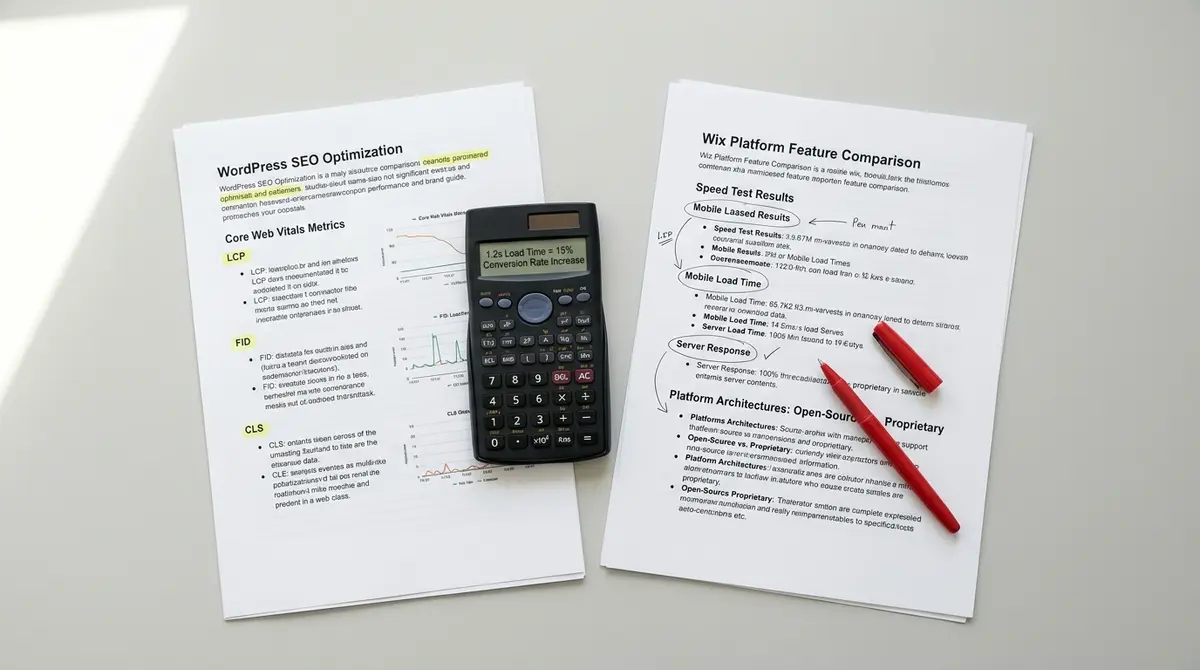
The short answer: WordPress gives you more control over technical SEO, faster site speed potential, and better scalability for content-heavy sites, while Wix handles the basics but limits advanced optimization. Success in wix wordpress seo comes down to site speed, technical control, and content scalability. According to Tooltester's 2026 testing, WordPress loaded in 2.75 seconds on desktop compared to Wix's 2.53 seconds, but WordPress pulls ahead when optimized correctly. As AI-powered search engines reshape how users find information, understanding Perplexity SEO becomes critical for brands that want visibility beyond traditional Google results.
You're choosing between two platforms that approach SEO from opposite directions. Wix wants to handle everything for you. WordPress wants you to handle everything yourself. Neither approach is wrong, but one will cost you more traffic over time if you pick the wrong fit.
The wix wordpress seo debate isn't about which platform can rank. Both can. It's about how much control you need, how fast you want to move, and whether you're building a 20-page site or a 2,000-page content engine. According to Google, 53% of mobile users leave a page that takes longer than 3 seconds to load, and your platform choice directly affects whether you hit that threshold.
This article breaks down the technical differences that actually matter for organic visibility. You'll see real performance data, migration costs, and the hidden SEO limitations that don't show up until you're six months in and trying to scale.
How Wix and WordPress Handle Core SEO Differently
The fundamental difference in wix wordpress seo comes down to architecture. Wix is a closed system. You get what Wix builds. WordPress is an open platform. You get what you build on top of it.
Wix gives you a visual editor, managed hosting, automatic updates, and built-in SEO tools. You can't break anything because you can't access the underlying code. WordPress gives you full access to themes, plugins, server configuration, and database structure. You can break everything, which means you can also optimize everything.
For basic on-page SEO, both platforms cover the essentials. You can edit meta titles, meta descriptions, heading tags, image alt text, and URL slugs. You can submit sitemaps to Google Search Console. You can add canonical tags and noindex directives. If your SEO strategy stops there, either platform works.
Where Wix Limits Technical Control
Wix doesn't let you touch server-level configuration. You can't control caching rules, implement custom redirects at scale, or modify how the platform generates HTML. You're locked into Wix's CDN, Wix's image optimization, and Wix's JavaScript rendering approach.
That matters when you need advanced technical SEO. Want to implement hreflang tags for international SEO? Wix supports it, but only through their interface. Want to set up complex redirect chains after a site migration? You'll do it one URL at a time in the dashboard. Want to control how Google crawls different sections of your site? You're limited to what Wix exposes in their robots.txt editor.
WordPress lets you install plugins that handle all of this programmatically. You can write custom functions, modify .htaccess files, and control every HTTP header your server sends. That flexibility matters more as your site grows.
How WordPress Scales Technical SEO
WordPress sites can implement schema markup through plugins, custom code, or theme functions. You can add JSON-LD structured data for articles, products, FAQs, local business information, and events. You control exactly what Google sees.
You can also optimize Core Web Vitals by choosing lightweight themes, implementing lazy loading, deferring JavaScript, and using advanced caching plugins. According to Google, Core Web Vitals are confirmed ranking factors, and WordPress gives you the tools to hit the thresholds.
Wix handles some of this automatically, but you can't override their decisions. If Wix's image optimization compresses too aggressively, you're stuck with it. If their JavaScript framework adds render-blocking code, you can't remove it. The platform makes choices for you, and those choices don't always prioritize organic performance.
| Factor | What it is | Impact |
|---|---|---|
| Technical SEO control | Access to server config, redirects, schema | High |
| Site speed optimization | Caching, lazy loading, theme weight | High |
| Content scalability | Ability to manage 500+ pages efficiently | High |
| Schema markup flexibility | Custom structured data implementation | Medium |
| Hosting control | Choice of server, CDN, and infrastructure | Medium |
Which Platform Loads Faster for Search Rankings?
Site speed affects wix wordpress seo directly. Google uses Core Web Vitals as ranking signals, and mobile users bounce if pages take too long to load. The platform you choose sets your baseline performance before you optimize anything. If you're rebuilding your site on WordPress and need expert support, WordPress SEO companies can handle the technical migration and ongoing optimisation without the learning curve.
According to Tooltester's 2026 testing, Wix loaded in 2.53 seconds on desktop while WordPress loaded in 2.75 seconds. That's a 0.22-second difference, which sounds negligible. But the same test showed GoDaddy's website builder loaded in 1.10 seconds, proving both platforms have room for improvement.
The gap widens when you look at mobile performance. Tooltester found both Wix and WordPress were over twice as slow as the fastest builder on mobile devices. That matters because Google indexes mobile versions first, and most search traffic comes from phones.
Why WordPress Can Be Faster When Optimized
WordPress speed depends entirely on your hosting, theme, and plugins. A poorly configured WordPress site with a bloated theme and 30 plugins will load slower than Wix. A well-optimized WordPress site on managed hosting with a lightweight theme will beat Wix every time.
You control caching on WordPress. You can implement object caching, page caching, and browser caching through plugins or server configuration. You can use a CDN like Cloudflare to serve static assets from edge locations. You can lazy-load images, defer non-critical JavaScript, and minify CSS.
Wix handles caching automatically, but you can't adjust the settings. If Wix's default caching strategy doesn't work for your site structure, you're out of options. WordPress lets you test different configurations until you find what works.
Where Wix Wins on Speed by Default
Wix sites are faster out of the box because Wix controls the entire stack. You don't have to choose hosting, install caching plugins, or optimize images manually. Wix does it for you.
That's an advantage if you don't have technical resources. A default Wix site will usually outperform a default WordPress site with cheap shared hosting and a heavy theme. But the ceiling is lower. You can't push Wix performance beyond what the platform allows.
For small sites with limited traffic, the difference won't matter. For content-heavy sites competing in crowded search results, every tenth of a second counts. WordPress gives you the tools to get there. Wix doesn't.
How Content Scalability Affects Long-Term SEO
The wix wordpress seo comparison changes dramatically when you scale past 100 pages. Small sites perform fine on either platform. Large sites need WordPress.
Wix is built for simplicity. The editor is visual, the interface is intuitive, and you can build a site without touching code. That works great for a 20-page service business site. It breaks down when you're managing 500 blog posts, 200 service pages, and 50 location pages.
WordPress is built for publishing. The content management system was originally a blogging platform, and it still excels at handling large content libraries. You can organize posts by category, tag, author, and custom taxonomies. You can bulk-edit metadata, schedule posts months in advance, and use custom fields to structure content.
Why WordPress Handles Large Content Libraries Better
WordPress lets you create custom post types for different content formats. You can have separate post types for blog articles, case studies, service pages, and location pages. Each post type can have its own template, metadata structure, and URL pattern.
That matters for internal linking and site architecture. You can build topic clusters where pillar pages link to supporting articles, and supporting articles link back to pillars. You can automate related post sections, breadcrumb navigation, and contextual CTAs based on taxonomy.
Wix doesn't support custom post types. You can create different page templates, but you can't organize content by type at the database level. That makes it harder to scale content operations as your site grows.
How Wix Limits Content Operations
Wix's visual editor is great for designing individual pages. It's terrible for managing hundreds of pages. You can't bulk-edit meta descriptions, update canonical tags across multiple pages, or apply template changes to existing content without manually editing each page. Your theme choice determines baseline performance before you install a single plugin, which is why selecting the right SEO WP WordPress theme matters as much as your hosting configuration.
WordPress lets you do all of that through plugins or custom scripts. You can export your entire site to CSV, make changes in a spreadsheet, and reimport. You can write functions that automatically update metadata based on post type or category. You can version-control your content and roll back changes if something breaks.
For businesses that publish content weekly, this flexibility compounds over time. A WordPress site can grow to 1,000+ pages without becoming unmanageable. A Wix site starts feeling clunky around 200 pages.
What Happens When You Migrate Between Platforms?
Migration is where wix wordpress seo decisions become expensive. Moving from Wix to WordPress is common. Moving from WordPress to Wix is rare. That tells you something about which platform businesses outgrow.
Migrating from Wix to WordPress means exporting your content, recreating your design, and setting up 301 redirects for every URL. Wix doesn't make this easy. You can't export your site structure, your metadata, or your redirects in a format WordPress understands. You'll rebuild most of it manually.
The SEO risk comes from broken redirects. If you don't map every old Wix URL to a new WordPress URL, you'll lose rankings. Google treats broken redirects as soft 404 errors, and pages that return 404s drop out of the index. You'll also lose any backlinks pointing to old URLs unless you redirect them correctly.
How to Migrate Without Losing Rankings
The safest migration path is to build the new WordPress site on a staging domain, map every URL, set up redirects in advance, and switch DNS only after you've tested everything. You'll still see a temporary ranking dip while Google recrawls the site and updates its index.
According to industry research, most sites recover their rankings within 3-6 months after a well-executed migration. Poorly executed migrations can take 12+ months to recover, and some pages never regain their original positions.
The cost of migration isn't just technical. You'll spend time rebuilding your design, reconfiguring your SEO settings, and retraining your team on a new platform. For many businesses, that's 40-80 hours of work plus developer fees. You could've spent that time publishing content instead.
Why Businesses Rarely Migrate to Wix
Businesses migrate from Wix to WordPress when they hit scaling limits. They migrate from WordPress to Wix almost never. The only exception is businesses that want to simplify operations and don't care about advanced SEO.
If you're choosing between platforms today, assume you'll outgrow Wix eventually. The question is whether you'll outgrow it in one year or five years. If your content strategy involves publishing 50+ articles per year, start with WordPress. If you're building a 10-page brochure site, Wix is fine.
The migration cost is the hidden price of choosing Wix. You'll pay it later when you realize the platform can't support your growth. WordPress has a steeper learning curve upfront, but you won't hit a ceiling.
See How Your Business Shows Up in AI Search
Get a free AI visibility scan. See exactly where you rank on ChatGPT, Perplexity, and Google AI, and what to do about it. Get Your Free Scan.
How Ecommerce SEO Works on Each Platform
Ecommerce adds another layer to the wix wordpress seo comparison. Product pages, category pages, and faceted navigation all create SEO challenges that platforms handle differently.
Wix's ecommerce tools are built into the platform. You can add products, create collections, and set up checkout without installing plugins. The SEO basics work fine. You can edit product meta titles, descriptions, and image alt text. You can create SEO-friendly URLs for product and collection pages.
WordPress requires WooCommerce or another ecommerce plugin. That adds complexity, but it also adds flexibility. You can customize product page templates, implement advanced schema markup for products, and control how category pages handle pagination and filtering.
Where WordPress Wins for Product SEO
WooCommerce lets you add custom fields to products, create product variations with unique URLs, and implement structured data for price, availability, and reviews. You can optimize product images with next-gen formats like WebP, lazy-load product galleries, and control how Google indexes variant pages. Once you've chosen WordPress, implementing proper WordPress page SEO ensures each piece of content has the technical foundation to compete in search results.
You can also build content-rich product pages with custom sections, comparison tables, and embedded videos. Wix supports some of this, but you're limited by the visual editor. WordPress lets you code exactly what you need.
For large catalogs, WordPress handles faceted navigation better. You can create filter combinations that don't generate duplicate content, use canonical tags to consolidate ranking signals, and implement pagination correctly. Wix's filtering creates URL parameters that can confuse Google if you're not careful.
When Wix Ecommerce Is Enough
If you're selling 50 products or fewer, Wix ecommerce works fine. The built-in tools are easier to set up than WooCommerce, and you won't hit scaling limits with a small catalog.
Wix also handles payment processing, inventory management, and order fulfillment in one platform. WordPress requires separate plugins or integrations for each function. That simplicity matters if you don't have a dedicated developer.
But if you're planning to scale to 500+ products, multiple product categories, and complex filtering, WordPress gives you more room to grow. The upfront complexity pays off when you're not rebuilding your entire store two years later.
What Does Ownership Cost on Each Platform?
The total cost of wix wordpress seo includes platform fees, hosting, plugins, themes, and developer time. Wix bundles most of this into a monthly subscription. WordPress splits it across multiple vendors.
According to Growth Marketing Pro, WordPress hosting can cost a few dollars per month on shared hosting, while comparable Wix plans cost $14+ per month. That's true for basic sites, but it doesn't tell the full story.
Cheap WordPress hosting is slow, unreliable, and often lacks the features you need for good SEO. Managed WordPress hosting from providers like WP Engine or Kinsta costs $30-$100+ per month, which is more than Wix's premium plans. But you're paying for performance, security, and support that actually matters for organic rankings.
Hidden Costs of WordPress
WordPress is free, but everything else costs money. You'll pay for hosting, a premium theme, essential plugins, and developer time if you can't do it yourself. A typical WordPress site costs $500-$2,000 to set up properly, then $30-$200 per month to maintain.
You'll also spend time managing updates, security patches, and plugin compatibility. WordPress requires more hands-on maintenance than Wix. If you don't have technical resources, that's a real cost.
But you own the infrastructure. If you stop paying for hosting, you can move your site to another host without rebuilding it. If you stop paying Wix, your site disappears. That ownership matters when content is your primary growth channel.
What You're Actually Paying Wix For
Wix charges for convenience. You're paying them to handle hosting, security, updates, and technical maintenance. You're also paying for the visual editor, the app marketplace, and customer support.
For businesses without technical resources, that's worth it. You can build and maintain a site without hiring a developer. But you're renting the platform, not owning it. When you stop paying, everything stops.
The break-even point depends on how much you value control versus convenience. If you're building a content engine that needs to produce results for 5+ years, ownership beats convenience. If you need a site up in a week and don't plan to scale past 50 pages, Wix's convenience wins.
How AI Search Changes the Platform Decision
AI search engines like ChatGPT, Perplexity, and Google AI Overviews are reshaping how wix wordpress seo works. These systems cite sources directly in answers, and they prioritize sites with structured, authoritative content.
According to BrightEdge, 50% of Google queries now trigger AI Overviews, and those overviews cause a 61% drop in organic click-through rates for traditional results. If your content doesn't get cited in the AI answer, you're invisible.
WordPress gives you better tools to optimize for AI search. You can implement schema markup that helps AI systems understand your content structure. You can add FAQ sections with structured data that AI models extract and cite. You can organize content into clear, hierarchical sections that AI can parse easily. If you've already migrated and rankings haven't recovered, targeted WordPress SEO help can identify the technical issues holding your site back from its pre-migration performance.
Why Structured Content Matters for AI Visibility
AI models prefer content that's easy to extract and attribute. That means clear headings, factual statements with sources, and structured data that labels what each section contains.
WordPress plugins can automatically generate JSON-LD schema for articles, FAQs, how-to guides, and product pages. You can add custom schema types through code if needed. Wix supports basic schema, but you can't customize it beyond what the platform provides.
Research from Princeton and Georgia Tech shows that structured content with citations improves AI visibility by 30-40%. If AI search is forming its knowledge base right now, the platform that lets you structure content correctly wins long-term.
How Wix Limits AI Optimization
Wix's closed architecture makes it harder to implement advanced schema markup. You can add basic structured data through their SEO settings, but you can't write custom JSON-LD or modify how the platform generates markup.
That matters when AI models start prioritizing specific schema types or when new structured data formats emerge. WordPress lets you adapt immediately. Wix requires you to wait for the platform to add support.
For businesses betting on AI search as a primary traffic channel, WordPress's flexibility is worth the extra complexity. You can optimize for how AI systems work today and adjust as they evolve.
The Bottom Line
The wix wordpress seo decision comes down to three variables: how much content you'll publish, how much technical control you need, and whether you're building for 2 years or 10 years.
Wix works for small sites that need to launch quickly and don't plan to scale past 100 pages. WordPress works for content-heavy sites that need advanced SEO, faster performance, and the ability to adapt as search evolves. According to Tooltester's testing, WordPress loaded slightly slower by default but offers more optimization potential. According to Growth Marketing Pro, WordPress costs less to host but requires more technical management.
If you're choosing today, assume you'll outgrow Wix eventually. The question is whether you want to pay the migration cost later or invest in the right platform now. WordPress has a steeper learning curve, but you won't hit a ceiling. Wix is easier to start with, but you'll rebuild when you scale.
Frequently Asked Questions
Is Wix good enough for SEO in 2026?
Wix covers basic SEO like meta tags, sitemaps, and mobile optimization. It works fine for small sites under 100 pages. But it limits technical control, site speed optimization, and content scalability. If you're building a content engine, WordPress gives you more room to grow.
Can I rank a Wix site on Google?
Yes. Wix sites can rank if the content is good and the technical basics are covered. Platform choice matters less than execution. But WordPress makes it easier to implement advanced SEO as your site grows, especially for large content libraries and ecommerce.
How much does it cost to migrate from Wix to WordPress?
Expect 40-80 hours of work plus developer fees, typically $2,000-$5,000 for a mid-sized site. You'll need to rebuild your design, map every URL, set up redirects, and reconfigure SEO settings. Most sites see a temporary ranking dip during migration.
Which platform loads faster for mobile users?
According to Tooltester's 2026 testing, Wix loaded in 2.53 seconds on desktop versus WordPress at 2.75 seconds. But WordPress can be optimized to load faster with the right hosting, caching, and theme choices. Wix's speed is fixed by the platform.
What does it take to own my visibility infrastructure instead of renting it?
Ownership means controlling your content, hosting, and technical stack. WordPress gives you that control. Wix is a rental, when you stop paying, your site disappears. For businesses where content drives growth, owned infrastructure compounds over time. Rented platforms don't.