Wordpress SEO Audit: The Complete 2026 Checklist
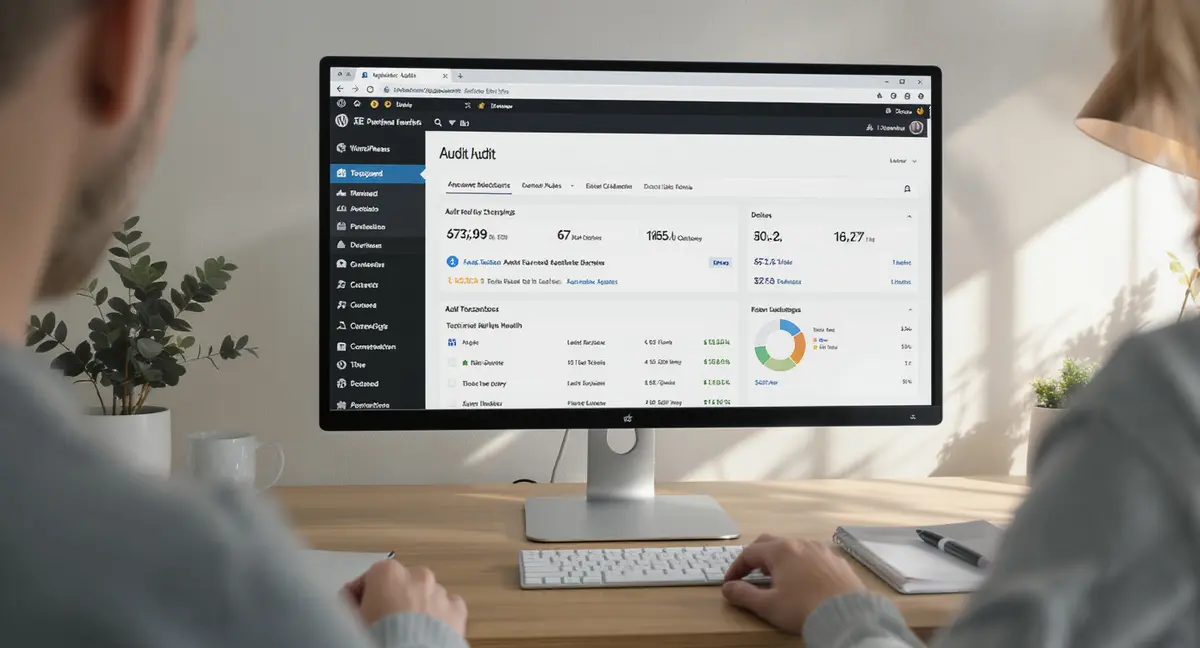
The short answer: A WordPress SEO audit is a systematic review of your site's technical health, content performance, and visibility across search engines. It identifies issues blocking rankings, measures current traffic and indexing status, and prioritizes fixes by impact. Top performers focus on technical infrastructure, content optimization, and user experience signals. According to Backlinko's 2024 study, organic CTR for position 1 is 27.6%, meaning even small ranking improvements deliver measurable traffic gains. AI search blind spots extend beyond Google, which is why understanding Perplexity SEO matters for brands that want citations in conversational AI answers.
Your WordPress site could be losing half its potential traffic right now. Not because your content is bad, but because technical issues, outdated optimization, and AI search blind spots are silently blocking visibility. Most business owners run their sites for years without auditing the systems Google and AI models actually use to rank pages.
A WordPress SEO audit reveals what's working, what's broken, and what to fix first. It's not about chasing every warning in a plugin dashboard. It's about understanding which issues cost you rankings and which ones don't matter. The difference between a site that generates leads and one that sits invisible in search results often comes down to a dozen fixable problems no one has diagnosed.
This guide walks through the complete WordPress SEO audit process, from baseline data collection to technical crawls, content analysis, and AI search readiness. You'll see what tools actually work, which metrics matter, and how to prioritize fixes so the highest-impact changes happen first. Whether you're auditing your own site or evaluating an agency's work, you'll leave with a framework that produces results.
What Does a WordPress SEO Audit Actually Check?
A complete WordPress SEO audit examines three core systems: technical infrastructure, content effectiveness, and user experience signals. Each system affects how search engines crawl, index, and rank your pages. According to Search Engine Journal, SEO leads have a 14.6% close rate versus 1.7% for outbound marketing, which means visibility problems directly impact revenue.
The technical layer covers indexing, site speed, mobile usability, and structured data. The content layer reviews keyword targeting, on-page optimization, and internal linking. The UX layer measures Core Web Vitals, navigation clarity, and conversion paths. Most WordPress sites have issues in all three areas. The audit identifies which problems block rankings and which ones Google ignores.
| Factor | What it is | Impact |
|---|---|---|
| Index coverage | Pages Google can crawl and rank | High |
| Core Web Vitals | Load speed, interactivity, layout stability | High |
| Content optimization | Keyword targeting, headings, meta tags | High |
| Internal linking | How pages connect and pass authority | Medium |
| Structured data | Schema markup for rich results | Medium |
Technical Infrastructure Elements
The technical audit starts with indexing. Google Search Console shows which pages are indexed, which have errors, and which are excluded. Common WordPress indexing problems include duplicate content from category archives, blocked resources in robots.txt, and pagination issues. BrightEdge's 2025 research found that organic search drives 53% of all trackable website traffic, but only if pages are indexed correctly.
Site speed affects both rankings and conversions. Core Web Vitals measure Largest Contentful Paint (page load), Interaction to Next Paint (responsiveness), and Cumulative Layout Shift (visual stability). WordPress sites often fail CWV because of unoptimized images, render-blocking scripts, and bloated themes. A WordPress SEO audit identifies which performance issues matter and which ones are false alarms from automated tools.
Content and On-Page Optimization
Content audits review title tags, meta descriptions, heading structure, and keyword usage. The goal is not keyword density, it's topical relevance and user intent match. HubSpot's 2024 State of Marketing report found that companies that blog get 55% more website visitors. But only if the content is optimized for how people actually search.
Internal linking distributes authority across your site and helps Google understand content relationships. Most WordPress sites under-link important pages and over-link low-value ones. The audit maps your linking structure and identifies orphaned pages, broken links, and opportunities to strengthen key landing pages. Tools like Google Search Console show which pages receive the most external links, those should anchor your internal linking strategy. If the audit reveals issues beyond your technical capacity, evaluating WordPress SEO companies helps you find specialists who fix infrastructure problems without breaking your site.
How Do You Collect Baseline Performance Data?
Before you fix anything, measure where you stand. Baseline data shows which changes move the needle and which ones waste time. Google Search Console provides clicks, impressions, average position, and CTR for every page. This data reveals which pages already rank but don't get clicked, which keywords drive traffic, and which content underperforms despite good rankings.
Organic traffic trends show seasonal patterns, algorithm impact, and content decay. A WordPress SEO audit compares current traffic to 6-month and 12-month benchmarks. If traffic dropped in March 2024, that's likely Google's Core Update targeting low-quality AI content. If it dropped in September 2023, that's the Helpful Content Update rewarding first-hand expertise. Understanding what changed tells you what to fix.
Google Search Console Metrics That Matter
Search Console's Performance report shows total clicks, impressions, CTR, and average position. Filter by page to see which URLs get traffic. Filter by query to see which keywords you rank for. Data from Backlinko's 2024 study shows position 1 gets 27.6% CTR, but position 5 gets only 5.1%. Even small ranking improvements deliver measurable traffic gains.
The Coverage report shows indexing errors, warnings, and excluded pages. Common WordPress issues include "Crawled – currently not indexed" (Google found the page but didn't think it was worth indexing) and "Duplicate, submitted URL not selected as canonical" (multiple versions of the same content). These problems don't always hurt rankings, but they waste crawl budget and dilute authority.
Traffic and Conversion Benchmarks
Baseline traffic should include total organic sessions, pages per session, bounce rate, and goal completions. Google Analytics 4 tracks these metrics, though the interface changed greatly from Universal Analytics. According to CMI's 2024 report, average content marketing budgets are 26% of total marketing spend, which means most businesses invest in content but don't measure whether it works.
Conversion tracking reveals which pages turn visitors into leads. A WordPress SEO audit connects traffic data to business outcomes. If a page ranks well but doesn't convert, the problem is messaging or CTA placement, not SEO. If a page converts well but gets no traffic, that's an SEO opportunity. The audit separates visibility problems from conversion problems so you fix the right thing.
What Technical Issues Kill WordPress SEO Performance?
Technical problems block Google from crawling, indexing, and ranking your pages. Most WordPress sites have at least five technical issues hurting performance. The difference between sites that rank and sites that don't often comes down to indexing, speed, and mobile usability. A WordPress SEO audit identifies these issues before they cost you rankings.
Common WordPress technical problems include duplicate content from tags and categories, slow-loading images, missing or incorrect canonical tags, and blocked CSS or JavaScript. Google's March 2024 Core Update specifically targeted low-quality AI-generated content, but it also penalized sites with poor technical foundations. Sites with clean technical setups recovered faster than sites with indexing and speed issues.
Indexing and Crawl Efficiency
Google allocates a crawl budget to every site based on authority and technical health. WordPress sites waste crawl budget on low-value pages like tag archives, author pages, and attachment URLs. The audit reviews your robots.txt file, XML sitemap, and noindex tags to ensure Google crawls important pages and ignores junk. Platform limitations often surface during technical audits, which is why comparing Wix WordPress SEO capabilities matters before you invest in optimization work that your CMS can't support.
Canonical tags tell Google which version of a page to index when duplicates exist. WordPress generates multiple URLs for the same content, category archives, tag archives, date archives, and pagination. Without proper canonicalization, Google indexes the wrong version or splits authority across duplicates. SEOPress and similar plugins handle canonicals automatically, but custom themes often override these settings incorrectly.
Site Speed and Core Web Vitals
Core Web Vitals became a confirmed ranking factor in 2021, but most WordPress sites still fail. LCP should be under 2.5 seconds, INP under 200 milliseconds, and CLS under 0.1. WordPress sites fail CWV because of unoptimized images, render-blocking JavaScript, and slow hosting. A WordPress SEO audit measures CWV on mobile and desktop, then identifies the specific elements causing failures.
Image optimization is the fastest performance win. Most WordPress sites serve full-resolution images when visitors only see thumbnails. Modern image formats like WebP reduce file size by 30-50% without quality loss. Lazy loading defers offscreen images until the user scrolls. These changes improve LCP and reduce page weight, which directly affects rankings on mobile devices.
How Do You Audit WordPress Content for Search Visibility?
Content audits measure whether your pages target the right keywords, match user intent, and provide answers Google wants to rank. The audit reviews title tags, meta descriptions, heading structure, keyword usage, and content depth. According to Demand Gen Report's 2024 study, B2B buyers consume 3-7 content pieces before engaging sales, which means your content must rank for multiple queries across the buyer journey.
A WordPress SEO audit identifies thin content, keyword cannibalization, and missing internal links. Thin content is pages with fewer than 300 words or content that doesn't answer the query. Keyword cannibalization is multiple pages targeting the same keyword, splitting authority and confusing Google about which page to rank. Missing internal links leave orphaned pages that Google rarely crawls.
On-Page Optimization Review
Title tags should be 50-60 characters, include the target keyword, and match search intent. Meta descriptions should be 130-155 characters, benefit-driven, and include a call to action. WordPress plugins like on-page SEO plugin and Rank Math generate these automatically, but default templates often produce generic, low-CTR snippets. The audit reviews every high-traffic page to ensure titles and descriptions are optimized for clicks, not just keywords.
Heading structure (H1, H2, H3) organizes content for readers and search engines. Every page should have one H1 containing the primary keyword. H2s should break content into logical sections using related keywords and question-based headings. H3s provide subsections under each H2. Most WordPress themes handle heading hierarchy automatically, but custom page builders often break it by allowing multiple H1s or skipping heading levels.
Content Depth and Topical Authority
Google ranks content that comprehensively answers the query. A WordPress SEO audit compares your content to top-ranking competitors. If your article is 800 words and competitors average 2,500 words, you're likely missing subtopics Google expects. If your article is 3,000 words but competitors are 1,200 words, you may be over-optimizing or targeting the wrong intent.
Topical authority comes from covering a subject in depth across multiple related pages. A site with 50 articles about WordPress SEO has more authority than a site with one full guide. The audit maps your content clusters and identifies gaps. Internal linking between related articles signals topical depth and helps Google understand your expertise. Sites with strong internal linking see 40% more pages indexed, according to research from Ahrefs. Once you've identified issues through the audit, a complete WordPress SEO checklist ensures you implement fixes in the right sequence without missing critical steps.
See How Your Business Shows Up in AI Search
Get a free AI visibility scan. See exactly where you rank on ChatGPT, Perplexity, and Google AI, and what to do about it. Get Your Free Scan.
Why Does User Experience Affect WordPress SEO Rankings?
Google's algorithm prioritizes user experience signals because they predict satisfaction. Sites with fast load times, clear navigation, and mobile-friendly layouts rank higher than slow, confusing sites, even when content quality is equal. A WordPress SEO audit measures UX through Core Web Vitals, mobile usability, and engagement metrics like bounce rate and time on page.
User experience issues hurt rankings indirectly. If visitors leave after three seconds because the page won't load, Google interprets that as a relevance problem. If visitors can't find the information they need because navigation is broken, Google sees low engagement and ranks the page lower. The audit identifies UX problems that masquerade as SEO problems.
Mobile Usability and Responsive Design
Google uses mobile-first indexing, meaning it ranks your site based on the mobile version. WordPress themes should be responsive, but many custom designs break on mobile. Common mobile usability issues include text too small to read, clickable elements too close together, and content wider than the screen. Google Search Console's Mobile Usability report flags these problems automatically.
Mobile page speed is slower than desktop because of network latency and device limitations. A WordPress SEO audit tests mobile performance separately and identifies mobile-specific issues like unoptimized images, render-blocking scripts, and slow server response. According to Google's research, 53% of mobile visitors leave if a page takes longer than three seconds to load. Every second of delay costs conversions.
Navigation, Internal Linking, and Engagement
Clear navigation helps visitors find content and signals site structure to Google. WordPress sites should have a logical menu hierarchy, breadcrumb navigation, and related post links. The audit reviews navigation from a user perspective: can a visitor find what they need in three clicks? If not, Google likely has the same problem crawling your site.
Engagement metrics like bounce rate and time on page are not direct ranking factors, but they correlate with rankings. Pages that keep visitors engaged rank higher than pages visitors immediately leave. The audit identifies high-bounce pages and diagnoses why visitors leave, slow load times, misleading titles, poor content quality, or broken CTAs. Fixing engagement problems often improves rankings faster than technical SEO changes.
How Do You Turn Audit Findings Into an Action Plan?
A WordPress SEO audit produces a list of issues. The action plan prioritizes them by impact and effort. High-impact, low-effort fixes happen first. Low-impact, high-effort fixes happen last or not at all. The goal is not a perfect site, it's a site that ranks better than competitors and converts traffic into business results.
Impact-based prioritization separates critical issues from cosmetic ones. A missing meta description is low-impact, Google generates one automatically. A noindex tag on your homepage is high-impact, Google can't rank a page it's told not to index. The audit grades every issue as high, medium, or low impact based on how much it affects rankings and traffic.
Prioritizing Technical Fixes
Technical fixes should be prioritized by how much they block Google. Issues that prevent indexing or crawling are critical. Issues that slow page speed are high priority if they affect Core Web Vitals. Issues that create duplicate content are medium priority unless they're causing keyword cannibalization. Issues that violate best practices but don't affect rankings are low priority. Theme-level problems often emerge during technical audits, particularly when evaluating whether your SEO WP WordPress theme supports modern ranking factors or introduces structural barriers.
A typical WordPress SEO audit action plan starts with indexing fixes (remove noindex tags, fix canonical errors, submit XML sitemap), then moves to speed optimization (compress images, enable caching, defer JavaScript), then tackles content issues (optimize titles, add internal links, expand thin content). This sequence ensures Google can find and rank your pages before you invest time in content improvements.
Measuring Results and Iterating
SEO changes take 4-12 weeks to show results. The action plan includes checkpoints to measure progress: traffic trends in Google Analytics, ranking changes in Search Console, and indexing improvements in the Coverage report. If traffic increases after technical fixes, continue with content optimization. If nothing changes, revisit the diagnosis, you may have fixed the wrong problem.
Continuous auditing catches new issues before they hurt rankings. Google's algorithm updates monthly, WordPress plugins release updates constantly, and competitors optimize their sites. A quarterly WordPress SEO audit keeps your site ahead of changes. Strategyc's Content & Visibility Engine includes ongoing monitoring and automated issue detection so problems get flagged before they cost rankings.
The Bottom Line
A WordPress SEO audit reveals the technical, content, and UX issues blocking your rankings. It separates critical problems from cosmetic ones, prioritizes fixes by impact, and creates a roadmap that improves visibility without wasting effort. Most sites have a dozen fixable issues that, once resolved, unlock measurable traffic gains within 90 days.
The audit is not a one-time project. Search algorithms evolve, competitors optimize, and your own content ages. Quarterly audits catch problems early and keep your site competitive. Whether you run the audit yourself or hire expertise, the framework stays the same: measure baseline performance, identify issues, prioritize by impact, fix what matters, and track results.
Frequently Asked Questions
How often should I run a WordPress SEO audit?
Run a full audit quarterly and a lightweight check monthly. Major algorithm updates, site migrations, and traffic drops should trigger immediate audits. Quarterly reviews catch issues before they compound into ranking losses.
Can I run a WordPress SEO audit without paid tools?
Yes. Google Search Console, Google Analytics, and PageSpeed Insights cover most audit needs. Free plugins like SEOPress and WP Site Auditor handle technical checks. Paid tools add depth but aren't required for actionable insights.
What's the difference between a WordPress SEO audit and a site audit?
A WordPress SEO audit focuses on search visibility, indexing, rankings, content optimization, and technical SEO. A general site audit includes security, backups, plugin updates, and performance beyond SEO. Both matter, but they serve different goals.
How long does it take to see results after fixing audit issues?
Technical fixes show results in 4-6 weeks. Content improvements take 8-12 weeks. Indexing changes can appear in days if you request re-indexing in Search Console. Timeline depends on issue severity and how often Google crawls your site.
What does it take to own my visibility infrastructure instead of renting it?
Ownership means building content and optimization systems on your infrastructure, not paying monthly for someone else to do it. You need publishing workflows, AI-optimized content structure, and performance monitoring. Systems like Strategyc's installed engines give you permanent infrastructure instead of temporary service contracts.