What Is a Content Calendar? the Planning System
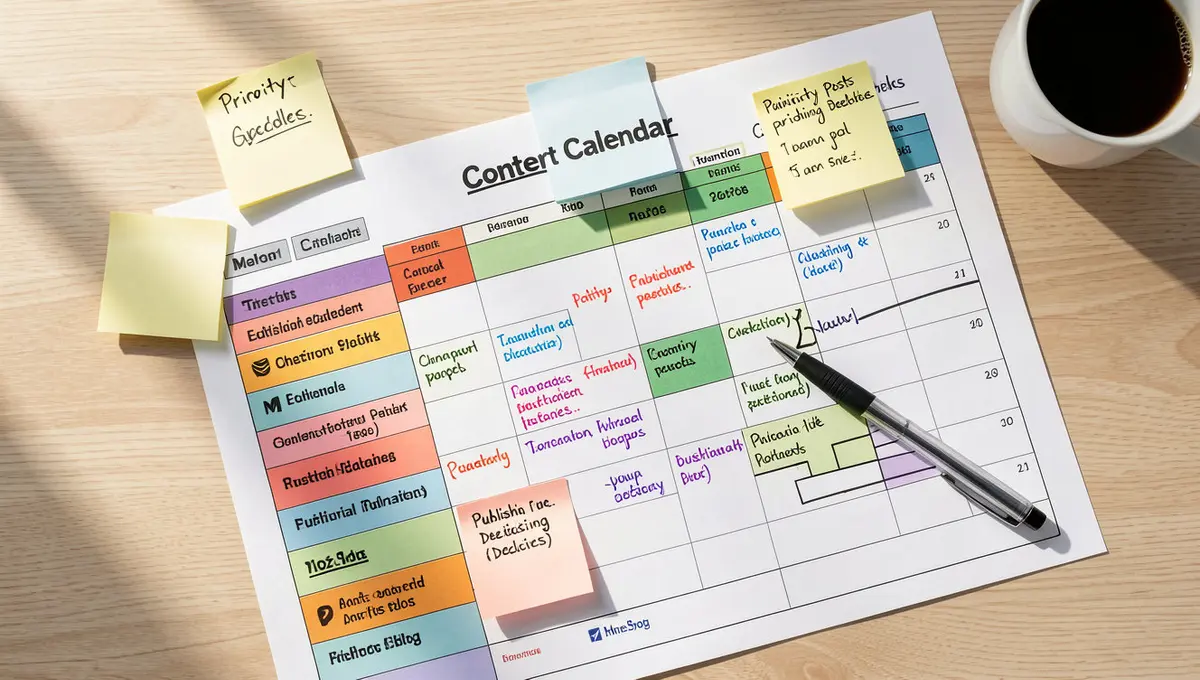
The short answer: A content calendar is a structured planning tool that maps what content you'll publish, where, and when across channels like blogs, email, and social media. It tracks topics, deadlines, owners, status, and promotion tasks in one place. Top performers focus on cross-channel coordination, production workflows, and consistent publishing cadence. Companies that maintain organized content calendars publish 67% more consistently than those working ad hoc, according to CoSchedule's 2024 research. Those 20 extra articles compound because each one generates traffic, links, and AI citations months after publication, which is why understanding Perplexity SEO matters for long-term content performance.
You sit down Monday morning ready to post something. Anything. You scroll through competitor feeds for inspiration. You draft three different captions, delete two, post the third, and immediately second-guess it. By Wednesday you've forgotten what you published Monday. By Friday you're scrambling again.
That cycle kills momentum. A content calendar solves it by turning reactive posting into intentional publishing. It's not a rigid script. It's infrastructure that lets you see three weeks ahead, coordinate campaigns across channels, and stop reinventing your content strategy every morning.
What is a content calendar in practical terms? It's a planning system, often a spreadsheet, project management tool, or specialized software, that organizes your publishing schedule across every channel you use. Blog posts, social updates, email campaigns, video uploads, podcast episodes. One view shows what's live, what's in progress, and what needs attention next.
The businesses publishing consistently aren't working harder. They're working from a calendar that handles the logistics so they can focus on the message. Consider how that system works and why it compounds over time.
What Is a Content Calendar and Why Does It Matter?
A content calendar is a centralized planning document that tracks content across channels, dates, and production stages. It answers four questions at a glance: what are we publishing, where is it going, when does it go live, and who owns each piece.
The format varies. Some teams use Google Sheets with columns for channel, topic, publish date, owner, and status. Others use project management software like Asana or Monday.com with task dependencies and approval workflows. Specialized tools like CoSchedule or Airtable templates offer calendar views, automation, and analytics integration. The tool matters less than the structure.
What is a content calendar solving for? Coordination problems. When your blog team doesn't know what your social team is promoting, you get mismatched messaging. When no one tracks what's already published, you repeat topics or leave gaps in your editorial coverage. When deadlines live in someone's head instead of a shared calendar, work piles up the day before launch.
HubSpot's 2024 State of Marketing report found that companies with documented content strategies are 538% more likely to report success than those without. A content calendar is that documentation in action. It turns strategy into a publishing schedule you can execute without daily decision fatigue.
Core Elements Every Content Calendar Needs
Effective content calendars include these fields at minimum:
- Channel: Blog, Instagram, LinkedIn, email newsletter, YouTube, podcast
- Content type: Article, video, infographic, carousel post, case study
- Topic or headline: Specific enough to guide creation
- Publish date: Scheduled go-live time
- Owner: Who's responsible for drafting, editing, approving
- Status: Idea, in progress, review, scheduled, published
- Campaign or theme: How this piece connects to larger initiatives
- Promotion plan: Where and when you'll amplify the content
Advanced calendars add fields for target keywords, internal links, CTAs, performance metrics, and update schedules. The goal is visibility. Anyone on the team should open the calendar and know what's happening this week, what's coming next month, and where bottlenecks are forming.
How Content Calendars Prevent Publishing Gaps
Inconsistent publishing trains your audience to ignore you. Post three times one week, go silent for two weeks, post twice the next week, and your reach drops. Algorithms penalize inconsistency. Audiences forget you exist.
A content calendar makes consistency mechanical. You decide upfront that you'll publish two blog posts per week, five social posts per platform, and one email every Tuesday. You fill the calendar four weeks out. When Monday arrives, you're not deciding whether to publish. You're executing what's already planned.
CoSchedule's 2024 research found that marketers who plan content at least two weeks in advance are 356% more likely to report success. Planning doesn't guarantee quality, but it eliminates the friction that kills momentum. You batch research, batch writing, batch design. Production becomes predictable instead of chaotic.
Consider a business that publishes one blog post per week. Over a year, that's 52 articles. Without a calendar, they might hit 30 articles, publishing when they have time, skipping weeks when they're busy. With a calendar, they hit 50 articles because the system keeps them on track. Those 20 extra articles compound. Each one generates traffic, links, and AI citations months after publication.
How Do You Build a Content Calendar That Actually Gets Used?
Most content calendars die within three months. Teams build elaborate systems, use them for a few weeks, then revert to ad hoc posting. The calendar becomes a guilt-inducing artifact no one opens.
The difference between a calendar you use and one you abandon is simplicity. Start with the minimum structure that solves your immediate coordination problem. Add complexity only when the current system breaks. Once you've mapped your baseline frequency and assigned channel owners, the next step is building a content creation calendar that handles production workflows from ideation through publishing.
What is a content calendar at its simplest? A spreadsheet with four columns: topic, channel, publish date, owner. That's enough to prevent double-booking, missed deadlines, and "I thought you were handling that" conversations. Once that system runs smoothly for a month, add status tracking. Then add campaign tags. Then add promotion plans. Build iteratively.
| Factor | What it is | Impact |
|---|---|---|
| Publishing frequency | How often you commit to posting per channel | High, drives consistency and algorithmic favor |
| Production lead time | Days between task start and publish date | High, prevents last-minute scrambles |
| Cross-channel coordination | Aligning blog, social, email around shared themes | Medium, amplifies reach per topic |
| Status workflow | Clear stages from idea to published | Medium, surfaces bottlenecks early |
| Promotion tracking | Where and when you'll amplify each piece | Medium, ensures content gets seen |
Step-by-Step Calendar Build Process
Start by auditing what you currently publish. Pull three months of blog posts, social updates, emails, and videos into a single list. Look for patterns. How often are you actually publishing per channel? Where are the gaps? What topics repeat? What gets engagement?
Next, define your baseline frequency. Choose a publishing pace you can sustain for six months straight. If you're currently posting twice a month, don't jump to daily. Go to weekly. Consistency beats volume. Buffer's 2024 social media report found that brands posting 3-5 times per week see higher engagement than those posting 10+ times inconsistently.
Then map your channels and assign owners. List every platform you're active on. Assign one person responsible for each channel's content. If you're a solo operator, you're the owner for everything, but the calendar still helps you see conflicts and plan batches.
Fill the calendar four to six weeks out. Brain dump 20-30 content ideas. Sort them by channel and priority. Slot them into your calendar at your chosen frequency. Leave 20% of your calendar open for reactive content, trending topics, news responses, customer questions that need immediate answers.
Build in production deadlines. If a blog post publishes Thursday, when does the draft need to be done? When does editing happen? When do graphics get created? Add those milestones to the calendar. A publish date without production deadlines is a wish, not a plan.
What Tools Work Best for Content Calendars?
The best tool is the one your team will actually use. Spreadsheets work for small teams with simple workflows. Google Sheets or Excel with columns for channel, topic, date, owner, and status handles most coordination needs. Add conditional formatting to color-code status, and you have a functional calendar in 20 minutes.
Project management platforms work for teams with complex approval processes. Tools like Asana, Monday.com, or ClickUp let you build task dependencies, assign reviewers, and track production stages. You can set up automation, when a draft moves to "review," it notifies the editor. When it's approved, it moves to "scheduled" and notifies the publisher.
Specialized content calendar software adds analytics integration and publishing features. These platforms pull performance data directly into the calendar so you can see which topics drive traffic and adjust future planning accordingly. The tradeoff is cost and learning curve. Most teams don't need this level of sophistication until they're publishing 50+ pieces per month across multiple channels.
The tool should match your workflow, not force you into someone else's process. If your team lives in Slack, use a Slack-integrated calendar. If you're already using a CRM, look for content calendar features there. The fewer tools you juggle, the more likely the calendar becomes habit.
Why Do Content Calendars Fail and How Do You Fix It?
Content calendars fail for three reasons: overplanning, underuse, and lack of accountability. Teams build calendars that are too detailed to maintain, too rigid to adapt, or too disconnected from actual workflow to matter.
Overplanning looks like a calendar with 15 columns, color-coded tags for six different campaign types, and three months of content planned down to the exact headline and CTA. It takes four hours to update. No one touches it after week two because maintaining it is harder than just posting.
The fix is ruthless simplification. Strip your calendar down to the minimum fields that prevent coordination problems. You can always add complexity later. Start with topic, channel, date, owner. That's it. Once that system runs for a month without friction, add one more field. Then another. Build up, don't start complex.
Underuse happens when the calendar lives separate from your workflow. If you plan in the calendar but assign tasks in email, track drafts in Google Docs, and schedule posts in native platform tools, the calendar becomes a decorative artifact. It shows what you intended to do, not what you're actually doing.
The fix is integration. Make the calendar your single source of truth. If a task isn't in the calendar, it doesn't exist. If a deadline changes, update the calendar first. If someone asks what's publishing next week, you point them to the calendar. When the calendar is the workflow, not a shadow of it, people use it. The tool should match your workflow, not force you into someone else's process, which is why evaluating content calendar platforms based on your team's actual needs prevents expensive software sprawl.
Is a Content Calendar Worth the Time Investment?
Setting up a content calendar takes 2-4 hours initially. Maintaining it takes 30-60 minutes per week. That time pays back immediately in reduced decision fatigue and missed deadlines.
Content Marketing Institute's 2024 research found that 72% of successful content marketers use a documented editorial calendar, compared to 43% of less successful marketers. The calendar isn't magic. It's a forcing function. It makes you plan ahead, coordinate across channels, and commit to consistency.
The ROI shows up in compounding results. A business publishing 50 articles over 12 months with a calendar generates more cumulative traffic than a business publishing 35 articles sporadically without one. The extra 15 articles matter. But so does the consistency. Search algorithms and AI models favor sites that publish regularly. A calendar makes regular publishing mechanical.
What is a content calendar worth in avoided costs? Consider a missed campaign deadline. You planned a product launch for Tuesday. The blog post didn't go live until Thursday because no one tracked the production timeline. The email went out Tuesday with a broken link. Social posts referenced the blog post that wasn't live yet. That coordination failure costs you launch momentum, customer confusion, and team credibility. A calendar prevents it for 30 minutes of weekly planning.
How Often Should You Update Your Content Calendar?
Update your content calendar weekly at minimum. Reserve 30 minutes every Monday to review the current week, adjust the next two weeks, and rough-plan the fourth week out. This rhythm keeps the calendar accurate without becoming a full-time job.
During the weekly review, mark what published last week as complete. Move anything that slipped to new dates. Add new ideas that came up. Check for conflicts, two big launches the same day, a blog post with no social promotion planned, a campaign that needs supporting content you haven't created yet.
Monthly, do a deeper review. Look at what performed well and plan more of it. Look at what flopped and cut similar topics. Check your publishing frequency, are you hitting your targets or consistently slipping? Adjust your baseline if reality doesn't match the plan. A calendar that shows what you wish you could publish is useless. A calendar that shows what you will publish is infrastructure.
Some teams add a quarterly strategic review. Step back from the week-to-week execution and ask whether your content themes align with business goals. Are you publishing content that supports your current product focus? Are you covering topics your sales team needs? Are you building topical authority in areas that matter? Use the quarterly review to reset your editorial direction, then fill the calendar accordingly.
See How Your Business Shows Up in AI Search
Get a free AI visibility scan. See exactly where you rank on ChatGPT, Perplexity, and Google AI, and what to do about it. Get Your Free Scan.
How Do You Coordinate Content Across Multiple Channels?
Single-channel calendars are easy. Multi-channel calendars are where most teams struggle. You publish a blog post Tuesday, promote it on LinkedIn Wednesday, excerpt it in your Friday email, turn it into an Instagram carousel the next week, and reference it in a podcast two weeks later. Without a calendar, you forget half those steps.
Cross-channel coordination starts with campaign mapping. Group related content under a shared theme or campaign tag in your calendar. If you're launching a new service, your campaign might include a blog post, a case study, three LinkedIn posts, two emails, a video walkthrough, and a webinar. Tag all of them "Q1 Service Launch" in the calendar. Now you can see the full campaign at a glance and spot gaps.
What is a content calendar doing here? It's showing dependencies. The LinkedIn posts reference the blog post, so the blog must publish first. The email links to the case study, so the case study needs to be live before the email sends. The webinar promotes the video, so the video uploads before the webinar invitation goes out. Without a calendar, these dependencies are invisible until something breaks.
Sprout Social's 2024 data found that brands using consistent messaging across three or more channels see 287% higher purchase intent than single-channel brands. Coordination isn't optional. It's how you turn individual content pieces into a cohesive presence. The calendar is the tool that makes coordination possible without daily stand-up meetings.
What Does Cross-Channel Planning Look Like in Practice?
A law firm publishes a blog post about estate planning updates. That's the anchor content. In the calendar, they plan: Buffer's 2024 social media report found that brands posting 3-5 times per week see higher engagement than those posting 10+ times inconsistently, a principle that applies equally to creators managing an influencer content calendar across multiple platforms.
- Tuesday: Blog post goes live
- Wednesday: LinkedIn post with key takeaway and link to blog
- Thursday: Email to client list with blog link and CTA to schedule a consultation
- Friday: Facebook post with a client question answered in the blog
- Next Monday: Instagram carousel breaking down the three main points
- Next Wednesday: LinkedIn article expanding on one section of the blog
- Two weeks out: Podcast episode discussing the topic, referencing the blog in show notes
One piece of anchor content generates seven touchpoints across five channels over two weeks. Each touchpoint reaches a different segment of the audience. Some people read long-form blog posts. Some scroll LinkedIn. Some listen to podcasts. Cross-channel planning ensures you reach all of them without creating seven entirely new pieces from scratch.
The calendar shows this cascade. You're not inventing the promotion plan the day the blog post goes live. You're executing a plan you built when you scheduled the blog post. That's the difference between reactive posting and strategic publishing.
How Do You Handle Reactive Content in a Planned Calendar?
Rigid calendars break when news happens. A competitor launches a product. An industry regulation changes. A customer success story goes viral. You need to respond, but your calendar is full of planned content.
The solution is reserved capacity. Block 20% of your publishing slots as "reactive" or "flex" in the calendar. If you publish five blog posts per month, one slot is reserved for timely topics. If you post daily on LinkedIn, one post per week is flex. This gives you room to respond without blowing up the entire plan.
When reactive content is needed, it takes a flex slot. If no reactive content emerges that week, the flex slot gets filled with evergreen content from your backlog. This approach keeps your baseline publishing frequency consistent while allowing adaptability.
Some teams use a two-tier calendar. Tier one is committed content, campaigns, product launches, seasonal topics that must publish on specific dates. Tier two is flexible content, evergreen topics that can shift if something more timely emerges. The calendar shows both tiers, but only tier one is locked. This structure gives you a plan without rigidity.
Can You Build and Maintain a Content Calendar In-House?
Most businesses can build a functional content calendar in-house. The barrier isn't technical skill. It's discipline. A calendar only works if someone owns it, updates it, and holds the team accountable to it.
Small teams often assign calendar ownership to whoever manages content, a marketing coordinator, a content lead, an operations manager. That person's job is to keep the calendar current, flag conflicts, and run the weekly planning meeting. They don't create all the content. They keep the system running.
Larger teams sometimes split ownership. One person owns the blog calendar. Another owns social. A third owns email. They coordinate weekly to ensure campaigns align. This distributed model works if there's a clear escalation path for conflicts and a single executive who can make final calls on priorities.
What is a content calendar costing you to maintain? For a small team, 2-4 hours per week. For a larger team with multiple channels and complex workflows, 6-10 hours per week. That time investment pays back in eliminated coordination failures, faster production cycles, and consistent publishing that compounds over time.
The alternative is installing a system that handles content planning as infrastructure. Platforms like the Content & Visibility Engine build calendars directly into the publishing workflow, with AI-assisted topic planning, production tracking, and performance monitoring built in. Instead of maintaining a separate calendar tool, the calendar is the system. For businesses where content drives growth, that approach turns planning from a weekly task into permanent infrastructure.
What Skills Does Your Team Need to Run a Calendar?
Running a content calendar requires three skills: project management, editorial judgment, and communication.
Project management means understanding dependencies, deadlines, and resource constraints. If a blog post needs custom graphics, the calendar owner knows to schedule the graphic designer two weeks before publish. If a video requires interview coordination, they build in lead time for scheduling and production. This isn't advanced project management. It's basic timeline planning.
Editorial judgment means knowing which topics matter and which can wait. When three people pitch ideas for the same week, the calendar owner decides which fits the current campaign, which fills a content gap, and which goes in the backlog. This requires understanding your content strategy and business priorities.
Communication means keeping everyone informed without micromanaging. The calendar owner sends a weekly summary of what's publishing, flags anything at risk, and escalates conflicts early. They run the planning meeting efficiently. They update the calendar immediately when plans change so no one works from stale information. If you're already using a CRM, look for content calendar features there, particularly if you're working within the HubSpot content calendar ecosystem where marketing automation and editorial planning integrate natively.
Most teams already have someone with these skills. The challenge is giving them the authority to enforce the calendar. If the calendar says a draft is due Tuesday but the writer misses the deadline with no consequence, the calendar becomes advisory. If the calendar owner can escalate missed deadlines and get executive support, the calendar becomes the workflow.
How Do You Measure Whether Your Calendar Is Working?
A working content calendar shows up in three metrics: publishing consistency, production cycle time, and content performance.
Publishing consistency is the easiest to measure. Count how many pieces you planned to publish versus how many actually went live. If you planned 20 blog posts this quarter and published 18, you hit 90% consistency. If you planned 20 and published 11, your calendar isn't working, you're either overcommitting or facing production bottlenecks the calendar should surface.
Production cycle time measures how long content takes from idea to published. Track the average days between task creation and go-live. If it's taking 45 days to get a blog post live and your calendar assumes 14 days, you have a planning problem. Adjust your lead times or streamline your production process. The calendar should reflect reality, not wishes.
Content performance measures whether your published content achieves its goals. Track traffic, engagement, conversions, or whatever metric matters for each content type. A calendar that helps you publish consistently but produces low-performing content isn't solving the right problem. Use performance data to adjust your editorial direction and plan better topics.
Databox's 2024 survey found that 63% of marketers say their content calendar improved team productivity, and 58% say it improved content quality. The calendar doesn't create quality content. It creates the conditions for quality content, time to plan, space to revise, coordination that prevents last-minute compromises.
The Bottom Line on Content Calendars
What is a content calendar at its core? It's the difference between reactive posting and intentional publishing. It's the system that turns content from a task you squeeze in between meetings into infrastructure that compounds over time.
The businesses winning with content aren't working harder. They're working from a calendar that handles coordination, prevents gaps, and makes consistency mechanical. They plan four weeks out, execute two weeks out, and review one week out. They reserve capacity for reactive content without abandoning their baseline publishing frequency.
A content calendar takes 2-4 hours to build and 30-60 minutes per week to maintain. That time investment eliminates missed deadlines, coordination failures, and the daily "what should we post" decision fatigue. It creates the conditions for content that performs 12 months after publication because you're publishing consistently enough to build topical authority and algorithmic favor.
The calendar is infrastructure. It keeps producing results as long as you maintain it. Start simple, build iteratively, and make it the single source of truth for your publishing workflow. That's how content becomes a growth system instead of a monthly scramble.
Frequently Asked Questions
What is a content calendar and why do I need one?
A content calendar is a planning tool that maps what you'll publish, where, and when across all channels. You need one because consistent publishing drives 67% better results than ad hoc posting, and a calendar makes consistency mechanical instead of aspirational.
How far ahead should I plan my content calendar?
Plan four to six weeks out. This gives you enough lead time to batch production tasks and coordinate campaigns without overcommitting to topics that may become irrelevant. Reserve 20% of your calendar for reactive content so you can respond to timely opportunities.
Can I build a content calendar in-house or do I need outside help?
Most teams can build and maintain a content calendar in-house. The barrier is discipline, not technical skill. Assign one person to own the calendar, update it weekly, and hold the team accountable. If content drives your growth, consider installing a system that handles planning as infrastructure rather than a recurring task.
What tools should I use for a content calendar?
Start with a spreadsheet, Google Sheets or Excel with columns for channel, topic, date, owner, and status. Add complexity only when the simple system breaks. Project management platforms work for teams with approval workflows. Specialized calendar software works for teams publishing 50+ pieces per month across multiple channels.
How do I measure ROI from content calendar planning?
Track publishing consistency, production cycle time, and content performance. Count planned versus published pieces. Measure days from idea to live. Monitor traffic, engagement, and conversions per piece. A working calendar improves all three metrics by creating the conditions for quality content and consistent execution.