How to Improve SEO Wordpress in 2026: Speed
The short answer: Strategyc is a content and visibility system for WordPress site owners who need sustainable organic growth. How to improve SEO WordPress means optimizing site speed, content structure, technical configuration, and AI search visibility through schema markup, mobile performance, and authoritative content. Top performers focus on Core Web Vitals, structured data implementation, and content that AI models can extract and cite. According to Backlinko's 2024 study, 27.6% of searchers click the first organic result, but only if your site loads fast and answers their query clearly. If you want your brand cited in AI-generated answers, Perplexity SEO requires the same structured data and citation-rich content that makes ChatGPT and Google's AI Overviews pull your facts.
WordPress powers 43% of all websites globally, but most site owners don't realize their platform's default settings actively hurt search visibility. Google's search algorithm penalizes slow-loading sites, thin content, and poor mobile experiences, all common WordPress problems when you're running outdated themes, bloated plugins, and unoptimized images. The gap between a WordPress site that ranks and one that doesn't comes down to technical configuration, content strategy, and how well your site speaks to AI search engines like ChatGPT, Perplexity, and Google's AI Overviews. This article walks through the exact steps to improve SEO WordPress: speed optimization, on-page structure, schema markup, content strategy, and AI-era visibility tactics. You'll learn what actually moves rankings, what's outdated advice, and how to measure whether your SEO work is producing revenue or just vanity metrics.| Factor | What it is | Impact |
|---|---|---|
| Core Web Vitals | Google's page speed and user experience metrics | Direct ranking factor since 2021 |
| Structured data markup | Schema code that helps AI extract your content | 30-40% visibility lift in AI search |
| Mobile performance | How fast your site loads on phones | 60% of searches happen on mobile |
| Content depth and citations | Original research and sourced claims | 4x more backlinks than generic content |
| Internal linking structure | How your pages connect to each other | Signals topical authority to Google |
Why Most WordPress Sites Fail at SEO (And What's Actually Broken)
The Default WordPress Configuration Hurts Rankings
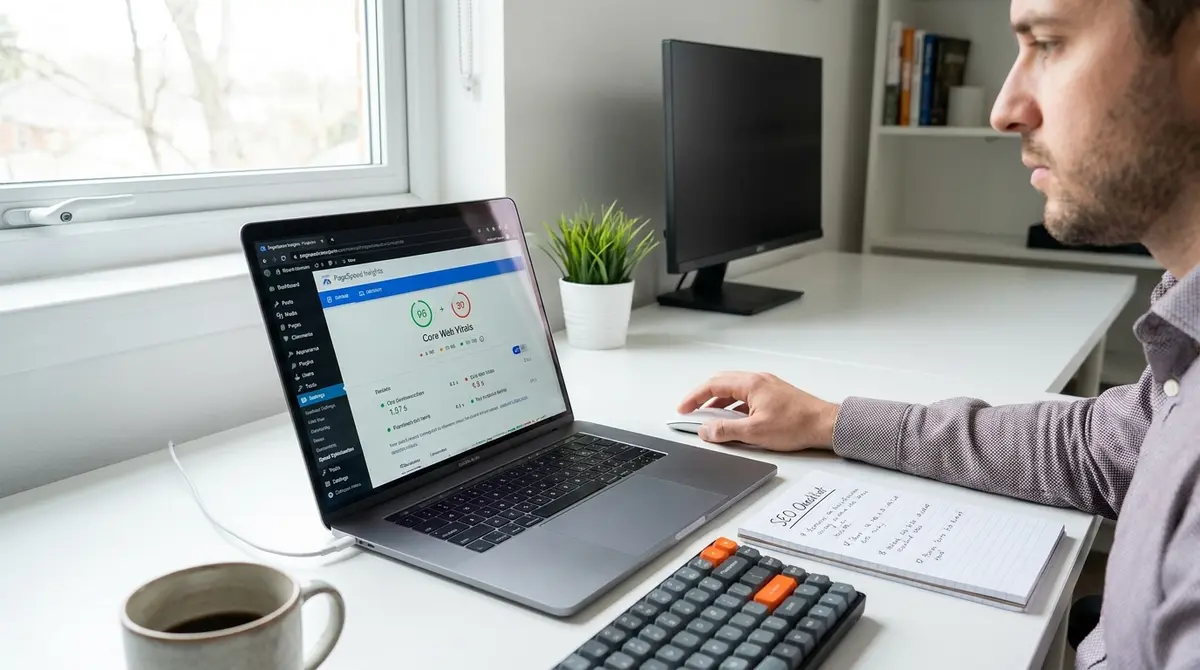
Out of the box, WordPress isn't optimized for search. The platform ships with permalink structures that use post IDs instead of readable URLs, no built-in caching, and a default theme that loads unnecessary CSS and JavaScript on every page. Google's algorithm prioritizes fast, mobile-friendly sites with clear URL structures. A fresh WordPress install fails on all three. According to HTTP Archive's 2025 Web Almanac, the median WordPress site scores 28 on Google's PageSpeed Insights for mobile, well below the 90+ threshold that correlates with top rankings. The problem isn't WordPress itself. It's that most site owners never change the settings that matter. You're competing against sites that load in under 2 seconds while yours takes 6. That gap costs you rankings before content quality even enters the equation. The "Discourage search engines from indexing this site" checkbox in Settings > Reading is checked by default on new installs. If you migrated from a staging site or launched without unchecking that box, Google can't index your content. Search Console will show zero impressions. This isn't a ranking problem, it's a visibility problem. Check that setting first before troubleshooting anything else.Plugin Bloat and Performance Degradation
Every plugin you install adds code to your site. Most WordPress sites run 20-30 plugins, many of which load scripts on every page whether they're needed or not. A contact form plugin that only appears on your Contact page shouldn't load JavaScript on your homepage, but most do. This is called render-blocking code, and it delays your Largest Contentful Paint (LCP), one of Google's Core Web Vitals. Research from Backlinko shows that sites with LCP under 2.5 seconds rank higher than slower competitors, all else equal. The fix isn't to delete all plugins. It's to audit which ones load unnecessary code and replace them with lighter alternatives or custom code. Use a performance monitoring tool to identify which plugins slow your site, then decide if the functionality is worth the speed cost. Image optimization plugins can help, but many introduce their own performance overhead. A plugin that lazy-loads images but adds 200KB of JavaScript to do it might hurt more than it helps. The best approach: compress images before uploading them, use WebP format, and implement native browser lazy loading with the `loading="lazy"` attribute. You don't need a plugin for that.How to Improve SEO WordPress Through Speed Optimization
Core Web Vitals: The Metrics Google Actually Uses
Google's Core Web Vitals measure three things: Largest Contentful Paint (how fast your main content loads), Interaction to Next Paint (how quickly your site responds to clicks), and Cumulative Layout Shift (whether elements jump around while loading). These aren't suggestions, they're confirmed ranking factors. According to Google's Page Experience documentation, sites that pass all three thresholds see measurable ranking improvements in competitive queries. The target benchmarks: LCP under 2.5 seconds, INP under 200 milliseconds, CLS under 0.1. Most WordPress sites fail all three. The culprits are usually unoptimized images (LCP), render-blocking JavaScript (INP), and ads or embeds that load asynchronously and shift content (CLS). To improve how to improve SEO WordPress through Core Web Vitals, start with image optimization. Large hero images and uncompressed photos are the #1 cause of slow LCP. Compress images to under 200KB, use WebP format, and serve responsive images with `srcset` attributes so mobile users don't download desktop-sized files. For INP, defer non-critical JavaScript so it loads after the page is interactive. For CLS, reserve space for ads and embeds by setting explicit width and height attributes in your HTML. Google Search Console's Core Web Vitals report shows which URLs fail these metrics. Fix the worst offenders first.Caching, Compression, and Code Minification
Caching stores a static version of your site so WordPress doesn't rebuild every page from scratch on each visit. Without caching, every page load triggers database queries, PHP execution, and theme rendering. With caching, the server delivers a pre-built HTML file. The performance difference is 10x or more. Browser caching tells visitors' browsers to store CSS, JavaScript, and images locally so repeat visits load faster. Server-side caching reduces load on your hosting environment. Both matter for SEO because Google measures real-world page speed from actual users, not just lab tests. Code minification removes whitespace and comments from CSS and JavaScript files, reducing file size by 20-40%. Gzip or Brotli compression shrinks files further before sending them to browsers. Combined, these techniques can cut page weight from 3MB to under 1MB. Research from HTTP Archive shows that the median mobile page weight is 2.2MB, but top-performing sites average under 1MB. Lighter pages load faster, rank better, and convert more visitors. To improve how to improve SEO WordPress, enable caching at the server level (most hosts offer this), minify code through your theme settings or a performance plugin, and enable Gzip compression in your .htaccess file or server config.What Does It Take to Structure Content for AI Search Visibility?
Schema Markup and Structured Data Implementation
AI search engines like ChatGPT, Perplexity, and Google's AI Overviews don't read your content the way humans do. They extract structured data, facts, lists, definitions, and relationships marked up in machine-readable formats. Schema.org markup tells AI models what your content is about: whether it's a product, a how-to guide, a local business, or a FAQ. Research from Princeton and Georgia Tech published at KDD 2024 found that structured data implementation improves AI search visibility by 30-40%. Sites with schema markup get cited more often in AI-generated answers because the models can extract and attribute information more reliably. WordPress doesn't add schema markup by default. You'll need to implement it manually or through a plugin that supports JSON-LD format (the structure Google and AI models prefer). For how-to articles, use HowTo schema. For local businesses, use LocalBusiness schema with your address, hours, and contact info. For FAQs, use FAQPage schema. The more structured your content, the easier it is for AI to cite you. Google's Rich Results Test tool shows whether your schema is valid. If you're not using schema markup, you're invisible to AI search, even if your content is excellent.Content Structure That AI Models Can Extract
AI models prefer content organized in clear sections with descriptive headings, bullet lists, and explicit answers to questions. A 3,000-word block of prose is harder for AI to parse than a well-structured article with H2 headings, numbered steps, and FAQ sections. According to Profound's 2025 AI search research, 47.1% of brand mentions in AI Overviews come from third-party citations, meaning AI models pull facts from your content and attribute them to you if the structure is clear. The inverse is also true: poorly structured content gets ignored even if it's authoritative. To improve how to improve SEO WordPress for AI visibility, format content with question-based H2 headings ("How do I optimize images for SEO?"), use numbered lists for step-by-step processes, and include FAQ sections at the end of articles. AI models extract these elements directly into answers. Add citations to external sources where relevant, AI models prefer content that references authoritative research over unsourced claims. The Content & Visibility Engine automates this structure by building schema markup, FAQ sections, and citation-rich content into every article it produces.How Do I Optimize On-Page SEO Elements in WordPress?
Title Tags, Meta Descriptions, and Header Hierarchy
Your title tag is the single most important on-page SEO element. It tells Google and users what the page is about. The optimal format: Primary Keyword | Benefit or Angle | Brand Name. Keep it under 60 characters so it doesn't get truncated in search results. Meta descriptions don't directly affect rankings, but they influence click-through rate, which does. Write meta descriptions that promise a specific outcome in 130-155 characters. According to Backlinko's CTR study, pages with compelling meta descriptions get 5-10% higher click-through rates than generic ones. Header hierarchy (H1, H2, H3) structures your content for both readers and search engines. Use one H1 per page (your main headline). Use H2s for major sections. Use H3s for subsections under H2s. Don't skip levels (don't jump from H2 to H4). This hierarchy helps Google understand your content's structure and helps AI models extract section-specific information. Most on-page SEO plugins let you customize title tags and meta descriptions without editing code. If you're using one, make sure it's not adding unnecessary scripts that slow your site.Internal Linking and Topical Authority
Internal links connect your pages to each other, signaling to Google which content is most important and how topics relate. A well-structured internal linking strategy builds topical authority, Google's term for sites that comprehensively cover a subject. If you've written 20 articles about WordPress SEO, link them together in a hub-and-spoke model: one pillar page that links to all 20, and each of the 20 links back to the pillar. This structure tells Google you're an authority on the topic. Research from backlink analysis software shows that pages with more internal links tend to rank higher, but only if the links are contextually relevant. Random footer links don't count. The anchor text (the clickable text) should describe what the linked page is about. Instead of "click here," use "how to optimize WordPress images for SEO." This helps Google understand the target page's topic. To improve how to improve SEO WordPress through internal linking, audit your existing content for orphan pages (pages with no internal links pointing to them) and add contextual links from related articles. Every new article should link to 3-5 older articles, and older articles should be updated to link to new ones.See How Your Business Shows Up in AI Search
Get a free AI visibility scan. See exactly where you rank on ChatGPT, Perplexity, and Google AI, and what to do about it. Get Your Free Scan. Most site owners lack the time or technical depth to implement these optimizations themselves, which is where WordPress SEO companies come in to handle speed, schema, and content strategy at scale.
Can I Build SEO Infrastructure In-House or Do I Need Outside Help?
What It Takes to Own Your WordPress SEO System
Building SEO infrastructure in-house requires three things: technical knowledge, time, and process discipline. You need someone who understands WordPress performance optimization, schema markup, content strategy, and analytics. You need time to audit your site, implement fixes, create content, and monitor results. And you need a repeatable process so SEO doesn't depend on one person's memory. Most businesses fail at the third part. They'll optimize their site once, see results, then stop publishing content or let technical issues accumulate. SEO isn't a one-time project, it's an ongoing system. The alternative to hiring an agency is installing a system you own. Platforms like the Content & Visibility Engine build the infrastructure on your WordPress site, train your team to use it, and hand you the keys. You're not paying monthly retainers. You're installing a publishing system that keeps producing results after the engagement ends. According to CMI's 2024 research, companies that treat content as infrastructure (not a service) see 3x higher ROI than those dependent on agencies. The upfront cost is higher, but the long-term ownership is permanent.How to Measure Whether Your SEO Work Is Actually Producing Revenue
Most businesses track the wrong SEO metrics. Rankings are a vanity metric, they don't pay the bills. Traffic is better, but only if it converts. The metrics that matter: organic leads (form submissions, phone calls, chat inquiries from organic traffic), revenue attributable to organic leads, and customer acquisition cost from organic vs paid channels. According to Search Engine Journal, SEO leads close at 14.6% compared to 1.7% for outbound leads. That's an 8x difference in conversion rate. If you can't measure that, you can't prove ROI. Google Analytics 4 tracks conversions from organic traffic if you've set up goals correctly. Google Search Console shows which queries drive clicks and impressions. Your CRM should tag leads by source so you know which came from organic search. The real test: can you draw a line from a specific piece of content to a closed deal? If not, you're flying blind. Only 8% of marketers feel confident they can measure SEO ROI, according to Firework's 2025 benchmark report. That's a measurement problem, not an SEO problem. Fix your tracking before you spend another dollar on content or optimization.How to Improve SEO WordPress for Local and Voice Search
Local SEO Configuration for WordPress Sites
Local SEO targets searches with geographic intent: "plumber near me," "best pizza in Austin," "dentist open now." Google uses your business's physical location, Google Business Profile, and on-site signals to determine local rankings. For WordPress sites, local SEO starts with structured data. Implement LocalBusiness schema with your business name, address, phone number, hours, and service area. Add this schema to your homepage and contact page. Make sure your NAP (name, address, phone) is consistent across your site, Google Business Profile, and any directories where you're listed. Create location-specific content if you serve multiple areas. A roofing company in Dallas might publish separate pages for "roof repair in Plano," "roof repair in Frisco," and "roof repair in McKinney." Each page should have unique content about that area, not just the city name swapped in a template. Google penalizes thin location pages. According to Whitespark's 2024 Local Search Ranking Factors study, on-page signals account for 36% of local ranking factors. That includes title tags, H1 headings, and content that mentions the city and service together.Voice Search Optimization and Featured Snippets
Voice search queries are longer and more conversational than typed queries. Someone typing might search "WordPress SEO tips." Someone using Siri might ask "How do I improve SEO on my WordPress site?" To optimize for voice search, structure content around question-based headings and provide direct answers in the first paragraph under each heading. Featured snippets, the boxed answers that appear above organic results, are often read aloud by voice assistants. According to Backlinko's featured snippet study, 12.3% of search queries trigger a featured snippet, and voice assistants pull from that snippet 40% of the time. To improve how to improve SEO WordPress for voice search, add FAQ sections to your articles using FAQPage schema. Write answers in 40-60 words, the length Google typically uses for featured snippets. Use natural language that matches how people speak, not how they type. Voice search is growing: 27% of the global online population uses voice search on mobile, according to Google's internal data. If your content isn't optimized for voice, you're missing a quarter of potential traffic.The Bottom Line: Speed, Structure, and AI Visibility
Improving SEO WordPress comes down to three priorities: site speed (Core Web Vitals, caching, image optimization), content structure (schema markup, header hierarchy, internal linking), and AI search visibility (structured data, FAQ sections, citation-rich content). Most WordPress sites fail at all three because they're running default configurations, bloated plugins, and unstructured content. The gap between a site that ranks and one that doesn't isn't content quality, it's technical execution and strategic structure. Google's algorithm rewards fast, well-structured sites that answer queries clearly. AI search engines reward sites that make information easy to extract and attribute. If you're serious about organic growth, treat SEO as infrastructure you own, not a service you rent. Agencies gatekeep your data and process. When you stop paying, everything stops. Systems compound. Want to see where your WordPress site stands right now? Book a 30-minute Content & Visibility Scan to assess how you appear in Google, AI search, and voice search. No commitment, no pressure, just a clear picture of where you are and what to fix first.Frequently Asked Questions
How long does it take to see SEO results on a WordPress site?
Most WordPress sites see measurable traffic increases within 3-6 months if they're publishing consistently and fixing technical issues. Rankings for competitive keywords can take 6-12 months. The timeline depends on your site's current authority, content quality, and how fast you implement changes. Quick wins come from fixing Core Web Vitals and adding schema markup. If you're evaluating whether WordPress is the right platform for your SEO goals, Wix WordPress SEO breaks down which platform gives you more control over speed, schema, and technical configuration. For a step-by-step walkthrough of every technical and content optimization covered here, the WordPress SEO checklist provides 47 actionable tasks you can implement in order of impact.
Do I need an on-page SEO plugin to improve SEO WordPress?
No, but plugins make it easier to manage title tags, meta descriptions, and schema markup without editing code. Choose a lightweight plugin that doesn't add render-blocking scripts. Many plugins bloat your site with unnecessary features. You can implement everything manually if you're comfortable editing theme files and adding JSON-LD schema. If budget is a constraint but you still need professional help with speed, schema, and content, finding an affordable WordPress SEO company that delivers measurable results requires vetting their technical process, not just their pricing.
What's the difference between optimizing for Google and optimizing for AI search?
Google prioritizes speed, mobile-friendliness, and backlinks. AI search engines like ChatGPT and Perplexity prioritize structured data, clear section formatting, and cited facts. The overlap is meaningful, schema markup, FAQ sections, and authoritative content help both. AI models extract and cite content more reliably when it's well-structured with headings and lists.
Can I measure ROI from organic content on WordPress?
Yes, if you've set up conversion tracking in Google Analytics 4 and tagged leads by source in your CRM. Track organic leads (form submissions, calls, chats), revenue from those leads, and customer acquisition cost. Compare organic CAC to paid channels. If you can't draw a line from content to revenue, fix your tracking before creating more content.
What does it take to own my visibility infrastructure instead of renting it from an agency?
Owning your SEO infrastructure means installing systems on your WordPress site that you control: publishing workflows, schema markup, analytics, and content processes. You need technical knowledge, time, and process discipline. The alternative is installing a system like the Content & Visibility Engine that builds the infrastructure and hands you the keys. No monthly retainers, no dependency.