How to Create a Social Media Content Calendar That Works
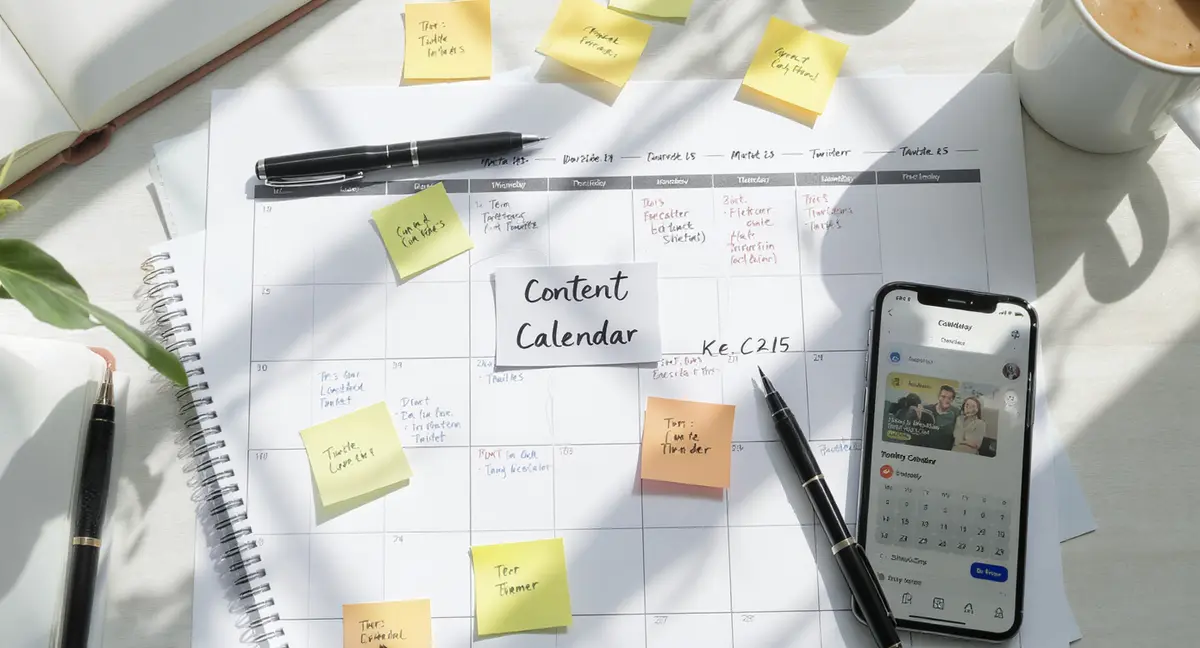
The short answer: A social media content calendar is a scheduling framework that maps post dates, platforms, themes, and assets across weeks or months. Creating one requires defining content pillars, auditing platform cadence, choosing a format (spreadsheet, tool, or template), and filling slots with specific posts. Top performers focus on consistency over volume, theme-based planning, and quarterly reviews. If your content calendar feeds social platforms but ignores AI search engines, you're missing half the visibility equation, Perplexity SEO determines whether your brand appears in AI-generated answers that now handle 28% of search queries.
Most businesses post to social media the way they clean their garage: when guilt or panic forces them to. A post goes up Tuesday because someone remembered. Another Thursday because a customer asked a question. By Friday, no one's sure what was said or where. That approach costs you. Inconsistent posting drops engagement by 40% compared to regular schedules, according to Hootsuite's 2024 Social Trends Report. Audiences scroll past brands they can't predict. Algorithms penalize accounts with erratic activity. When you need social media to drive traffic or leads, reactive posting leaves you invisible. Learning how to create a social media content calendar fixes this. A calendar turns posting from a chore into a system. You decide what to say, when to say it, and where it goes before the week starts. You batch content creation, reduce decision fatigue, and stop scrambling for ideas at 9 PM. Businesses that plan content in advance see 3x higher engagement and 2.5x more consistent traffic, per CoSchedule's 2025 Marketing Strategy Report. This article walks through exactly how to create a social media content calendar that matches your capacity and goals. You'll see what fields to include, how to structure posting cadence, and which formats work for different team sizes. The calendar you build will be something you actually use, not a spreadsheet you abandon in week three.What a Social Media Content Calendar Actually Is
A social media content calendar is a scheduling document that shows what you'll post, when, and on which platforms. It's not a content strategy (that's the "why"). It's not a creative brief (that's the "how"). It's the operational layer that turns strategy into published posts. The calendar answers five questions for every post: what platform, what date and time, what format (image, video, carousel, text), what the post says, and what asset or link it includes. Those five fields are the minimum. Most working calendars add status (draft, approved, published), campaign tag, and owner.Why Planning Beats Reacting
Reactive posting feels productive but produces inconsistent results. You post when inspired, which means gaps when you're not. Audiences notice. Sprout Social's 2025 Index found that 68% of consumers unfollow brands that post irregularly or disappear for weeks at a time. Planning doesn't kill creativity. It protects it. When you decide Monday's post on Monday morning, you default to safe, generic content. When you plan Monday's post two weeks earlier, you have time to make it specific, visual, and useful. Brands using calendars publish 47% more original content than those posting reactively, according to HubSpot's State of Marketing 2025.What a Calendar Doesn't Replace
A calendar organizes execution. It doesn't generate ideas, write copy, or measure performance. You still need a content strategy to decide what themes and topics matter. You still need creation workflows to produce the assets. You still need analytics to see what's working. Think of the calendar as the assembly line. Strategy is the blueprint. Creation is the factory. Analytics is quality control. The calendar keeps all three moving in sync. Without it, you're building cars one at a time in your driveway.How Do You Structure Posting Cadence and Frequency?
Posting cadence is how often you publish per platform. Frequency is the total number of posts per week or month. Both depend on your capacity, not your ambition. A calendar you can't maintain is worse than no calendar at all. Start with what you can sustain for six months without burning out. If that's three posts per week, build a calendar around three posts per week. Consistency beats volume. Accounts posting three times weekly with regular timing outperform accounts posting daily with gaps, per Buffer's 2025 State of Social Report.Platform-Specific Posting Norms
Each platform has a natural cadence where audiences expect content. LinkedIn performs best with 2-3 posts per week focused on business insights or case studies. Instagram rewards 4-7 posts or Stories per week, mixing Reels, carousels, and single images. Facebook engagement peaks at 1-2 posts daily, though reach has declined 63% year-over-year as Meta prioritizes Reels (social media management tool, 2025). X (formerly Twitter) and Threads favor multiple daily posts due to fast-scrolling feeds. TikTok's algorithm rewards 1-3 videos daily, but quality matters more than frequency. YouTube works on weekly or biweekly uploads unless you're running a daily vlog format.Matching Cadence to Team Capacity
If you're a solo operator or small team, pick two platforms and post 3-5 times per week total. Spreading thin across five platforms guarantees mediocre results everywhere. Brands focusing on 1-2 platforms see 2.8x higher engagement than those active on four or more (Sprout Social, 2025). Larger teams can handle higher frequency, but only if creation workflows support it. Posting daily requires a content library, batching system, and approval process. Without those, daily posting becomes daily stress. Map your current content creation capacity (hours per week) against platform norms. Your calendar cadence should fit inside that capacity with 20% buffer for revisions and emergencies.| Factor | What it is | Impact |
|---|---|---|
| Posting consistency | Regular cadence without multi-week gaps | High (40% engagement lift) |
| Platform match | Cadence aligned to platform norms | High (2.8x engagement) |
| Team capacity | Hours available for creation and scheduling | High (determines sustainability) |
| Content batching | Creating multiple posts in single sessions | Medium (saves 30% time) |
What Format Should You Use for Your Calendar?
The best calendar format is the one your team will actually open and update. Complexity kills adoption. If your calendar requires three clicks and a login to view, no one will use it. Three formats dominate: spreadsheets (Google Sheets, Excel), project management tools (Asana, Monday, Notion), and dedicated social media platforms (social media management tool, Buffer, Sprout Social). Each has trade-offs. Spreadsheets are universal and flexible but require manual scheduling. Project tools integrate with workflows but add learning curves. Social platforms automate publishing but lock you into their ecosystem.When Spreadsheets Work Best
Spreadsheets suit small teams, tight budgets, and simple workflows. A Google Sheet with columns for date, platform, post type, copy, asset link, and status covers 90% of what most businesses need. You can filter by platform, sort by date, and color-code campaigns. The downside: spreadsheets don't publish posts. You still log into each platform manually or use a separate scheduling tool. That's fine if you're posting 5-10 times per week. It becomes friction at higher volumes. Spreadsheets also lack version control unless you enforce strict naming conventions.When Dedicated Tools Make Sense
Social media management platforms combine calendar, scheduling, and analytics in one interface. You draft posts, upload assets, set publish times, and track performance without leaving the tool. Buffer's 2025 data shows teams using integrated platforms save an average of 6 hours per week compared to manual posting. The cost: $15-$100+ per month depending on team size and platform count. The lock-in: your calendar lives inside their system. If you leave, you export a CSV and rebuild elsewhere. For businesses posting 15+ times per week across multiple platforms, the time savings justify the cost. For smaller operations, a spreadsheet and free native scheduling (Facebook Creator Studio, LinkedIn's native scheduler) often suffice.What Fields and Details Should Your Calendar Include?
Every calendar needs six core fields: date, time, platform, post copy, asset (image/video file or link), and status. Those six let you plan, create, and publish without confusion. Everything else is optional based on your workflow. Date and time should be specific: "March 15, 2026, 10:00 AM EST" not "mid-March morning." Vague timing creates scheduling conflicts. Platform should list every destination for cross-posted content (e.g., "LinkedIn + X"). Post copy can be the final text or a summary if you finalize copy in the platform's native composer.Optional Fields That Add Value
Campaign tags group related posts. If you're running a product launch, tag all launch posts with "Q2-ProductX-Launch." You can filter the calendar to see the entire campaign arc. CoSchedule's research found that 73% of high-performing marketing teams use campaign tagging to track themed content. Owner/assignee clarifies who's responsible for creating or approving each post. This matters for teams larger than two people. Without clear ownership, posts slip through gaps. Status (draft, in review, approved, scheduled, published) shows progress at a glance. Approval workflows need this field to function.What Not to Include
Resist the urge to add 15 columns. Engagement goals, target audience, secondary hashtags, and backup copy options bloat the calendar until it's unusable. If a field isn't referenced weekly, it doesn't belong in the calendar. Move supplementary details to a separate content brief or campaign doc. The calendar is an operational tool, not a strategy document. Keep it lean. A calendar with six columns that you update daily beats a calendar with 18 columns you avoid opening.See How Your Business Shows Up in AI Search
Get a free AI visibility scan. See exactly where you rank on ChatGPT, Perplexity, and Google AI, and what to do about it. Get Your Free Scan. Once you've mapped your cadence and fields, the next decision is which specific tool or template fits your workflow, our breakdown of the best content calendar options compares 12 platforms by team size and feature set.
How Should You Plan Content Themes and Pillars?
Content pillars are the 3-5 recurring themes your social media covers. A B2B SaaS company might use pillars like product updates, customer success stories, industry trends, and team culture. A local restaurant might use new menu items, behind-the-scenes kitchen content, customer reviews, and community events. Pillars prevent random posting. When you sit down to fill next week's calendar, you're not staring at a blank page asking "what should we post?" You're asking "which pillar needs coverage this week?" That's a much easier question. According to Sprout Social's 2025 Index, brands using content pillars produce 2.3x more consistent messaging than those posting ad hoc.Balancing Pillar Distribution
Not every pillar gets equal airtime. A 60/30/10 split is common: 60% of posts cover your primary pillar (usually product/service value), 30% cover secondary themes (customer stories, insights), and 10% cover culture or off-topic content that humanizes the brand. Track pillar distribution monthly. If 80% of your posts are product-focused, your feed feels like a billboard. If 50% are memes and culture, your feed lacks commercial intent. The calendar should show pillar balance at a glance. Add a "pillar" column and color-code it. When one color dominates, adjust next week's plan.Tying Pillars to Business Goals
Pillars should map to business outcomes. If your goal is lead generation, one pillar should be educational content with CTAs to gated resources. If your goal is retention, one pillar should spotlight customer success and product tips. Vanity content (motivational quotes, generic holidays) rarely moves business metrics. Review pillar performance quarterly. If your "industry trends" pillar consistently drives traffic and engagement while your "team culture" pillar underperforms, shift the distribution. The calendar is a living document. What you planned in January might need adjustment by April based on what the data shows.What Does the Content Calendar Creation Process Look Like?
Creating a functional social media content calendar takes four steps: audit your current posting, define cadence and platforms, choose a format and build the structure, then populate the first month. Most businesses can complete this in 4-6 hours spread across a week. Start by auditing the last 90 days of social posts. Export your post history from each platform (most offer CSV downloads in settings). Look for patterns: which days you posted, which formats performed, where you had gaps. This audit reveals your actual capacity versus your aspirational posting frequency. If you posted twice weekly on average, planning for daily posts sets you up to fail.Building the Calendar Structure
Open a spreadsheet or tool and create columns for the six core fields: date, time, platform, copy, asset, status. Add optional fields (campaign, owner, pillar) only if you'll use them weekly. Set up the first month as rows, one per planned post. If you're posting three times per week, that's 12-13 rows for the month. Leave a few blank rows between weeks for flexibility. Pre-fill the date and platform columns based on your cadence decision. For example, if you're posting to LinkedIn every Tuesday and Thursday at 9 AM, fill those dates and times now. This skeleton structure makes the next step faster.Populating the First Month
Fill the calendar backward from key dates. Start with any campaigns, product launches, or events you know are happening. Add those posts first. Then distribute pillar-based content across the remaining slots. Aim for variety: don't post three customer stories in a row. Write headlines or summaries for each post, not final copy. The goal is to lock in the topic and angle. You'll finalize copy and create assets as each post approaches. Front-loading the entire month with finished posts sounds efficient but often results in outdated content by week four. Plan topics now, produce assets 3-7 days before publish. After the first month is populated, review for balance: platform distribution, pillar mix, and format variety (text posts vs. images vs. video). Adjust as needed. This is your baseline calendar. You'll refine it as you learn what works, but a functional first draft beats an empty sheet.The Bottom Line
A social media content calendar is infrastructure, not inspiration. It organizes what you'll post and when so you stop reacting and start compounding. The calendar you build in one afternoon produces months of consistent visibility if you match cadence to capacity and themes to business goals. Businesses that plan content in advance see 3x higher engagement and eliminate the Sunday-night scramble for Monday's post. Start with six core fields, populate one month, and refine as you learn what your audience responds to. The system works when you use it.Frequently Asked Questions
How far ahead should I plan my social media content calendar?
Plan 4-6 weeks ahead for topics and themes, but finalize copy and assets 3-7 days before publishing. Planning too far ahead locks you into content that may become outdated. Rolling monthly planning balances structure with flexibility for timely posts and trending topics. Manual calendar maintenance eats hours each week, which is why teams are shifting to AI content calendars that auto-generate post ideas, optimize timing, and flag gaps in pillar coverage. A social media calendar schedules publication, but a content creation calendar tracks the upstream work (briefs, drafts, reviews, asset production) that must finish before anything can be scheduled.
What's the minimum posting frequency to see results from a content calendar?
Two to three posts per week per platform is the minimum to maintain audience awareness and algorithmic visibility. Posting less than twice weekly causes engagement to drop by 40% as audiences forget you exist. Consistency matters more than volume for long-term growth. Choosing between spreadsheets, project tools, and dedicated schedulers depends on team size and publishing volume, our guide to content calendar platforms walks through which systems scale past 50 posts per month without breaking.
Can I use the same content across multiple platforms in my calendar?
Yes, but adapt format and copy to each platform's norms. A LinkedIn post should be professional and text-heavy. The same topic on Instagram needs a visual focus and shorter caption. Cross-posting identical content verbatim reduces engagement by 30% compared to tailored versions, per Sprout Social 2025 data.
How do I measure if my content calendar is working?
Track engagement rate (likes, comments, shares per post), reach, and referral traffic to your website monthly. Compare performance before and after implementing the calendar. Businesses using calendars see 47% more consistent engagement and 2.5x higher traffic from social, according to CoSchedule and HubSpot 2025 research.
What does it take to own my content infrastructure instead of renting visibility?
Owning content infrastructure requires building repeatable systems for planning, creation, and distribution. That means documented workflows, content libraries, and calendar templates your team controls. Rented visibility disappears when you stop paying. Owned systems compound value over time as your content library grows and ranks.