The Best Content Calendar for Social Media: What Works in 2026
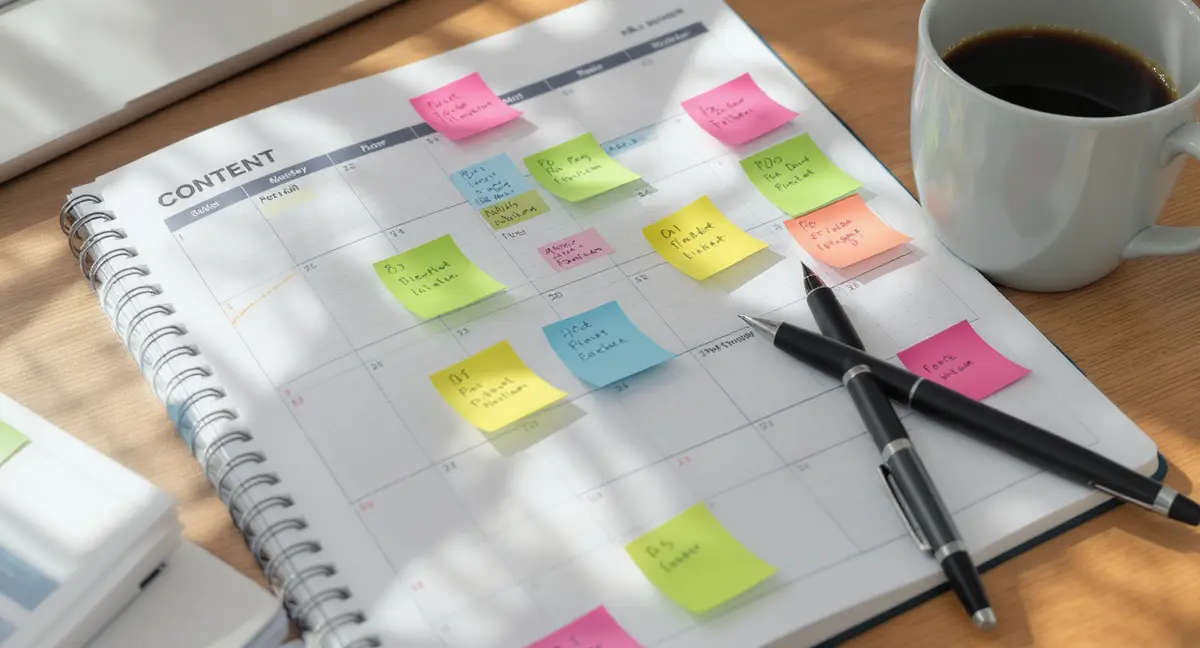
The short answer: The best content calendar for social media combines structured planning, multi-platform scheduling, and performance tracking in one system. It includes content pillars, approval workflows, and analytics tied to business outcomes. Top performers focus on consistency, audience alignment, and measurable ROI. The same principles apply whether you're scheduling social posts or building a lead generation system (the approach we use for roofing marketing follows identical infrastructure thinking).
You're paying for social media management. Or you're doing it yourself. Either way, you're probably not seeing the results you expected. The problem isn't effort. It's structure. Most businesses treat social media like a daily scramble, post something, hope it works, repeat tomorrow. That approach burns time and delivers inconsistent results. The best content calendar for social media changes that. It turns random posting into a system. You plan content around what your audience actually searches for. You schedule across platforms without logging into six different apps. You track what drives engagement and what doesn't. This article breaks down what makes a content calendar work. You'll see what components matter, which tools fit different business models, and how to build a calendar that compounds results instead of just filling feeds.What Makes the Best Content Calendar for Social Media Different
Most content calendars are glorified spreadsheets. They track dates and post ideas. That's not enough. The best content calendar for social media is infrastructure. It connects content creation to business outcomes. It shows what you're publishing, when, where, and why. It includes approval workflows so stakeholders review content before it goes live. It tracks performance so you know which content types drive traffic, leads, or sales.The Core Components That Actually Matter
A high-performing calendar includes these elements: **Content pillars.** These are the 3-5 themes your content revolves around. A property investment firm might use pillars like market analysis, financing strategies, and case studies. Every post ties back to one pillar. This builds topical authority instead of random noise. **Multi-platform scheduling.** Your audience isn't on one platform. The best content calendar for social media lets you schedule Instagram, LinkedIn, Facebook, and TikTok from one interface. You adapt the message for each platform without recreating the entire post. **Status tracking.** Content moves through stages: idea, draft, review, approved, scheduled, published. Your calendar should show where each piece sits. This prevents bottlenecks and keeps production moving. **Owner assignment.** Who's writing this post? Who's designing the graphic? Who approves it? Clear ownership eliminates confusion and missed deadlines.What Separates Planning from Execution
Planning is deciding what to post. Execution is getting it published on time, in the right format, with the right messaging. Most businesses plan well but execute poorly. They have a list of ideas in a Google Doc. Then they scramble every morning to turn those ideas into posts. That's not a system. That's daily firefighting. The best content calendar for social media closes the gap. It includes templates for common post types. It stores approved brand assets. It automates repetitive tasks like resizing images or adding hashtags. You spend less time on mechanics and more time on strategy.Why Most Social Media Calendars Fail
You've probably tried a content calendar before. Maybe you built a spreadsheet. Maybe you bought a tool. Either way, it didn't stick. This is why most calendars fail: they're disconnected from results. You track what you're posting, but not what's working. You schedule content, but you don't know if it's driving traffic, engagement, or revenue.The Spreadsheet Trap
Spreadsheets are free and flexible. That's why so many businesses start there. But they don't scale. A Reddit thread on content calendar recommendations shows the pattern. Users describe managing 6+ platforms with Excel or Google Sheets. They manually copy post text into each platform. They track deadlines in one tab, performance in another, and content ideas in a third. It works until it doesn't. The breaking point comes when you need collaboration. Spreadsheets don't handle approvals. They don't show who's working on what. They don't prevent two people from editing the same cell at the same time. You end up with version control chaos and missed posts.The Tool Overload Problem
The opposite extreme is buying too many tools. You use one app for scheduling, another for analytics, a third for graphic design, and a fourth for approvals. Each tool solves one problem. But they don't talk to each other. You're constantly exporting data from one platform and importing it into another. You're logging into six dashboards to see how your content performed. That's not efficiency. That's friction. The best content calendar for social media consolidates. It handles planning, scheduling, collaboration, and reporting in one system. You're not duct-taping five tools together.How to Choose the Right Calendar System
Not every business needs the same calendar. A solo creator has different needs than a 10-person marketing team. A B2B service company posts differently than an e-commerce brand. What matters is how to evaluate options.Match the Tool to Your Team Size
**Solo creators and small teams (1-3 people):** You need simplicity and speed. Look for tools with visual drag-and-drop calendars, basic scheduling, and mobile apps. You don't need complex approval workflows or role-based permissions. You need to plan a month of content in 2 hours and schedule it without friction. **Mid-size teams (4-10 people):** You need collaboration features. Multiple people are creating content, reviewing it, and approving it. Look for tools with comment threads, approval workflows, and role assignments. You need to see who's responsible for each post and where it sits in the production pipeline. **Large teams and agencies (10+ people):** You need governance. Look for tools with client workspaces, white-label options, and granular permissions. You're managing multiple brands or clients. You need to prevent junior team members from publishing without approval. You need audit trails showing who changed what and when.Evaluate Based on Platform Coverage
The best content calendar for social media supports the platforms your audience actually uses. Don't pay for 15 platform integrations if you only post to Instagram and LinkedIn. Check these details: - **Native scheduling vs. push notifications.** Some tools publish directly to the platform. Others send you a reminder to post manually. Native scheduling saves time but isn't available for every platform (Instagram Stories, for example, often require manual posting). - **Format support.** Can you schedule carousels, Reels, Stories, and static posts? Or just one format? - **First-comment scheduling.** Instagram best practices often involve posting a clean caption and adding hashtags in the first comment. Some tools automate this. Others don't.Prioritize Analytics Integration
A calendar without analytics is just a to-do list. You need to see which content drives results. Look for tools that show: - **Engagement by content type.** Are videos outperforming static images? Are carousel posts getting more saves? - **Performance by content pillar.** If you're posting about three core themes, which one resonates most? - **Best posting times.** When is your audience actually online and engaging? Some tools pull this data directly from platform APIs. Others require you to export and analyze manually. The former saves hours per week.Building a Calendar That Compounds Results
The best content calendar for social media isn't just a scheduling tool. It's a system for compounding visibility. This is what that means: a post you publish today generates engagement this week. If it's well-structured and tied to search intent, it continues generating traffic in month six. And month twelve. Each new post adds to the cumulative effect.Start with Content Pillars, Not Random Ideas
Most businesses post whatever feels relevant that day. That's reactive, not strategic. Content pillars fix this. Pick 3-5 themes that align with your business goals and audience needs. A restaurant might use pillars like seasonal menus, chef interviews, and behind-the-scenes prep. A SaaS company might use product updates, customer success stories, and industry trends. Every post ties back to one pillar. This builds topical authority. Your audience knows what to expect. Search engines and AI models recognize you as a consistent source on specific topics.Map Content to the Buyer Journey
Not every post should sell. Some content builds awareness. Some educates. Some converts. The best content calendar for social media balances these stages: - **Awareness content** introduces your brand to new audiences. Think educational posts, industry insights, and shareable infographics. - **Consideration content** helps prospects evaluate options. Think comparison posts, case studies, and FAQ threads. - **Conversion content** drives action. Think limited-time offers, product demos, and testimonials. A calendar weighted too heavily toward conversion content feels pushy. A calendar with only awareness content doesn't drive revenue. Balance matters.Build Repeatable Templates
You don't need to reinvent every post. The best content calendar for social media includes templates for recurring post types. Examples: - **Monday motivation posts** with a quote and branded graphic. - **Wednesday case studies** with a customer result and a call-to-action. - **Friday tips** with a quick how-to and a link to a longer article. Templates speed up production. Your designer knows the format. Your writer knows the structure. You're not starting from scratch every time.The Role of AI in Modern Content Calendars
AI is changing how content calendars work. Not in the "write everything for you" way that most tools promise. In the "reduce friction and surface insights" way that actually saves time.AI for Caption Generation and Hashtag Research
Writing captions takes time. You're staring at a blank box trying to turn a product photo into engaging copy. AI tools can generate first drafts in seconds. The best content calendar for social media integrates AI caption generation directly into the scheduling interface. You upload an image, the tool suggests 3-5 caption options, and you edit the one that fits your brand voice. You're not outsourcing creativity. You're eliminating the blank-page problem. Hashtag research works the same way. Instead of manually searching for trending tags, AI tools analyze your content and suggest relevant hashtags based on current performance data. You review and approve. The tool handles the research.AI for Performance Prediction
Some advanced calendar tools use AI to predict which posts will perform best before you publish them. They analyze factors like caption length, image composition, posting time, and historical engagement patterns. This isn't magic. It's pattern recognition. The tool compares your draft post to thousands of similar posts and estimates likely engagement. You can test variations before committing to one version. Does this replace human judgment? No. But it reduces guesswork.See How Your Business Shows Up in AI Search
Get a free AI visibility scan. See exactly where you rank on ChatGPT, Perplexity, and Google AI, and what to do about it. Get Your Free Scan. Once you've chosen your system, the next step is implementing content calendar best practices that prevent the common failure patterns we just covered.
How to Measure Calendar Performance
A content calendar is only valuable if it improves results. That means tracking the right metrics.Metrics That Actually Matter
**Consistency rate.** Are you publishing on schedule? If your calendar says 5 posts per week but you're only hitting 3, the calendar isn't the problem. Execution is. **Engagement per post.** Likes, comments, shares, and saves. Track these by content type and pillar. Which formats and themes drive the most interaction? **Traffic to owned assets.** Social media is rented land. The real goal is driving traffic to your website, blog, or email list. Track click-through rates on links in your posts. **Conversion rate.** How many social visitors become leads or customers? This requires UTM parameters and analytics integration, but it's the metric that ties social media to revenue.Avoid Vanity Metrics
Follower count doesn't matter if those followers don't engage or convert. Impressions don't matter if no one clicks. The best content calendar for social media focuses on outcomes, not activity. Track what moves the business forward. For a service business, that might be consultation bookings. For e-commerce, it's product sales. For a content creator, it's email signups or course enrollments.Common Calendar Mistakes and How to Avoid Them
Even with the right tool, you can still fail. Here are the mistakes that kill content calendars.Mistake 1: Planning Too Far Ahead
Some businesses plan 6 months of content in one sitting. That sounds efficient. It's not. Markets change. Trends shift. News breaks. A calendar locked in stone 6 months ago doesn't adapt. You end up publishing irrelevant content because "it's on the calendar." Plan 4-6 weeks ahead. Leave room for reactive content. The best content calendar for social media balances structure with flexibility.Mistake 2: Ignoring Platform-Specific Best Practices
You can't post the same content to every platform. LinkedIn audiences expect professional insights. TikTok audiences expect short, entertaining videos. Instagram audiences expect high-quality visuals. Your calendar should account for these differences. The core message might be the same, but the format and tone should adapt. A calendar that treats every platform identically wastes effort and underperforms.Mistake 3: No Approval Process
You're moving fast. You schedule a post. It goes live. Then you realize it has a typo. Or worse, it's off-brand or factually wrong. The best content calendar for social media includes approval gates. Nothing publishes without at least one other person reviewing it. This prevents mistakes and maintains quality.The Bottom Line
The best content calendar for social media is the one you'll actually use. It matches your team size, supports your platforms, and connects content to business outcomes. Start with content pillars. Build repeatable templates. Track performance by pillar and post type. Use AI to reduce friction, not replace strategy. Measure what matters: consistency, engagement, traffic, and conversions. A calendar is infrastructure. It compounds results over time. Every post you publish today should still drive value 6 months from now. That's how you stop renting visibility and start owning it.Frequently Asked Questions
Frequently Asked Questions
What's the difference between a content calendar and a posting schedule?
A posting schedule tracks when you publish. A content calendar tracks what, when, where, why, and who. It includes content pillars, approval workflows, performance tracking, and strategic alignment. A schedule is tactical. A calendar is infrastructure. If you're managing multiple platforms and want to see how automation handles the heavy lifting, our breakdown of the AI content calendar shows exactly where the time savings come from. The process of building a content calendar from scratch follows these same pillar and template principles, just with more detail on the setup phase.
Can I build an effective content calendar in-house?
Yes, if you have the right tools and processes. You need a system that handles planning, collaboration, scheduling, and analytics. Spreadsheets work for solo creators but don't scale. Dedicated calendar tools reduce friction and improve consistency for teams. Templates are just one piece of a larger production system (we cover the full workflow in our guide to content creation for marketing).
How do I measure ROI from a social media content calendar?
Track consistency rate, engagement per post, traffic to owned assets, and conversion rate. Use UTM parameters to connect social clicks to website actions. The calendar's ROI is the time saved, the consistency gained, and the revenue driven by structured content.
How often should I update my content calendar?
Review weekly, plan 4-6 weeks ahead. Weekly reviews let you adjust for performance data, trending topics, and business priorities. Planning too far ahead reduces flexibility. The best content calendar for social media balances structure with adaptability.
What's the biggest mistake businesses make with content calendars?
Treating the calendar as a to-do list instead of a strategic system. They schedule posts but don't track performance. They plan content but don't align it with business goals. A calendar without analytics and strategy is just busy work.