Google Business Profile Category: The 2026 Strategy Guide
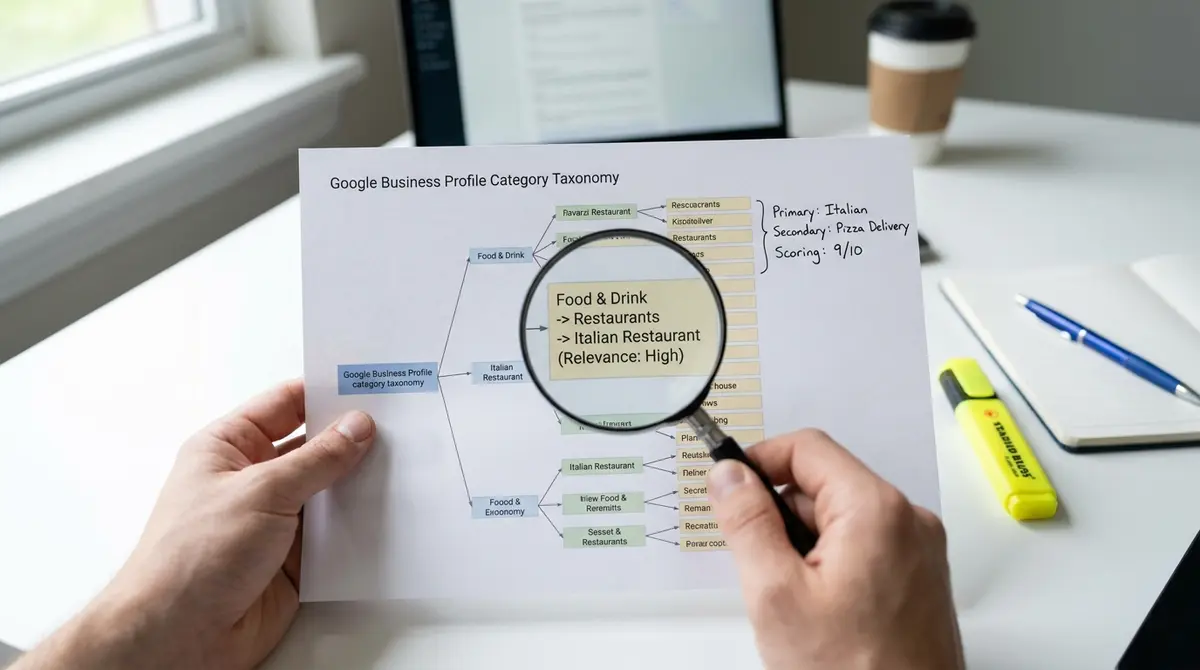
The short answer: Your Google business profile category is the single most powerful local ranking signal you control. Choosing a precise primary category, adding relevant secondaries, and aligning your profile content to match those categories determines whether you appear in local pack results or disappear entirely. Three variables move the needle: category specificity, service-content alignment, and competitive differentiation. According to Whitespark's 2024 Local Search Ranking Factors study, category selection ranks as the #1 influence on local pack visibility. As AI-powered search platforms gain traction, the same category-content alignment principles that govern Google's local algorithm are shaping how businesses appear in Perplexity SEO results.
Your Google business profile category isn't just a label. It's the foundation of how Google decides whether your business is relevant when someone searches for what you sell. Pick the wrong one and you won't show up. Pick the right one and you unlock the 46% of all Google searches that have local intent.
Most businesses treat category selection like filling out a form field. They choose something close enough and move on. That's a mistake. Categories determine which searches trigger your profile, which competitors you're ranked against, and which features Google makes available to you. A plumber who selects "Home improvement store" instead of "Plumber" won't appear when someone searches "plumber near me," even if everything else on the profile is perfect.
The stakes are higher in 2026 because Google's local algorithm has become more category-specific. Businesses with complete, accurately categorized profiles are 70% more likely to attract location visits, according to Google's internal data. Meanwhile, 76% of people who search for something nearby visit a business within a day. If your category doesn't match the search, you're invisible during that decision window.
This guide covers how Google business profile category selection works, why it matters more than most local SEO factors, how to choose your primary and secondary categories, what the 4,000+ available categories mean for your strategy, and how to test whether your current setup is costing you visibility.
Why Your Google Business Profile Category Controls Local Visibility
Google uses your primary category as the strongest signal of what your business does. When someone searches "dentist downtown," Google scans every business profile in that area and prioritizes those with "Dentist" as their primary category. Businesses that chose "Medical clinic" or "Health consultant" rank lower or don't appear at all, even if their services include dentistry.
This isn't a minor ranking factor. Whitespark's 2024 Local Search Ranking Factors study surveyed 1,400 local SEO professionals and found that category selection is the top-weighted element in Google's local pack algorithm. It outranks review count, keyword optimization in the business description, and even proximity to the searcher in many cases. Your category tells Google what queries you're eligible for.
The competitive implication is straightforward: if your competitor chooses a more specific category than you do, they'll outrank you for searches that match that specificity. A business listed as "Italian restaurant" will beat a business listed as "Restaurant" when someone searches "Italian restaurant near me." The broader category dilutes relevance.
How Categories Trigger Local Pack Inclusion
Google's local pack shows three businesses at the top of search results for location-based queries. To qualify for that space, your primary category must semantically match the search term. If you're a personal injury lawyer but your category is set to "Legal services," you won't appear for "personal injury lawyer" searches. Google interprets categories literally.
Secondary categories expand your eligibility without diluting your primary focus. You can add up to nine additional categories (ten total including primary), according to Google's 2026 GBP Best Practices Playbook. A roofing company might use "Roofing contractor" as primary and add "Gutter cleaning service," "Siding contractor," and "Skylight contractor" as secondaries. Each secondary makes the profile eligible for related searches while maintaining roofing as the core signal.
The mistake businesses make is adding too many unrelated secondaries. A dentist who adds "Cosmetic dentist," "Pediatric dentist," and "Orthodontist" strengthens their profile. A dentist who adds "Health consultant," "Wellness center," and "Medical clinic" confuses the algorithm and weakens category authority. Google rewards specificity, not breadth.
Category Accuracy and Google's Quality Filters
Google's algorithm penalizes profiles that appear to game categories. If your business description, services list, and website content don't align with your selected categories, Google may suppress your rankings or suspend your profile entirely. This is part of the March 2024 Core Update's focus on authenticity in local search.
For example, a business that selects "General contractor" but only lists plumbing services in their profile will trigger a mismatch flag. Google cross-references your category with the content you publish, the services you list, and the reviews you receive. If customers mention plumbing in reviews but your category says general contracting, the algorithm detects inconsistency.
The fix is alignment. Choose the category that matches what you actually do, then build your profile content to reinforce that category. If you're a general contractor who specializes in kitchen remodeling, use "General contractor" as primary and "Kitchen remodeler" as secondary, then make sure your services list, photos, and posts reflect both. Consistency across category, content, and customer signals is what Google measures.
How to Choose the Right Primary Category for Your Business
Your primary category should be the most specific option that accurately describes your core business. Google provides over 4,000 categories as of 2026, tracked by sources like Dalton Luka's category database, which reported 4,046 active categories as of May 9th, 2026. The challenge isn't finding a category, it's finding the right one. You can change your primary category at any time through the Google Business Profile app or desktop dashboard, with changes taking effect within 24-48 hours.
Start by searching Google for your main service plus your location. Look at the top three businesses in the local pack. Click through to their profiles and note their primary categories. These are your direct competitors, and their category choices reveal what Google considers relevant for that query. If all three use "Plumber" and you're using "Home services," you're playing in a different league.
Next, open your Google Business Profile dashboard and start typing your business type into the category field. Google will auto-suggest categories as you type. Choose the narrowest option that fits. If you're a family law attorney, "Family law attorney" is better than "Attorney" or "Legal services." If you're a pizza restaurant, "Pizza restaurant" is better than "Restaurant" or "Italian restaurant" unless Italian cuisine is your primary differentiator.
When to Use Broad vs. Niche Categories
Broad categories like "Restaurant," "Contractor," or "Consultant" should only be your primary if no specific subcategory exists. Google's category list includes highly granular options: "Pet microchip scanning station," "Event fabrication service," and "Sewing school" were all added in the last 30 days of May 2026, per Dalton Luka's tracking. If a niche category exists for what you do, use it.
The advantage of niche categories is reduced competition. A business listed as "Roof repair service" competes against fewer profiles than one listed as "Contractor" when someone searches "roof repair near me." The niche category filters out general contractors who don't specialize in roofing, giving you a clearer path to the local pack.
The risk is over-niching. If you choose a category so specific that no one searches for it, you'll rank well for a query that doesn't exist. A good test: search Google for " near me" and see if local pack results appear. If they do, the category has search demand. If Google shows generic results or no local pack, the category may be too narrow.
Testing Category Performance Over Time
Category selection isn't permanent. You can change your primary category at any time through the Google Business Profile dashboard: go to Edit profile, select Business category, update your Primary category, then Save. Changes take effect within 24-48 hours.
To test whether a category change improves visibility, track your Google Search Console impressions and clicks for local queries before and after the change. Filter Search Console data by query type (e.g., queries containing "near me" or your city name) and compare 30-day periods. If impressions increase after switching from "Contractor" to "Roofing contractor," the more specific category is working.
Another signal: monitor your Google Business Profile Insights for changes in search query types. Google shows you the top queries customers used to find your profile. If you change your category and start appearing for more relevant searches, you'll see those queries increase in the Insights dashboard. This is real-time feedback on whether your category aligns with customer intent.
Secondary Categories: How to Expand Visibility Without Diluting Focus
Secondary categories let you compete for related searches without changing your primary positioning. Google allows up to nine secondary categories in addition to your primary, giving you ten total. Each secondary makes your profile eligible for searches that match that category, but none carry the ranking weight of your primary.
The strategy is to add secondaries that represent real services you offer, not aspirational services you wish you offered. A roofing contractor who also does gutter installation should add "Gutter cleaning service" as a secondary. A roofing contractor who wants to expand into HVAC but doesn't yet offer it should not add "HVAC contractor", Google will penalize the profile if reviews and content don't support the category.
PlePer's GBP category tool, widely referenced in Google support forums, provides a filterable database of all active categories by country and language. Use it to discover secondary categories you might have missed. For example, a general dentist might not realize "Cosmetic dentist," "Teeth whitening service," "Dental implants provider," and "Emergency dental service" are all separate categories that could be added as secondaries.
How Many Secondary Categories to Add
There's no penalty for using all ten category slots, but there's no benefit to adding irrelevant ones. Quality over quantity. A restaurant that offers dine-in, takeout, and catering should use "Restaurant" as primary and add "Takeout restaurant," "Caterer," and possibly "Meal delivery" as secondaries if they deliver. Adding "Bar" or "Night club" only makes sense if those are real parts of the business.
A practical rule: add a secondary category only if you'd be comfortable having a customer call and ask for that specific service. If you'd have to explain "we don't genuinely do that" or "that's not our main thing," don't add the category. Google's algorithm measures conversion signals, if customers bounce after clicking your profile because the category misled them, your rankings drop. Managing multiple locations or testing category changes across several profiles requires a systematic approach, which is where the Google My Business Profile Manager becomes essential.
One exception: service-area businesses. If you're a mobile service (plumber, electrician, house cleaner), your categories should reflect all the services you offer across your service area. A plumber who does residential and commercial work should use "Plumber" as primary and add "Commercial plumbing service" and "Emergency plumber service" as secondaries. This captures searches from both customer types.
Category Combinations That Strengthen Authority
Certain category combinations signal expertise to Google's algorithm. A personal injury law firm that uses "Personal injury attorney" as primary and adds "Trial attorney," "Medical malpractice attorney," and "Workers' compensation attorney" as secondaries demonstrates specialized depth. This is stronger than using "Attorney" as primary with generic secondaries.
The pattern: primary category defines your core business, secondaries define your specializations within that core. A general contractor's secondaries should be types of contracting work (kitchen remodeler, bathroom remodeler, home builder). A restaurant's secondaries should be cuisine types or service models (Italian restaurant, pizza delivery, caterer). Secondaries that branch into unrelated industries weaken the profile.
Track which categories drive traffic by monitoring your Google Business Profile search queries. If you added "Emergency plumber service" as a secondary and start seeing "emergency plumber" queries in your Insights, the category is working. If a secondary generates no queries after 60 days, it's either not relevant to your market or not a category customers search for. Replace it with something more aligned.
The Complete Google Business Profile Category List and What It Means
Google maintains over 4,000 categories across all markets, with frequent additions. Dalton Luka's May 9th, 2026 count found 4,046 active categories, up from 4,098 in October 2024 (the discrepancy reflects category merges and regional variations). This isn't a static list, Google adds new categories as industries emerge and removes outdated ones as search behavior shifts.
The sheer size of the category list creates opportunity. Most businesses default to broad categories because they don't know specific options exist. A business that repairs bicycles might use "Bicycle store" when "Bicycle repair shop" is a distinct category with less competition. A business that sells mattresses might use "Furniture store" when "Mattress store" is more specific and more aligned with customer search intent.
The strategic move is to audit the full category list for your industry. PlePer's tool and Dalton Luka's alphabetical list both provide searchable databases. Spend 20 minutes looking for niche categories that describe what you actually do. You'll find options you didn't know existed, and those options often have lower competition than the defaults everyone uses.
| Factor | What it is | Impact |
|---|---|---|
| Primary category precision | How closely your primary category matches your core service | High - determines query eligibility |
| Secondary category relevance | Whether your added categories reflect real services offered | Medium - expands reach without diluting authority |
| Content-category alignment | Consistency between categories and profile content/reviews | High - Google penalizes mismatches |
| Competitive category analysis | Tracking what categories top local competitors use | Medium - reveals market positioning gaps |
| Category testing cadence | Frequency of testing category changes via Search Console data | Low to Medium - optimization over time |
How Google Adds and Removes Categories
Google updates the category list based on search demand and business registration patterns. When enough businesses create profiles in a new industry and enough users search for that industry by name, Google adds a category. Recent additions like "Pet microchip scanning station" and "Event fabrication service" reflect emerging service niches that reached critical mass.
Removed categories typically merge into broader ones or get deprecated due to low usage. For example, highly specific restaurant subcategories sometimes consolidate into regional cuisine categories when search volume doesn't justify the split. This is why checking the current category list matters, the category you used two years ago might not exist anymore, or a better option might have been added.
Google doesn't announce category changes. The only way to track them is through third-party tools like PlePer or Dalton Luka's database, both of which scrape the live category API and publish updates. If you're in a fast-changing industry, checking the category list every six months ensures you're not missing a new option that better describes your business.
Regional and Language Variations in Categories
Category availability varies by country and language. A category that exists in the US might not exist in the UK, and vice versa. PlePer's tool lets you filter categories by country, which is critical for businesses operating in multiple markets or for agencies managing international clients.
For example, "Solicitor" is a common category in the UK but doesn't exist in the US, where "Attorney" and "Lawyer" are the equivalents. A business expanding from the US to the UK needs to update their category to match local terminology, or they'll rank poorly for searches using British legal terms. To implement these category changes, you'll need to edit my Google Business Profile through the dashboard's Business category section under Edit profile.
If you operate in multiple locations, check whether your category exists in each market. If it doesn't, choose the closest equivalent and monitor search query data to see if customers are finding you. Regional category mismatches are a common cause of visibility drops when businesses expand internationally.
See How Your Business Shows Up in AI Search
Get a free AI visibility scan. See exactly where you rank on ChatGPT, Perplexity, and Google AI, and what to do about it. Get Your Free Scan.
Common Category Mistakes That Kill Local Rankings
The most frequent mistake is choosing a category based on what you want to be known for rather than what you actually do. A general contractor who wants to be seen as a luxury remodeler might choose "Custom home builder" when their actual work is kitchen and bathroom remodels. This creates a mismatch between the category and the services list, photos, and reviews, which Google detects and penalizes.
Another mistake: using a category that's too broad because you think it captures more searches. A business that only does residential plumbing might choose "Plumber" when "Residential plumbing service" exists as a more specific option. The logic is that "Plumber" gets more searches, so it should drive more traffic. The reality is that "Plumber" puts you in a larger competitive pool with commercial plumbers, emergency plumbers, and plumbing suppliers, diluting your relevance for residential queries.
A third mistake: adding secondary categories that you don't actually offer. A roofing contractor who adds "HVAC contractor" and "Electrician" because they occasionally subcontract that work creates category spam. Google's algorithm measures whether your reviews, photos, and content support each category. If no reviews mention HVAC and no photos show HVAC work, the category hurts more than it helps.
Category Keyword Stuffing and Google's Penalties
You cannot create custom categories or add keywords to category names. Google's category field is a dropdown, you select from the predefined list, period. Businesses that try to game this by adding keywords to their business name (e.g., "Joe's Plumbing | Emergency Plumber | 24/7 Service") get penalized under Google's business name guidelines.
The penalty is suspension or ranking suppression. Google's March 2024 Core Update specifically targeted profiles with keyword-stuffed names and mismatched categories. If your business name in real life is "Joe's Plumbing" but your GBP name is "Joe's Plumbing Emergency Plumber," Google may suspend the profile or remove it from local pack results entirely.
The correct approach: use your real business name, choose the most specific category, and let your services list and business description contain the keywords. Google reads all of those fields when determining relevance. Keyword stuffing the name or trying to hack the category field is a short-term tactic that leads to long-term penalties.
Ignoring Competitor Category Choices
Your category decisions happen in a competitive context. If every other business in your local pack uses "Roofing contractor" and you use "Contractor," you're signaling to Google that you're less relevant for roofing-specific searches. Competitor analysis isn't about copying, it's about understanding what Google considers the standard category for your industry in your market.
To audit competitors: search your primary service plus your city, note the top three businesses in the local pack, visit their profiles, and record their primary and secondary categories. If all three use the same primary, that's the category Google associates with that query. If they all use similar secondaries, those are the adjacent services Google expects businesses in your category to offer.
If your categories are radically different from your top competitors, you're either in the wrong category or you're positioned for a different market segment. Both are fixable, but you need to know which one applies. Ignoring what your competitors chose means you're optimizing in a vacuum, and Google's algorithm is built on comparative relevance.
How to Audit and Optimize Your Category Strategy
Start with a baseline measurement. Log into Google Search Console and filter for queries containing your city name, "near me," or other location modifiers. Export 90 days of data and note your average position and click-through rate for local queries. This is your pre-optimization benchmark.
Next, audit your current category setup. Open your Google Business Profile and record your primary and all secondary categories. Then search Google for your main service plus your location and compare your categories to the top three competitors in the local pack. If your primary category is different, that's your first optimization target.
Change your primary category to match the most specific option your top competitors use. Wait 30 days, then pull the same Search Console report. Compare impressions, average position, and CTR for local queries. If all three metrics improve, the category change worked. If they stayed flat or declined, test a different primary or investigate whether your profile content aligns with the category. Category mismatches that trigger quality filters are part of broader enforcement patterns detailed in the Google Business Profile guidelines, which penalize profiles that appear to manipulate relevance signals.
Testing Secondary Category Combinations
Secondary categories should be tested one at a time. Add a new secondary, wait 30 days, then check your Google Business Profile Insights for new search queries that match that category. If you added "Emergency plumber service" and start seeing "emergency plumber" queries, the category is pulling traffic. If you see no change, the category either isn't relevant to your market or isn't something customers search for.
Remove underperforming secondaries after 60 days. Google allows ten categories, but using all ten slots with irrelevant categories dilutes your profile's focus. A tightly aligned set of five categories (one primary, four secondaries) will outperform a scattered set of ten that include services you barely offer.
Track category performance in a spreadsheet. Record the date you add each secondary, the search queries it's intended to capture, and the 30-day and 60-day impression/click data from Search Console. This creates a data-driven optimization loop rather than guessing which categories work.
Aligning Profile Content with Your Categories
Once your categories are set, your profile content must reinforce them. Google cross-references your categories with your services list, business description, posts, photos, and reviews. Misalignment between these elements weakens your category authority.
For each category (primary and secondaries), add a corresponding service in your Services section. If your primary category is "Roofing contractor," your services list should include "Roof repair," "Roof replacement," "Roof inspection," etc. If you added "Gutter cleaning service" as a secondary, add "Gutter cleaning" and "Gutter repair" to your services list.
Your business description should mention your primary category in the first sentence. Pattern: "We're a serving your area since ." Then list your core services, which should map to your categories. Photos should show work related to each category, if you claim to be an emergency plumber, post photos of emergency repair jobs. Reviews that mention your categories strengthen the signal; reviews that never mention them suggest the category doesn't match what customers experience.
What This Means for Your Local Search Strategy
Your Google business profile category is the single most controllable ranking factor in local search. You can't control proximity, and you can't instantly generate 50 five-star reviews, but you can choose the right category in under five minutes. The businesses that dominate local pack results are the ones that chose specific, accurate categories and built their profile content to match.
The opportunity in 2026 is that most businesses still use default broad categories. They choose "Contractor" instead of "Roofing contractor," "Restaurant" instead of "Italian restaurant," "Attorney" instead of "Personal injury attorney." Every one of those choices is a competitive advantage for businesses that choose the specific option. Specificity reduces competition and increases relevance.
Category optimization isn't a one-time task. Google adds new categories, customer search behavior shifts, and your business evolves. Audit your categories every six months. Check whether new, more specific options have been added. Test whether switching your primary or adding a new secondary improves visibility. The businesses that treat categories as a static form field lose to the ones that treat them as an ongoing optimization lever.
Frequently Asked Questions
How many Google business profile category options can I add to my profile?
You can add one primary category and up to nine secondary categories, for a total of ten. Your primary category is the most important ranking signal, while secondaries expand your eligibility for related searches. Only add secondaries that represent real services you offer, not aspirational ones.
Can I change my primary Google business profile category after my profile is live?
Yes. Go to your Business Profile, click Edit profile, select Business category, update your Primary category, and Save. Changes take effect within 24-48 hours. Test the impact by tracking Search Console impressions for local queries before and after the change.
What happens if I choose the wrong Google business profile category?
You'll rank poorly or not appear at all for searches related to your actual services. Google uses your primary category to determine query eligibility. If you're a plumber but chose "Home improvement store," you won't show up for "plumber near me" searches, even with a perfect profile otherwise.
Should I use a broad category to capture more searches?
No. Broad categories put you in larger competitive pools and dilute relevance. A specific category like "Roofing contractor" outranks a broad category like "Contractor" for roofing-related searches. Specificity reduces competition and signals stronger relevance to Google's algorithm.
How do I know if my Google business profile category is working?
Check Google Search Console for local query impressions and clicks, and review your Google Business Profile Insights for search queries customers used to find you. If your category aligns with customer search intent, you'll see queries that match your category in both reports. No matching queries means your category is misaligned.