Content Strategy Calendar: Plan Smarter, Publish Faster
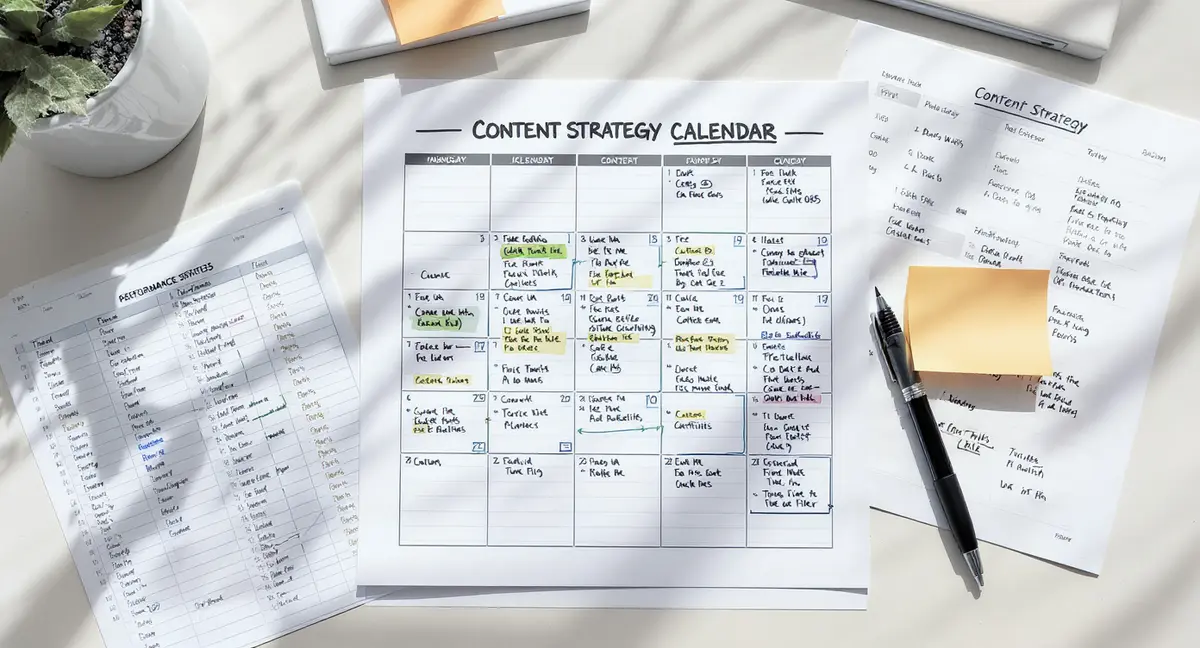
The short answer: A content strategy calendar is a planning system that maps what you publish, when you publish it, and why it matters to your business goals. It connects content topics, deadlines, ownership, distribution channels, and performance tracking in a single view. Success in content strategy calendar comes down to goal alignment, consistent publishing cadence, and cross-channel coordination. According to Content Marketing Institute, 63% of marketers with a documented content strategy report success versus 16% without one. As AI answer engines reshape how audiences discover content, understanding Perplexity SEO becomes essential for ensuring your strategically planned content gets cited in AI-generated responses.
Most businesses treat content like a side project. They publish when they remember. They chase trends without a plan. They have no idea whether last month's blog post drove a single lead. That approach costs you visibility, credibility, and revenue.
A content strategy calendar changes that. It turns content from a guessing game into a repeatable system. You know what you're publishing two months from now. You know who owns each piece. You know which content supports which business goal. You stop reacting and start building.
The gap between businesses that publish randomly and businesses that follow a content strategy calendar shows up in results. Companies with documented content strategies see 313% higher success rates in organic search (marketing automation platform, 2024). They publish more consistently, rank for more keywords, and convert more traffic into customers. The calendar is not the strategy itself, but it's the infrastructure that makes strategy executable.
This article breaks down how to build a content strategy calendar that actually works. Not a template you abandon in two weeks. Not a spreadsheet that becomes a graveyard of ideas. A system that connects planning, production, publishing, and performance in one place.
Why Most Content Calendars Fail Before You Finish Month One
You download a template. You fill in topics for the next three months. You feel organized. Then reality hits. The calendar sits untouched while you scramble to publish something, anything, by Friday. This pattern repeats at 70% of businesses that attempt content planning (CoSchedule, 2024).
The Template Problem: Structure Without Strategy
Most content calendar templates give you columns for title, publish date, and channel. They don't tell you what to write about or why it matters. You're organizing content you haven't validated. You're scheduling topics your audience might not search for. The calendar becomes a to-do list, not a growth system.
A content strategy calendar starts with strategy, then builds the calendar around it. You identify the keywords your audience searches for. You map content to business goals. You decide which topics build authority in your market. Only then do you assign dates and owners. The structure serves the strategy, not the other way around.
Consider a property management company. A generic calendar might schedule "5 Tips for Landlords" because it sounds useful. A content strategy calendar would first identify that "tenant screening process" gets 8,100 monthly searches with low competition, aligns with their lead generation goal, and supports their positioning as the compliance-focused property manager in their market. The calendar entry includes the keyword, the goal, the target audience, and the internal link structure before anyone writes a word.
The Consistency Trap: Ambition Versus Capacity
You commit to publishing three blog posts per week, daily social updates, and a monthly video series. Week one goes fine. Week two you miss a post. By week four the calendar is a guilt-inducing record of what you didn't do. Burnout follows.
Sustainable content strategy calendar planning matches publishing frequency to actual capacity. If you can realistically produce one well-researched article per week, schedule one per week. Build consistency first, volume later. Data from SEMrush shows businesses that publish consistently at lower frequency outperform businesses that publish in bursts then go silent. The algorithm rewards reliability.
Your content strategy calendar should include production time, review cycles, and buffer periods. If an article takes eight hours to research, write, and optimize, and you have ten hours per week for content, you can publish one article per week with room for revisions. Schedule accordingly. The calendar that matches your capacity is the calendar you'll actually use.
What Every Content Strategy Calendar Must Track to Drive Results
A functional content strategy calendar is a database, not a spreadsheet. It tracks the information that connects content to outcomes. Miss any of these fields and you lose visibility into what's working. Teams looking to accelerate this planning process without sacrificing strategic rigour should explore how an AI content calendar can automate topic validation and scheduling decisions.
| Factor | What it is | Impact |
|---|---|---|
| Target keyword | Primary search term the content ranks for | High, determines discoverability |
| Business goal alignment | Which objective this content supports | High, connects effort to revenue |
| Content pillar | Thematic category for topical authority | Medium, builds domain expertise |
| Distribution channel | Where content appears first | Medium, affects reach and format |
| Owner and status | Who's responsible and current progress | High, prevents bottlenecks |
Strategic Fields: Connecting Content to Business Outcomes
Every entry in your content strategy calendar should answer: what keyword does this target, which business goal does it support, and which content pillar does it belong to? These three fields transform a publishing schedule into a growth system.
Target keyword determines whether anyone finds the content. Use keyword research tools to validate search volume and competition before you add a topic to the calendar. A keyword with 5,000 monthly searches and manageable competition beats a generic topic with no search demand. Your content strategy calendar should show keyword difficulty scores and monthly volume alongside each entry.
Business goal alignment connects content to revenue. Is this piece designed to generate leads, build authority, support sales conversations, or retain customers? Tag each entry with its primary goal. When you review performance, you can see which content types drive which outcomes. According to Demand Metric, businesses that align content to specific goals see 72% higher engagement rates than those publishing without clear objectives.
Content pillar groups related topics into thematic clusters. If you're a commercial real estate firm, your pillars might be property valuation, tenant acquisition, and lease negotiation. Every article falls into one pillar. This structure builds topical authority, improves internal linking, and signals expertise to search engines. Your content strategy calendar should filter by pillar so you can see coverage gaps.
Operational Fields: Who Does What and When
The calendar must track ownership, status, publish date, and distribution channel. Without these, you have a list of ideas, not a production system.
Owner field assigns accountability. One person is responsible for each piece from draft to publication. Status field shows progress: ideation, research, draft, review, scheduled, published. When someone asks "where's the article on lease agreements?", you check the calendar and know it's in review. No Slack threads. No guessing.
Publish date and distribution channel determine format and timeline. A LinkedIn article has different requirements than a blog post. A video script needs more production time than a text article. Your content strategy calendar should show publish dates in calendar view and list view so you can spot gaps and avoid bottlenecks.
Include internal link targets. If the new article should link to three existing pages, note those URLs in the calendar. This ensures every piece strengthens your site architecture. It also prevents orphan content that sits unlinked and invisible to search engines.
How to Build Your Content Strategy Calendar in Four Stages
Building a content strategy calendar that drives results takes four stages: audit, plan, structure, and execute. Skip a stage and you're back to random publishing.
Stage One: Audit What You Have and What's Missing
Start by cataloging existing content. List every published article, video, and resource. Tag each with its target keyword, business goal, and content pillar. This reveals gaps. You might discover you've published twelve articles about property management but nothing about tenant screening, even though tenant screening gets higher search volume and aligns better with your lead generation goal.
Run a competitive content gap analysis. Identify the keywords your competitors rank for that you don't. Tools like Google Search Console show which queries drive impressions but not clicks. These are opportunities. Add high-potential keywords to a master topic list. Your content strategy calendar will pull from this validated list, not random ideas.
Assess production capacity. How many hours per week can your team dedicate to content? How long does each content type take to produce? If you have twenty hours per week and each article takes ten hours, you can publish two articles per week. Build your calendar around that reality. Research from Orbit Media shows the average blog post takes four hours to write, but high-performing content takes six-plus hours. Plan accordingly. If your focus extends beyond planning into the production workflows that turn calendar entries into published assets, a dedicated content creation calendar addresses the operational gaps between ideation and execution.
Stage Two: Map Content to Business Goals and Pillars
Define three to five content pillars that support your positioning. A SaaS company selling project management software might choose pillars like team collaboration, workflow automation, and remote work productivity. Every piece of content falls into one pillar. This focus builds authority faster than scattering topics across twenty categories.
Assign business goals to each pillar. The team collaboration pillar might focus on lead generation, while the remote work pillar supports thought leadership. Your content strategy calendar should show which pillars are underrepresented. If 80% of your content lives in one pillar, you're missing opportunities to rank for adjacent topics and serve different buyer stages.
Prioritize topics by impact and effort. High-impact, low-effort topics go first. These are keywords with strong search volume, manageable competition, and clear alignment to business goals. Medium-impact topics fill the calendar after high-priority items. Low-impact topics get dropped. Your content strategy calendar should include a priority score for each entry so you know what to tackle when capacity opens up.
Stage Three: Structure the Calendar for Repeatable Execution
Choose a tool that supports relational databases, multiple views, and collaboration. Notion, Airtable, and similar platforms work better than static spreadsheets because they let you filter by pillar, view by publish date, and track status in real time. Google Sheets can work for solo operators, but it breaks down when multiple people need to update status, add comments, and track revisions.
Set up calendar views: monthly timeline, weekly list, and pillar-based filters. The monthly view shows publishing cadence and helps you spot gaps. The weekly view shows what's due and who owns it. The pillar view shows topical balance. Your content strategy calendar should make it easy to answer "what are we publishing this week?" and "do we have enough coverage in this pillar?"
Build repeatable workflows. Define what happens at each status stage. When content moves from draft to review, who gets notified? When it's scheduled, who handles publishing? When it's live, who adds internal links? Document these steps so the calendar becomes a system anyone can follow. According to Workfront, 68% of marketers say documented workflows improve content quality and speed.
Stage Four: Execute, Measure, and Refine
Publish according to the calendar. No exceptions for "I had a great idea" or "this trending topic is hot right now." Consistency beats opportunism. If a genuinely urgent topic arises, swap it for a lower-priority scheduled item rather than adding to the calendar and overloading capacity.
Track performance in the calendar. Add columns for publish date, target keyword, monthly search volume, current ranking, and traffic generated. After three months, you'll see which topics drive results. Double down on high-performing content types and pillars. Cut or deprioritize topics that generate no traffic despite good keyword data. Your content strategy calendar becomes a feedback loop: plan, publish, measure, refine.
Review the calendar monthly. Are you hitting your publishing targets? Are certain pillars overrepresented? Are high-priority topics getting pushed back repeatedly? Adjust capacity, reassign owners, or cut low-priority items. The calendar should reflect reality, not aspirations. Data from CoSchedule shows teams that review and adjust their content calendars monthly are 331% more likely to report success than teams that set-and-forget.
See How Your Business Shows Up in AI Search
Get a free AI visibility scan. See exactly where you rank on ChatGPT, Perplexity, and Google AI, and what to do about it. Get Your Free Scan.
What Tool You Choose Matters Less Than How You Use It
The tool debate distracts from the real question: does your content strategy calendar support strategy execution or just track tasks? The right tool depends on team size, technical comfort, and workflow complexity.
Spreadsheets: Simple but Limited
Google Sheets or Excel work for solo creators or small teams publishing one to two pieces per week. You get columns for topic, keyword, status, owner, and publish date. You can filter and sort. You can share with collaborators. It's free and familiar. Choosing the right infrastructure to support these workflows requires evaluating content calendar platforms that match your team size, collaboration needs, and integration requirements.
Spreadsheets break down when you need relational data. You can't easily link a content piece to its target keyword's search volume data without manual updates. You can't create multiple views of the same data without duplicating tabs. You can't automate status notifications. If your content strategy calendar needs to track twenty fields across fifty pieces of content with five collaborators, a spreadsheet becomes unmanageable.
Use a spreadsheet if you're starting out, publishing infrequently, or working solo. Upgrade when you find yourself copying data between tabs, losing track of status, or spending more time updating the calendar than creating content.
Relational Databases: Flexible and Scalable
Platforms like Notion, Airtable, and Monday.com treat your content strategy calendar as a database. Each content piece is a record with multiple properties: target keyword, search volume, business goal, content pillar, owner, status, publish date, internal links, and performance metrics. You can filter by any property, create multiple views, and automate workflows.
A relational database lets you see the same data in different contexts. View by publish date to see what's due this week. View by content pillar to spot coverage gaps. View by owner to balance workload. View by status to identify bottlenecks. The underlying data stays consistent across all views. Your content strategy calendar becomes a single source of truth.
These tools require a learning curve. Setting up properties, views, and automations takes time. But once configured, they scale better than spreadsheets. If you publish more than four pieces per month or work with multiple contributors, a relational database pays off. According to Airtable's internal research, teams using database-style content calendars report 40% faster time-to-publish than spreadsheet users.
Purpose-Built Content Tools: Integrated but Expensive
Tools like CoSchedule, ContentCal, and Loomly are built specifically for content planning. They include calendar views, approval workflows, social media scheduling, and performance tracking. They integrate with publishing platforms so you can schedule directly from the calendar.
The advantage is integration. Your content strategy calendar connects to WordPress, LinkedIn, Facebook, and email platforms. You plan, approve, and publish from one interface. The disadvantage is cost and lock-in. These tools charge $30 to $300+ per month depending on team size. If you leave, you lose your calendar data unless you export to CSV.
Use purpose-built tools if you publish high volumes across multiple channels, need approval workflows, or want scheduling automation. For most businesses, a relational database offers more flexibility at lower cost. The tool matters less than whether your content strategy calendar captures the strategic fields that connect content to outcomes.
How to Maintain Your Content Strategy Calendar Without Burning Out
The calendar is not a cage. It's infrastructure. But infrastructure requires maintenance. Without regular updates, your content strategy calendar becomes a dusty artifact that nobody trusts.
Weekly Check-Ins: Keep the Calendar Current
Schedule a fifteen-minute weekly review. Check that status fields are accurate. Confirm upcoming deadlines. Flag bottlenecks. If an article is stuck in review for two weeks, either escalate it or reschedule it. The calendar should reflect reality. When someone checks what's publishing this week, the answer should be accurate.
Update performance data weekly. Add traffic numbers, ranking positions, and conversions for recently published content. This creates a feedback loop. You see which topics drive results. You spot patterns. You adjust future planning based on what's working. Your content strategy calendar becomes a learning system, not just a task list.
Use the weekly check-in to spot capacity issues. If the same person owns six overdue articles, reassign some or push deadlines. If a content pillar has nothing scheduled for the next month, add topics. The calendar should balance workload and topical coverage. According to Asana, teams that hold weekly content planning reviews are 2.3 times more likely to hit publishing targets.
Monthly Audits: Refine Strategy and Priorities
Once per month, step back and review the content strategy calendar at a strategic level. Are you hitting your publishing cadence? Are certain pillars overrepresented? Are high-priority topics getting pushed back repeatedly? This is when you adjust. Personal brands and content creators face unique scheduling challenges that a standard business calendar doesn't address, which is why an influencer content calendar prioritises platform-specific cadence and audience engagement patterns.
Compare planned versus published. If you scheduled twelve articles last month but published eight, your capacity estimate was wrong. Adjust future planning to match reality. If you consistently hit targets, consider adding capacity. The calendar should reflect what you can actually do, not what you wish you could do.
Review performance by pillar and goal. If your lead generation content drives 80% of conversions but only represents 40% of your calendar, shift resources. If a content pillar generates no traffic despite consistent publishing, either the keyword research was wrong or the topics need better optimization. Use the data to refine your content strategy calendar for the next quarter.
Audit for content gaps. Run a fresh competitive analysis. Check Google Search Console for new keyword opportunities. Add validated topics to the calendar backlog. Your content strategy calendar should always have a pipeline of vetted ideas so you never scramble for topics at the last minute.
The Bottom Line: A Calendar That Compounds Results
A content strategy calendar is not a publishing schedule. It's the infrastructure that connects planning to execution to results. It tells you what to create, why it matters, who owns it, and whether it worked. Without it, you're publishing randomly and hoping for traction.
The calendar that works is the calendar you'll actually use. That means matching publishing frequency to capacity, tracking the fields that matter, and reviewing performance regularly. It means starting with strategy, then building the calendar around it. Not downloading a template and hoping it fits.
Businesses that plan content strategically see 313% higher success rates in organic search (marketing automation platform, 2024). They rank for more keywords. They convert more traffic. They build compounding visibility that keeps producing results long after the content publishes. The calendar is the system that makes that possible.
Frequently Asked Questions
What's the difference between a content calendar and a content strategy calendar?
A content calendar tracks publish dates and topics. A content strategy calendar connects each piece to business goals, target keywords, content pillars, and performance metrics. The strategy calendar answers why you're creating content, not just when. It turns publishing into a system that drives measurable outcomes instead of a task list you check off.
How far ahead should I plan my content strategy calendar?
Plan three months ahead with firm topics and dates. Keep a six-month backlog of validated ideas that aren't scheduled yet. This gives you flexibility to adjust based on performance while maintaining publishing consistency. Planning too far ahead locks you into topics that might become irrelevant. Planning too short-term creates scrambling and missed deadlines.
Can I build a content strategy calendar in-house or do I need outside help?
You can build it in-house if you have time for keyword research, competitive analysis, and calendar setup. Most businesses underestimate the upfront work required to validate topics and structure the system. Installing a content strategy calendar takes 20-40 hours initially, then 2-5 hours weekly to maintain. If that capacity doesn't exist, outsourcing the setup makes sense.
How do I measure ROI from content planned in a content strategy calendar?
Track traffic, rankings, and conversions for each published piece. Add these metrics to the calendar so you can compare planned topics against actual performance. Calculate cost per article (time or money invested) and revenue attributed to that content. Content ROI typically shows up 3-6 months after publication as rankings improve and traffic compounds. The calendar makes this tracking possible.
What do I do when urgent topics disrupt my content strategy calendar?
Swap the urgent topic for a lower-priority scheduled item rather than adding to your workload. If the urgent topic is genuinely important, it replaces something less important. This maintains publishing consistency without overloading capacity. Reserve 10-20% of your calendar for reactive topics so you have flexibility without abandoning the plan entirely. Consistency beats opportunism for long-term results.