Blog Content Calendar Template: Plan, Publish, Compound
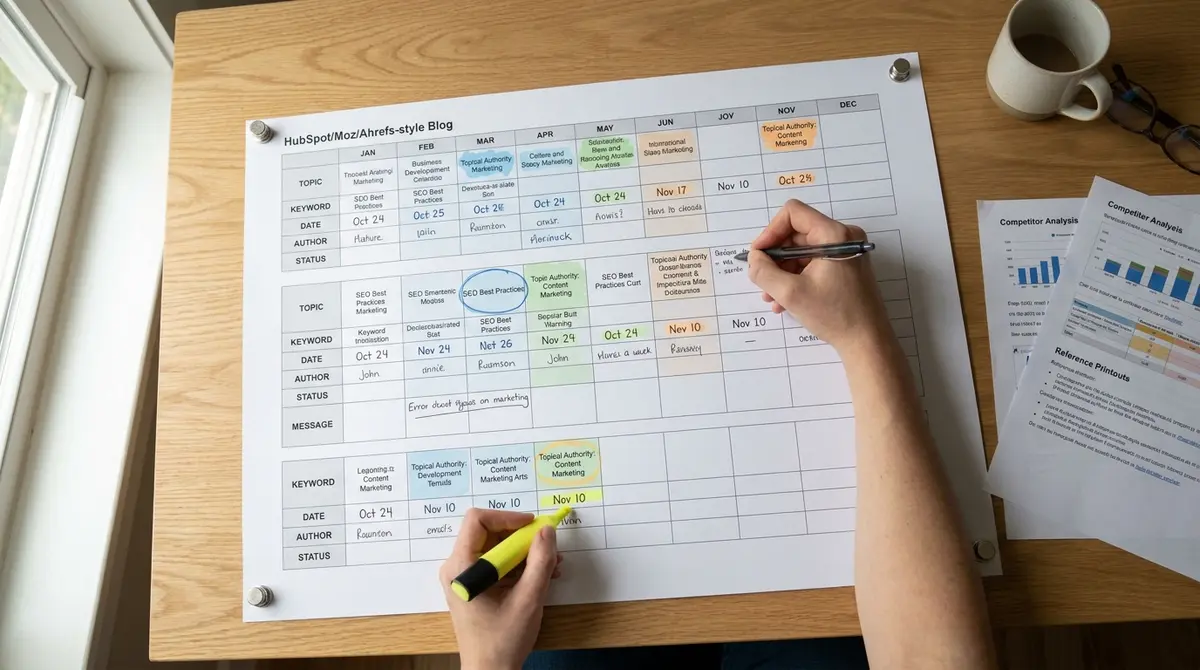
The short answer: A blog content calendar template is a structured planning tool that maps what you'll publish, when, and why. It turns sporadic posting into a system by organizing topics, deadlines, keyword targets, and distribution steps in one place. Top performers focus on keyword alignment, publishing consistency, and content refresh cycles. Companies that blog consistently get 55% more website visitors than those that don't, according to HubSpot's 2024 State of Marketing report. As AI answer engines reshape how people find information, Perplexity SEO becomes another layer of visibility to plan for alongside traditional search rankings.
Most businesses treat blog publishing like a side project. They write when inspiration strikes, post whenever the article is done, and wonder why traffic stays flat. The gap between intention and execution isn't motivation, it's infrastructure. A blog content calendar template closes that gap by turning content into a repeatable workflow rather than a monthly scramble. The template itself is simple: a structured grid or database that tracks topic, target keyword, publish date, author, status, and distribution plan. What makes it valuable is the discipline it enforces. When you map out 12 weeks of content in advance, you see gaps in topical coverage. You notice you've written five articles about your service but zero about the problems your customers search for. You stop reacting and start building toward specific visibility goals. The businesses pulling ahead in 2026 aren't publishing more, they're publishing smarter. They plan content around keyword clusters, not random ideas. They schedule posts to build topical authority, not fill a calendar. They treat their blog like owned infrastructure that compounds traffic over time, not a content treadmill that stops the moment they do. A blog content calendar template is the first piece of that system. It's the difference between hoping content works and knowing it will.Why Most Businesses Fail at Consistent Blogging
Inconsistent publishing kills more content strategies than bad writing. A business publishes three articles in January, nothing in February, two in March, then silence until June. Google sees that pattern and treats the site accordingly, not as an authority building depth, but as a sporadically updated blog with no editorial rhythm. According to Search Engine Journal, organic search drives 53% of all trackable website traffic, but only for sites that publish consistently enough to earn topical trust. The problem isn't laziness. It's the absence of a system. Without a blog content calendar template, every article becomes a one-off decision: What should we write? Who's writing it? When is it due? What keyword are we targeting? Each question burns time and creates friction. By the time the team answers them, momentum is gone. The article gets pushed to next month. Next month becomes next quarter. The blog sits stale while competitors publish weekly and capture the search visibility you're leaving on the table.The Cost of Sporadic Publishing
Search engines reward consistency because consistency signals investment. A site that publishes every Tuesday for six months is making a commitment. A site that publishes randomly is experimenting. Google's algorithm doesn't penalize sporadic posting directly, but it does reward sites that demonstrate ongoing expertise in a topic area. Backlinko's 2024 research found that position-one organic results hold a 27.6% click-through rate, but only sites with deep topical libraries earn those rankings for competitive keywords. Sporadic publishing also kills internal linking opportunities. When you publish one article every eight weeks, there's nothing to link it to. Your content sits in isolation. No topical clusters. No reinforcing authority signals. No paths for readers to move deeper into your expertise. A blog content calendar template fixes this by mapping related articles across time, so each new piece strengthens the ones before it.What Happens When You Plan Ahead
Businesses that plan content 60-90 days in advance make different decisions. They see the full picture: which topics overlap, which keywords reinforce each other, which articles need to publish in sequence to build a logical argument. They catch gaps before they become problems. They assign work early enough that writers have time to research, not just react. Planning ahead also creates accountability. When the editorial calendar shows an article due March 15, the team knows it. There's no ambiguity about who's responsible or what's expected. Deadlines become real. Publishing becomes predictable. Over six months, that predictability compounds into a content library that actually moves traffic. marketing automation platform's 2024 data shows companies that blog consistently generate 55% more visitors than those that don't, not because each individual article is better, but because the cumulative library builds authority Google can't ignore.What Makes a Blog Content Calendar Template Actually Work?
Not all blog content calendar templates are equal. A basic spreadsheet with three columns, "Topic," "Date," "Status", is better than nothing, but it won't drive the strategic decisions that separate traffic-generating content from filler. A working template captures the information you need to make each article part of a larger system: target keyword, search intent, internal linking plan, content pillar, and performance tracking. The best templates are databases, not static lists. Tools like Notion, Airtable, or even a well-structured Google Sheet let you filter by status, sort by publish date, group by content pillar, and tag by keyword difficulty. You can see at a glance which topics are in draft, which are scheduled, and which need updates. That visibility turns a calendar into a command center for your entire content operation.Essential Fields Every Template Needs
Start with these core fields: Article Title, Target Keyword, Search Intent (informational/commercial/navigational), Publish Date, Author, Status (idea/outline/draft/review/scheduled/published), Word Count Target, Internal Links (which existing articles to link from), and Content Pillar (the broader topic cluster this article supports). Those nine fields give you enough structure to plan strategically without over-engineering the system. Add optional fields as your process matures: Meta Description, Featured Image Status, Distribution Channels (email/social/syndication), Last Updated Date, and Performance Notes (traffic/rankings/conversions after 90 days). The goal isn't to track everything, it's to track what drives decisions. If you never look at a field, delete it. A blog content calendar template should clarify, not complicate.How to Structure Content Around Pillars
The most effective blog content calendar templates organize articles into topic clusters, not random lists. A content pillar is a broad topic your business owns, for a roofing company, that might be "roof replacement," "roof repair," and "roof maintenance." Each pillar gets a cornerstone article (complete, 2,500+ words, targeting the head keyword) and 8-12 supporting articles (specific subtopics, long-tail keywords, 1,200-1,800 words each). Your blog content calendar template should show which pillar each article supports. That way, you can see if you're building depth or just adding width. Publishing ten unrelated articles generates less authority than publishing ten articles in the same pillar, all linking back to the cornerstone. Industry data from enterprise SEO platform shows that organic search accounts for 53% of trackable traffic, but topical depth, not random volume, is what earns those rankings in competitive verticals.| Factor | What it is | Impact |
|---|---|---|
| Keyword alignment | Each article targets a specific search query with measurable volume | High |
| Publishing cadence | Consistent schedule (weekly/biweekly) that Google can predict | High |
| Content pillar structure | Articles grouped into topic clusters with internal linking | High |
| Status tracking | Clear workflow stages from idea through published | Medium |
| Performance review | 90-day check on traffic and rankings to inform updates | Medium |
How Do You Build a Blog Content Calendar That Drives Results?
Building a blog content calendar template starts with research, not brainstorming. Open a keyword tool, Google Keyword Planner is free and sufficient for most businesses, and export every keyword related to your core offerings. Filter by search volume (50+ monthly searches minimum) and intent (focus on informational and commercial queries, not purely navigational). That list becomes your topic backlog. Group keywords into content pillars. If you're a commercial real estate broker, your pillars might be "office space leasing," "retail property investment," and "industrial real estate." Each keyword in your export should map to one of those pillars. The ones that don't fit any pillar either define a new pillar or get deprioritized. This step takes two hours and eliminates 90% of the guesswork about what to write.Mapping Keywords to Article Ideas
Each keyword becomes an article. The keyword "how to choose office space for a startup" becomes an article titled "How to Choose Office Space for a Startup: 7 Factors That Matter." The keyword "commercial lease negotiation tips" becomes "Commercial Lease Negotiation: 9 Tips to Save Thousands." The title mirrors the search query because that's what Google rewards, direct answers to specific questions. Your blog content calendar template should show the target keyword next to every article title. That forces alignment. If you can't name the keyword, you're guessing. If the keyword has zero search volume, you're writing for yourself, not your audience. According to Ahrefs' 2024 analysis, 90.63% of pages get zero organic traffic from Google, most of them because they target keywords no one searches for. A blog content calendar template with mandatory keyword fields prevents that waste.Scheduling for Topical Depth, Not Just Frequency
Once you have 30-50 article ideas mapped to keywords and pillars, schedule them strategically. Don't scatter topics randomly across the calendar. Publish all articles in one pillar consecutively, four weeks on "office space leasing," then four weeks on "retail property investment." That concentrated publishing builds topical authority faster than alternating between unrelated topics every week. Aim for a sustainable cadence. Weekly is ideal if you have the resources. Biweekly works if you're a small team. Monthly is too slow to build momentum in competitive verticals. The Content Marketing Institute's 2024 report found that 26% of total marketing budgets now go to content, but only businesses publishing consistently see ROI. A blog content calendar template with realistic deadlines prevents burnout and keeps the system running long enough to compound.What Tools and Formats Work Best for Blog Content Calendars?
The tool matters less than the structure. Google Sheets works for solo creators and small teams. Notion works for teams that want database views and linked workflows. Airtable works for teams that need advanced filtering and automation. Trello works for visual thinkers who prefer kanban boards over spreadsheets. All of them can support a functional blog content calendar template if you build the right fields and commit to updating them. Start simple. A Google Sheet with ten columns, Title, Target Keyword, Pillar, Publish Date, Author, Status, Word Count, Internal Links, Meta Description, Performance Notes, covers 95% of what most businesses need. Add tabs for "Published Archive" and "Keyword Backlog" to keep the main calendar clean. Share the sheet with your team and set a rule: no article gets written unless it's on the calendar with a target keyword and publish date.Spreadsheet vs Database: Which Fits Your Workflow?
Spreadsheets (Google Sheets, Excel) are linear and familiar. Everyone knows how to use them. They're fast to set up and easy to share. The downside: they don't scale well past 100 rows, and filtering/sorting gets clunky. If you're planning 12 months of weekly content, that's 52 rows, manageable, but tight. Databases (Notion, Airtable, Coda) offer multiple views of the same data. You can see your blog content calendar template as a calendar view (articles by publish date), a kanban board (articles by status), a table (all fields visible), or a filtered list (only articles in the "office leasing" pillar). That flexibility helps larger teams coordinate without drowning in spreadsheet tabs. The tradeoff: databases have a learning curve and feel like overkill for solo creators publishing twice a month.Should You Build Custom or Use a Template?
Use a template to start, then customize as you learn what you need. Dozens of free blog content calendar templates exist, marketing automation platform, CoSchedule, and Vertex42 all offer downloadable spreadsheets with pre-built columns. Download two or three, compare their structures, and pick the one that matches your workflow. Don't spend a week building a custom system before you've published a single article. After three months of real use, you'll know what's missing. Maybe you need a "Keyword Difficulty" column to prioritize easy wins. Maybe you need a "Last Updated" field to track content refresh cycles. Maybe you need a "Distribution Checklist" to ensure every article gets promoted on email and LinkedIn. Add those fields incrementally. A blog content calendar template should evolve with your process, not dictate it.See How Your Business Shows Up in AI Search
Get a free AI visibility scan. See exactly where you rank on ChatGPT, Perplexity, and Google AI, and what to do about it. Get Your Free Scan. A calendar handles the logistics of publishing, but a blog content strategy template defines the positioning and audience decisions that make each article worth scheduling.
How Often Should You Publish and Update Your Content?
Publishing frequency depends on your goals and resources, but consistency beats volume. A business that publishes one well-researched article every Tuesday for a year will outperform a business that publishes five rushed articles one month and zero the next three. Google's algorithm rewards sites that demonstrate sustained expertise, not sites that spike and disappear. For most businesses, weekly or biweekly publishing is the sweet spot. Weekly builds momentum fastest, 52 articles per year creates enough topical depth to rank for competitive keywords. Biweekly is sustainable for small teams and still produces 26 articles per year, enough to establish authority in 2-3 content pillars. Monthly publishing (12 articles per year) is too slow unless you're in an extremely narrow niche with low competition.The Case for Updating Old Content
Publishing new content is half the strategy. Updating old content is the other half. An article published 18 months ago is outdated by definition, industry stats have changed, new research exists, competitors have published better versions. Google favors fresh content, especially for queries where recency matters. Backlinko's research found that the average first-page result is 2+ years old, but the top three results are often updated within the past 12 months. Your blog content calendar template should include an "Update Due" field. Set a rule: every article gets reviewed and refreshed 12 months after publication. Add new data, cite recent sources, expand thin sections, update the meta description, and republish with a new date. That refresh signals to Google that the content is current. It also gives you a second chance to rank, many articles that underperform initially gain traction after a strategic update.What Publishing Cadence Actually Looks Like
Consider a business with three content pillars and a goal of weekly publishing. Week 1: Pillar A article. Week 2: Pillar B article. Week 3: Pillar C article. Week 4: Pillar A article (building depth). Over 12 weeks, you publish four articles per pillar, creating a cluster of related content with internal links reinforcing each topic. That's more effective than 12 unrelated articles scattered across random subjects. Track performance quarterly. After 90 days, review which articles are generating traffic, which are ranking on page two (easy targets for optimization), and which are underperforming despite good keywords. Use that data to adjust your blog content calendar template, double down on pillars that work, deprioritize pillars that don't. Content strategy isn't set-it-and-forget-it. It's a feedback loop where publishing, measurement, and adjustment happen in cycles.What Happens When You Treat Content as Infrastructure?
Most businesses treat blog content as a marketing expense, something you pay for monthly and stop seeing results from the moment you stop paying. That's backwards. Content is infrastructure. An article published today generates traffic this month. If it's well-structured and targets a keyword with consistent demand, it generates traffic next month. And the month after. And twelve months later. Each new article adds to the cumulative effect. Strategyc is a content and visibility system for businesses that want to own their traffic infrastructure rather than rent it. The Content & Visibility Engine installs a publishing workflow optimized for Google, AI search platforms like ChatGPT and Perplexity, and voice assistants. The system includes a blog content calendar template pre-configured for keyword alignment, topical clustering, and content refresh cycles. Once installed, the business controls the publishing pace and owns the entire library permanently.Compounding vs Campaigns: Why Ownership Wins
A Google Ads campaign generates clicks while you pay for it. Stop paying, and the clicks stop immediately. A content library generates clicks indefinitely. The ROI curve for paid ads is flat, you get roughly the same return per dollar spent in month one and month twelve. The ROI curve for content is exponential, each article adds to the library's authority, making the next article more effective. According to BrightEdge's 2025 data, early adopters of AI search optimization are seeing 120x impression increases and 800% year-over-year traffic growth from large language models. That growth comes from structured, factual content that AI systems can extract and cite. A blog content calendar template designed for AI visibility includes fields for FAQ sections, schema markup, and citation-friendly formatting, the structural elements that make content AI-ready.How Long Until Content Starts Compounding?
Most businesses see measurable traffic within 90-180 days of consistent publishing. The first 10-15 articles establish topical relevance. Articles 16-30 start ranking for long-tail keywords with lower competition. Articles 31-50 build enough authority to compete for head terms in your pillars. By month six, the library is generating organic traffic that grows month-over-month without additional ad spend. The businesses that quit do so around article 8-12, right before the compounding curve starts. They publish inconsistently, see no immediate traffic, and conclude content doesn't work. What they're missing is the lag between publishing and ranking. Google doesn't trust a site with five articles. It trusts a site with 40 articles, all targeting related keywords, all linking to each other, all demonstrating sustained expertise. A blog content calendar template keeps you publishing through the lag until the compounding kicks in.The Bottom Line
A blog content calendar template is the simplest, highest-leverage tool for turning sporadic content into a traffic-generating system. It forces keyword alignment, enforces publishing consistency, and makes content strategy visible to your entire team. Businesses that plan content 60-90 days in advance make better decisions, build topical depth faster, and avoid the stop-start cycle that kills most blogs before they gain traction. The tool itself, whether it's a Google Sheet, a Notion database, or an Airtable board, matters less than the discipline it creates. The fields matter: target keyword, content pillar, publish date, status, internal linking plan. The process matters: research keywords, map them to pillars, schedule strategically, publish consistently, update annually. The outcome is a content library that compounds traffic over time, not a blog that dies the moment you stop feeding it. Content is infrastructure. Build it once, own it permanently, and let it work for years. That's the difference between renting visibility and owning it.Frequently Asked Questions
What should I include in a blog content calendar template?
Include these core fields: article title, target keyword, search intent, publish date, author, status, word count target, internal linking plan, and content pillar. Optional additions: meta description, last updated date, featured image status, and performance notes after 90 days. The goal is clarity, not complexity. Teams publishing at scale often turn to an AI content calendar to automate keyword research, suggest publish dates, and reduce the manual work of planning 12 weeks ahead. If your team produces video, social posts, and email alongside blog articles, a broader content creation calendar keeps every format aligned under one system.
How far in advance should I plan blog content?
Plan 60-90 days ahead. That gives you enough visibility to build topical clusters, assign work early, and catch gaps before they become problems. Planning too far ahead (six months or more) creates rigidity. Planning too little (two weeks) creates constant scrambling and reactive topic selection. Once your process outgrows spreadsheets, evaluating the best content calendar app for your team size and workflow becomes the next step.
Can I build an effective content system in-house?
Yes, if you have the discipline to research keywords, map content pillars, and publish consistently for 6-12 months. Most businesses fail not from lack of skill but from lack of system. A blog content calendar template enforces the process. Installed systems like the Content & Visibility Engine provide the infrastructure without requiring in-house expertise.
How do I measure ROI from organic blog content?
Track organic traffic in Google Analytics, keyword rankings in Google Search Console, and conversions attributed to organic sessions. Measure quarterly, not monthly, content compounds slowly. After six months, calculate cost per article divided by total organic traffic generated. High-performing content libraries show ROI of 5-10x over two years.
What's the difference between a blog calendar and a social media calendar?
A blog content calendar template focuses on long-form articles targeting search keywords and building topical authority. A social media calendar focuses on short-form posts, engagement timing, and platform-specific formats. Blog content compounds over months. Social content has a 24-48 hour lifespan. The tools overlap, but the strategy is different.