Best CRM for Home Services With AI in 2026
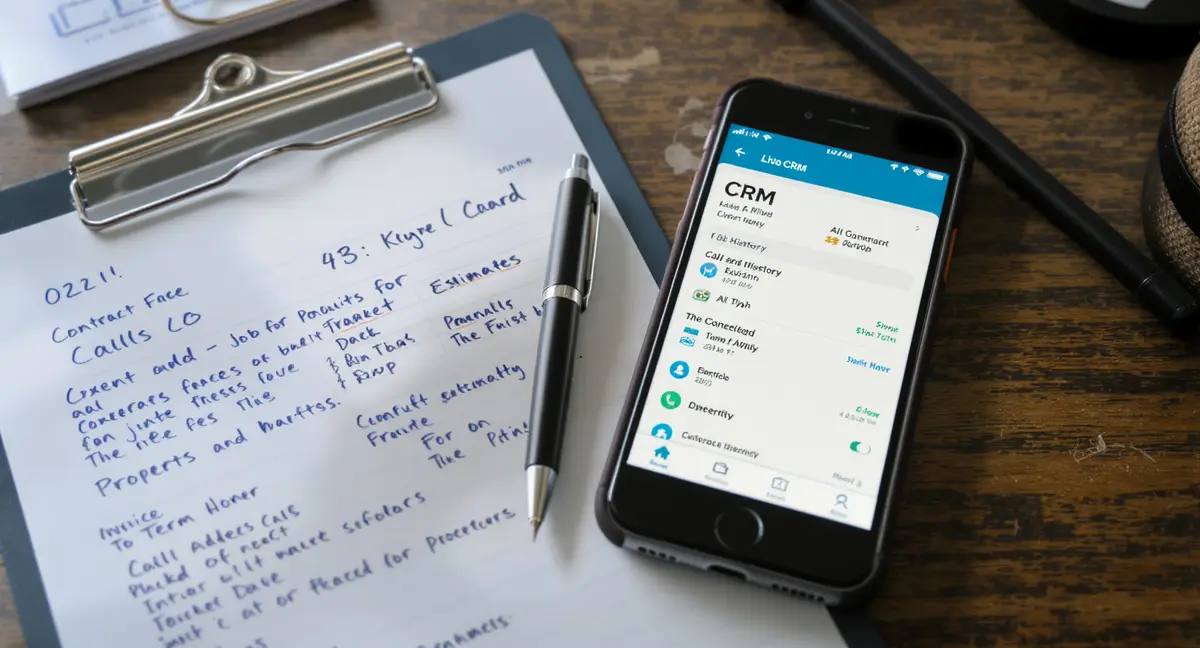
The short answer: The best CRM for home services with AI is a system that captures leads, automates estimates, and manages field operations without charging per technician. What separates effective platforms from expensive overhead is AI-powered call handling, instant quoting, and flat-rate pricing that scales with your business. Top performers focus on speed-to-lead automation, property-based estimating, and mobile field access. According to industry data, home service businesses using AI-enabled CRMs see 40% faster quote turnaround and 28% higher conversion on inbound leads. Roofers face similar speed-to-lead challenges, which is why effective roofing marketing now prioritises instant response systems over traditional advertising channels.
Home service businesses lose more revenue to slow follow-up than to bad marketing. A missed call at 3 PM becomes a competitor's job by 5 PM. The best CRM for home services with AI solves that problem by answering calls, generating estimates, and booking appointments before a human touches the lead. Traditional CRMs track contacts. AI-enabled field service platforms run the entire customer lifecycle from first ring to final invoice. The difference matters because home services operate on speed, not nurture sequences. This article breaks down what AI actually does in a home service CRM, which platforms deliver on the promise, and how to choose based on your trade, team size, and growth stage.What AI Actually Does in a Home Service CRM
AI Call Handling and Missed-Call Recovery
The best CRM for home services with AI starts with the phone. AI call answering systems pick up when your team is on a job, after hours, or during peak volume. These systems qualify the caller, capture property details, and book appointments directly into your calendar. According to BrightLocal's 2024 research, 67% of consumers will not leave a voicemail if a business does not answer. AI eliminates that loss. The system transcribes every call, logs it to the customer record, and triggers follow-up workflows if the caller does not book immediately. For businesses running lean teams, AI call handling turns every inbound lead into a captured opportunity instead of a missed chance. AI also handles outbound follow-up. If a lead requests a quote but does not respond within 24 hours, the system sends a text reminder, an email with the estimate, and schedules a callback attempt. This automation runs continuously without adding headcount. The result is higher contact rates and faster conversion on leads that would otherwise go cold.AI Estimating and Instant Quoting
AI-powered estimating tools use property data, service history, and pricing rules to generate quotes in seconds. A homeowner calls about HVAC replacement. The AI pulls square footage from public records, asks qualifying questions about the existing system, and delivers a ballpark estimate before the call ends. The best CRM for home services with AI integrates this capability directly into the lead capture workflow. No manual lookup. No callback to quote. The estimate appears in real time. Data from ServiceTitan's 2025 industry report shows that businesses offering same-call estimates convert 34% more leads than those requiring follow-up quotes. Speed matters because homeowners contact multiple providers within the same hour. The first accurate quote often wins the job. AI estimating also reduces pricing inconsistency. Every technician quotes from the same rules engine, eliminating the variance that comes from manual calculations or gut-feel pricing.Lead Capture and Speed-to-Lead Automation
Multi-Channel Lead Intake
The best CRM for home services with AI captures leads from phone calls, web forms, SMS, social media messages, and chat widgets. All channels feed into a single queue with automated routing rules. A plumbing emergency submitted via web form at 11 PM triggers an immediate text response, assigns the lead to the on-call technician, and creates a job record with the customer's address and issue description. According to Harvard Business Review's research on lead response time, companies that contact leads within 5 minutes are 100 times more likely to connect than those waiting 30 minutes. AI-driven intake systems hit that 5-minute window automatically. Integration with Google Local Services Ads, Facebook lead forms, and Yelp request-a-quote tools ensures no lead falls through the cracks. The CRM logs the source, tracks cost per lead, and measures conversion by channel. This visibility allows you to shift budget toward the sources that actually book jobs, not just generate clicks.Automated Lead Scoring and Prioritization
AI analyzes lead quality based on service type, property value, response speed, and historical conversion patterns. A homeowner requesting a $15,000 HVAC replacement gets flagged as high priority. A vague inquiry about "general maintenance" gets routed to a nurture sequence. The system learns which signals predict closed jobs and adjusts scoring over time. For businesses running multiple service lines, this prioritization ensures high-value opportunities get immediate attention while lower-intent leads receive automated follow-up until they are ready to buy. The best CRM for home services with AI also tracks lead aging. If a high-priority lead sits uncontacted for 2 hours, the system escalates it to a manager or triggers an alert. This prevents revenue leakage from internal bottlenecks.| CRM Category | Best For | Starting Price Band | Key Differentiator |
|---|---|---|---|
| AI-first field service platform | Fast-growth startups scaling past 5 techs | Flat monthly fee, no per-user charges | AI call answering and instant estimating built in |
| Traditional field service software | Established contractors with 10+ field staff | Per-user pricing, often $100+ per tech | Deep scheduling, dispatch, and route optimization |
| General-purpose CRM with home service add-ons | Commercial service companies focused on B2B sales | Low per-user cost, limited field tools | Pipeline visibility and relationship tracking |
| All-in-one marketing and CRM suite | Service businesses running their own lead generation | Mid-range monthly fee with automation included | Landing pages, email campaigns, and CRM in one platform |
Scheduling, Dispatch, and Route Optimization
AI-Powered Scheduling and Technician Assignment
The best CRM for home services with AI assigns jobs based on technician location, skill set, availability, and travel time. A customer books a water heater installation for Thursday morning. The system checks which plumbers are certified for that work, calculates drive time from their current job, and assigns the appointment to the tech who can arrive fastest without creating a gap in the schedule. According to Workwave's 2024 field service benchmarking report, businesses using automated dispatch reduce windshield time by 18% and complete 12% more jobs per week. AI also handles same-day emergency requests. A homeowner calls with a burst pipe. The CRM identifies the nearest available technician, reroutes their schedule to accommodate the emergency, and sends the updated itinerary to their mobile device. The customer receives an ETA text within minutes. This responsiveness turns emergencies into loyalty-building moments instead of chaotic scrambles.Route Optimization and Fuel Cost Reduction
AI route planning minimizes drive time between jobs. The system analyzes traffic patterns, appointment windows, and technician start locations to build the most efficient daily route. For multi-truck operations, this optimization compounds quickly. A five-truck HVAC company running optimized routes can save 90 minutes of drive time per truck per day, which translates to an extra job per truck per week. Over a year, that is 250+ additional billable appointments without adding headcount. Route optimization also reduces fuel costs. Data from Verizon Connect's 2025 fleet management study shows that optimized routing cuts fuel consumption by 15-20% compared to manual scheduling. For businesses running 10+ vehicles, that savings pays for the CRM subscription several times over.Customer History, Property Data, and Job Notes
Complete Customer Profiles and Service History
The best CRM for home services with AI maintains a permanent record of every interaction, job, and transaction. A technician arrives at a repeat customer's home. The mobile app shows the last three service calls, the equipment installed, the warranty status, and notes from previous visits. This context allows the technician to reference past work, anticipate recurring issues, and upsell maintenance plans based on actual usage patterns. According to Salesforce's State of Service report, 78% of customers expect service reps to have complete visibility into past interactions. Field service is no different. Property-based record keeping is critical for trades like HVAC, roofing, and landscaping. The CRM stores square footage, system age, roof type, and landscape zones. When a customer calls for a new quote, the system pulls existing property data instead of asking the same questions twice. This efficiency improves the customer experience and reduces quote preparation time.Photo Documentation and Job Completion Records
AI-enabled CRMs allow technicians to upload before-and-after photos, annotate images with notes, and attach them to the job record. A roofing crew documents shingle damage before starting a repair. The photos sync to the customer's profile and appear in the invoice. This documentation protects against disputes, supports warranty claims, and provides proof of work quality. Some platforms use AI image recognition to identify equipment models, detect damage patterns, and suggest recommended repairs based on visual analysis. Job completion records also feed into review generation workflows. Once a technician marks a job complete, the CRM sends an automated review request via SMS or email. According to BrightLocal's 2024 consumer review survey, 87% of consumers read online reviews for local businesses. Automated review requests turn satisfied customers into public proof of quality without manual follow-up.If your business depends on inbound leads and repeat customers, your CRM should capture every opportunity automatically. Book a 30-minute Content & Visibility Scan to see how your business appears in Google, AI search, and voice search. No commitment, no pressure. The entire workflow from call to invoice operates as an AI booking funnel that removes manual handoffs between lead capture and job scheduling.
See How Your Business Shows Up in AI Search
Get a free AI visibility scan. See exactly where you rank on ChatGPT, Perplexity, and Google AI, and what to do about it. Get Your Free Scan. Businesses running lean teams rely on AI phone answering to capture every inbound opportunity without adding office staff.
Pricing Models: Per-User vs Flat-Rate
Why Per-User Pricing Becomes Expensive Fast
Traditional field service software charges per technician per month. A plumbing company with 8 field staff pays for 8 licenses, even if only 4 technicians use the system daily. As the team grows, software costs scale linearly. A business adding 5 technicians to handle seasonal demand sees its CRM bill jump by $500-$1,000 per month. This pricing model penalizes growth and forces businesses to choose between software access and headcount. Per-user pricing also creates administrative overhead. Every new hire requires a license purchase, login setup, and training. Every departure requires license deactivation and data handoff. For businesses with high turnover or seasonal staffing, this churn adds friction. The best CRM for home services with AI often uses flat-rate pricing instead. One monthly fee covers unlimited users, unlimited jobs, and unlimited data storage. This model aligns cost with business outcomes, not headcount.Flat-Rate Pricing and Cost Predictability
Flat-rate CRM pricing eliminates the penalty for scaling. A landscaping company pays the same monthly fee whether it runs 3 crews or 10 crews. This predictability simplifies budgeting and removes the disincentive to hire. According to Software Advice's 2024 CRM buyer trends report, 64% of small businesses prefer flat-rate pricing over per-user models because it reduces financial risk during growth phases. Flat-rate platforms also tend to include more features in the base price. AI call answering, review automation, and payment processing are bundled rather than sold as add-ons. This all-in approach reduces the total cost of ownership and eliminates surprise fees. For startups and fast-growth service businesses, flat-rate pricing provides the flexibility to scale without renegotiating contracts or upgrading tiers.How to Choose Based on Trade and Business Stage
Best CRM by Trade: HVAC, Plumbing, Electrical, Roofing
Different trades have different workflow requirements. HVAC companies need equipment tracking, maintenance agreement management, and seasonal demand forecasting. Plumbing businesses prioritize emergency dispatch, parts inventory, and same-day scheduling. Electrical contractors require permit tracking, inspection scheduling, and code compliance documentation. Roofing companies need aerial measurement tools, material calculators, and multi-day project management. The best CRM for home services with AI adapts to these trade-specific needs through configurable workflows and industry templates. Some platforms specialize in a single trade. Others offer broad functionality with customizable fields and automation rules. For businesses running multiple service lines, a flexible platform that handles HVAC, plumbing, and electrical under one system reduces training complexity and consolidates customer data. For specialists focused on one trade, a purpose-built tool may offer deeper functionality and faster implementation.Best CRM by Business Stage: Startup vs Established Contractor
A solo technician launching a handyman business needs lead capture, scheduling, and invoicing. Advanced features like route optimization and multi-location dispatch are irrelevant. The best CRM for home services with AI at this stage is simple, affordable, and mobile-first. As the business grows to 5-10 technicians, dispatch automation, customer history, and reporting become critical. At 20+ field staff, the CRM must handle complex scheduling, inventory management, and multi-team coordination. Choosing a CRM that matches your current stage prevents overpaying for unused features or outgrowing a platform within 12 months. Some businesses start with a basic tool and migrate to an enterprise platform later. Others choose a scalable system from day one and activate features as they grow. The right approach depends on growth trajectory and internal technical capacity. Businesses planning aggressive expansion should prioritize platforms with strong APIs, data export tools, and migration support to avoid vendor lock-in.The Bottom Line
The best CRM for home services with AI is not the one with the most features. It is the one that captures every lead, automates the busywork, and scales without punishing growth. AI call answering, instant estimating, and flat-rate pricing separate tools that compound revenue from tools that just track it. Home service businesses operate on speed and execution. Your CRM should accelerate both. Choose based on your trade, your team size, and whether you want to own the system or rent it monthly. The platforms that win in 2026 are the ones that treat AI as infrastructure, not a feature add-on.Frequently Asked Questions
What does AI actually do in the best CRM for home services with AI?
AI handles call answering, lead qualification, instant estimating, appointment booking, and follow-up automation. It captures leads when your team is unavailable, generates quotes in real time, and prioritizes high-value opportunities. AI also optimizes technician routes, predicts maintenance needs, and automates review requests after job completion. Before investing in any CRM, run an SEO audit to ensure your website can actually convert the traffic your new system will help you capture. Home care providers face different operational constraints, requiring a distinct marketing strategy that balances compliance requirements with lead generation.
How much does a CRM for home services typically cost?
Pricing varies widely. Per-user platforms charge $50-$150 per technician per month. Flat-rate systems range from $30-$300 per month regardless of team size. Enterprise platforms with advanced AI features can exceed $500 monthly. Total cost depends on user count, feature requirements, and whether add-ons like payment processing or call tracking are included.
Can I build a CRM system in-house instead of buying one?
Building in-house requires ongoing development, maintenance, and integration work. Most home service businesses lack the technical resources to build AI call handling, route optimization, and mobile field apps from scratch. Off-the-shelf platforms deliver these features immediately and update automatically. In-house builds make sense only for large enterprises with dedicated engineering teams and highly specialized workflows.
What is the difference between a CRM and field service management software?
CRMs focus on contact management, sales pipelines, and customer relationships. Field service management software handles scheduling, dispatch, route optimization, and mobile job tracking. The best CRM for home services with AI combines both. It captures leads, manages customer history, schedules jobs, and tracks technician activity in one platform. Separate systems create data silos and manual handoffs.
How do I measure ROI from a home service CRM?
Track lead response time, quote-to-close conversion rate, jobs completed per technician per week, and customer retention rate. Compare these metrics before and after CRM implementation. Also measure time saved on administrative tasks, reduction in missed calls, and increase in average job value from upsells. Most businesses see positive ROI within 3-6 months through higher conversion and operational efficiency.