SEO Services for Wordpress Websites: What Works in 2026
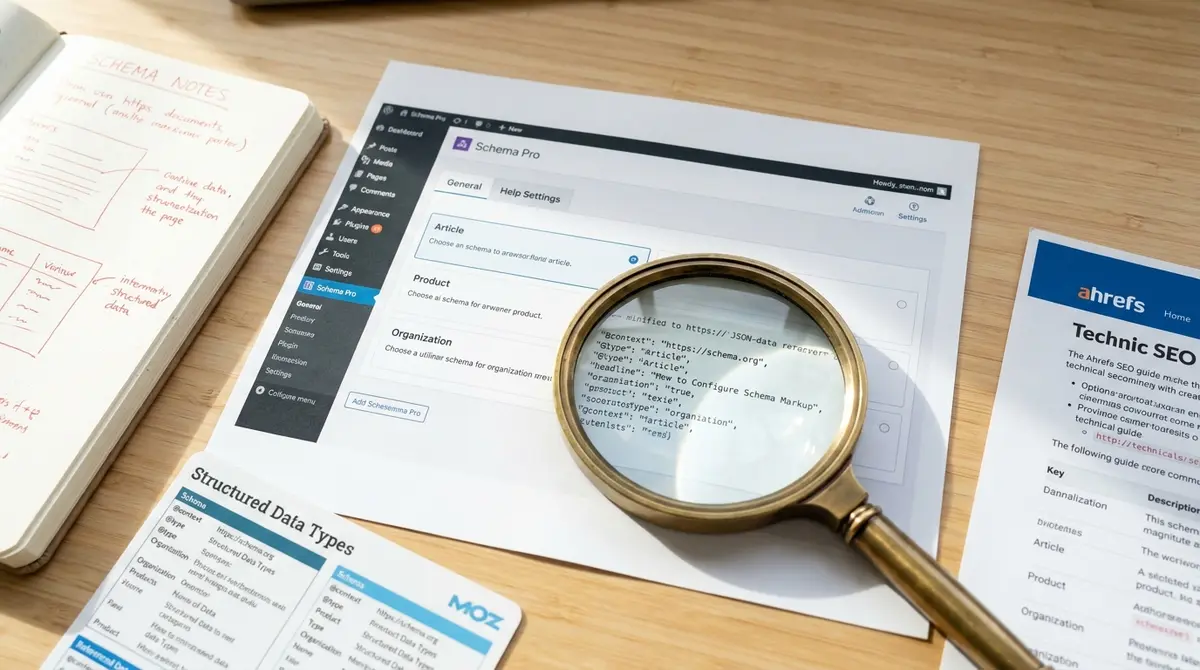
The short answer: SEO services for WordPress websites optimize your site's structure, content, and technical foundation so search engines and AI platforms can find, understand, and rank your pages. WordPress powers 40.7% of all websites (W3Techs, 2026), making platform-specific optimization critical, generic SEO advice often misses WordPress-specific bottlenecks like plugin conflicts, page builder bloat, and theme-level schema gaps. Success comes down to technical infrastructure, content architecture, and AI search readiness. Getting cited in AI-generated answers requires the same structured content foundation, which is why Perplexity SEO strategies focus on schema markup and factual density rather than traditional keyword targeting.
WordPress runs nearly half the internet, yet most WordPress sites leave traffic and revenue on the table. The platform's flexibility creates SEO opportunity and risk in equal measure. Install the wrong plugin combination and you tank your Core Web Vitals. Configure schema incorrectly and AI search engines skip your content entirely. Ignore internal linking and Google never discovers your best pages.
SEO services for WordPress websites solve these platform-specific problems. They address the technical debt that accumulates when you layer page builders, caching plugins, and third-party scripts onto a site that was never architected for search visibility. They build content systems that feed Google, ChatGPT, and Perplexity the structured data those platforms need to cite your business as an authority. They turn WordPress from a publishing tool into a growth engine.
The challenge is that most WordPress SEO providers treat the platform like any other CMS. They run the same keyword research, write the same meta descriptions, and install the same plugins they'd recommend for any site. That approach ignores what makes WordPress different: the ecosystem of themes, builders, and plugins that either amplify or sabotage your visibility depending on how they're configured.
This article breaks down what actually moves the needle for WordPress SEO in 2026, technical fixes that compound over time, content structures that AI engines can parse, and the governance layer that keeps your site fast and indexable as it scales.
Why WordPress SEO Requires Platform-Specific Expertise
WordPress holds 58.9% of the CMS market (W3Techs, 2026), but that dominance creates a false sense of SEO compatibility. Business owners assume that because WordPress is popular, it must be search-friendly by default. It's not. Out of the box, WordPress gives you a blank canvas. What you build on that canvas determines whether search engines treat your site as an authority or ignore it entirely.
The platform's plugin architecture is the primary culprit. A typical WordPress site runs 20-30 plugins. Each one adds code, scripts, and database queries. Stack a page builder like Elementor (used by 31.2% of WordPress sites in W3Techs' tracked dataset) on top of a caching plugin, an SEO plugin, a schema plugin, and a form plugin, and you've created a performance nightmare. Google's Core Web Vitals penalize slow sites. AI search engines skip pages that take too long to parse.
The Plugin Conflict Problem
SEO services for WordPress websites spend large time auditing plugin conflicts. Two schema plugins generating duplicate markup. A caching plugin blocking Googlebot from seeing updated content. A page builder injecting inline CSS that balloons page weight to 3MB. These aren't edge cases, they're the default state of most WordPress sites that have been live for more than a year.
The solution isn't to avoid plugins. It's to govern them. That means choosing one tool per function, testing every update in staging before pushing to production, and removing any plugin that hasn't been updated in six months. According to Search Engine Journal, sites with fewer than 10 active plugins load 40% faster on average than sites running 30+. Speed is a confirmed ranking factor. Faster sites rank higher and convert better.
Theme-Level SEO Gaps
Most WordPress themes are designed for aesthetics, not search visibility. They ship with bloated CSS files, JavaScript libraries the site never uses, and heading structures that violate SEO best practices. A theme might use H1 tags in the header and sidebar, leaving your actual page title tagged as H2. Or it might load Google Fonts from an external server, adding 300ms to your Largest Contentful Paint (LCP). Choosing the right tools to implement these technical fixes starts with understanding which plugins actually solve WordPress-specific problems, not just replicate features you don't need, which is where evaluating the best SEO software for your WordPress stack becomes critical.
SEO services for WordPress websites fix these theme-level problems by either switching to a lightweight, SEO-focused theme or stripping unnecessary code from the existing theme. The goal is a clean HTML structure, fast load times, and schema markup that accurately describes your content. AI search platforms like ChatGPT and Perplexity rely on structured data to understand what your page is about. If your theme doesn't output schema, those platforms skip your content when generating answers.
What SEO Services for WordPress Websites Actually Include
The scope of WordPress SEO work varies, but the core components remain consistent. Technical infrastructure comes first. Content architecture comes second. Measurement and iteration come third. Each layer builds on the previous one. Skip the technical foundation and your content work delivers half the results it should.
This is what complete SEO services for WordPress websites cover, broken into measurable deliverables rather than vague promises.
| Factor | What it is | Impact |
|---|---|---|
| Technical audit and fixes | Crawl errors, indexation gaps, Core Web Vitals, mobile usability | High |
| Schema markup implementation | Structured data for AI search and rich results | High |
| Content architecture | Keyword mapping, internal linking, topical authority | High |
| Plugin governance | Conflict resolution, performance optimization, security | Medium |
| Conversion tracking setup | Google Analytics, Search Console, goal configuration | Medium |
Technical SEO: The Foundation Layer
Technical SEO for WordPress starts with a crawl audit using Google Search Console. The audit identifies broken links, redirect chains, duplicate content, and pages blocked by robots.txt or noindex tags. These issues prevent Google from indexing your best content. Fix them and you often see a 20-30% traffic lift within 60 days, according to data from Backlinko's 2024 ranking factors study.
Core Web Vitals optimization is the second technical priority. Google uses three metrics, Largest Contentful Paint (LCP), Interaction to Next Paint (INP), and Cumulative Layout Shift (CLS), to measure page experience. WordPress sites struggle with LCP because of unoptimized images and render-blocking JavaScript. Fix those two issues and you move from "needs improvement" to "good" on PageSpeed Insights. Sites in the "good" range rank higher on mobile, where 60% of searches now happen.
Content Architecture: Building Topical Authority
Content architecture determines whether Google sees your site as an authority or a random collection of blog posts. SEO services for WordPress websites build this architecture through keyword clustering and internal linking. You start with a pillar page targeting a high-volume keyword. Then you create 8-12 supporting articles targeting related long-tail keywords. Each supporting article links back to the pillar page. The pillar page links to each supporting article.
This structure signals topical authority. Google sees that you've covered a subject comprehensively, not just published one shallow article. According to HubSpot's 2024 State of Marketing report, companies that blog get 55% more website visitors than those that don't. But volume alone doesn't work. The content has to connect through internal links and shared keyword themes.
How WordPress SEO Differs from General SEO
Every CMS has quirks. WordPress quirks happen to affect SEO more than most because of the platform's reliance on third-party plugins and themes. A Shopify site has built-in schema and a predictable URL structure. A custom-built site has full control over every line of code. WordPress sits in the middle, flexible enough to build almost anything, but dependent on plugins and themes that may or may not follow SEO best practices. The platform's flexibility creates both opportunity and risk, which is why the question of whether WordPress good for SEO depends entirely on how you configure themes, plugins, and content architecture.
The biggest difference is plugin dependency. On a custom site, you control schema markup, caching, and image optimization at the code level. On WordPress, you install plugins to handle those functions. That introduces risk. A plugin update can break your schema. A conflict between two plugins can block Googlebot. A poorly coded plugin can add 2 seconds to your page load time.
WooCommerce SEO: A Specialized Subset
WooCommerce is among the top WordPress ecosystem technologies tracked by W3Techs, reflecting its importance for WordPress commerce sites. WooCommerce SEO adds layers of complexity: product schema, category page optimization, faceted navigation, and duplicate content from product variations. SEO services for WordPress websites that include WooCommerce need ecommerce-specific expertise.
Product schema is the foundation. It tells Google the price, availability, reviews, and SKU for each product. Sites with product schema get rich results in search, star ratings, price, and stock status appear directly in the SERP. According to Search Engine Journal, rich results increase click-through rates by 20-40% compared to standard blue links. AI search platforms also prioritize structured product data when answering shopping queries.
Multilingual and Multisite Challenges
WordPress multisite and multilingual setups (using plugins like WPML or Polylang) create indexation problems. Google needs to understand which language version to show to which user. That requires hreflang tags. Most multilingual plugins generate hreflang automatically, but they often do it incorrectly, pointing to the wrong URL, using the wrong language code, or creating circular references.
SEO services for WordPress websites with multilingual or multisite configurations audit hreflang implementation, fix canonical tag conflicts, and ensure each language version has unique content. Translated content that's too similar to the original triggers duplicate content penalties. The fix is to rewrite, not just translate.
Is Your WordPress Site Ready for AI Search?
AI search platforms, ChatGPT, Perplexity, Google AI Overviews, are reshaping how people find information. According to DemandSage 2025 research, 50% of Google queries now trigger AI Overviews. Those AI-generated answers cite 3-5 sources. If your WordPress site isn't in that group, your competitor is.
AI search readiness requires structured content. That means schema markup, clear heading hierarchies, and factual density. AI models prefer content that answers questions directly, cites sources, and organizes information in scannable sections. enterprise SEO platform 2025 data shows early AI search adopters seeing 120x impression increases and 800% year-over-year traffic growth from large language models.
Schema Markup for AI Discoverability
Schema markup is the language AI search engines use to understand your content. It tells them whether a page is an article, a product, a local business, or an FAQ. WordPress schema plugins generate basic markup, but most miss advanced types like HowTo, FAQPage, and VideoObject. SEO services for WordPress websites implement custom schema that covers every content type you publish.
According to Princeton and Georgia Tech research published at KDD 2024, structured content with schema markup improves AI visibility by 30-40%. That's the difference between appearing in AI-generated answers and being ignored. AI models scan billions of pages. They prioritize content that's easy to parse and verify.
Content Formatting for AI Extraction
AI search engines extract information from content that follows predictable patterns. That means using H2 and H3 headings to organize sections, writing concise introductory paragraphs that answer the main question, and including bulleted lists for step-by-step instructions. SEO services for WordPress websites restructure existing content to match these patterns, then build templates so new content follows the same format. Visual-heavy WordPress sites face unique optimization challenges around image compression, gallery plugin performance, and portfolio schema, which is why SEO for photographers requires industry-specific technical configurations beyond standard WordPress best practices.
SingleGrain 2025 data shows AI-sourced visitors convert at 27% compared to 2.1% from traditional search. That's a 12x difference. The reason: AI platforms pre-qualify visitors by showing them exactly what your page offers before they click. Only users who already know your content is relevant make the trip. Higher intent equals higher conversion.
See How Your Business Shows Up in AI Search
Get a free AI visibility scan. See exactly where you rank on ChatGPT, Perplexity, and Google AI, and what to do about it. Get Your Free Scan.
What It Takes to Own Your WordPress SEO Infrastructure
Most businesses rent their SEO results. They pay a monthly retainer to an agency. The agency runs keyword research, writes content, and fixes technical issues. When the retainer stops, the work stops. That's not ownership. That's dependency.
Ownership means building SEO infrastructure you control. For WordPress, that means selecting the right plugins, configuring them correctly, and documenting the process so anyone on your team can maintain it. It means creating content templates that enforce SEO best practices. It means setting up Google Search Console and Google Analytics so you can measure results without asking an agency for a report.
Building vs. Renting: The Cost Difference
According to Ahrefs 2024 research, the average SEO agency retainer for small to mid-sized businesses is $1,500-$5,000 per month. Over three years, that's $54,000-$180,000. Focus Digital 2025 data shows 38% annual churn at SEO agencies, meaning most relationships end within three years. When they end, the business loses access to strategy, process, and institutional knowledge.
The alternative is to install the system once and own it. Platforms like Strategyc take this approach by installing owned content systems rather than offering monthly retainers. The business controls the publishing workflow, the content, and the data. The system keeps producing results after the engagement ends because the infrastructure belongs to the business, not the service provider.
What In-House Ownership Requires
Owning your WordPress SEO infrastructure requires three things: technical competence, content discipline, and measurement rigor. Technical competence means someone on your team understands how WordPress works, how to audit plugins, fix crawl errors, and configure schema. Content discipline means publishing consistently, following templates, and maintaining quality. Measurement rigor means tracking organic traffic, conversion rates, and revenue attribution in Google Analytics.
Most businesses lack one or more of these elements. That's fine. The question isn't whether you can do everything in-house. The question is whether you're building a system you'll own or renting results you'll lose when the contract ends. SEO services for WordPress websites should leave you more capable, not more dependent.
How to Evaluate WordPress SEO Providers
Not all WordPress SEO providers understand the platform. Some treat it like any other CMS. They run the same playbook they'd use for Shopify, Wix, or a custom build. That approach misses WordPress-specific optimizations and creates WordPress-specific problems.
Check out what to look for when evaluating providers. Automating schema generation and content optimization at scale requires plugin tools built specifically for AI search readiness, which is where an AI SEO plugin can handle structured data implementation without manual coding for every page type.
Do They Understand WordPress Architecture?
Ask how they handle plugin conflicts. Ask how they optimize for Core Web Vitals on a site running Elementor or Divi. Ask how they implement schema markup when the theme already outputs basic schema. If they give generic answers, they don't understand WordPress. If they reference specific plugins, tools, and testing processes, they've done this before.
Ask to see a technical audit from a previous WordPress project. The audit should identify plugin conflicts, theme-level SEO gaps, and Core Web Vitals issues. It should include recommendations with estimated impact. "Fix broken links" is not a recommendation. "Fix 47 broken internal links pointing to deleted blog posts, estimated 8% traffic recovery" is a recommendation.
Do They Build Systems or Deliver Services?
Most agencies deliver ongoing services. They write content each month, run reports each month, and fix issues each month. When you stop paying, the work stops. That model works if you want to rent results. It doesn't work if you want to own infrastructure.
Ask what happens when the engagement ends. Do you keep the content templates? Do you keep the plugin configurations? Do you keep the keyword research and content roadmap? If the answer is no, you're renting. If the answer is yes, you're building equity.
The Bottom Line
SEO services for WordPress websites solve platform-specific problems that generic SEO advice ignores. They optimize plugin configurations, fix theme-level SEO gaps, implement schema markup for AI search, and build content architectures that signal topical authority. The platform's flexibility creates opportunity, but only if you govern it correctly.
The businesses winning with WordPress SEO in 2026 treat it as infrastructure, not a marketing tactic. They install systems that produce compounding results. They own their content, their workflows, and their data. They measure what matters, organic traffic, conversion rates, and revenue, not vanity metrics like keyword rankings.
If your WordPress site isn't performing, the problem is rarely the platform. It's the layer of plugins, themes, and content decisions stacked on top of it. Fix the foundation and the results follow.
Frequently Asked Questions
What do SEO services for WordPress websites actually include?
Comprehensive WordPress SEO includes technical audits, Core Web Vitals optimization, schema markup, plugin governance, keyword research, content architecture, internal linking, and conversion tracking. The scope varies, but the foundation is always technical infrastructure first, content second.
How much do SEO services for WordPress websites cost?
Most agencies charge $1,500-$5,000 per month for ongoing WordPress SEO. Project-based work ranges from $5,000-$25,000 depending on site size and complexity. Installed systems that you own typically cost more upfront but eliminate monthly retainers.
How long does it take to see SEO results on a WordPress site?
Technical fixes often show results in 30-60 days. Content-driven SEO takes 6-12 months to reach full momentum. AI search visibility can happen faster, some sites see ChatGPT and Perplexity citations within 90 days if content is structured correctly.
Can I build WordPress SEO infrastructure in-house?
Yes, if you have technical competence, content discipline, and measurement rigor. Most businesses lack one or more. The question is whether you're building a system you'll own or renting results you'll lose when the contract ends.
Is WordPress SEO different from regular SEO?
Yes. WordPress SEO requires platform-specific expertise in plugin conflicts, theme optimization, WooCommerce schema, and Core Web Vitals. Generic SEO advice often misses WordPress-specific bottlenecks that sabotage performance.