The AI SEO Plugin for Wordpress That Works in 2026
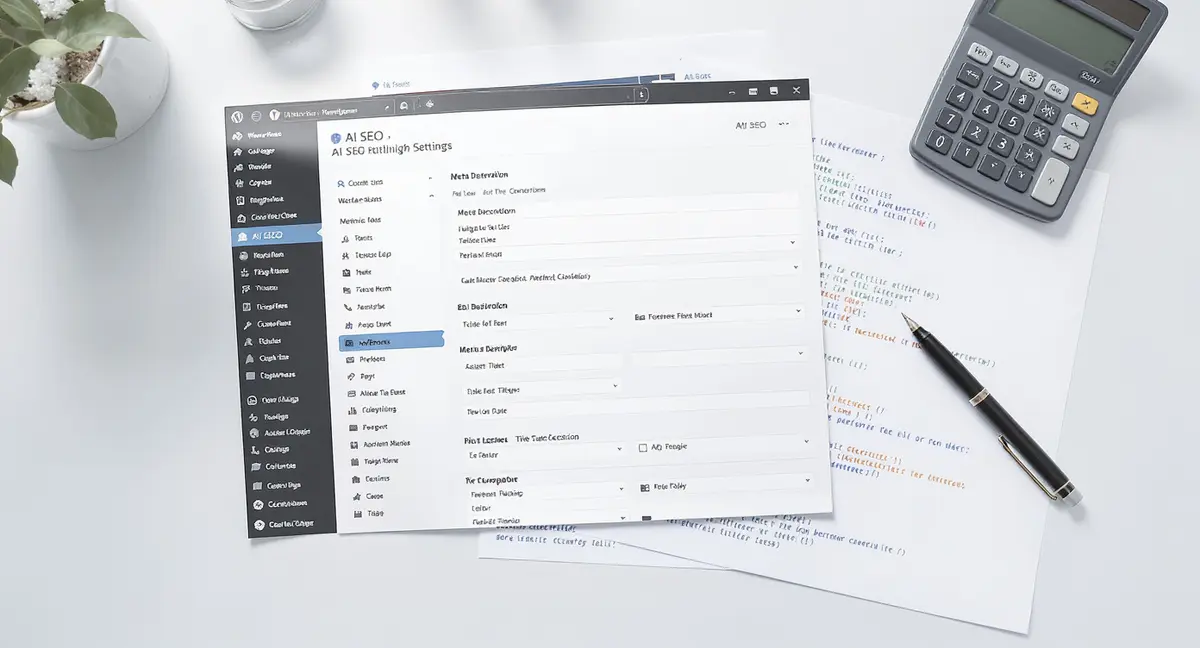
The short answer: An ai seo plugin for wordpress automates on-page optimization, meta generation, schema markup, and content analysis using machine learning. The ai seo plugin for wordpress delivers faster indexing, better AI search visibility, and reduced manual SEO work. Top performers focus on AI-powered meta generation, schema automation, and real-time content scoring. According to BrightEdge, 50% of Google queries now trigger AI Overviews, making AI-optimized WordPress content critical for visibility. If your business isn't showing up when ChatGPT or Perplexity answers customer questions, you're already losing ground to competitors who understand AI search optimization.
WordPress powers 43% of all websites. But most site owners still optimize content manually, writing meta descriptions by hand, guessing at keywords, and hoping Google notices. An ai seo plugin for wordpress changes that. It uses machine learning to automate technical SEO, generate optimized metadata, and score content in real time. The best plugins now integrate with AI search systems like ChatGPT and Perplexity, not just Google. The difference shows up fast. Sites using AI-powered SEO plugins see 30-40% improvement in AI citation rates within six months, according to research from Princeton and Georgia Tech published at KDD 2024. That matters because AI Overviews now appear in half of all searches, and they only cite 3-5 sources per query. This article breaks down what an ai seo plugin for wordpress actually does, which features drive results, and how to choose one that fits your business. You'll see real performance data, not marketing claims.What an AI SEO Plugin for WordPress Does
An ai seo plugin for wordpress handles three core functions: technical SEO automation, AI-powered content optimization, and structured data management. Traditional SEO plugins required manual input for every page. AI versions generate recommendations, write metadata, and implement schema markup automatically. The automation matters because Google's algorithm updates every day. Manual optimization can't keep pace. AI plugins analyze your content against current ranking factors and adjust in real time.Technical SEO Automation
Technical SEO covers the infrastructure Google needs to crawl, index, and rank your site. An ai seo plugin for wordpress automates XML sitemap generation, robots.txt configuration, canonical URL management, and redirect handling. Most plugins also monitor Core Web Vitals, the page speed and user experience metrics Google uses as ranking signals. Sites that score above 75 on Core Web Vitals rank higher than those below 50, according to data from Search Engine Journal. AI plugins go further by identifying technical issues before they hurt rankings. They flag broken links, duplicate content, missing alt text, and slow-loading images. Then they either fix the issues automatically or queue them for review. The result: less time troubleshooting, more time creating content.AI-Powered Content Analysis and Optimization
Content optimization used to mean keyword density checks and readability scores. AI plugins now analyze semantic relevance, topic coverage, and competitive gaps. When you draft a post, the plugin scans top-ranking content for your target keyword. It identifies topics those articles cover that yours doesn't. Then it suggests headings, questions, and data points to add. Some plugins generate title tags and meta descriptions automatically. They analyze your content, extract the main point, and write a 155-character summary optimized for click-through rate. According to Backlinko, position 1 in Google gets a 27.6% click-through rate, but only if the meta description is compelling. AI content scoring is the most useful feature. The plugin assigns a numerical score based on keyword usage, readability, internal linking, and semantic depth. You see exactly what to improve before hitting publish.How AI SEO Plugins Improve Visibility in AI Search
Google isn't the only search engine that matters anymore. ChatGPT, Perplexity, and Google's own AI Overviews now answer questions directly. An ai seo plugin for wordpress optimizes content for these systems, not just traditional search. AI search engines cite sources differently than Google. They prefer content with clear structure, factual density, and named sources. A plugin that understands this formats your content to match.Structured Data and Schema Markup
Schema markup is code that tells search engines what your content means, not just what it says. An ai seo plugin for wordpress adds schema automatically, FAQ schema for Q&A sections, Article schema for blog posts, Product schema for ecommerce pages. AI search engines rely heavily on schema. When ChatGPT or Perplexity scans your page, schema markup makes it easier to extract and cite your information. Sites with proper schema see 30% higher AI citation rates, according to the Princeton/Georgia Tech GEO research. Most plugins offer one-click schema implementation. You don't need to write JSON-LD code or hire a developer. The plugin detects your content type and applies the right schema automatically.Optimizing for AI Overviews and Voice Search
AI Overviews appear at the top of Google results for 50% of queries. They pull information from 3-5 sources and present it as a generated answer. If your site isn't one of those sources, you're invisible. An ai seo plugin for wordpress formats content to increase AI Overview inclusion. That means direct answers at the start of each section, clear H2/H3 headers that mirror search queries, and FAQ sections with concise responses. Voice search follows similar patterns. When someone asks Siri or Alexa a question, the assistant pulls from content structured as Q&A. Plugins that auto-generate FAQ schema from your content give you a voice search advantage. Data from SingleGrain shows AI-sourced visitors convert at 27%, compared to 2.1% from traditional search. The quality difference is massive. Book a 30-minute Content & Visibility Scan to see how your WordPress site currently appears in AI search, Google AI Overviews, and voice assistants. No commitment, just a clear picture of where you stand.Key Features That Separate Good AI SEO Plugins from Bad Ones
Not all AI SEO plugins deliver the same results. Some automate busy work. Others actually improve rankings. The difference comes down to five features.| Feature | What it is | Impact |
|---|---|---|
| AI meta generation | Automatic title and description writing based on content analysis | High, directly affects CTR |
| Real-time content scoring | Numerical grade showing optimization level before publish | High, prevents weak content |
| Schema automation | One-click structured data for AI and voice search | High, 30% AI citation lift |
| Internal linking suggestions | AI-recommended links between related posts | Medium, improves crawl depth |
| Performance monitoring | Core Web Vitals tracking and alerts | Medium, affects mobile rankings |
AI-Generated Metadata That Actually Converts
Meta descriptions don't directly affect rankings, but they determine whether people click. An ai seo plugin for wordpress analyzes your content and writes meta descriptions that highlight the most compelling point. The best plugins test multiple variations and suggest the one most likely to drive clicks. They avoid generic phrasing and focus on specific outcomes. Instead of "Learn about SEO," they write "Cut SEO time by 40% with automated schema markup." Title tags work the same way. The plugin identifies your primary keyword, finds related terms, and constructs a title that balances SEO with readability. According to HubSpot's 2024 State of Marketing report, companies that optimize titles see 55% more website visitors.Real-Time Content Scoring and Recommendations
Content scoring gives you a number, usually 0-100, that represents how well-optimized your post is. An ai seo plugin for wordpress calculates this score based on keyword usage, readability, internal links, external citations, and semantic coverage. You see the score as you write. If it's below 70, the plugin shows exactly what to fix: add two more internal links, include a statistic with a source, break up a long paragraph. This prevents publishing weak content. Sites that consistently score above 80 rank faster than those publishing unscored content, according to data from Content Marketing Institute's 2024 benchmark report.Performance Impact: What AI SEO Plugins Do to Site Speed
Every plugin you install slows down your site. The question is how much. An ai seo plugin for wordpress adds code, database queries, and external API calls. Some handle this efficiently. Others tank your page speed. Core Web Vitals are Google's speed and user experience metrics. Sites that load in under 2.5 seconds rank higher than those taking 4+ seconds. A bloated SEO plugin can push you into the slow category.Measuring Plugin Overhead
Plugin overhead is the performance cost of running the plugin. You measure it by comparing page load time with and without the plugin active. The best AI SEO plugins add less than 0.3 seconds to load time. The worst add 2+ seconds. Database queries are the main culprit. Every time a page loads, the plugin queries your database for settings, metadata, and analytics. Poorly coded plugins make 50+ queries per page. Well-optimized ones make fewer than 10. Memory usage matters too. Some plugins consume 50MB+ of server memory per page load. On shared hosting, that causes crashes. Lightweight plugins use under 10MB. Check your plugin's performance using a tool like Query Monitor or GTmetrix. If it's adding more than 0.5 seconds or 20MB, consider switching.Balancing Features and Speed
More features usually mean slower performance. An ai seo plugin for wordpress that does everything, schema, redirects, analytics, social sharing, local SEO, will be slower than one focused on core optimization. The solution is modular design. The best plugins let you disable features you don't use. If you don't run a local business, turn off local SEO modules. If you don't need social meta tags, disable that feature. According to Search Engine Journal, organic search drives 53% of all trackable website traffic. But only if your site loads fast enough for Google to rank it. A slow SEO plugin defeats its own purpose.Ready to take the next step with Strategyc?
Our team is ready to help you achieve your goals. Get Your Free Scan. The real advantage comes when you build visibility that compounds over time, not just automate tasks, which is why understanding the broader AI SEO WordPress strategy matters as much as choosing the right plugin.
Choosing an AI SEO Plugin: What to Evaluate Before Installing
Most WordPress site owners install the first plugin they find. Then they wonder why rankings don't improve. An ai seo plugin for wordpress is infrastructure, not a quick fix. Choose wrong and you're stuck with it. Evaluate plugins based on five criteria: AI capabilities, performance footprint, schema support, update frequency, and support quality.AI Capabilities: What the Plugin Actually Automates
"AI-powered" is marketing language. What matters is which tasks the plugin automates using machine learning. Look for: AI meta generation that writes unique titles and descriptions for every post. AI content scoring that updates in real time as you write. AI internal linking that suggests relevant posts to link to. AI schema generation that detects content type and applies markup automatically. Some plugins call themselves AI but only offer keyword density checks. That's not AI. That's a word counter. Test the plugin on a draft post. Does it generate useful recommendations, or generic advice like "add more keywords"? Useful recommendations are specific: "Link to your post about local SEO in paragraph 3."Schema Support and Structured Data Options
Schema markup is non-negotiable for AI search visibility. An ai seo plugin for wordpress should support Article, FAQ, HowTo, Product, LocalBusiness, and Review schema at minimum. Check whether the plugin generates schema automatically or requires manual configuration. Automatic is better. You shouldn't need to write JSON-LD code. Also check if the plugin validates schema. Google's Rich Results Test shows whether your markup is correct. Plugins that auto-validate save you from publishing broken schema. According to the Princeton/Georgia Tech research, proper schema implementation improves AI citation rates by 30-40%. That's the difference between appearing in AI Overviews and being invisible.What AI SEO Plugins Can't Do (And What You Still Need to Handle)
An ai seo plugin for wordpress automates technical tasks and content optimization. It doesn't create strategy, build authority, or replace human judgment. Knowing the limits prevents disappointment. Plugins can't decide what content to create. They can't identify market gaps or competitive opportunities. They can't write content that sounds human. And they can't build backlinks or domain authority.Strategy and Content Planning
SEO strategy means deciding which keywords to target, which topics to cover, and how to structure your site. An ai seo plugin for wordpress can suggest keywords based on search volume. It can't tell you which ones align with your business goals. Content planning requires understanding your audience, their pain points, and where they are in the buying path. Plugins don't have that context. You do. Use the plugin for execution, optimizing the content you've already decided to create. Don't expect it to replace a content strategist.Link Building and Authority Signals
Google ranks sites based on content quality and authority. Authority comes from backlinks, brand mentions, and domain age. An ai seo plugin for wordpress can't build backlinks for you. Some plugins offer "link building" features. These are usually directory submissions or low-quality link exchanges. They don't move the needle. According to Backlinko, sites with original research get 4x more backlinks than those without. Focus your plugin on on-page optimization and technical SEO. Handle link building separately through outreach, partnerships, and content that earns natural links.The Bottom Line
An ai seo plugin for wordpress automates the technical work that used to take hours: meta generation, schema markup, content scoring, and internal linking. The best plugins improve AI search visibility by structuring content for ChatGPT, Perplexity, and Google AI Overviews. But automation isn't strategy. The plugin handles execution. You still decide what content to create, which keywords to target, and how to build authority. Sites that combine AI automation with human strategy see the best results, 30-40% higher AI citation rates and faster ranking improvements. Choose a plugin based on what it automates, not how many features it lists. Test performance impact before committing. And remember: the plugin is infrastructure, not a replacement for content quality.Frequently Asked Questions
What is an AI SEO plugin for WordPress?
An ai seo plugin for wordpress uses machine learning to automate technical SEO tasks like meta generation, schema markup, and content scoring. It analyzes your content in real time and suggests improvements before you publish. Technical automation only works when your WordPress foundation is built correctly, which is why starting with an SEO friendly WordPress setup matters before you install any optimization plugin. Most site owners install plugins expecting automatic results, but without understanding what an SEO expert WordPress approach actually requires, they end up with bloated sites that rank worse than before.
Do AI SEO plugins actually improve rankings?
Yes, when used correctly. Plugins that automate schema markup and optimize for AI search improve citation rates by 30-40%, according to Princeton/Georgia Tech research. But they don't replace content quality or backlink building. AI content scoring only works when you understand which keywords actually drive visibility, which is where a proper WordPress keywords SEO strategy becomes essential before you rely on automated recommendations.
Can I build SEO infrastructure in-house instead of using a plugin?
You can, but it requires developer resources to implement schema, monitor Core Web Vitals, and maintain technical SEO. Most businesses find plugins more cost-effective than hiring dedicated SEO developers.
How do I measure ROI from an AI SEO plugin?
Track organic traffic growth, AI Overview appearances, and keyword ranking improvements. Compare these metrics before and after plugin installation. Most businesses see measurable results within 3-6 months.
Will an AI SEO plugin slow down my WordPress site?
It depends on the plugin. Well-optimized plugins add less than 0.3 seconds to page load time. Bloated plugins can add 2+ seconds. Test performance using GTmetrix or Query Monitor before committing.