SEO Friendly Wordpress Themes: 2026 Performance Guide
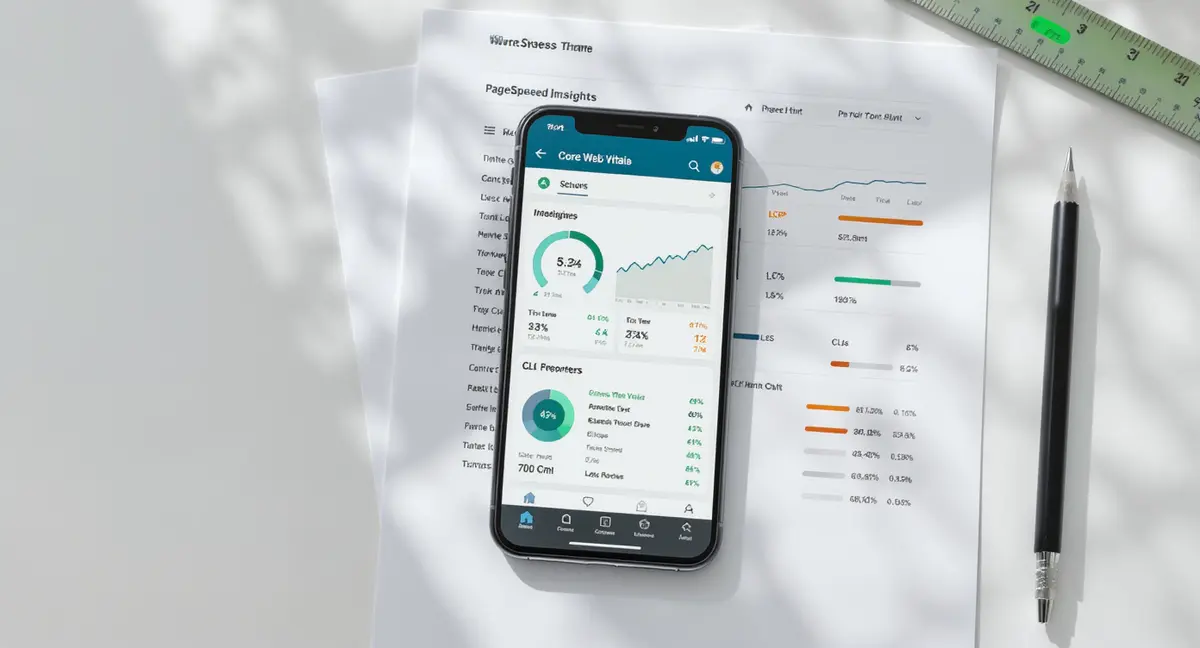
The short answer: SEO friendly WordPress themes are lightweight, mobile-responsive frameworks that load fast, support schema markup, and don't interfere with crawling. The best ones prioritize Core Web Vitals, semantic HTML, and minimal JavaScript bloat. Success comes down to speed, mobile usability, and clean code. According to Google's 2024 Core Web Vitals report, 40% of WordPress sites fail LCP benchmarks due to theme overhead. If you're auditing your entire site setup, our SEO checklist covers the technical and content factors that actually move rankings in 2026.
Your WordPress theme controls more of your search visibility than you think. It sets page speed, mobile rendering, and how cleanly Google can crawl your content. Pick the wrong one and you're fighting uphill before you publish a single post.
Most businesses choose themes based on how they look in a demo. That's backwards. SEO friendly WordPress themes are built for performance first, design second. They load in under 2 seconds, pass Core Web Vitals, and don't break when you add real content.
This guide covers what makes a theme SEO-ready, how to test before you commit, and which technical factors actually move rankings. You'll see the difference between lightweight frameworks and bloated multipurpose themes, and why your choice matters more in 2026 than it did two years ago.
What Makes a WordPress Theme SEO Friendly?
An SEO friendly WordPress theme is one that doesn't get in the way. It loads fast, renders correctly on mobile, and uses clean semantic HTML that search engines can parse without guessing. Most themes marketed as "SEO optimized" fail at least one of these basics.
The difference shows up in Core Web Vitals. Google's 2024 ranking algorithm uses Largest Contentful Paint, Interaction to Next Paint, and Cumulative Layout Shift as confirmed signals. A theme that loads 15 JavaScript libraries and three custom fonts will tank LCP before your content even renders. According to HTTPArchive's 2025 WordPress performance study, the median WordPress site loads 2.1 MB of resources. The fastest 10% load under 800 KB. That gap is almost entirely theme choice.
SEO friendly WordPress themes share four technical characteristics. They use minimal external requests, defer non-critical CSS and JavaScript, support lazy loading natively, and output semantic heading structures without requiring a page builder. If your theme needs a page builder to function, it's probably not SEO friendly.
Core Web Vitals and Theme Performance
Core Web Vitals are the clearest way to measure whether your theme helps or hurts rankings. LCP measures how fast your largest visible element loads. INP tracks how quickly the page responds to user interactions. CLS measures visual stability during load.
Google Search Console flags sites that fail these benchmarks. According to Google's 2024 Core Web Vitals report, 40% of WordPress sites fail LCP thresholds, and 28% fail CLS. The common cause is theme bloat: hero sliders that shift layout, unoptimized images in header templates, and render-blocking CSS that delays paint.
Testing is simple. Install the theme on a staging site, add real content with images and blocks, then run Google PageSpeed Insights. If LCP exceeds 2.5 seconds or CLS is above 0.1, the theme is the problem. Switch before launch.
The best SEO friendly WordPress themes score green on all three metrics out of the box. They preload critical fonts, inline critical CSS, and avoid layout shifts by reserving space for images and embeds. You shouldn't need a caching plugin to pass Core Web Vitals.
Semantic HTML and Crawlability
Search engines rely on heading hierarchy to understand content structure. An SEO friendly WordPress theme outputs one H1 per page, uses H2 for main sections, and nests H3 under H2 logically. Many visual page builders break this by letting users place H3 before H2 or skip levels entirely. If theme optimization feels overwhelming or you need ongoing support, WordPress SEO companies can handle technical audits, speed optimization, and schema implementation without requiring you to learn code.
Semantic markup also includes proper use of article, section, nav, and aside tags. These tell crawlers what content is primary and what's supplementary. Themes that wrap everything in generic div tags make Google work harder to parse your page.
Schema markup support is non-negotiable in 2026. SEO friendly WordPress themes either include schema templates for articles, FAQs, and breadcrumbs, or integrate cleanly with schema plugins. According to Search Engine Journal's 2024 schema study, pages with article schema see 30% higher click-through rates in search results.
Check your theme's HTML output in Google Search Console's URL Inspection tool. If you see heading errors, missing schema, or excessive nested divs, the theme is working against you.
How Do You Test Theme Performance Before Going Live?
Most businesses activate a theme, customize it, and launch without testing how it performs under real conditions. That's when they discover the demo site loaded in 1.2 seconds but their live site takes 6.
The right testing sequence starts with a clean WordPress install on a staging environment. Install the theme, add no plugins, and run a baseline PageSpeed Insights test. Note the LCP, INP, and CLS scores. Then add your actual content: 10 blog posts with images, your homepage layout, and any custom blocks you plan to use. Run PageSpeed again.
If scores drop greatly, the theme can't handle real content efficiently. According to WP Engine's 2025 performance benchmarks, themes that score 90+ on empty demos often drop to 60-70 with real images and text. That 30-point gap is a red flag.
| Factor | What it is | Impact |
|---|---|---|
| JavaScript payload | Total KB of JS loaded on page render | High - directly affects LCP and INP |
| CSS delivery method | Inline critical CSS vs external stylesheets | High - render-blocking CSS delays paint |
| Image handling | Native lazy loading and responsive srcset | Medium - affects LCP and bandwidth |
| Mobile viewport config | Proper meta viewport and touch targets | High - mobile-first indexing requirement |
| Schema integration | Built-in or plugin-compatible markup | Medium - improves SERP features |
Staging Site Performance Audits
A staging site lets you test theme changes without risking live rankings. Set up a subdomain, install WordPress, and replicate your production content. This is where you test theme updates, plugin conflicts, and layout changes before they go live.
Run three tests on staging: Google PageSpeed Insights for Core Web Vitals, a technical SEO crawler for heading structure and schema, and Google Search Console's Mobile-Friendly Test. If any test fails, fix it on staging first.
Pay attention to mobile performance specifically. According to Statista's 2025 mobile traffic report, 63% of Google searches happen on mobile devices. If your theme's mobile score is below 85, you're losing visibility on the majority of queries.
Test with real user conditions too. Throttle your connection to 3G in Chrome DevTools and load your staging site. If it takes more than 4 seconds to show content, mobile users will bounce before they see your headline.
Plugin Compatibility and Conflict Testing
SEO friendly WordPress themes work cleanly with popular SEO plugins without requiring custom code. Install your preferred on-page SEO plugin, a caching plugin, and any schema or analytics tools you use. Then check for JavaScript errors in the browser console.
Common conflicts show up as broken breadcrumbs, duplicate schema markup, or CSS that overrides plugin styles. If your theme ships with built-in schema but you also run a schema plugin, you'll output duplicate JSON-LD that confuses Google. Most small businesses don't need a $5,000-per-month retainer to fix theme performance issues, which is why finding an affordable WordPress SEO company that focuses on technical fixes can deliver better ROI than premium agencies.
Test form submissions, search functionality, and any custom post types your theme includes. According to WordPress.org's 2024 plugin directory stats, 34% of support requests for themes involve plugin conflicts. Catch them on staging.
Find out if your current theme is holding back your visibility. Book a 30-minute scan.
Which Technical Features Should You Prioritize?
Not all SEO friendly WordPress themes are built the same. Some prioritize speed, others focus on schema support, and many try to do everything and end up mediocre at all of it. You need to know which features actually affect rankings and which are marketing.
The non-negotiables are mobile responsiveness, fast load times, and semantic HTML. Everything else is secondary. According to Google's John Mueller in a 2024 Search Central office hours session, theme choice matters most when it affects crawling, rendering, or user experience. Visual customization options don't move the needle.
Prioritize themes that load under 1 MB of total resources, support WebP and AVIF image formats, and include native lazy loading. Bonus points if the theme defers JavaScript and inlines critical CSS automatically. These features reduce the work you have to do with plugins.
Mobile-First Design and Responsive Breakpoints
Google indexes the mobile version of your site first. If your theme's mobile layout hides content, uses tiny fonts, or requires horizontal scrolling, you're penalized. SEO friendly WordPress themes use CSS media queries to adapt layouts fluidly across screen sizes.
Test breakpoints at 320px, 768px, and 1024px widths. Your content should be readable and navigation should work at all three. According to Google's Mobile-First Indexing documentation, sites with mobile usability issues see ranking drops even if desktop versions are perfect.
Touch targets matter too. Buttons and links need at least 48x48 pixel tap areas on mobile. Themes that use 12px font sizes or place clickable elements too close together fail mobile usability tests.
Check your theme's mobile menu implementation. Hamburger menus are fine, but they should load instantly and not require JavaScript to render. If your mobile menu takes 2 seconds to appear, users leave.
Schema Markup and Structured Data Support
Schema markup helps Google display rich results: star ratings, FAQ dropdowns, breadcrumb trails, and article metadata. SEO friendly WordPress themes either include schema templates or integrate with plugins that add it.
The most valuable schema types for content sites are Article, FAQPage, BreadcrumbList, and Organization. According to Search Engine Land's 2024 rich results study, pages with FAQ schema see 35% higher impressions in search results.
Test your theme's schema output using Google's Rich Results Test tool. Paste in a staging URL and check for errors. Common issues include missing required fields, incorrect nesting, and duplicate markup from theme and plugin both outputting the same schema.
If your theme doesn't include schema, make sure it doesn't conflict with schema plugins. Some themes hardcode metadata that overrides plugin settings, breaking your structured data.
See How Your Business Shows Up in AI Search
Get a free AI visibility scan. See exactly where you rank on ChatGPT, Perplexity, and Google AI, and what to do about it. Get Your Free Scan.
Do Free Themes Perform as Well as Premium Options?
The free vs premium debate misses the point. Performance depends on how the theme is built, not what it costs. Some free SEO friendly WordPress themes outperform $60 premium options because they focus on speed instead of features. Once your theme foundation is solid, optimizing individual pages becomes straightforward, and our guide to WordPress page SEO walks through the on-page factors that improve rankings without ongoing agency costs.
Free themes from the WordPress.org repository go through code review before approval. They can't include upsells, phone-home code, or obfuscated JavaScript. Premium themes from marketplaces often bundle page builders, demo importers, and third-party integrations that add bloat.
According to ThemeForest's 2024 marketplace data, the average premium multipurpose theme includes 40+ demo layouts and 15+ bundled plugins. That flexibility comes at a cost: larger file sizes, more HTTP requests, and slower load times.
When Premium Themes Make Sense
Premium themes offer better support, more frequent updates, and advanced customization options. If you need ecommerce integration, membership features, or complex layouts, a well-built premium theme can save development time.
The key is choosing premium themes that are performance-focused, not feature-bloated. Look for themes that score 90+ on PageSpeed Insights in their demos, publish performance benchmarks, and explicitly support Core Web Vitals optimization.
Premium doesn't guarantee quality. Test the same way you would test a free theme: install on staging, add real content, measure performance. If a $60 theme scores worse than a free alternative, the price tag is irrelevant.
Free Theme Limitations and Trade-offs
Free themes typically offer fewer layout options, limited color schemes, and basic typography controls. You get clean code and good performance, but less visual flexibility. For content-driven sites, that trade-off usually makes sense.
Support is community-based rather than dedicated. If you run into a bug, you're posting in forums instead of opening a ticket. Updates can be slower. According to WordPress.org's theme directory stats, 22% of free themes haven't been updated in over a year.
Security is less of a concern than reputation suggests. Free themes in the official repository are reviewed for malicious code. The bigger risk is abandonment: if the developer stops maintaining the theme, you'll need to migrate eventually.
For most businesses, a lightweight free theme plus a few targeted plugins outperforms a bloated premium theme. SEO friendly WordPress themes don't need 50 features. They need to load fast and stay out of the way.
How Do You Migrate Themes Without Losing Rankings?
Switching themes is risky if done wrong. You can break heading structures, lose schema markup, change URL patterns, and tank Core Web Vitals overnight. The right migration process protects rankings while you upgrade.
Start by documenting your current setup. Export your content, note which plugins you're using, and screenshot your homepage and key landing pages. Run a full crawl with a technical SEO crawler to capture your current heading hierarchy, internal link structure, and schema output.
Install the new theme on staging first. Replicate your live site's content and settings, then compare crawl data between old and new. Look for heading changes, missing schema, broken internal links, and layout shifts that affect CLS.
Preserving URL Structure and Internal Links
Some themes change permalink structures or add custom post type slugs. If your old theme used /blog/post-name/ and the new one defaults to /post-name/, you'll break every internal link and external backlink pointing to your content.
Check permalink settings before you activate the new theme. If the structure changes, set up 301 redirects from old URLs to new ones. According to Moz's 2024 redirect study, 301 redirects pass 90-95% of link equity, but only if implemented correctly. If you're stuck troubleshooting Core Web Vitals failures or schema errors after switching themes, our WordPress SEO help guide covers the seven most common technical issues and how to fix them without hiring a developer.
Test internal navigation after migration. Click through your menu, sidebar links, and in-content links to verify they still work. Broken internal links hurt crawlability and user experience.
Monitoring Post-Migration Performance
After you launch the new theme, monitor Google Search Console daily for the first two weeks. Watch for crawl errors, mobile usability issues, and Core Web Vitals changes. If you see a spike in errors, roll back immediately.
Track rankings for your top 20 keywords. Small fluctuations are normal, but if you drop 10+ positions on multiple terms, the theme change broke something. Common causes include slower load times, missing schema, or heading structure changes that confuse topical relevance.
Run a post-migration PageSpeed Insights test and compare it to your pre-migration baseline. If LCP increased by more than 0.5 seconds, investigate what changed. New themes often load different fonts, images, or scripts that weren't present before.
Give it 4-6 weeks for rankings to stabilize. Google needs time to recrawl your site and adjust to the new rendering. If performance metrics improved and you didn't break technical SEO basics, rankings should hold or improve.
The Bottom Line
SEO friendly WordPress themes are infrastructure, not decoration. They control page speed, mobile usability, and how cleanly search engines can crawl your content. The best ones load fast, support schema markup, and don't require a page builder to function.
Test before you commit. Install on staging, add real content, and measure Core Web Vitals. If LCP exceeds 2.5 seconds or the theme breaks heading hierarchy, keep looking. Free themes often outperform premium options because they prioritize performance over features.
When you migrate, protect your URL structure and monitor Search Console for errors. Small technical mistakes during theme changes can cost months of rankings. The right theme becomes invisible. It loads, it works, and it gets out of the way so your content can rank.
Frequently Asked Questions
What makes a WordPress theme SEO friendly?
An SEO friendly WordPress theme loads fast, uses semantic HTML, supports schema markup, and passes Core Web Vitals benchmarks. It should work cleanly with SEO plugins and not require a page builder to function properly.
Can I build SEO-optimized content infrastructure in-house?
Yes, if you have technical resources and time. You'll need someone who understands WordPress performance optimization, schema implementation, and Core Web Vitals troubleshooting. Most businesses underestimate the ongoing maintenance required to keep themes and plugins updated without breaking SEO.
Do premium themes rank better than free themes?
No. Premium themes often include more features but also more bloat. Free themes from the WordPress.org repository frequently outperform premium options on speed and Core Web Vitals because they focus on clean code instead of visual customization.
How do I test if my current theme is hurting rankings?
Run Google PageSpeed Insights and check Core Web Vitals scores. Use Google Search Console to look for mobile usability errors and crawl issues. Compare your theme's performance to a lightweight alternative on a staging site with identical content.
What does it take to own my content visibility infrastructure?
Owning your visibility infrastructure means controlling the publishing system, content workflows, and optimization processes instead of renting them from an agency. You need a performance-optimized theme, a content production process, and the ability to measure what's working without depending on a third party to interpret the data.