Marketing Content Calendar Template: 7 Systems That Work
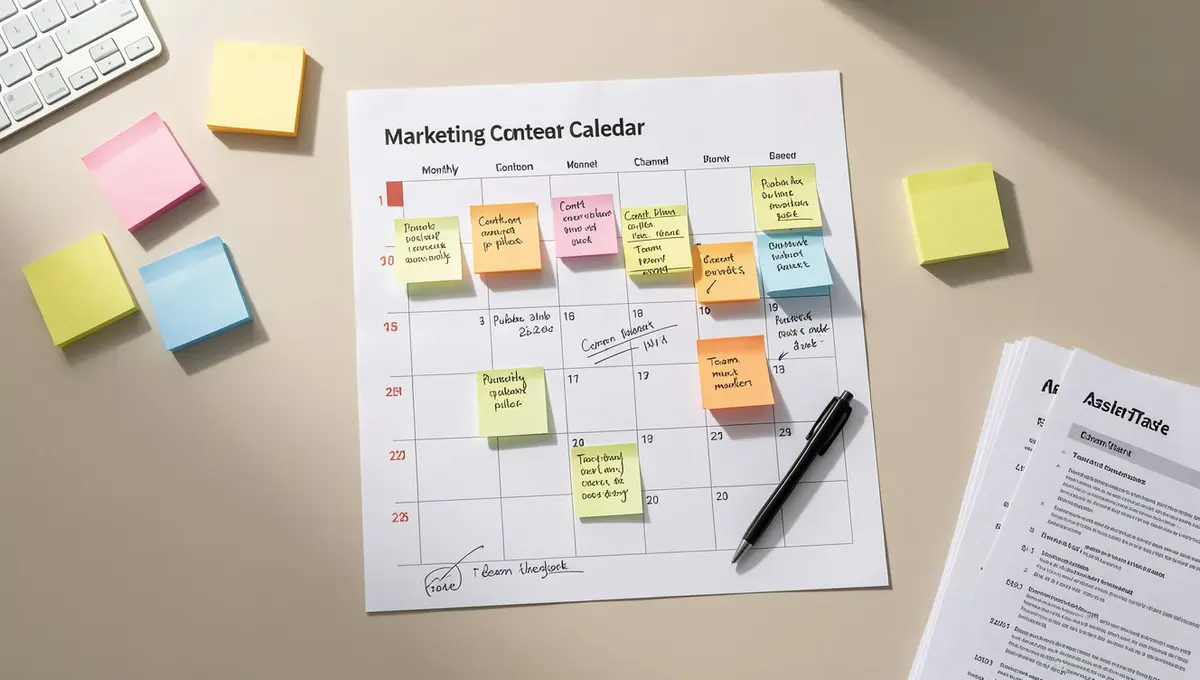
The short answer: A marketing content calendar template is a structured framework that schedules, organizes, and tracks content across channels to maintain consistency and strategic alignment. Templates range from simple spreadsheets to integrated workflow systems, with effectiveness determined by automation depth, cross-channel visibility, and alignment with business goals. Success in calendar management comes down to workflow integration, accountability structures, and performance tracking. HubSpot's 2024 research found that businesses using structured content calendars publish 3.2x more consistently than those planning ad-hoc. As AI answer engines reshape how audiences discover content, understanding Perplexity SEO becomes essential for ensuring your published work gets cited where search behaviour is heading.
You're publishing content across four platforms, three team members are creating assets, and nobody knows what's scheduled for next Tuesday. That's not a workflow problem. That's a visibility problem.
Marketing content calendar templates solve the coordination chaos that kills consistency. They create a single source of truth for what gets published, when it goes live, who's responsible, and how it connects to business objectives. Without that structure, you're not building a content engine. You're managing a crisis every week.
The gap between businesses that publish consistently and those that don't comes down to systems, not effort. Companies that blog regularly get 55% more website visitors (HubSpat State of Marketing 2024). But "regularly" requires infrastructure. A marketing content calendar template is that infrastructure.
This article breaks down seven calendar systems businesses actually use, what makes them work, and how to choose one that fits your publishing volume and team structure. You'll see the difference between templates that organize tasks and systems that drive results.
What Makes a Marketing Content Calendar Template Actually Work
Most calendar templates fail because they organize tasks without connecting them to outcomes. You get a grid showing what publishes when, but no visibility into whether that content ladder up to revenue goals, audience needs, or strategic priorities.
A functional marketing content calendar template does three things: it shows the full production pipeline from ideation to publication, it assigns clear ownership for every task, and it tracks performance so you know what's working. According to Content Marketing Institute's 2024 research, 63% of marketers say their biggest content challenge is maintaining consistency. Templates that work solve that by making accountability visible.
The Core Components Every Template Needs
Start with publication date, content type, channel, owner, and status. Those five fields create the minimum viable structure. Publication date anchors everything to a timeline. Content type (blog post, video, email, social post) clarifies what you're producing. Channel specifies where it goes. Owner assigns responsibility. Status tracks progress through your workflow stages.
Add target keyword, campaign alignment, and performance metrics for strategic depth. Target keyword ensures each piece has a defined search intent. Campaign alignment connects content to broader initiatives like product launches or seasonal promotions. Performance metrics (traffic, conversions, engagement) close the loop between planning and results.
Businesses that track content performance are 2.3x more likely to report success (keyword research platform Content Marketing Report 2024). The calendar is where that tracking starts. If your template doesn't have a column for "What happened after we published this?", it's not a system. It's a to-do list.
Why Spreadsheets Break at Scale
Spreadsheet-based marketing content calendar templates work until you hit about 20 pieces per month or three contributors. Past that threshold, version control collapses. Someone's working in an outdated file. Another person overwrites changes. A third doesn't see the update at all.
The real problem isn't technical. It's that spreadsheets don't enforce workflow. Nothing stops someone from skipping a review step, missing a deadline, or publishing without final approval. You end up managing the calendar instead of the calendar managing the process.
Consider a business publishing 40 blog posts, 80 social updates, and 12 email campaigns per month. That's 132 content items. In a spreadsheet, that's 132 rows where any cell can be wrong, outdated, or blank. Multiply by the number of people touching the file, and you've built a coordination failure waiting to happen.
How Do You Build a Calendar That Drives Consistency?
Consistency comes from reducing the friction between planning and execution. The best marketing content calendar templates automate handoffs, surface bottlenecks before they cause delays, and make it impossible to forget a step.
Start by mapping your actual workflow, not an idealized version. If content goes through ideation, outline, draft, edit, design, approval, and publication, your calendar needs seven status columns. If it goes through three steps, you need three. The template should mirror reality, then help you improve it. If your primary focus is article publishing rather than cross-channel coordination, a dedicated blog content calendar template provides the structure you need without the overhead of managing multiple content types.
Batching vs. Just-in-Time Planning
Batching plans multiple pieces at once, typically monthly or quarterly. Just-in-time planning schedules content closer to publication, often weekly. Batching works when you have predictable topics, stable resources, and long lead times. Just-in-time works when you're responding to market conditions, customer questions, or trending topics.
Most businesses need both. Use batching for evergreen content, seasonal campaigns, and anything tied to product launches. Use just-in-time for reactive content, news commentary, and customer support topics that emerge from sales conversations or support tickets.
A marketing content calendar template that supports both approaches includes a "planning horizon" field. Mark some content as locked (batched and approved weeks in advance) and other content as flexible (slots reserved for timely topics). CoSchedule's 2024 research found that marketers using hybrid planning models publish 41% more consistently than those locked into one approach.
Assigning Accountability Without Micromanaging
Every content item needs one owner, not a committee. The owner doesn't do all the work, but they're responsible for ensuring it moves through the workflow. If a piece stalls, the owner escalates it. If dependencies aren't met, the owner flags them.
Your calendar template should show ownership at the task level, not just the content level. A blog post might have one owner, but the outline, draft, edit, and design tasks each have assignees. That granularity prevents the "I thought you were handling that" problem.
Use status automation to trigger notifications. When a draft moves to "Ready for Edit", the editor gets notified automatically. When design moves to "Ready for Approval", the approver sees it in their queue. You're not chasing people. The system surfaces what needs attention.
| Factor | What it is | Impact |
|---|---|---|
| Workflow automation | Triggers that move tasks between stages without manual updates | High |
| Cross-channel visibility | Single view showing blog, social, email, and video content | High |
| Performance tracking | Metrics tied to each published piece within the calendar | Medium |
| Approval gates | Required sign-offs before content can move to publication | Medium |
| Version control | System that prevents conflicting edits and lost changes | High |
What Breaks When You Don't Use a Calendar
Publishing without a marketing content calendar template creates three predictable failures: missed deadlines, duplicated effort, and strategic drift. Missed deadlines happen because nobody sees the full pipeline. A blog post due Friday gets drafted Thursday night because the writer didn't know it was coming. Duplicated effort happens when two people create content on the same topic because there's no central record. Strategic drift happens when content decisions get made in isolation, disconnected from business goals.
The cost isn't just inefficiency. It's lost compounding. Content published inconsistently doesn't build topical authority. A business that publishes three posts one month, none the next, and five the month after trains search engines and audiences to expect nothing. According to Backlinko's 2024 analysis, websites that publish at least weekly rank for 3.5x more keywords than those publishing sporadically.
The Hidden Cost of Ad-Hoc Planning
Ad-hoc planning feels flexible, but it's expensive. Every content decision becomes a negotiation. What should we write about? Who's available? When can this go live? Those questions burn hours every week. Multiply by 50 weeks, and you've spent 100+ hours per year just deciding what to do next.
A marketing content calendar template eliminates that overhead. Decisions get made once during planning, then execution follows the plan. You're not debating topics in Slack threads or hunting for available writers. The calendar shows what's next, who's doing it, and when it's due.
Consider a team producing 15 blog posts per month. If each post requires 20 minutes of coordination (topic discussion, assignment, deadline confirmation), that's five hours per month spent on logistics. With a calendar, that drops to 30 minutes during the planning session. You've recovered 4.5 hours per month, 54 hours per year.
When Content Conflicts Go Unnoticed
Without a calendar, you don't see conflicts until they cause problems. Two blog posts targeting the same keyword. A product launch email scheduled the same day as a major announcement. Social posts promoting outdated offers because nobody updated the queue. Email campaigns require different planning rhythms than blog content, which is why a purpose-built email marketing content calendar handles send schedules, segmentation, and automation sequences more effectively than generic templates.
A functional marketing content calendar template surfaces these conflicts during planning, not publication. You see that two posts overlap and merge them or adjust timing. You notice the email collision and reschedule. You catch the outdated promotion before it goes live.
Demand Gen Report's 2024 study found that 47% of B2B buyers cite inconsistent messaging as a reason they disengage from a brand. Calendars prevent that by making the full content landscape visible before anything publishes.
Which Tools Actually Support Calendar Workflows
The right tool depends on your publishing volume, team size, and whether you need cross-channel coordination or single-channel focus. For teams publishing fewer than 30 pieces per month, spreadsheet-based marketing content calendar templates work if you enforce discipline around updates and version control. Google Sheets offers real-time collaboration and comment threads for feedback.
For teams publishing 30-100 pieces per month across multiple channels, project management platforms provide better structure. These systems include task dependencies, automated notifications, and approval workflows. You can link content items to campaigns, assign subtasks to multiple contributors, and track progress through custom status columns.
When to Use Dedicated Content Calendar Software
Dedicated calendar platforms make sense when you're managing complex workflows with multiple approval layers, cross-functional teams, or integrated publishing. These tools connect planning to execution by pushing approved content directly to your CMS, social platforms, or email system.
The value proposition is speed and accuracy. A writer finishes a draft, moves it to "Ready for Edit" in the calendar, and the editor sees it immediately. After approval, the piece moves to "Scheduled" and publishes automatically at the planned time. No manual file transfers, no copy-paste errors, no missed deadlines because someone forgot to hit publish.
However, these platforms typically cost $50-$300 per month depending on team size and feature depth. The ROI calculation is straightforward: if the tool saves your team five hours per month at a blended rate of $50/hour, it pays for itself at the $250 price point. Below 30 pieces per month, you're unlikely to hit that threshold.
Building a Custom System vs. Using Off-the-Shelf Templates
Custom systems give you exact fit. You define the fields, workflow stages, and automation rules that match your process. Off-the-shelf templates give you speed. You're publishing within hours, not weeks.
Start with an off-the-shelf marketing content calendar template and customize as you identify friction points. Don't build custom infrastructure before you know what you need. Most teams discover their requirements by using a basic template for 2-3 months, then layering in automation and integrations based on where manual work piles up.
For example, if you're constantly chasing designers for assets, add a "Design Due Date" column and an automated reminder. If blog posts frequently miss SEO review, add an "SEO Approved" status gate that blocks publication until someone checks the box. Build the system around observed problems, not hypothetical ones.
See How Your Business Shows Up in AI Search
Get a free AI visibility scan. See exactly where you rank on ChatGPT, Perplexity, and Google AI, and what to do about it. Get Your Free Scan.
What Results Look Like When Calendars Drive Publishing
Businesses using structured marketing content calendar templates report measurable improvements in output, consistency, and strategic alignment. A typical outcome: publishing volume increases 40-60% within three months because the coordination overhead drops and bottlenecks become visible.
Content Marketing Institute's 2024 benchmark study found that organizations with documented content processes (which includes calendars) are 2.6x more likely to report content marketing success. The calendar is the documentation. It shows what you planned, what you published, and what performed.
How Publishing Consistency Compounds Over Time
Consistency creates compounding effects that sporadic publishing can't match. A business publishing two blog posts per week for 12 months has 104 articles. Each article targets specific keywords, answers customer questions, and builds topical authority. Over time, internal linking between related articles creates a content web that search engines reward.
According to HubSpot's 2024 data, companies that publish 16+ blog posts per month get 3.5x more traffic than those publishing 0-4 posts. The gap isn't just volume. It's that consistent publishing allows you to cover a topic cluster comprehensively, which signals expertise to both search engines and readers. Teams looking to reduce coordination overhead while maintaining publishing consistency should explore how an AI content calendar automates topic generation, workflow handoffs, and performance tracking.
A marketing content calendar template enables that consistency by making the publishing schedule visible and achievable. You're not scrambling for topics every week. You've planned quarters in advance, batched production where possible, and built buffers for when things run late.
Measuring What Your Calendar Actually Produces
Track three metrics: planned vs. published ratio, average time from ideation to publication, and performance by content type. Planned vs. published ratio shows whether your calendar is realistic. If you're consistently hitting 60% of planned content, your calendar is over-ambitious. Adjust the volume down or add resources.
Average time from ideation to publication reveals workflow efficiency. If blog posts take 18 days on average but your calendar assumes 10, you'll miss deadlines constantly. Use the actual cycle time to inform future planning.
Performance by content type shows where to invest. If video content drives 3x the engagement of blog posts, shift resources toward video. If email campaigns convert at 4% while social posts convert at 0.2%, prioritize email. The calendar makes these comparisons possible by centralizing performance data alongside planning data.
Where Marketing Content Calendars Are Headed
AI is reshaping how businesses plan and produce content, which means marketing content calendar templates are evolving from static schedules to dynamic systems that recommend topics, suggest timing, and predict performance before publication.
Platforms are beginning to integrate predictive analytics that analyze historical performance, search trends, and competitive activity to suggest what to publish next. Instead of manually researching keywords and brainstorming topics, you review AI-generated recommendations filtered by business goals and audience intent.
How AI Changes Calendar Planning
AI-assisted calendars analyze your existing content library, identify gaps, and recommend topics that fill those gaps. If you've published extensively about product features but nothing about implementation, the system flags that. If a competitor is ranking for keywords you're not targeting, the calendar suggests content to close the gap.
Some systems now generate first drafts based on calendar entries. You schedule a blog post about "email marketing automation best practices" for next Tuesday, and the platform produces a 1,200-word draft using your brand voice, existing content as reference, and current search intent data. The writer edits rather than drafts from scratch, cutting production time by 40-50%.
One approach involves installed content systems like the Content & Visibility Engine, which integrates calendar planning with AI-assisted production and optimization for search visibility. The system operates on your infrastructure rather than as a monthly service, so you own the workflow and data permanently.
The Shift Toward Performance-Driven Scheduling
Traditional calendars schedule content based on capacity and campaign timing. Performance-driven calendars schedule based on when content is most likely to succeed. If your audience engages most on Tuesday mornings, the calendar prioritizes Tuesday publication. If certain topics perform better in Q4, the system suggests scheduling them accordingly.
This requires integrating calendar tools with analytics platforms so performance data feeds back into planning decisions. You're not guessing when to publish or what topics resonate. The system shows you based on historical patterns and real-time trends.
Search Engine Journal's 2024 analysis found that businesses using data-driven content scheduling see 23% higher engagement rates compared to those using arbitrary schedules. The calendar becomes a strategic tool, not just a logistical one.
How to Choose the Right Calendar System for Your Business
Start by auditing your current publishing volume, team structure, and workflow complexity. If you're publishing fewer than 20 pieces per month with a team of 1-3 people, a spreadsheet-based marketing content calendar template meets your needs. Add conditional formatting to highlight overdue items and use color coding for content types.
If you're publishing 20-75 pieces per month with 4-8 contributors, move to a project management platform. Look for systems that support custom workflows, task dependencies, and automated notifications. You need visibility into who's working on what and where bottlenecks form. Calendar templates solve the execution layer, but strategic direction comes from understanding broader frameworks covered in our content marketing guides that connect publishing systems to business outcomes.
Evaluating Templates vs. Building Custom
Pre-built templates save setup time but may not match your workflow exactly. Custom-built systems fit perfectly but require configuration effort and ongoing maintenance. The decision comes down to whether your workflow is standard or unique.
If your process looks like most content teams (ideate, draft, edit, approve, publish), use a template and customize the fields. If your workflow includes unusual steps like legal review, multilingual translation, or compliance checks, you may need custom infrastructure.
Test before committing. Most calendar platforms offer free trials or freemium tiers. Run a 30-day pilot with your actual content pipeline. Track whether the system reduces coordination time, surfaces bottlenecks, and improves consistency. If it doesn't measurably improve those three factors, it's not the right fit.
What to Look for in Calendar Integrations
The best marketing content calendar templates connect to the tools you already use. If you write in Google Docs, the calendar should link to drafts. If you publish through WordPress, the calendar should push content directly to your CMS. If you manage social media through a scheduling platform, the calendar should sync with that tool.
Integrations eliminate double-entry and reduce errors. You're not copying publication dates from the calendar to your CMS manually. You're not tracking performance in one system and planning in another. The calendar becomes the hub that connects planning, production, and performance.
Prioritize integrations that save the most time. If your team spends 10 hours per month manually updating publication status across systems, an integration that automates that is worth paying for. If you spend 30 minutes per month on a task, automation may not justify the cost.
The Bottom Line
A marketing content calendar template is infrastructure, not a nice-to-have. It's the difference between publishing reactively and building a content engine that compounds. The template you choose matters less than whether you use it consistently, tie it to performance data, and let it surface bottlenecks before they kill momentum. Start with a system that matches your current volume, then scale as publishing increases. The businesses winning with content aren't creating more. They're creating systematically.
Frequently Asked Questions
How far in advance should a marketing content calendar template plan?
Plan 90 days ahead for strategic content tied to campaigns, product launches, or seasonal topics. Plan 30 days ahead for evergreen content. Reserve 10-15% of your calendar for reactive, just-in-time content that responds to market conditions or customer questions. Longer planning horizons reduce last-minute scrambling but require discipline to stick to the plan.
Can a small team manage content without dedicated calendar software?
Yes, if publishing volume stays below 30 pieces per month and the team has three or fewer contributors. Use a shared spreadsheet with clear ownership, status tracking, and weekly review meetings. The limitation is manual coordination. As volume or team size grows, spreadsheets break because they don't enforce workflow or automate handoffs.
What's the difference between a content calendar and an editorial calendar?
Editorial calendars focus on written content like blog posts, articles, and whitepapers. Marketing content calendars include all content types: blog posts, videos, social media, email campaigns, webinars, and podcasts. If you're managing multiple channels, you need the broader view a marketing content calendar template provides. Editorial calendars work for single-channel publishing.
How do you measure ROI from using a content calendar?
Track time saved on coordination, increase in publishing consistency, and performance improvements. Measure hours spent planning and assigning content before and after implementing a calendar. Track whether you hit planned publication dates more consistently. Compare traffic, engagement, and conversions from content published under the calendar system versus ad-hoc content. ROI becomes clear when coordination time drops and output increases without adding headcount.
Should different channels have separate calendars or one unified view?
Use one unified marketing content calendar template that shows all channels. Separate calendars create silos and miss cross-channel opportunities. A unified view lets you see when blog posts, emails, and social content can reinforce each other. You avoid conflicts like promoting two different offers simultaneously. The calendar should allow filtering by channel so each team sees their specific queue, but planning happens in one place.