Best SEO Audit Website: What Matters in 2026
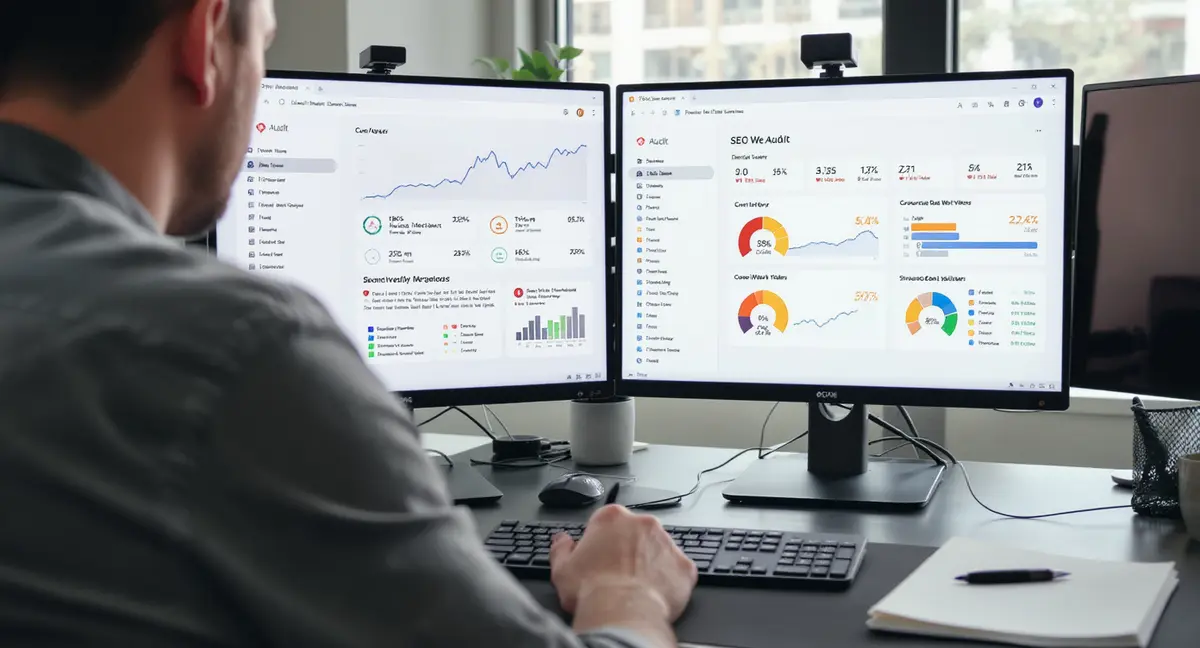
The short answer: The best SEO audit website identifies technical errors, on-page gaps, and AI search visibility issues that block traffic. Strong audit platforms scan crawlability, Core Web Vitals, structured data, mobile usability, and content quality. Top performers focus on actionable prioritization, AI-readiness checks, and full-site crawls. According to The Web Almanac by HTTP Archive, 10.1% of desktop pages had invalid head elements that audit tools catch. If you're serious about AI visibility, understanding Perplexity SEO is no longer optional.
Most businesses run an SEO audit once, get a 47-page PDF full of red flags, then never look at it again. That's not an audit problem. That's a prioritization problem.
The best SEO audit website doesn't just list issues. It tells you what to fix first, what's blocking AI citations, and what's costing you traffic right now. Google's algorithm updates in 2026 penalized sites with poor Core Web Vitals and thin content. AI search platforms like ChatGPT and Perplexity only cite sources with clean technical foundations and structured data. If your site fails those checks, you're invisible.
This article breaks down what separates useful audit platforms from noise generators. You'll see what technical checks matter, how to interpret the output, and which issues actually move rankings. No fluff. Just the framework for finding problems that cost you visibility.
What Makes an SEO Audit Platform Worth Using
An audit tool is only useful if it finds problems you can fix and prioritizes them correctly. Most platforms scan hundreds of issues but don't tell you which ones matter. That creates analysis paralysis.
The best SEO audit website separates critical errors from cosmetic suggestions. Critical means it's blocking Google from crawling pages, slowing load times past user tolerance, or preventing AI systems from extracting content. Cosmetic means it's a best practice but not urgent.
Technical Crawl Depth vs Surface Scans
Free audit tools typically scan one URL. That catches homepage issues but misses site-wide problems. A full-site crawl checks every page, every internal link, every redirect chain. According to The Web Almanac by HTTP Archive, 91.7% of desktop pages used HTTPS in 2026. The other 8.3% trigger security warnings that kill conversions.
Surface scans check meta tags and load speed. Deep crawls check:
- Orphaned pages with no internal links
- Redirect chains longer than three hops
- Broken internal links that waste crawl budget
- Duplicate content across multiple URLs
- Pages blocked by robots.txt but linked in sitemaps
If you're auditing a 200-page site, a single-URL scan is useless. You need full-site visibility.
Actionable Reporting vs Data Dumps
A 90-page audit report with no prioritization is a data dump. Actionable reporting groups issues by impact and effort. High-impact, low-effort fixes go first. Low-impact, high-effort items go last.
The best SEO audit website shows you:
- Which pages drive the most traffic but have fixable errors
- Which technical issues affect the most URLs
- Which on-page gaps exist on high-value pages
Conductor found that organic search produced 33% of overall website traffic across seven key industries. If a third of your traffic comes from search, you can't afford to ignore audit findings. But you also can't fix 200 issues at once. Prioritization separates useful audits from noise.
Core Technical Checks Every Audit Must Cover
Technical SEO is the foundation. If Google can't crawl your site, nothing else matters. The best SEO audit website checks crawlability, indexability, and site architecture before moving to content.
Crawlability and Indexability Issues
Crawlability means Google's bots can access your pages. Indexability means Google can add them to search results. A page can be crawlable but not indexable if it has a noindex tag or canonical pointing elsewhere. If you need a structured framework to organize your findings, a proven audit template can turn raw data into a prioritized action plan.
Common crawl blockers:
- Robots.txt disallowing critical pages
- Noindex tags on pages you want ranked
- Redirect loops that trap crawlers
- Server errors (500, 503) that block access
- Slow server response times over 600ms
According to The Web Almanac by HTTP Archive, 98.62% of desktop pages had a title tag. That means 1.38% of pages are missing the most basic on-page element. If your audit doesn't catch that, it's incomplete.
Check your XML sitemap against your actual site structure. If the sitemap lists 500 URLs but Google only indexed 300, you've got a crawl or quality problem.
Core Web Vitals and Page Performance
Core Web Vitals are confirmed ranking factors. Google measures Largest Contentful Paint (LCP), Interaction to Next Paint (INP), and Cumulative Layout Shift (CLS). Sites that fail these metrics rank lower.
According to The Web Almanac by HTTP Archive, mobile Core Web Vitals success reached 48% in 2026. That means 52% of mobile sites fail Google's performance standards. If you're in that group, you're losing rankings to faster competitors.
LCP measures how fast your main content loads. Target: under 2.5 seconds. INP measures how fast your site responds to clicks. Target: under 200ms. CLS measures visual stability. Target: under 0.1.
The best SEO audit website tests these metrics on real devices, not just desktop simulations. Mobile performance is often worse than desktop, and Google uses mobile-first indexing.
| Factor | What it is | Impact |
|---|---|---|
| Crawl accessibility | Whether bots can reach all pages | High, blocks indexing |
| Core Web Vitals | LCP, INP, CLS performance | High, confirmed ranking factor |
| Mobile usability | Responsive design, tap targets | High, mobile-first indexing |
| Structured data | Schema markup for AI extraction | Medium, improves AI citations |
| Internal link structure | How pages connect to each other | Medium, distributes authority |
On-Page SEO Elements That Audit Tools Should Flag
On-page SEO is what you control on each page: titles, headings, content, internal links. The best SEO audit website checks these elements for every URL, not just your homepage.
Title Tags, Meta Descriptions, and Heading Structure
Title tags are the single most important on-page element. They tell Google and users what the page is about. According to The Web Almanac by HTTP Archive, 98.62% of pages had a title tag, but many are poorly written.
Common title tag errors:
- Duplicate titles across multiple pages
- Titles over 60 characters that get truncated
- Generic titles like "Home" or "Products"
- Missing target keywords
Meta descriptions don't directly affect rankings, but they affect click-through rate. A compelling meta can double your CTR from search results. Audit tools should flag missing, duplicate, or too-short meta descriptions.
Heading structure (H1, H2, H3) helps Google understand content hierarchy. Every page needs exactly one H1. Multiple H1 tags confuse crawlers. H2 and H3 tags should outline the content logically.
Content Quality and Keyword Targeting
Thin content is a ranking killer. According to The Web Almanac by HTTP Archive, the median mobile home page contained 378 words. That's barely enough to establish topic authority. Once you've fixed critical issues, tracking progress with effective SEO reporting ensures your team stays aligned on what's actually moving rankings.
The best SEO audit website flags:
- Pages under 300 words with no clear purpose
- Duplicate content across multiple URLs
- Missing target keywords in key positions
- Keyword stuffing that triggers spam filters
AI search platforms like ChatGPT and Perplexity prefer content with clear section structure, factual density, and cited sources. If your content lacks these elements, you won't get cited in AI answers. That's a new audit category most tools ignore.
Want to see where your content stands in Google, AI search, and voice platforms? Book a 30-minute Content & Visibility Scan to get a clear picture of your current visibility.
See How Your Business Shows Up in AI Search
Get a free AI visibility scan. See exactly where you rank on ChatGPT, Perplexity, and Google AI, and what to do about it. Get Your Free Scan.
How AI Search Changes What Audits Need to Check
AI search platforms like ChatGPT, Perplexity, and Google AI Overviews are reshaping visibility. They don't just rank pages. They extract content and cite sources. If your site isn't structured for AI extraction, you're invisible in AI answers.
Structured Data and Schema Markup
Structured data tells AI systems what your content means, not just what it says. Schema markup formats information so machines can parse it. That's critical for AI citations.
The best SEO audit website checks for:
- Missing schema markup on key pages
- Invalid schema that fails validation
- Incomplete schema missing required fields
- Schema types that don't match content
Common schema types: Organization, LocalBusiness, Article, Product, FAQ, HowTo. Each type has required and recommended fields. If you're missing required fields, the schema won't work.
AI platforms use schema to extract facts, prices, locations, and answers. Sites with clean schema get cited more often. Sites without it get ignored.
Content Extractability for AI Citations
AI systems prefer content that's easy to extract and attribute. That means clear section headings, factual statements with sources, and FAQ sections that answer specific questions.
Audit tools should check:
- Whether FAQ sections use proper schema
- Whether content has clear attribution and sources
- Whether headings are descriptive, not vague
- Whether key facts are in extractable formats
According to The Web Almanac by HTTP Archive, 10.1% of desktop pages had invalid head elements. Invalid HTML breaks AI extraction. If your page structure is broken, AI systems can't parse your content reliably.
What to Look for When Choosing an Audit Platform
Not all audit platforms are equal. Some are built for agencies. Some are built for in-house teams. Some are free but limited. Some are expensive but overkill. The best SEO audit website for you depends on your needs.
Free vs Paid Audit Tools
Free tools scan one URL and give you a snapshot. Paid tools crawl your entire site and track changes over time. If you've got a 50-page site, free might work. If you've got 500 pages, you need paid.
Free tools typically check:
- Page speed and Core Web Vitals
- Basic on-page elements (title, meta, H1)
- Mobile usability
- A few technical issues
Paid tools add:
- Full-site crawls with unlimited URLs
- Historical tracking to see progress
- Competitor comparison
- Custom reporting and white-label options
- API access for automation
If you're serious about SEO, you'll outgrow free tools fast. But they're useful for quick checks. These technical checks work best when paired with foundational SEO best practices that keep your site competitive as algorithms evolve.
Agency Reporting vs In-House Use
Agency-focused platforms emphasize client reporting. They generate branded PDFs, track multiple client sites, and offer white-label options. In-house platforms emphasize workflow integration and team collaboration.
The best SEO audit website for agencies includes:
- White-label reporting with custom branding
- Multi-site dashboards for client management
- Scheduled audits that run automatically
- Export options for sharing with clients
For in-house teams, look for:
- Integration with Google Search Console and Analytics
- Task assignment and workflow tracking
- Developer-friendly issue descriptions
- API access for custom integrations
According to Google, the Search Console Performance report includes clicks, impressions, CTR, and average position as core metrics. The best audit tools pull this data directly so you can see which issues affect your highest-traffic pages.
The Bottom Line
The best SEO audit website finds problems that block traffic, prioritizes them by impact, and checks for AI search readiness. It scans crawlability, Core Web Vitals, on-page elements, and structured data. It separates critical errors from nice-to-fix suggestions.
Most businesses run one audit, get overwhelmed, and do nothing. That's a waste. Use audit data to build a fix-it list ranked by impact. Start with crawl blockers and performance issues. Move to on-page gaps and content quality. Finish with schema and AI optimization.
AI search is reshaping visibility right now. Sites that aren't structured for AI extraction won't get cited in ChatGPT, Perplexity, or Google AI Overviews. That's not a future problem. It's happening today. Your audit should check for it.
Frequently Asked Questions
What's the difference between a free SEO audit and a paid one?
Free audits scan one URL and check basic issues like page speed, title tags, and mobile usability. Paid audits crawl your entire site, track changes over time, and provide deeper technical analysis. If you've got more than 50 pages, you'll need a paid tool for full visibility.
How often should I run an SEO audit on my website?
Run a full audit quarterly or after major site changes like a redesign, migration, or CMS update. Run quick checks monthly to catch new issues early. Google's algorithm updates and Core Web Vitals thresholds change regularly, so what passed six months ago might fail today.
Can I fix SEO issues myself or do I need a developer?
You can fix most on-page issues yourself: rewriting title tags, adding meta descriptions, improving content. Technical issues like server errors, redirect chains, and schema markup usually need a developer. Prioritize what you can fix first, then hand off the rest.
What does it take to own my visibility infrastructure instead of renting it?
Owning visibility means you control the content, the publishing system, and the data. You're not dependent on an agency that gates access. Platforms like Strategyc install content systems you own permanently, not monthly services you rent. When the engagement ends, you keep the infrastructure.
How do I measure ROI from fixing SEO audit issues?
Track organic traffic, rankings for target keywords, and conversions from organic visitors before and after fixes. Use Google Search Console to see impressions and CTR changes. Focus on high-traffic pages first, fixing issues on pages that already get 1,000 visits per month will show ROI faster than fixing pages with 10 visits.