Advanced On-page SEO: The 2026 Playbook for Visibility That Compounds
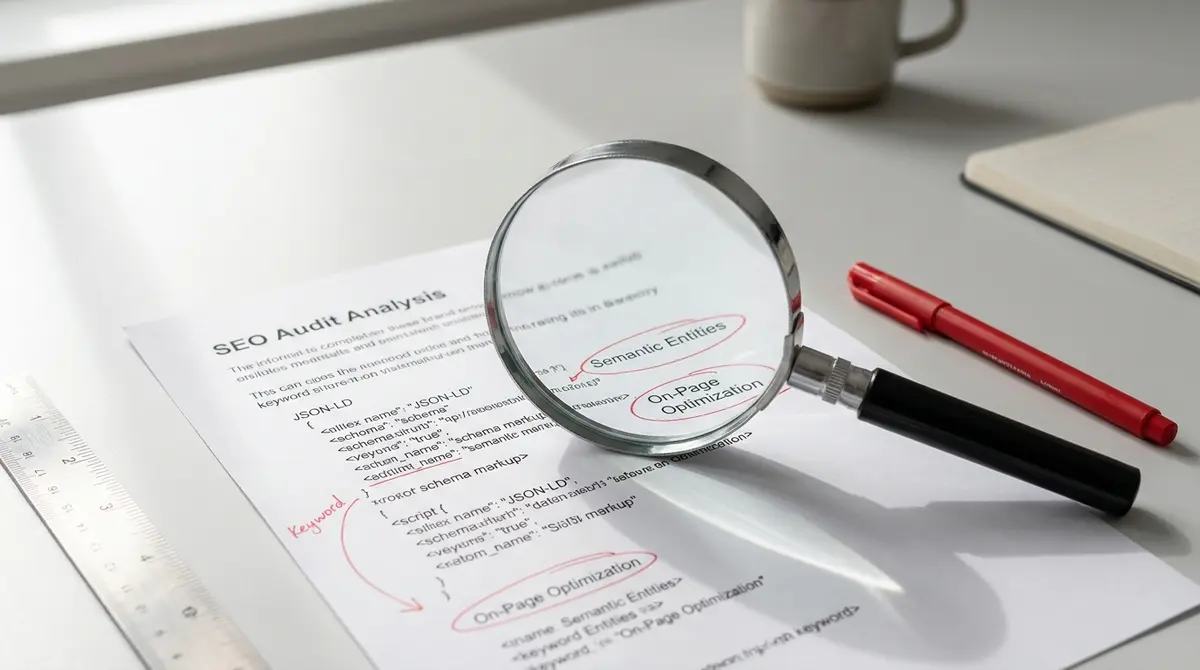
The short answer: Advanced on-page SEO is the practice of optimizing individual pages for both traditional search engines and AI systems using structured content, semantic targeting, schema markup, and strategic internal linking. Success in advanced on-page SEO comes down to content architecture, semantic coverage, and AI-ready formatting. According to Backlinko's 2024 study, organic CTR for position 1 is 27.6%, making advanced optimization critical for capturing traffic. If you're implementing these tactics for the first time, our SEO checklist walks through the foundational elements before you tackle advanced optimisation.
Most businesses stop at basic keyword placement and call it SEO. They write a title tag, sprinkle a keyword through the body, and hope Google notices. That worked in 2012. In 2026, it's table stakes. Advanced on-page SEO is what separates pages that rank from pages that dominate, and more importantly, pages that get cited by AI systems like ChatGPT, Perplexity, and Google's AI Overviews. Consider what changed. Google's March 2024 Core Update specifically targeted low-quality content, rewarding pages with first-hand expertise and structured information. The Helpful Content Update from September 2023 reinforced the same principle: aggregated, thin content loses. Original, well-structured content wins. And now, with 50% of Google queries triggering AI Overviews (DemandSage, 2025), your page isn't just competing for rankings. It's competing to be the source AI systems quote. Advanced on-page SEO is the infrastructure that makes your content quotable, crawlable, and authoritative. It's keyword targeting that matches intent clusters, not just exact phrases. It's content architecture that guides both human readers and machine parsers. It's schema markup that tells search engines exactly what your page contains. And it's internal linking that builds topical authority across your site. This article breaks down the seven elements that define advanced on-page SEO in 2026: semantic keyword strategy, content structure, technical markup, internal linking systems, AI optimization, measurement frameworks, and prioritization models. Each section includes specific tactics, real benchmarks, and implementation steps you can use immediately.How Does Semantic Keyword Targeting Work in Advanced On-Page SEO?
Basic SEO targets one keyword per page. Advanced on-page SEO targets intent clusters. The difference is the gap between showing up and getting clicked. Search intent is no longer binary. A query like "content marketing ROI" could mean "how to measure it," "what's a good benchmark," "tools to track it," or "case studies proving it works." Google understands all four intents. If your page only answers one, you lose to the competitor who answers three. Semantic keyword targeting means identifying the constellation of related terms, questions, and subtopics that surround your primary keyword. You're not stuffing synonyms. You're mapping the complete answer space a searcher expects. According to Search Engine Journal, SEO leads have a 14.6% close rate versus 1.7% for outbound, which means ranking for the right intent cluster directly impacts conversion, not just traffic.Mapping Intent Clusters From SERP Analysis
Start with your target keyword. Open an incognito window and search it. Look at the top 10 results. What subtopics do they all cover? What questions do they answer? What related terms appear in their H2 and H3 headings? This is competitor-derived intent mapping. If eight out of ten ranking pages include a section on "measuring ROI," that section is table stakes. If five mention "common tracking mistakes," that's a secondary intent you should address. If three include pricing benchmarks, you've found a gap you can own. Use Google's "People Also Ask" box and "Related Searches" footer as additional signal. These are direct windows into what Google knows people want when they search your keyword. If "how long does SEO take" appears in PAA for your target term, Google is telling you that question is part of the intent cluster. The goal is a content outline that answers the primary query and the five to eight secondary questions orbiting it. That's semantic coverage. That's what advanced on-page SEO looks like in practice.Using Natural Language Variations and Question Formats
Voice search and AI systems parse natural language differently than keyword-based crawlers. Someone typing into Google might search "best CRM software." Someone asking Siri says "what's the best CRM for a small business?" Advanced on-page SEO optimizes for both. Include question-format variations in your H2 and H3 headings. Write "What makes a CRM effective for small teams?" instead of "CRM effectiveness factors." The question format signals relevance to voice queries and gives AI systems a clear extraction point when they're building answers. Vary your phrasing throughout the content. If your keyword is "email marketing automation," also use "automated email campaigns," "email workflow software," and "marketing automation for email." Google's natural language processing connects these variations. Overusing the exact-match phrase looks robotic and limits your semantic reach. Data from marketing automation platform's 2024 State of Marketing report shows companies that blog get 55% more website visitors. But the blogs that perform are the ones answering multiple related intents, not just repeating one keyword. Semantic targeting is how you become the complete answer.What Content Architecture Supports Advanced On-Page SEO?
Content architecture is how you organize information on the page. Headings, sections, lists, tables, these aren't decoration. They're structural signals that tell search engines and AI systems what your content contains and how it's organized. Google's algorithms parse heading hierarchy to understand topic relationships. An H2 signals a major section. An H3 signals a subtopic within that section. Proper heading structure creates a content outline that machines can read. Improper structure, like jumping from H2 to H4, or using headings for styling instead of meaning, confuses crawlers and weakens relevance signals. AI systems rely even more heavily on structure. When ChatGPT or Perplexity builds an answer, it extracts content from sections it can identify and attribute. A well-structured page with clear headings and topic-specific paragraphs is easier to quote. A wall of text with no headings is harder to parse and less likely to be cited. According to Backlinko, sites with original research get 4x more backlinks than those without. But original research only gets cited if it's presented in a format that's easy to extract, tables, lists, clearly labeled data points. That's architecture at work.Building Scannable Hierarchy With H2 and H3 Tags
Your H1 is your page title. It should contain your primary keyword and set the expectation for what follows. Use only one H1 per page. Every major section after the introduction should be an H2. Subsections within those sections should be H3. Think of your heading structure as a table of contents. Someone should be able to read only your H2 headings and understand the full scope of your content. Each H2 should cover a distinct aspect of your topic. Each H3 should break that aspect into actionable or specific subtopics. Example: if your H2 is "How to Measure Content ROI," your H3s might be "Tracking Organic Traffic Growth" and "Connecting Revenue to Content Pieces." The H2 frames the question. The H3s deliver the specific answers. That's hierarchy that works for humans and machines. Avoid using headings for emphasis. Don't make a sentence bold and call it an H3 just because it looks good. Headings are semantic tags. They tell crawlers "this is what this section is about." Misusing them dilutes your topical signals and confuses the page structure.Using Lists, Tables, and Visual Breaks for Clarity
Long paragraphs exhaust readers and hide information from crawlers. Break content into digestible chunks. Use bullet lists for features, benefits, or steps. Use numbered lists for processes or ranked items. Use tables for comparisons, data, or multi-variable information. Tables are especially valuable for advanced on-page SEO. They present structured data that's easy for both humans and AI systems to parse. A comparison table showing "Feature | Tool A | Tool B | Tool C" gives crawlers clear, extractable information. A paragraph describing the same comparison is harder to parse and less likely to appear in rich results.| Structural Element | What It Does | Impact on Visibility |
|---|---|---|
| H2/H3 Hierarchy | Signals topic structure to crawlers and AI systems | High |
| Bullet Lists | Improves scannability and featured snippet eligibility | Medium |
| Data Tables | Presents structured information for extraction and citation | High |
| Short Paragraphs | Reduces bounce rate and increases time on page | Medium |
| Schema Markup | Provides explicit context for page content type | High |
Why Does Schema Markup Matter for Advanced On-Page SEO?
Schema markup is structured data you add to your HTML that tells search engines exactly what your content represents. It's the difference between Google guessing your page is about recipes and Google knowing it's a recipe with ingredients, cook time, and ratings. Schema doesn't directly improve rankings. But it improves how your page appears in search results, which improves click-through rate, which improves rankings. It also makes your content eligible for rich results, featured snippets, FAQ boxes, how-to carousels, and knowledge panels. More importantly, schema helps AI systems understand and cite your content. When ChatGPT or Perplexity crawls a page with FAQ schema, it knows which sections are questions and which are answers. That structure makes your content easier to extract and attribute. Research from Princeton and Georgia Tech presented at KDD 2024 found that structured content with clear formatting improves AI visibility by 30-40%. Schema is how you make your expertise machine-readable. It's advanced on-page SEO that pays off in traditional search and AI search simultaneously.Implementing Article, FAQ, and How-To Schema
Article schema tells search engines your page is an article. It includes fields for headline, author, publish date, and featured image. This schema is baseline for any blog post or editorial content. It helps Google understand the content type and display accurate metadata in SERPs. FAQ schema marks up question-and-answer pairs. If your page includes a FAQ section, wrap each question in an H3 and each answer in a paragraph, then add FAQ schema to the page code. This makes your content eligible for the FAQ rich result in Google, which expands your SERP real estate and increases visibility. How-to schema is for instructional content. It structures steps, tools needed, time required, and expected outcome. If your page teaches a process, how-to schema makes it eligible for the how-to rich result, which includes step-by-step snippets directly in search results. You don't need to hand-code schema. Use schema generators or plugins that output JSON-LD format. Google's Rich Results Test tool lets you validate your markup before publishing. The goal is accurate, complete schema that matches your actual content. Don't mark up content as a recipe if it's not a recipe. Misleading schema can trigger manual penalties.Marking Up Key Data Points and Entities
Beyond structured content types, schema can mark up specific entities, people, organizations, products, events, locations. If your article mentions a specific person, you can use Person schema to define their name, role, and affiliation. If you mention a product, Product schema can include price, availability, and ratings. Entity markup helps search engines build knowledge graphs. It connects your content to other verified entities in Google's database, which strengthens topical authority. If your page about "content marketing ROI" mentions marketing automation platform and you mark it up with Organization schema, Google knows you're referencing the actual company, not just using the word. This level of markup is advanced. Most sites skip it. But it's part of what separates pages that rank from pages that dominate. You're giving search engines explicit context they would otherwise have to infer. Explicit always beats inferred.How Do Internal Links Build Topical Authority in Advanced On-Page SEO?
Internal linking is how you connect related pages on your site. It's navigation for users and a signal for search engines. A strong internal linking strategy tells Google which pages are most important and how topics relate to each other. Every internal link passes authority. When you link from a high-authority page to a newer or weaker page, you're telling Google "this page is related and valuable." The anchor text you use tells Google what the linked page is about. If you link to a page about "email automation" using the anchor text "email automation," you're reinforcing that page's relevance for that term. Topical authority is built through clusters. You create a pillar page that covers a broad topic, like "content marketing", then link to supporting pages that cover specific subtopics, like "content calendars," "distribution channels," and "performance metrics." The pillar page links to the subtopic pages. The subtopic pages link back to the pillar and to each other. This creates a topic cluster that signals depth and authority. Data from Demand Gen Report shows B2B buyers consume 3-7 content pieces before engaging sales. Internal links are how you guide them through that journey. A visitor reading about "content strategy" should see links to "content audits" and "editorial workflows." That's advanced on-page SEO that supports both SEO and conversion.Linking to Relevant Supporting Content
Every page on your site should link to at least two other relevant pages. Look for natural connection points in your content. If you mention a concept that you've covered in depth elsewhere, link to that page. If you reference a tool, process, or case study, link to the page that explains it. Use descriptive anchor text. Don't write "click here" or "learn more." Write "see our guide to content audits" or "read how schema markup works." Descriptive anchors tell both users and search engines what they'll find on the linked page. Avoid over-optimization. Don't stuff exact-match keywords into every anchor. Vary your phrasing. If your target page is about "email marketing automation," link to it using "automated email workflows," "email automation tools," and "marketing automation for email" across different pages. Natural variation looks better to users and avoids algorithmic penalties. Internal links should feel helpful, not forced. If a link doesn't add value for the reader, don't include it. Quality beats quantity. Five well-placed, contextually relevant links outperform twenty random links scattered through the page.Avoiding Orphan Pages and Link Depth Issues
An orphan page is a page with no internal links pointing to it. It exists on your site, but no other page links to it. Google can still find it through your sitemap, but it won't rank well because it has no internal authority and no topical context. Audit your site regularly to identify orphan pages. If a page is worth keeping, link to it from relevant content. If it's not worth linking to, it's probably not worth keeping. Orphan pages dilute your site's overall authority by spreading crawl budget across low-value URLs. Link depth is how many clicks it takes to reach a page from your homepage. Pages that are one or two clicks from the homepage get crawled more frequently and carry more authority than pages buried five clicks deep. Important pages should be easy to reach. If your best content is hidden behind multiple navigation layers, restructure your internal linking to bring it closer to the surface. Advanced on-page SEO includes site architecture. How you link pages together affects how authority flows, how often pages get crawled, and how well they rank. Internal linking is infrastructure, not decoration.See How Your Business Shows Up in AI Search
Get a free AI visibility scan. See exactly where you rank on ChatGPT, Perplexity, and Google AI, and what to do about it. Get Your Free Scan. The real question is whether these optimisations translate to measurable business outcomes, which is why tracking AI SEO ROI has become critical for teams justifying their investment.
What Makes a Page Optimized for AI Search and Voice Queries?
AI search is not a future trend. It's happening now. ChatGPT, Perplexity, Google AI Overviews, and voice assistants like Siri and Alexa are reshaping how people find information. Your advanced on-page SEO strategy must account for how these systems select, extract, and cite content. Traditional SEO optimizes for ranking in a list of ten blue links. AI search optimization is about being cited in the answer. When someone asks ChatGPT "what is advanced on-page SEO," the system doesn't show ten results. It builds one answer from multiple sources. If your page is structured, factual, and clearly attributed, you're more likely to be one of those sources. According to BrightEdge's 2025 research, early AI search adopters are seeing 120x impression increases and 800% year-over-year traffic growth from large language models. AI-sourced visitors convert at 27% versus 2.1% from traditional search (SingleGrain, 2025). This isn't incremental. It's a visibility shift that's already underway. The businesses optimizing for AI search now are the ones that will own the citations in 2026 and beyond. The ones waiting will be competing for scraps.Structuring Content for Extraction and Attribution
AI systems extract content in chunks. They look for clear sections with headers, concise paragraphs, and factual statements they can quote. A 500-word paragraph with no breaks is hard to extract. Five 100-word paragraphs under descriptive H3 headings are easy. Write in declarative sentences. "Advanced on-page SEO includes semantic keyword targeting, structured content, and schema markup" is extractable. "There are many factors that go into what some people might consider advanced on-page SEO, depending on your perspective" is not. Include attributable data points. AI systems prefer content with sources. If you say "organic search drives 53% of website traffic," cite enterprise SEO platform. If you say "SEO leads close at 14.6%," cite Search Engine Journal. Cited facts are more likely to be extracted and attributed than unsourced claims. Use FAQ sections. AI systems love question-and-answer formats because they map directly to how users query. A well-structured FAQ section with clear questions and concise answers is extraction gold. Add FAQ schema and you've made it even easier for AI to find and cite.Optimizing for Natural Language and Conversational Queries
Voice search queries are longer and more conversational than typed queries. Someone typing might search "best project management software." Someone speaking might ask "what's the best project management software for a remote team of ten people?" Your content needs to answer both. Include long-tail question variations in your headings and content. Use "How do I choose the right project management tool for my team?" as an H2. Answer it in plain language. Voice assistants pull answers from content that matches the conversational structure of the query. Write the way people talk. Avoid jargon unless you're targeting an expert audience. Use contractions. Vary sentence length. Sound like a knowledgeable colleague explaining something over coffee, not a textbook. That's the tone AI systems extract for voice responses because it's the tone users expect to hear. Test your content by reading it aloud. If it sounds stiff or robotic, rewrite it. If it sounds like something you'd actually say to a client or colleague, it's optimized for natural language processing.How Do You Measure Success in Advanced On-Page SEO?
You can't improve what you don't measure. Advanced on-page SEO requires tracking specific metrics before and after optimization so you know what's working. Start with baseline data. Before you touch a page, record its current performance: organic traffic, average position, click-through rate, bounce rate, time on page, conversions. Use Google Search Console for search metrics and Google Analytics for behavior metrics. This is your before snapshot. Make your changes. Update keyword targeting, restructure headings, add schema, improve internal links. Wait four to eight weeks. SEO changes take time to process. Google needs to recrawl the page, reindex it, and reassess its relevance. Ranking shifts don't happen overnight. Compare post-optimization metrics to your baseline. Did organic traffic increase? Did average position improve? Did CTR go up? Did bounce rate go down? These are the signals that tell you whether your advanced on-page SEO changes worked. Only 8% of marketers feel confident they can measure ROI from their marketing efforts (Firework, 2025). That's because most don't track page-level performance before and after changes. They optimize blindly and hope for the best. Measurement separates advanced practitioners from amateurs.Tracking Organic Traffic and Ranking Changes
Google Search Console is your primary tool for tracking organic performance. Filter by page. Look at impressions, clicks, average position, and CTR over the past three months. Compare that to the previous three months. Are you trending up or down? Look at query-level data. Which keywords are driving impressions? Which are driving clicks? Are you ranking for the intent cluster you targeted, or are you getting traffic from unrelated queries? If your page about "content marketing ROI" is ranking for "content marketing definition," you have an intent mismatch. Track position changes over time. A jump from position 12 to position 8 might not feel major, but it's progress. A drop from position 4 to position 9 is a signal something's wrong, either your content, a competitor's improvement, or an algorithm update. Set up position tracking for your target keywords. Tools like Google Search Console show average position, but they don't track daily changes. If you want granular tracking, you'll need rank tracking software. But for most businesses, weekly or monthly checks in Search Console are enough to spot trends.Analyzing Engagement Metrics and Conversion Signals
Traffic is one metric. Engagement is another. A page that gets 1,000 visitors but has a 90% bounce rate and 15-second average session isn't performing. A page that gets 200 visitors with a 30% bounce rate and 4-minute average session is doing its job. Google Analytics shows bounce rate, average session duration, pages per session, and conversion events. Filter by landing page. Look at how visitors behave after they land on your optimized page. Are they staying? Are they clicking to other pages? Are they converting? Conversion signals matter most. If your goal is lead generation, track form submissions, email signups, or demo requests from organic traffic. If your goal is ecommerce, track add-to-cart and purchase events. Advanced on-page SEO should improve conversion rate, not just traffic volume. Set up goals in Google Analytics tied to your business outcomes. Track how many organic visitors complete those goals. Compare conversion rates before and after optimization. If traffic went up but conversions stayed flat, you're attracting the wrong visitors. If conversions went up even while traffic stayed flat, you're attracting better-qualified visitors.Which Pages Should You Prioritize for Advanced On-Page SEO?
Not every page on your site needs advanced optimization. Some pages are already performing. Some have low traffic potential. Some are too new to have meaningful data. Advanced on-page SEO is about prioritizing the pages with the highest return on effort. Start with pages that already get traffic but aren't ranking in the top three. A page ranking in positions 4-10 is close. Small improvements, better keyword targeting, stronger internal links, added schema, can push it into the top three, which is where the majority of clicks happen. According to Backlinko, position 1 gets 27.6% CTR. Position 4 gets less than 5%. The difference is massive. Next, prioritize pages targeting high-value keywords. A page ranking #8 for a keyword with 10,000 monthly searches is more valuable than a page ranking #3 for a keyword with 100 monthly searches. Focus on the pages that, if optimized, would drive the most qualified traffic. Ignore pages with no traffic potential. If a page targets a keyword with zero search volume and no AI search interest, it's not worth optimizing. Archive it or redirect it. Advanced on-page SEO is strategic, not exhaustive.Identifying High-Opportunity Pages With Existing Traction
Use Google Search Console to find pages that are "close but not fairly." Filter your pages by impressions. Look for pages with high impressions but low clicks. These are pages that show up in search results but aren't getting clicked. The problem is usually CTR, your title or meta description isn't compelling, or you're ranking in positions 5-10 where clicks are scarce. Optimize these pages first. Improve the title tag to make it more specific and benefit-driven. Rewrite the meta description to include a clear value proposition. Add schema if it's missing. Strengthen the content to target the full intent cluster. These are quick wins that can double or triple traffic to a page. Also look for pages with decent traffic but high bounce rates. These pages are attracting visitors but not holding them. The problem is usually content quality or intent mismatch. If your bounce rate is above 70%, your content isn't delivering what the visitor expected. Rewrite the introduction to match search intent. Add internal links to related content. Improve readability and structure.Focusing on Pages That Support Business Goals
Not all traffic is equal. A page about "what is SEO" might get 10,000 visitors a month, but if none of them convert, it's not supporting your business. A page about "SEO for SaaS companies" might get 500 visitors a month, but if 10% of them book a call, it's far more valuable. Prioritize pages that align with your business model. If you sell a product, optimize product pages and comparison pages. If you generate leads, optimize service pages and case study pages. If you drive affiliate revenue, optimize review and roundup pages. Map each page to a stage in your funnel. Top-of-funnel pages (awareness) should link to middle-of-funnel pages (consideration). Middle-of-funnel pages should link to bottom-of-funnel pages (decision). Advanced on-page SEO includes internal linking that guides visitors toward conversion. Track which pages drive conversions. If 80% of your organic leads come from five pages, those five pages should get the most optimization attention. Double down on what's working. Don't waste time optimizing pages that don't contribute to revenue or pipeline.The Bottom Line on Advanced On-Page SEO
Advanced on-page SEO is what separates pages that rank from pages that dominate. It's semantic keyword targeting that answers the full intent cluster. It's content architecture that guides humans and machines. It's schema markup that makes your expertise extractable. It's internal linking that builds topical authority. It's AI optimization that positions your content for citation in ChatGPT, Perplexity, and Google AI Overviews. The businesses winning in 2026 are the ones treating content as infrastructure, not campaigns. They're building pages that perform for years, not months. They're optimizing for AI search and voice queries, not just traditional rankings. They're measuring page-level performance and prioritizing the pages with the highest return. If you're still doing basic SEO, keyword in the title, keyword in the H1, call it done, you're competing with 2015 tactics in a 2026 landscape. Advanced on-page SEO is the baseline now. The question is whether you're building it yourself or installing a system that does it for you.Frequently Asked Questions About Advanced On-Page SEO
What's the difference between basic and advanced on-page SEO?
Basic on-page SEO covers keyword placement, title tags, and meta descriptions. Advanced on-page SEO includes semantic keyword targeting, structured content architecture, schema markup, strategic internal linking, and optimization for AI search systems. It's the difference between showing up and dominating. These structural changes reflect a broader shift in how search works, and understanding the future of SEO means recognising that AI systems now determine what gets surfaced. That 14.6% close rate for SEO leads matters when you're deciding where to allocate budget, which is why the SEO vs PPC debate hinges on long-term value versus immediate results.
How long does it take to see results from advanced on-page SEO?
Most pages show measurable improvement within 4-8 weeks after optimization. Google needs time to recrawl, reindex, and reassess the page. Competitive keywords in saturated niches may take 3-6 months. Track baseline metrics before optimization so you can measure progress accurately. Optimising for AI systems requires a different approach than traditional search, and AI SEO focuses specifically on making your content quotable by language models and AI Overviews.
Can I implement advanced on-page SEO without technical expertise?
Yes, but it requires learning structured content principles, schema markup, and measurement frameworks. Many businesses choose to install a content system that handles advanced optimization automatically rather than building expertise in-house. The decision depends on whether you want to own the process or the outcome.
Does advanced on-page SEO work for local businesses?
Absolutely. Local businesses benefit from schema markup for location, hours, and services. Semantic targeting helps you rank for "near me" and geo-modified queries. Internal linking between service pages and location pages builds topical authority. AI search optimization helps you appear in voice search results for local queries.
How do I measure ROI from advanced on-page SEO improvements?
Track organic traffic, average position, CTR, and conversions before and after optimization using Google Search Console and Google Analytics. Calculate the value of increased traffic based on your average conversion rate and customer lifetime value. Most businesses see 20-40% traffic increases on optimized pages within three months.