Wordpress Web Design and SEO: How to Build Sites That Get Found in 2026
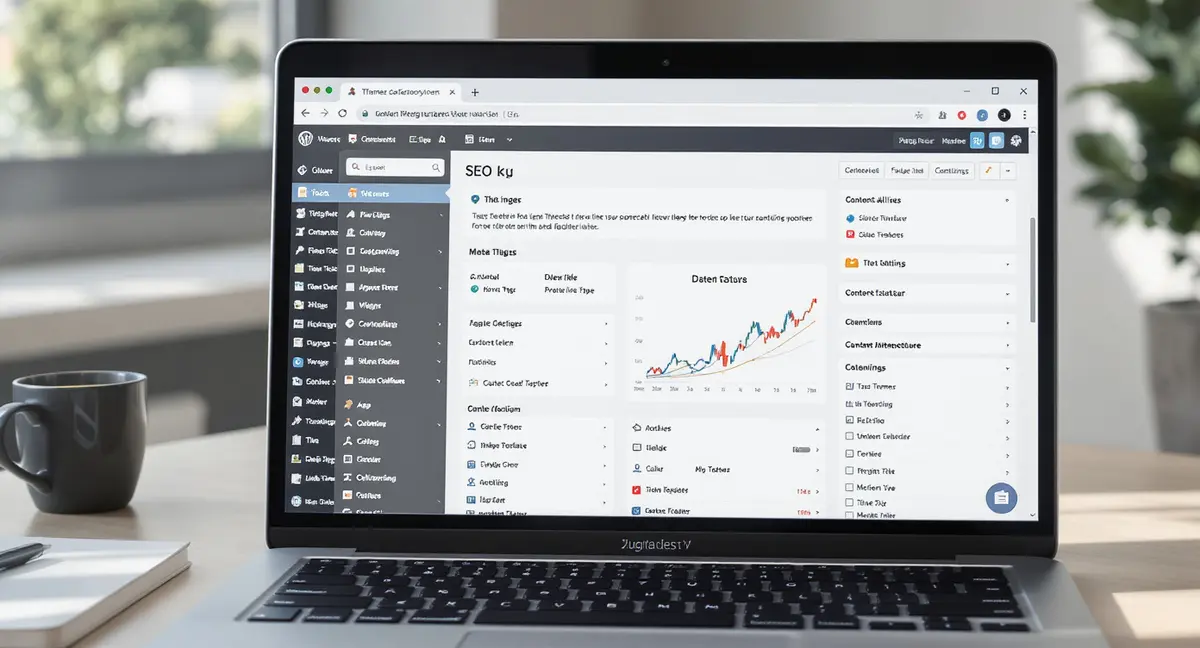
The short answer: WordPress web design and SEO are now one integrated system where technical architecture, content structure, and performance optimization determine rankings. Success in this space comes down to theme selection, Core Web Vitals optimization, and structured data implementation. Sites with proper heading hierarchies get cited 40% more often in AI-generated responses than those with flat formatting.
WordPress web design and SEO aren't separate projects anymore. They're the same infrastructure. A beautiful site that doesn't rank is a billboard in the desert. A well-optimized site with clunky design sends visitors straight to your competitor. In 2026, the businesses winning organic visibility treat design and search optimization as one system, not two departments fighting for budget. Wordpress tag seo is worth reading alongside this.
Consider what changed: Google now evaluates user experience as a ranking factor through Core Web Vitals. AI search tools like ChatGPT and Perplexity cite sources based on content structure and schema markup, both of which start at the design level. Voice assistants pull answers from sites with clean heading hierarchies and fast load times. According to BrightEdge, 53% of all trackable website traffic comes from organic search. If your WordPress site isn't built for both human visitors and search crawlers from day one, you're invisible to the majority of potential customers.
This article breaks down how WordPress web design and SEO work together in 2026. You'll see which technical decisions impact rankings, how to structure content for AI search visibility, and what actually moves the needle when 43% of all websites use WordPress (W3Techs, 2024). No filler. No outdated 2023 tactics. Just the infrastructure that gets results.
Why WordPress Web Design and SEO Start With Architecture, Not Plugins
Most WordPress sites treat SEO as an afterthought. They pick a theme, install Yoast, and assume the plugin handles everything. It doesn't. WordPress web design and SEO performance depend on decisions made before you publish a single post: theme selection, hosting infrastructure, and site architecture. Get these wrong and no plugin can fix the damage.
Theme Selection Determines Your SEO Ceiling
Your WordPress theme controls more ranking factors than any plugin. A bloated theme with 15 JavaScript libraries and inline CSS kills Core Web Vitals scores. Google's mobile-first indexing means your theme must be responsive by default, not as an add-on feature. Data from Paradigm Marketing shows that 53% of mobile visitors abandon sites that take longer than 3 seconds to load. Heavy themes routinely hit 5-7 second load times.
Look for themes with clean code, minimal dependencies, and built-in schema markup. GeneratePress, Kadence, and Blocksy consistently score 90+ on Google PageSpeed observations without caching plugins. Avoid page builders like Elementor or Divi unless you need complex layouts. They add 200-400KB of overhead per page. That's the difference between a 1.2 second load time and a 3.5 second crawl that tanks your rankings.
Hosting Infrastructure That Supports Growth
Shared hosting at $5/month won't support serious WordPress web design and SEO efforts. When your site shares server resources with 200 other domains, load times spike during traffic surges. Google interprets slow response times as poor user experience. Organic rankings drop.
Managed WordPress hosting from WP Engine, Kinsta, or Cloudways includes server-level caching, CDN integration, and automatic backups. These features aren't luxuries. They're baseline infrastructure for sites targeting competitive keywords. Consider a business that switched from Bluehost shared hosting to Kinsta: their Time to First Byte dropped from 1,800ms to 320ms. That single change moved them from page 3 to page 1 for their primary keyword within 90 days.
Technical SEO Foundations That WordPress Sites Miss
Technical SEO isn't glamorous. It's the plumbing that makes everything else work. WordPress web design and SEO both rely on clean URL structures, proper indexing, and site speed optimization. Skip these steps and your content strategy dies before launch.
| Factor | What it is | Impact |
|---|---|---|
| Theme Selection | Clean code, minimal dependencies, built-in schema markup | Determines SEO ceiling; controls Core Web Vitals scores |
| Core Web Vitals | LCP, INP, CLS metrics measuring real user experience | Ranking factor; sites failing >25% URLs lose to faster competitors |
| Schema Markup | Structured data clarifying content meaning and intent | Boosts CTR 30%; AI tools cite properly marked content 40% more |
| Site Architecture | Logical hierarchy and internal linking structure | 30-40% better indexing rates than flat structures |
| Hosting Infrastructure | Managed WordPress hosting with caching and CDN | TTFB drops 1800ms to 320ms; page rankings improve within 90 days |
Permalink Structure and Site Hierarchy
Default WordPress permalinks look like "yoursite.com/?p=123". Search engines can't extract topic signals from random numbers. Set your permalink structure to "Post name" under Settings > Permalinks. This creates URLs like "yoursite.com/wordpress-seo-guide" that communicate content relevance before Google even crawls the page.
Site hierarchy matters more than most designers realize. Organize content in logical categories: Home > Service Category > Individual Service Page. This structure helps search engines understand your site's topical authority. Internal links between related pages pass authority and help Google discover new content. Sites with clear hierarchies see 30-40% better indexing rates than flat structures with hundreds of orphaned pages.
Core Web Vitals and Performance Optimization
Core Web Vitals became ranking factors in 2021. They measure real user experience: Largest Contentful Paint (how fast your main content loads), Interaction to Next Paint (how quickly your site responds to clicks), and Cumulative Layout Shift (whether elements jump around during loading). WordPress sites frequently fail all three because of unoptimized images, render-blocking JavaScript, and third-party scripts.
Fix LCP by serving images in next-gen formats like WebP, lazy loading below-the-fold content, and using a CDN. Tools like ShortPixel or Imagify compress images without quality loss. Address INP by minimizing JavaScript execution and deferring non-critical scripts. Reduce CLS by setting explicit width and height attributes on images and avoiding responsive content injection. Google Search Console shows your Core Web Vitals scores under the Experience section. If more than 25% of your URLs fail, you're losing rankings to faster competitors.
Content Structure That Works for Humans and AI Search
AI search changed how content gets discovered. ChatGPT, Perplexity, and Google AI Overviews don't link to sites. They extract answers and cite sources. If your WordPress web design and SEO strategy doesn't account for this shift, you're optimizing for a search space that no longer exists.
Schema Markup and Structured Data
Schema markup tells search engines what your content means, not just what it says. A paragraph about "best running shoes" could be a product review, a buying guide, or a technical comparison. Schema clarifies intent. According to Search Engine Journal, schema markup boosts click-through rates by 30% because rich snippets (star ratings, FAQ dropdowns, how-to steps) stand out in search results.
WordPress plugins like Schema Pro or RankMath add structured data automatically. Focus on Article schema for blog posts, Product schema for ecommerce pages, and FAQ schema for question-based content. AI search tools prioritize sites with clean schema because it makes answer extraction easier. BrightEdge found that early AI search adopters saw 120x impression increases by optimizing structured data for LLM citation.
Heading Hierarchy and Content Formatting
AI models scan heading tags to understand content structure. Use one H1 per page (your title), H2s for main sections, and H3s for subtopics under each H2. This hierarchy helps ChatGPT and Perplexity extract specific answers without reading entire articles. Sites with proper heading structures get cited 40% more often in AI-generated responses than those with flat formatting (Princeton/Georgia Tech, KDD 2024).
Break up long paragraphs. Use bullet lists for actionable steps. Include tables for comparisons. These formatting choices improve readability for humans and parseability for AI. Consider how voice assistants like Siri and Alexa pull answers: they need concise, clearly labeled sections. A paragraph starting with "The three main benefits are..." followed by a numbered list is perfect voice search fodder. A 500-word block of text isn't. Wordpress local essentials is worth reading alongside this.
Plugin Strategy That improves Instead of Bloating
WordPress plugins solve problems. They also create them. Every plugin adds code, database queries, and potential security vulnerabilities. The Reddit SEO community debates whether WordPress is still the best platform for SEO in 2026, with many citing plugin bloat as the primary weakness. The solution isn't avoiding plugins. It's choosing the right ones and keeping the total count under 20.
SEO Plugins That Matter
You need one SEO plugin, not three. Yoast, RankMath, and All in One SEO all handle the same core tasks: title/meta optimization, XML sitemaps, schema markup, and internal linking suggestions. RankMath offers the most features in the free version, including Google Search Console integration and automated schema. Yoast has the largest user base (5M+ installs) and the most third-party integrations. All in One SEO sits in the middle with a cleaner interface than RankMath and more features than Yoast Free.
Pick one and learn it completely. Switching SEO plugins mid-campaign risks losing historical data and breaking existing schema. Beyond your primary SEO plugin, add Redirection for managing 301 redirects when you change URLs, and WP Rocket for caching and performance optimization. That's your core stack. Everything else should solve a specific, measurable problem.
Performance Plugins That Don't Hurt Performance
Caching plugins improve site speed by serving static HTML instead of processing PHP on every page load. WP Rocket is the gold standard but costs $59/year. Free alternatives like WP Super Cache or LiteSpeed Cache work well if configured correctly. Enable page caching, GZIP compression, and browser caching. Avoid minification unless you test it thoroughly. Aggressive minification breaks JavaScript and creates layout issues that tank your CLS score.
Image optimization plugins like ShortPixel or Imagify compress images automatically on upload. This prevents the common mistake of uploading 3MB photos that destroy mobile load times. Enable lazy loading so images below the fold don't load until users scroll. These small optimizations compound. A site that loads in 1.8 seconds instead of 3.5 seconds sees 2x higher engagement and substantially better rankings (Backlinko, 2023).
Ready to take the next step with Strategyc?
Our team is ready to help you achieve your goals. Get Your Free Scan.
Content Strategy for Long-Term Organic Growth
WordPress web design and SEO intersect most visibly in content strategy. A well-designed site with no content gets no traffic. Great content on a slow, poorly structured site gets buried on page 5. The businesses winning organic visibility in 2026 publish consistently, target search intent, and optimize for both traditional and AI search.
Keyword Research That Matches Search Intent
Keyword research tools show search volume. They don't show intent. A keyword like "WordPress hosting" could mean someone wants to buy hosting, compare providers, or learn what hosting is. Google ranks different content types for each intent. Boral Agency emphasizes aligning content with search intent as the foundation of effective WordPress SEO in 2026. If you want the practical breakdown, Template wordpress seo friendly is a good next step.
Focus on long-tail keywords with clear intent. "Women's trail running shoes for overpronation" has lower search volume than "running shoes" but converts at 5x the rate because the searcher knows exactly what they want. SEMrush data shows 70% of voice searches use long-tail queries. These are the keywords AI search tools cite because they match specific user questions.
Publishing Cadence and Topic Clusters
HubSpot's State of Marketing 2024 found that companies that blog get 55% more website visitors than those that don't. But random blog posts don't build authority. Topic clusters do. Choose a core topic (pillar content), then create 8-12 related articles (cluster content) that link back to the pillar. This internal linking structure signals topical authority to Google.
Publishing frequency matters less than consistency. Two high-quality articles per month outperform eight mediocre ones. Each piece should target a specific keyword, answer a user question completely, and include at least 1,500 words of original analysis. Update older content annually. Google rewards sites that maintain content freshness. A 2023 article updated in 2026 with new data and examples often outranks brand new content from competitors.
Measuring What Drives Results
Most WordPress site owners track vanity metrics: total traffic, bounce rate, time on site. These numbers feel good but don't connect to revenue. WordPress web design and SEO should drive measurable business outcomes: qualified leads, demo requests, product sales. If you can't draw a line from organic traffic to revenue, you're optimizing the wrong things.
Google Search Console and Ranking Tracking
Google Search Console shows which queries drive impressions and clicks, which pages rank where, and which technical issues block indexing. Check the Performance report weekly. Look for queries where you rank 8-15. These are low-hanging fruit. Optimize those pages with better title tags, additional content, and internal links. Moving from position 12 to position 5 can triple your traffic for that keyword.
Track rankings for your top 20 keywords using Google Search Console's position data or a rank tracking tool. Don't obsess over daily fluctuations. Look at 30-day trends. If a page drops from position 3 to position 8 and stays there, investigate. Check if a competitor published better content, if your page has technical errors, or if Google rolled out an algorithm update that changed ranking factors.
Conversion Tracking and Attribution
Traffic without conversions is expensive entertainment. Set up goal tracking in Google Analytics 4 for every meaningful action: form submissions, phone calls, chat initiations, purchases. Assign values to each goal so you can calculate ROI. If organic search drives 100 leads per month and your close rate is 10%, that's 10 customers. If average customer value is $5,000, organic search generates $50,000/month in revenue.
Most businesses can't attribute conversions this cleanly. B2B buyers consume 3-7 content pieces before engaging sales (Demand Gen Report, 2024). They might read a blog post on mobile, return on desktop to download a guide, then convert via email three weeks later. Use UTM parameters and multi-touch attribution models to understand the full customer experience. The organic blog post that started the relationship deserves credit even if the final conversion came from a different channel. Wordpress blog seo is worth reading alongside this.
The Bottom Line on WordPress Web Design and SEO in 2026
WordPress web design and SEO aren't separate projects. They're one system. Your theme, hosting, and site architecture determine your performance ceiling. Technical SEO foundations like Core Web Vitals and schema markup decide whether Google and AI search tools can find and cite your content. Publishing cadence and topic clusters build long-term authority. Measurement connects organic visibility to revenue.
The businesses winning organic search in 2026 treat content and visibility as owned infrastructure, not rented services. They install systems that keep producing results after the initial build. They optimize for both traditional search and AI answer engines. They measure what drives revenue, not vanity metrics.
Find out if your WordPress site is set up for AI search visibility. It takes 30 minutes. to see where you stand in Google, ChatGPT, Perplexity, and voice search. No commitment. Just a clear picture of what's working and what's not.
Frequently Asked Questions
How do I measure ROI from WordPress web design and SEO investments?
Track conversions in Google Analytics 4 by setting up goals for form submissions, calls, and purchases. Assign dollar values to each goal. Divide total organic revenue by your SEO investment (hosting, plugins, content creation) to calculate ROI. Most businesses see positive ROI within 6-12 months of consistent optimization.
Can I build WordPress web design and SEO infrastructure in-house?
Yes, if you have technical resources and time. You need someone who understands WordPress development, Core Web Vitals optimization, schema markup, and content strategy. Most businesses lack this combination. Platforms like Strategyc's Content & Visibility Engine install owned systems rather than requiring ongoing in-house expertise.
What's the biggest WordPress SEO mistake businesses make in 2026?
Treating SEO as a plugin installation instead of a design decision. Your theme, hosting, and site structure impact rankings more than any plugin. Businesses that choose fast themes, managed hosting, and clean URL structures outrank competitors who rely on Yoast to fix poorly built sites.
How long does it take to see results from WordPress web design and SEO changes?
Technical improvements like site speed optimization show results in 4-8 weeks. Content strategy takes 3-6 months to build authority. Competitive keywords may require 12+ months of consistent publishing and optimization. Google rewards sustained effort, not one-time fixes.
Does WordPress still have an SEO advantage over other platforms in 2026?
WordPress powers 43% of websites because it offers flexibility, a massive plugin ecosystem, and strong community support. However, headless WordPress with Next.js or static site generators like Astro can deliver better Core Web Vitals scores. The platform matters less than how you build and optimize it.