Wordpress Local SEO Plugin: 7 Features That Drive Foot Traffic in 2026
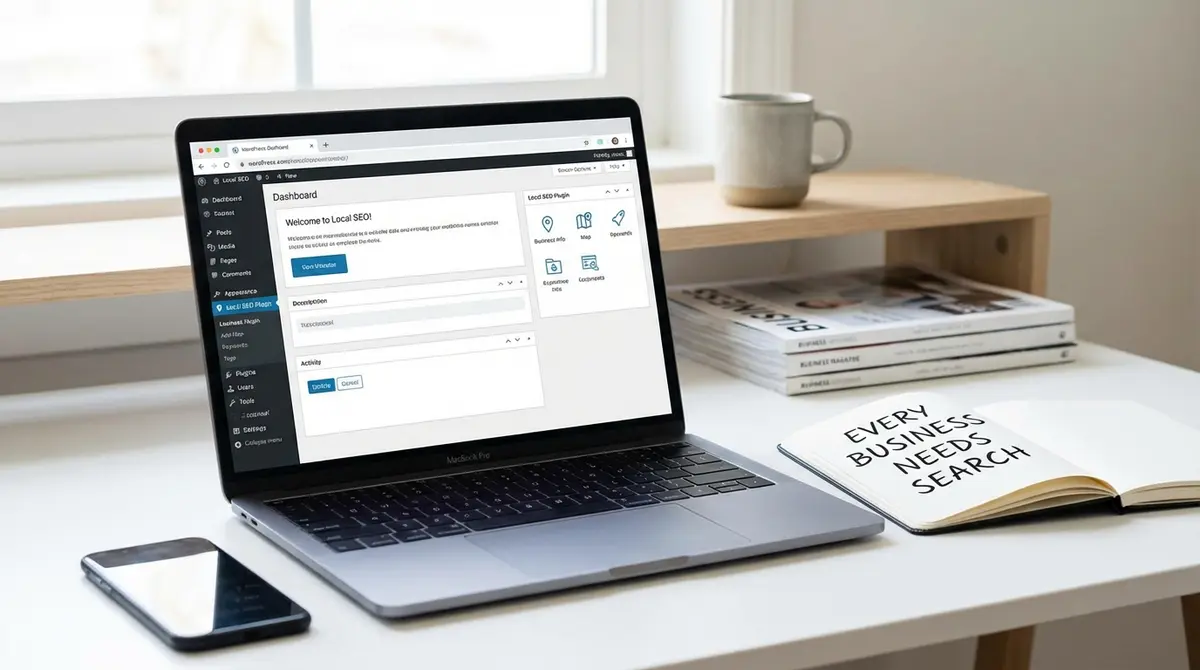
The short answer: A WordPress local SEO plugin automates schema markup, NAP consistency, and location signals that determine whether your business appears in local search results. WordPress local SEO plugins output structured data that Google, AI models, and voice assistants need to recommend your business, eliminating manual coding and syntax errors. Success in this space comes down to schema automation, NAP management, and Google Business Profile integration. 76% of people who search for something nearby visit a business within a day, according to Google.
A WordPress local SEO plugin determines whether your business appears when customers search for services in your area. 76% of people who search for something nearby visit a business within a day, according to Google. If your site lacks the structured data, schema markup, and location signals that Google and AI search platforms prioritize, you're invisible to that traffic. The right WordPress local SEO plugin builds those signals into your site automatically.
Most business owners install a plugin, toggle a few settings, and assume they're done. Then they wonder why competitors with worse websites rank higher. Local SEO in 2026 isn't about installing software. It's about feeding Google Business Profile data, AI search engines like ChatGPT and Perplexity, and voice assistants the exact location signals they need to recommend your business. This article breaks down which WordPress local SEO plugin features actually move the needle, which ones waste your time, and how to configure them for maximum visibility without technical expertise.
Why Every Local Business Needs a WordPress Local SEO Plugin in 2026
Local search has fundamentally changed. Google's local pack now appears in 46% of all searches, and those three map listings capture the majority of clicks. If you're not in that pack, you're competing for scraps. A WordPress local SEO plugin automates the technical work required to compete: schema markup that tells Google exactly what you do and where you do it, NAP consistency across every page, and structured data that AI models can extract and cite.
How AI Search Changed Local Visibility Requirements
AI Overviews now trigger in 50% of Google queries, causing a 61% drop in traditional organic click-through rates according to DemandSage 2025. When someone asks ChatGPT or Perplexity "best plumber near me," the AI cites 3-5 businesses. Those citations come from sites with clean structured data and location-specific content. A WordPress local SEO plugin that outputs LocalBusiness schema in JSON-LD format gives AI models the exact data structure they need to understand and recommend your business. Without it, you don't exist in AI search results.
Voice search compounds the problem. Siri, Alexa, and Google Assistant pull answers from the same structured data pools. When someone asks their phone for a nearby service, the device reads schema markup to determine which businesses match the query. Sites without proper schema get skipped entirely. The technical barrier isn't high, but it's absolute. Either your WordPress local SEO plugin outputs the right code, or you're invisible to voice and AI search.
The Hidden Cost of Manual Local SEO
Manually adding schema to every service page, location page, and blog post takes hours per page. One syntax error breaks the entire implementation. Google Search Console shows the error weeks later, after you've already lost rankings. A WordPress local SEO plugin automates schema generation, validates the code on every publish, and updates dynamically when you change business hours or add locations.
Consider a business with five service areas. That's five location pages, each requiring LocalBusiness schema, GeoCoordinates markup, address formatting, and service area definitions. Manual implementation means copying code, replacing variables, and hoping you didn't miss a comma. The right WordPress local SEO plugin generates all five schemas from a single settings panel. When Google updates schema requirements (which happens twice a year), the plugin updates automatically. Manual implementations require a developer and a budget.
Core Features That Separate Effective WordPress Local SEO Plugins from Bloatware
Plugin directories list hundreds of WordPress local SEO plugin options. Most add database overhead and slow your site without improving rankings. The features that actually matter fall into three categories: schema automation, NAP management, and Google Business Profile integration. Everything else is feature bloat designed to justify premium pricing.
| Factor | What it is | Impact |
|---|---|---|
| Schema Automation | Automatic LocalBusiness and multi-type schema generation without manual coding | Feeds Google, AI models, and voice search with correct data structure |
| NAP Consistency | Centralized Name, Address, Phone storage with site-wide injection via shortcodes | Signals business trustworthiness to Google, improves local rankings |
| Google Business Profile Integration | Direct connection syncing business hours, photos, and updates to GBP | Ensures local pack visibility and accurate business information |
| Multi-Location Support | Separate schema and pages for each business location or service area | Allows ranking in multiple markets from single WordPress site |
Schema Markup That Google and AI Models Use
LocalBusiness schema is the foundation. It tells search engines your business name, address, phone number, hours, and service areas in a machine-readable format. A functional WordPress local SEO plugin outputs this schema on every relevant page without manual configuration. The best plugins support 20+ schema types: LocalBusiness, Service, Product, Event, Review, FAQ. Each type feeds different search features. Product schema powers Google Shopping results. FAQ schema feeds voice search answers. Review schema displays star ratings in search results. If you want the practical breakdown, Wordpress tag is a good next step.
Automatic schema generation matters more than customization options. Plugins like Rank Math Pro and AIOSEO generate schema based on your content automatically. When you publish a service page, the plugin detects the page type and adds Service schema. When you add a review, it appends Review schema. Manual schema builders require technical knowledge most business owners don't have. Automation ensures every page has the right markup from day one.
NAP Consistency Across Your Entire Site
NAP stands for Name, Address, Phone Number. Google uses NAP consistency as a trust signal. If your contact information varies across pages, Google assumes your data is unreliable and ranks you lower. A WordPress local SEO plugin should store NAP data in one location and inject it site-wide via shortcodes or responsive blocks. Change your phone number once in the plugin settings, and it updates everywhere automatically.
This feature prevents the most common local SEO mistake: inconsistent contact information. Business owners update their address on the contact page but forget the footer, the about page, and three service pages. Google sees four different addresses and flags the site as untrustworthy. Plugins that centralize NAP data eliminate this risk entirely. AIOSEO and Yoast Local SEO both offer NAP management with shortcode insertion. Free plugins like WP Local SEO provide basic NAP storage but require manual insertion on each page.
Comparing Top WordPress Local SEO Plugin Options for 2026
The WordPress local SEO plugin market splits into three tiers: all-in-one SEO suites with local modules, dedicated local SEO plugins, and free basic options. Each serves different business needs and budgets. All-in-one plugins like AIOSEO and Rank Math Pro bundle local features with technical SEO, content optimization, and analytics. Dedicated plugins like Yoast Local SEO focus exclusively on location-based optimization. Free options handle basic schema but lack automation and support.
All-in-One SEO Plugins with Local Modules
AIOSEO Local Pack costs $49.50 per year and includes LocalBusiness schema, multi-location support, and WooCommerce integration. The plugin runs on 3 million+ sites according to AIOSEO's 2026 data. It generates schema automatically based on page content, supports unlimited locations, and integrates with Google Maps for embedded store locators. The TruSEO score feature analyzes each page for local SEO factors and suggests improvements. AIOSEO's AI meta generator creates location-specific title tags and descriptions automatically, saving hours of manual optimization.
Rank Math Pro offers a local SEO module for $7.99 per month billed annually. It includes schema markup for 20+ types, redirect management, and 404 monitoring. Rank Math's local module supports multiple business locations with separate schema for each. The plugin earned a 4.9 out of 5 rating on G2 from 15+ reviews in 2026. It edges out competitors with built-in redirect tools and keyword tracking, features most WordPress local SEO plugin options charge extra for. The interface is more technical than AIOSEO, making it better suited for users comfortable with SEO terminology.
Dedicated Local SEO Plugins
Yoast Local SEO is an add-on to Yoast SEO Premium, bringing the total cost to $99 per year. It has 100,000+ active installs according to WordPress.org 2026 data. The plugin excels at multi-location businesses with separate pages for each location, automatic schema generation per location, and store locator functionality. Yoast's interface is less intuitive than competitors, requiring multiple settings screens to configure basic features. The premium pricing makes sense for businesses already using Yoast SEO Premium, but starting from scratch makes AIOSEO or Rank Math more cost-effective. Wordpress seo essentials is worth reading alongside this.
WP Local SEO is a free WordPress local SEO plugin with 10,000+ downloads. It provides basic LocalBusiness schema and NAP shortcodes but lacks automation, multi-location support, and advanced schema types. Free plugins work for single-location businesses with simple needs, but they require manual configuration and don't update when Google changes schema requirements. Consider free options a starting point, not a long-term solution.
Setting Up Your WordPress Local SEO Plugin for Maximum Visibility
Installing a WordPress local SEO plugin takes five minutes. Configuring it correctly takes an hour. Most businesses skip critical settings, then wonder why their rankings don't improve. The setup process follows a specific sequence: schema configuration, NAP consistency, Google Business Profile connection, and location page optimization. Skip a step and you're building on a broken foundation.
Schema Configuration That Feeds Google and AI Search
Start with LocalBusiness schema. Enter your business name, address, phone number, business hours, and service areas in the plugin's schema settings. Most WordPress local SEO plugin options have a dedicated schema panel. AIOSEO calls it "Local SEO," Rank Math labels it "Local Business," and Yoast buries it under "Yoast SEO Local." The specific location doesn't matter as long as you fill every field accurately. Incomplete schema is worse than no schema because it signals to Google that your data is unreliable.
Add service area definitions if you serve multiple locations. Service area schema tells Google where you operate, even if you don't have a physical storefront in each area. A plumber based in Austin who serves Round Rock and Georgetown needs service area schema listing all three cities. Without it, Google only shows the business for Austin searches. The schema markup looks like this: serviceArea includes GeoCircle or City definitions for each location you serve.
Connecting Your Google Business Profile to Your WordPress Local SEO Plugin
Google Business Profile data must match your website data exactly. Mismatches between your GBP address and your website schema confuse Google and hurt rankings. Some WordPress local SEO plugin options like AIOSEO pull GBP data automatically via API connection. Others require manual entry. Manual entry introduces error risk. If your GBP says "123 Main St" and your plugin says "123 Main Street," Google sees two different addresses.
Verify your NAP data matches across four locations: your website schema, your Google Business Profile, your website footer, and your contact page. Use the exact same formatting everywhere. If GBP abbreviates "Street" as "St," your website should too. If GBP spells out "Suite 100," don't abbreviate it to "Ste 100" on your site. This level of consistency signals authority to Google. Inconsistency signals carelessness.
Ready to take the next step with Strategyc?
Our team is ready to help you achieve your goals. Get Your Free Scan.
Advanced WordPress Local SEO Plugin Features That Drive Competitive Advantage
Basic schema and NAP consistency get you in the game. Advanced features give you an edge over competitors using the same WordPress local SEO plugin. Multi-location schema, WooCommerce integration, and AI-powered optimization separate businesses that dominate local search from those that barely rank. If you want the practical breakdown, Local business seo is a good next step.
Multi-Location Schema for Businesses with Multiple Service Areas
Businesses serving multiple cities need separate schema for each location. A single LocalBusiness schema only helps you rank in one area. Multi-location schema creates distinct business entities for each service area, each with its own address, phone number, and service area definition. AIOSEO and Rank Math Pro both support unlimited locations with automated schema generation. Yoast Local SEO charges per location after the first five.
Each location needs its own landing page with unique content. Duplicate content across location pages kills rankings. A typical scenario: a home services company operates in Dallas, Fort Worth, and Arlington. The WordPress local SEO plugin generates three separate LocalBusiness schemas, one per city. Each location page includes the city name in the H1, unique service descriptions relevant to that area, and testimonials from customers in that city. The schema markup tells Google these are three related but distinct business entities, not duplicate content.
WooCommerce Integration for Local Ecommerce
Local businesses selling products online need Product schema in addition to LocalBusiness schema. Product schema displays prices, availability, and reviews in search results. AIOSEO's WooCommerce integration generates Product schema automatically for every product page. The schema includes SKU, price, availability status, and review aggregates. This markup powers Google Shopping results and rich snippets in organic search.
Store locator functionality matters for businesses with physical retail locations. AIOSEO and Yoast Local SEO both include store locator widgets that embed Google Maps with all your locations marked. Customers can search by ZIP code to find the nearest location. The locator pulls data from your multi-location schema, ensuring consistency between the map and your structured data. This feature converts online searches into foot traffic, the ultimate goal of local SEO.
Performance and AI Optimization in Modern WordPress Local SEO Plugins
A WordPress local SEO plugin that slows your site hurts more than it helps. Page speed is a confirmed ranking factor. Plugins that add excessive database queries or load unnecessary scripts increase load time and push you down search results. The best plugins optimize for performance while maximizing functionality.
Lightweight Code That Doesn't Slow Your Site
SEOPress and The SEO Framework are known for minimal performance impact. They load only essential scripts and avoid bloated features. SEOPress costs $49 per year for a single site and includes local SEO features, schema markup, and redirects. It earned a 4.6 out of 5 rating on Capterra from 8+ reviews in 2026. The plugin's codebase is smaller than AIOSEO or Rank Math, resulting in faster page loads. For businesses prioritizing speed, SEOPress offers the best balance of features and performance.
Measure plugin impact using Google PageSpeed observations or GTmetrix. Test your site speed before and after installing a WordPress local SEO plugin. If load time increases by more than 0.3 seconds, the plugin is too heavy. Deactivate resource-intensive features you don't need. AIOSEO's AI meta generator and Rank Math's content analysis tools consume server resources. If you're not using them, disable them in the plugin settings.
AI-Powered Features That Improve Rankings in 2026
AI tools built into WordPress local SEO plugin options automate tasks that previously required manual optimization. AIOSEO's AI meta generator creates location-specific title tags and meta descriptions based on your content. Rank Math's keyword tracking monitors your rankings for local search terms and alerts you to drops. DefiniteSEO's AI content audits analyze your pages for local SEO factors and suggest improvements. Template wordpress seo is worth reading alongside this.
These features deliver measurable results according to WisdomLabs 2026 reviews. Businesses using AI-powered optimization see faster ranking improvements than those relying on manual configuration. The AI identifies optimization opportunities humans miss: keyword variations, schema enhancements, and content gaps. However, AI features increase plugin overhead. Enable them only if you'll use the recommendations. Unused features waste server resources and slow your site.
The Bottom Line on Choosing a WordPress Local SEO Plugin
The right WordPress local SEO plugin depends on your business model and technical comfort level. Single-location businesses with basic needs can start with free options like WP Local SEO. Multi-location businesses need AIOSEO or Rank Math Pro for unlimited location schema and automation. Businesses already using Yoast SEO Premium should add Yoast Local SEO for effortless integration. Prioritize schema automation, NAP consistency, and performance over feature lists.
Local SEO isn't a one-time setup. Google updates schema requirements twice a year. AI search platforms change citation algorithms constantly. Your WordPress local SEO plugin needs active development and regular updates. Check the plugin's last update date before installing. Plugins abandoned for six months or longer won't support current schema standards. Outdated schema means lost rankings.
Stop paying monthly retainers for work a plugin can automate. The Content & Visibility Engine at Strategyc installs a complete content and visibility system you own permanently, including local SEO infrastructure optimized for Google, AI search, and voice. Book a to see how your business currently appears in local search and where you're losing customers to competitors.
Frequently Asked Questions About WordPress Local SEO Plugins
Does AIOSEO include local SEO features in the free version?
No, AIOSEO's local SEO features require the Pro plan at $49.50 per year. The free version includes basic schema markup but lacks multi-location support, NAP management, and WooCommerce integration. Businesses needing complete local optimization must upgrade to access the Local Pack features.
Can I run multiple WordPress local SEO plugins at the same time?
Running multiple SEO plugins simultaneously causes conflicts and duplicate schema markup. Google penalizes sites with conflicting structured data. Choose one WordPress local SEO plugin and deactivate all others. If you need features from multiple plugins, select an all-in-one option like AIOSEO or Rank Math Pro.
How long does it take to see ranking improvements after installing a WordPress local SEO plugin?
Most businesses see initial ranking changes within 4-6 weeks after proper plugin configuration. large improvements typically appear within 3-6 months as Google indexes your schema markup and validates your NAP consistency. Results depend on competition level and content quality, not just the plugin.
What does it take to own my local visibility infrastructure instead of renting it?
Owning your visibility infrastructure requires installed content systems, not monthly agency retainers. A WordPress local SEO plugin handles technical optimization, but you need a content engine producing location-specific articles that establish topical authority. Build the publishing system once, own the results permanently. Agencies stop working when you stop paying.
Will a WordPress local SEO plugin help me rank in AI search results like ChatGPT and Perplexity?
Yes, if the plugin outputs clean LocalBusiness schema and structured data. AI models extract business information from schema markup to answer local search queries. Plugins like AIOSEO and Rank Math Pro generate the exact data structure AI systems need to cite your business in search results and voice answers.