Wordpress Slug SEO: How to Build Urls That Rank in Google and AI Search
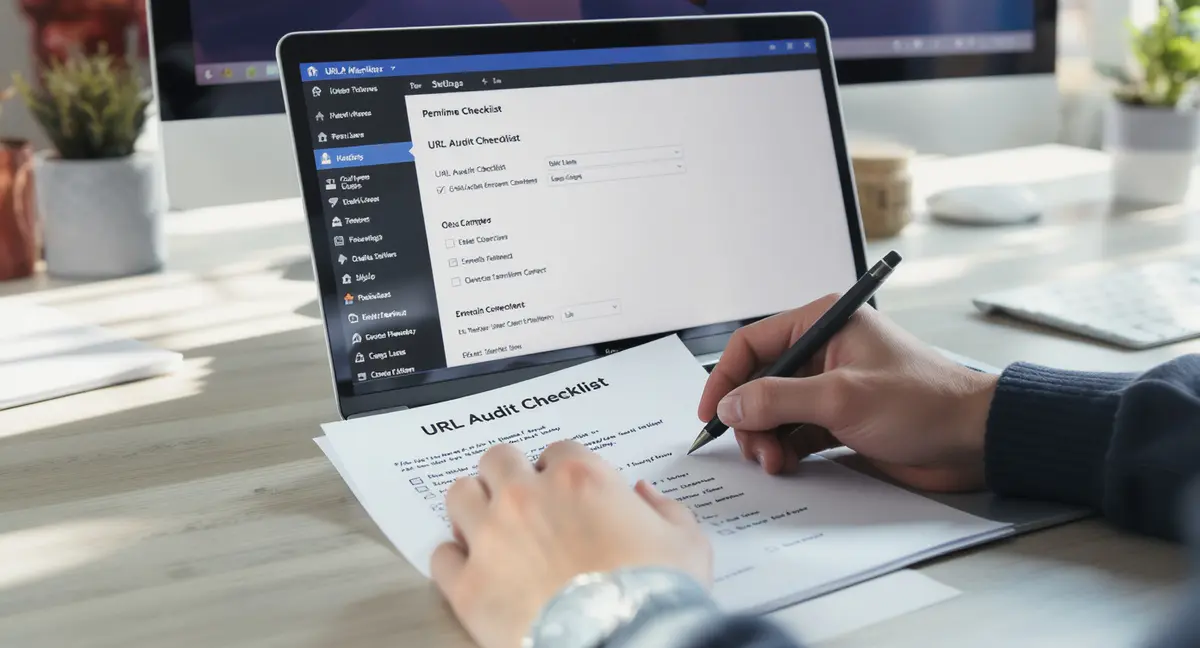
Your WordPress slug SEO strategy determines whether search engines understand your content or ignore it. The slug, that final piece of your URL after the domain, tells Google, ChatGPT, and Perplexity exactly what your page covers. Get it wrong, and you're invisible. Get it right, and you own a permanent ranking asset. If you're serious about being cited when AI answers questions in your niche, AI search optimization requires more than clean slugs alone.
Most WordPress sites waste this opportunity. They publish with auto-generated slugs full of stop words, dates, and clutter. Search engines can't extract clear signals. Users see messy URLs and don't click. The fix isn't complicated, but it requires knowing what actually moves the needle in 2026.
This guide shows you how to optimize slug SEO WordPress settings for maximum visibility. You'll learn the exact character limits that perform best, how to structure slugs for AI search extraction, and when changing a slug requires a redirect. By the end, you'll have a repeatable system for creating URLs that rank and convert.
What WordPress Slugs Actually Do for SEO
A WordPress slug is the URL segment that identifies a specific post or page. If your domain is example.com, the slug for example.com/wordpress-slug-guide is "wordpress-slug-guide." It's editable, permanent, and one of the first signals search engines use to categorize your content.
Slugs matter because Google's algorithm reads them as topical indicators. According to Search Engine Journal, URLs are a confirmed ranking factor, not the strongest, but meaningful enough that poor slug structure costs you positions. When your slug matches user intent and includes your target keyword, you're telling both humans and algorithms what the page delivers.
How Search Engines Read WordPress Slugs
Google's crawlers parse URLs before they parse content. A clean slug gives the algorithm an immediate context clue. Research from Backlinko shows that shorter URLs, those under 60 characters, rank better than longer ones. The reason? Clarity. A slug like "seo-tips" is instantly interpretable. A slug like "2024-03-15-some-thoughts-on-seo-tips-and-tricks" is noise.
AI search systems like ChatGPT and Perplexity also extract URL structure when deciding which sources to cite. If your slug is descriptive and keyword-focused, AI models can match it to user queries faster. That's why slug SEO WordPress optimization isn't just about Google anymore, it's about being the source AI systems reference when answering questions in your niche.
The Connection Between Slugs and Click-Through Rate
Users judge URLs before they click. A 2024 study from Aira found that clean, readable URLs increase CTR by up to 25% compared to parameter-heavy or generic slugs. When your slug clearly describes the content, it builds trust. When it's a string of numbers or auto-generated text, users assume the page is low-quality or spam.
Your slug appears in search results, social shares, and browser bars. It's a micro-conversion point. If someone sees example.com/p=12345, they hesitate. If they see example.com/wordpress-slug-seo, they know exactly what they're getting. That clarity compounds over thousands of impressions.
Setting Up Slug SEO WordPress Permalink Structure
WordPress defaults to a "Day and name" permalink structure that includes the publication date in every URL. That's a mistake. Date-based slugs age your content visually and add unnecessary characters. The fix is switching to "Post name" structure before you publish anything. Slug optimization is one piece of a larger system, and AI SEO WordPress strategies show you how to connect slugs, content structure, and internal linking into a visibility engine that compounds over time.
Go to Settings > Permalinks in your WordPress dashboard. Select "Post name." Save changes. Every new post and page will now use a clean slug without dates or category prefixes. If you're changing this on an existing site, you'll need to set up 301 redirects from old URLs to new ones, more on that in a moment.
Why Post Name Structure Wins for SEO
Post name structure keeps your URLs short and keyword-focused. According to data from Moz, URLs with fewer than 50 characters perform better in organic search than those over 100 characters. When your slug is just the target keyword or a close variation, you're maximizing signal density without dilution.
This structure also future-proofs your site. If you update an article in 2027, the URL doesn't betray its original 2024 publish date. Evergreen content stays evergreen. Users and search engines see a timeless resource, not an outdated post.
Avoiding Common Permalink Mistakes
Don't use category-based permalinks unless your site architecture demands it. A URL like example.com/category/subcategory/post-title is harder to share, harder to remember, and wastes characters on non-keyword elements. Keep it flat. One domain, one slug.
Also avoid custom structures that include author names, post IDs, or other variables. These add complexity without SEO benefit. The simpler your permalink structure, the easier it is to manage redirects, track performance, and optimize for slug SEO WordPress best practices.
Optimizing Individual Slugs for Maximum Visibility
Every time you publish in WordPress, the platform auto-generates a slug from your post title. That's rarely optimal. Auto-generated slugs include stop words like "the," "and," "of," and "in." They're often too long. Your job is to manually edit the slug before hitting publish.
The ideal slug is 3-5 words, 30-50 characters, and includes your primary keyword. For a post targeting "WordPress SEO tips," the slug should be "wordpress-seo-tips", not "the-ultimate-guide-to-wordpress-seo-tips-for-beginners." Strip everything that doesn't add topical clarity.
Keyword Placement and Density in Slugs
Your slug should contain your exact target keyword or a close variation. If you're targeting "slug SEO WordPress," your slug should be "slug-seo-wordpress" or "wordpress-slug-seo." Don't stuff multiple keywords into one slug. That dilutes focus and makes the URL harder to read.
Research from marketing automation platform shows that URLs matching the primary keyword rank 1.5x more often in the top 10 than URLs that don't. The slug is one of the few places where exact-match keyword use still provides a measurable lift. Use it.
Readability and User Intent
A good slug answers the question: "What will I get if I click this?" If your post explains how to optimize WordPress slugs, "optimize-wordpress-slugs" is better than "wp-slug-optimization-2026." The first is conversational. The second is jargon.
Think about voice search. When someone asks Siri or Alexa a question, the answer often comes from a page whose slug matches the query structure. If your slug reads like a natural phrase, you're more likely to be cited. That's why slug SEO WordPress optimization now includes AI search and voice search considerations, not just traditional Google rankings. Once your slug structure is locked in, the next step is optimizing the rest of your page elements, and WordPress page SEO walks through the exact sequence that delivers rankings without ongoing retainer costs.
When and How to Change WordPress Slugs Safely
Changing a slug after publication breaks the URL. If you've built backlinks, social shares, or internal links to the old URL, they all 404 unless you redirect them. That's why the rule is: get the slug right before you publish. But if you must change it, here's how to do it without losing rankings.
First, note the old slug. Then edit the post, change the slug in the permalink editor, and save. Immediately set up a 301 redirect from the old URL to the new one. A 301 tells search engines "this page moved permanently" and transfers most of the ranking authority from the old URL to the new one.
Using Redirection Plugins to Preserve SEO Value
The Redirection plugin (free in the WordPress repository) is the standard tool for managing 301 redirects. Install it, go to Tools > Redirection, and add a redirect from your old slug to your new slug. Test the old URL in an incognito browser to confirm it redirects correctly.
According to Google's John Mueller, 301 redirects pass nearly 100% of ranking signals to the new URL. There's minimal SEO loss if the redirect is set up immediately. The risk comes when you change slugs without redirecting, then you lose all the authority the old URL built, and users hit 404 errors.
Bulk Slug Changes and Site Migrations
If you're changing permalink structure site-wide or migrating to a new domain, you'll need a redirect map. Export your old URLs, generate the new ones, and create a CSV of old-to-new pairs. Use a plugin like Safe Redirect Manager or Redirection's bulk import feature to upload the map.
Test a sample of redirects before going live. Check high-traffic pages first. Monitor Google Search Console for 404 errors in the weeks after the change. If errors spike, you've missed redirects. Fix them immediately. Slug changes are safe when managed systematically. They're catastrophic when done carelessly.
Want to see where your current URL structure stands? Book a 30-Minute Content & Visibility Scan to assess how your slugs, content, and site architecture perform in Google, AI search, and voice search. You'll leave with a clear picture of what's working and what needs fixing.
See How Your Business Shows Up in AI Search
Get a free AI visibility scan. See exactly where you rank on ChatGPT, Perplexity, and Google AI, and what to do about it. Get Your Free Scan.
Advanced Slug SEO WordPress Tactics for 2026
Basic slug optimization, short, keyword-focused, readable, gets you 80% of the way. The final 20% comes from aligning slugs with site architecture, internal linking, and AI search extraction. These tactics separate sites that rank from sites that dominate. If you're stuck on implementation or need a second opinion on your current setup, WordPress SEO help covers the seven most common fixes that actually move organic traffic in 2026.
Start by auditing your existing slugs. Export your sitemap or use Google Search Console to pull a list of indexed URLs. Look for patterns: slugs over 60 characters, slugs with stop words, slugs that don't match the target keyword. Prioritize fixing high-traffic pages first, then work down the list.
Slug Consistency Across Content Clusters
If you're building topic clusters, a pillar page with supporting articles, your slug structure should reflect that hierarchy. The pillar might be "wordpress-seo," and the cluster posts could be "wordpress-seo-plugins," "wordpress-seo-settings," "wordpress-seo-checklist." This creates a logical URL pattern that search engines recognize as related content.
Internal linking becomes easier when slugs are predictable. You can reference related posts by slug without checking the full URL every time. Users also benefit, they can guess related URLs based on the pattern. That's a small UX win that compounds across hundreds of articles.
Optimizing Slugs for AI Search Citation
AI systems like ChatGPT and Perplexity cite sources based on topical relevance and content structure. A clear slug helps these models match your page to user queries. If someone asks "How do I optimize WordPress slugs?" and your slug is "optimize-wordpress-slugs," you're a stronger candidate for citation than a page with a vague or keyword-stuffed slug.
Data from Princeton and Georgia Tech (KDD 2024) shows that structured content with clear section headings and descriptive URLs improves AI visibility by 30-40%. Your slug is part of that structure. It's the first thing an AI model reads when evaluating whether your page answers a query. Make it count.
Common Slug SEO WordPress Mistakes That Kill Rankings
The most common mistake is publishing with the auto-generated slug. WordPress creates slugs from your post title, which often includes filler words, brand names, or unnecessary modifiers. If your title is "The Ultimate Guide to WordPress Slug SEO in 2026," the auto-slug is "the-ultimate-guide-to-wordpress-slug-seo-in-2026." That's 52 characters of mostly waste.
The fix: manually edit every slug before publishing. Strip stop words. Remove dates. Cut anything that doesn't describe the core topic. The slug for that post should be "wordpress-slug-seo" or "slug-seo-wordpress", 12 to 20 characters, pure signal.
Using Underscores Instead of Hyphens
WordPress converts spaces to hyphens by default, which is correct. But if you manually type a slug with underscores, WordPress won't stop you. That's a problem. Google treats hyphens as word separators but reads underscores as part of a single word. A slug like "wordpress_slug_seo" is interpreted as "wordpressslug seo", not what you want.
Always use hyphens. If you're migrating from a platform that used underscores, set up 301 redirects to hyphenated versions. This is a technical detail, but it matters. According to Matt Cutts (former Google engineer), hyphens are the standard for URL readability and SEO.
Changing Slugs Without Redirects
This is the fastest way to lose rankings. If you change a slug on a page that's already indexed and linked, the old URL breaks. Every backlink, social share, and internal link pointing to that URL now leads to a 404. Google sees the page as deleted and removes it from the index. If your content strategy includes video, the same slug principles apply, and video SEO WordPress shows you how to structure URLs and metadata so your videos rank without expensive plugins or monthly fees.
The solution is always a 301 redirect. No exceptions. Even if the page has no backlinks, redirect it. You don't know what internal links or bookmarks exist. Redirects are cheap insurance against SEO loss. Skipping them is gambling with your visibility.
The Bottom Line on WordPress Slug SEO
Your slug is a permanent ranking asset. It's one of the few on-page elements you can optimize once and benefit from forever. The rules are simple: keep it short, include your keyword, make it readable, and never change it without a redirect.
Most WordPress sites ignore slug SEO WordPress best practices and pay for it in lost rankings and lower CTR. You don't have to. Set your permalink structure to "Post name," manually edit every slug before publishing, and audit existing URLs for optimization opportunities. That's the system.
The sites that dominate search in 2026 aren't doing anything magical. They're doing the fundamentals consistently. Slug optimization is one of those fundamentals. Get it right, and you own a compounding visibility advantage your competitors can't replicate without rebuilding their entire URL structure.
Frequently Asked Questions
What's the ideal length for a WordPress slug?
The ideal slug is 3-5 words or 30-50 characters. Research from Backlinko shows URLs under 60 characters rank better than longer ones. Keep it short, keyword-focused, and readable. Strip stop words and unnecessary modifiers before publishing.
Can I change a slug after publishing without losing SEO value?
Yes, but only if you set up a 301 redirect from the old URL to the new one immediately. The redirect transfers ranking authority to the new slug. Without it, you'll lose backlinks, traffic, and rankings. Use a plugin like Redirection to manage this safely.
Should I include my target keyword in every slug?
Yes. Your slug should contain your primary keyword or a close variation. This helps search engines understand the page topic and improves your chances of ranking for that term. Don't stuff multiple keywords, focus on one clear phrase per slug.
Do WordPress slugs affect AI search visibility?
Absolutely. AI systems like ChatGPT and Perplexity use URL structure to match content to queries. A clear, descriptive slug increases your chances of being cited in AI-generated answers. Optimize slug SEO WordPress settings for both traditional search and AI extraction.
What does it take to own my content visibility infrastructure instead of renting it?
Owning visibility means building systems you control, optimized slugs, structured content, and publishing workflows that produce results long after setup. Platforms like Strategyc's Content & Visibility Engine install these systems on your infrastructure, so you're not dependent on monthly agency retainers. You own the process, the content, and the compounding results.