7 Critical Factors That Make a Wordpress Theme Seo-friendly in 2026
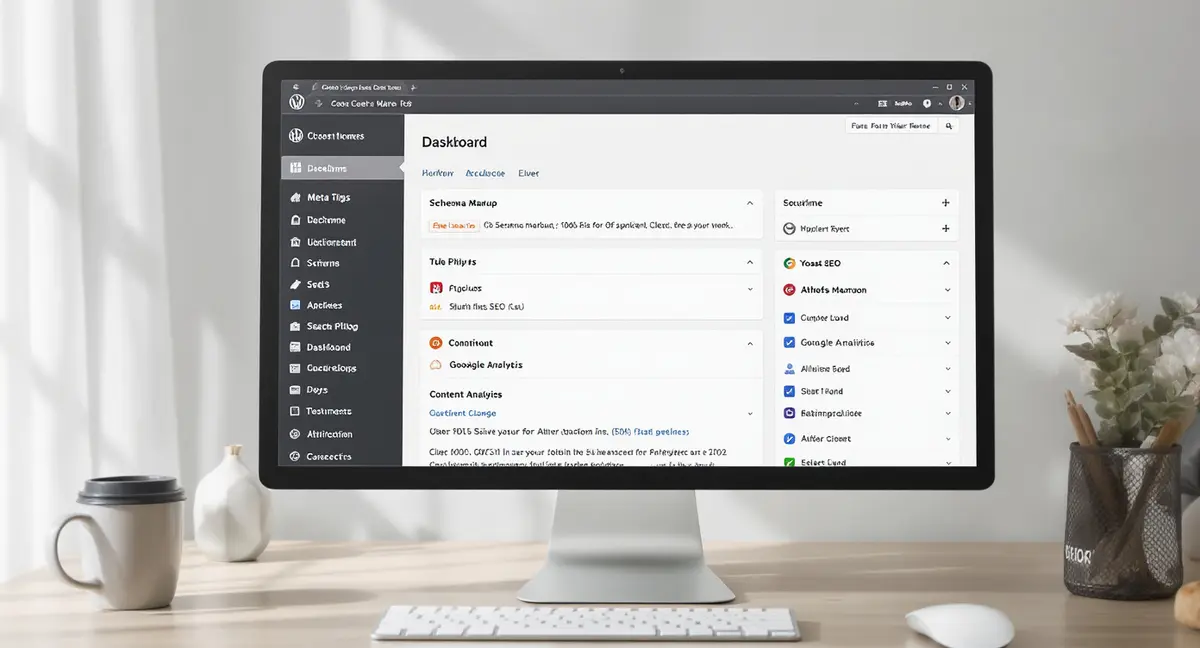
The short answer: An SEO-friendly WordPress theme is a lightweight foundation that prioritizes search engine crawlability, Core Web Vitals performance, and semantic HTML structure over unnecessary features. The best themes achieve under 2.5 second Largest Contentful Paint, clean heading hierarchy, and minimal HTTP requests. Top performers focus on lean code architecture, schema markup integration, and mobile-first indexing compliance.
Your WordPress theme isn't just a design choice. It's the foundation of how search engines see your site. An seo-friendly wordpress theme can be the difference between ranking on page one or disappearing into obscurity. Most business owners install a theme because it looks good, then wonder why their content never surfaces in search results. Wordpress tag seo is worth reading alongside this.
The problem? Many popular themes are built for visual appeal, not performance. They load slowly, generate bloated code, and make it harder for Google to understand your content. When 50% of Google searches now trigger AI Overviews that only cite 3-5 sources per query, your theme's technical foundation matters more than ever. AI models like ChatGPT and Perplexity crawl your site looking for structured, fast-loading content. If your theme buries that content under megabytes of unnecessary JavaScript, you're invisible.
This article breaks down what actually makes an seo-friendly wordpress theme work in 2026. You'll see specific benchmarks, real theme performance data, and the technical factors that determine whether your content gets indexed, ranked, and cited by AI search engines. No filler. Just the infrastructure decisions that compound over time.
Why Most WordPress Themes Fail the SEO Test
The average WordPress theme ships with features most businesses never use. Sliders, animations, custom post types, built-in portfolios, all adding weight. Data from Team Updraft shows that popular themes like Divi score just 7.5/10 on speed metrics even after optimization. That's not a design flaw. It's a business model. Theme developers pack features to win sales, not rankings.
An seo-friendly wordpress theme does the opposite. It starts lean and lets you add functionality through plugins only when needed. The difference shows up in Core Web Vitals. Google measures Largest Contentful Paint (how fast your main content loads), Interaction to Next Paint (how quickly your page responds to clicks), and Cumulative Layout Shift (whether elements jump around during load). Themes bloated with unused features consistently fail these tests.
The Hidden Cost of Feature-Rich Themes
Consider what happens when you install a theme with 50+ demo layouts and a drag-and-drop builder. Your site now loads CSS and JavaScript for features you'll never touch. Each HTTP request adds milliseconds. Each unoptimized image delays your LCP. Multidots research found that server response times under 200ms are optimal, most bloated themes exceed 800ms before a single plugin loads.
The impact compounds. A slow theme forces you to add caching plugins, image optimization tools, and CDN services just to reach baseline performance. You're solving problems the theme created. An seo-friendly wordpress theme avoids this entirely by shipping with minimal code. Hello Theme from Elementor weighs less than 60KB with just 2 HTTP requests on a fresh install. That's not a feature, it's a foundation.
How Themes Break Mobile-First Indexing
Google indexes the mobile version of your site first. If your theme doesn't render properly on mobile, you're not ranking. Period. Many themes claim "mobile responsive" but fail in practice. Text overlaps images. Navigation menus break. Forms become unusable. These aren't cosmetic issues, they're ranking signals.
Mobile-first indexing also means your theme must serve the same content on mobile and desktop. Some themes hide sections on mobile to "improve experience," but Google sees that as cloaking. Your desktop content ranks while mobile users see something different. That's a penalty waiting to happen. An seo-friendly wordpress theme maintains content parity across devices while optimizing layout for smaller screens.
The 6 Technical Factors That Define SEO-Friendly Themes
Not all themes are built the same. Some generate clean HTML5 that search engines parse easily. Others output nested divs and inline styles that obscure your content structure. The difference isn't subjective, it's measurable. An seo-friendly wordpress theme must meet specific technical standards that affect crawlability, indexing, and ranking. If you want the practical breakdown, Wordpress seo is a good next step.
| Factor | What it is | Impact |
|---|---|---|
| Clean Semantic HTML | Proper H1-H3 heading order, article/section tags instead of divs | Improves crawlability; helps AI models extract content for citations |
| Core Web Vitals Performance | LCP under 2.5s, INP under 200ms, CLS under 0.1 | Direct ranking signal; affects indexing by AI search engines |
| Minimal Code Footprint | Under 60KB theme size, under 5 HTTP requests on fresh install | Reduces server response time; eliminates unused feature bloat |
| Schema Markup Support | Built-in or plugin-compatible structured data implementation | Increases visibility in rich results and AI Overviews by 30-40% |
| Mobile-First Design | Identical content on mobile and desktop with responsive layout | Ensures Google's mobile-first indexing doesn't penalize visibility |
These factors aren't optional extras. They're infrastructure. When AI models crawl your site to decide whether to cite you in search results, they're evaluating code quality, load speed, and structural clarity. A theme that scores poorly on these metrics costs you visibility every single day it's installed.
Clean Semantic HTML and Heading Hierarchy
Search engines read your HTML to understand content structure. A well-coded theme uses proper heading tags (H1 for title, H2 for main sections, H3 for subsections) in logical order. Many themes break this by using H3 tags for design purposes or skipping heading levels entirely. That confuses crawlers trying to map your content hierarchy.
Semantic HTML5 also means using article, section, and nav tags instead of generic div containers. These tags tell search engines what each part of your page does. A theme that outputs 47 nested divs with no semantic meaning makes Google work harder to understand your content. When AI models extract information for search answers, they prioritize sites with clear structural markup. An seo-friendly wordpress theme handles this automatically.
Schema Markup Integration
Schema markup is structured data that tells search engines exactly what your content represents, articles, products, FAQs, reviews, events. Google uses this to generate rich results and AI Overviews. Research from Princeton and Georgia Tech published at KDD 2024 found that structured data improves AI visibility by 30-40%.
Most themes ignore schema entirely or implement it incorrectly. An seo-friendly wordpress theme either includes built-in schema support or works effortlessly with schema plugins like Yoast or RankMath. The theme's code must allow these plugins to inject JSON-LD markup without conflicts. Themes that hardcode their own incomplete schema create duplicate markup that confuses crawlers.
Speed Benchmarks: What "Fast Enough" Means
Page speed isn't a bonus feature. It's a ranking factor. Google's Core Web Vitals became official ranking signals in 2021, and the bar keeps rising. An seo-friendly wordpress theme must deliver measurable performance, not just pass a generic speed test.
This is what the numbers look like in practice. GeneratePress, one of the leanest themes available, scores 9.5/10 on speed metrics according to Team Updraft's 2025 benchmarking. OceanWP scores 8.2/10. Divi scores 7.5/10 even after optimization. The difference? GeneratePress ships with minimal CSS and JavaScript. Divi loads a visual builder framework whether you use it or not.
Core Web Vitals Thresholds
Google defines "good" performance as:
- Largest Contentful Paint (LCP): Under 2.5 seconds
- Interaction to Next Paint (INP): Under 200 milliseconds
- Cumulative Layout Shift (CLS): Under 0.1
Most WordPress themes fail LCP. They load hero images at full resolution, defer critical CSS, or trigger multiple font requests before rendering content. An seo-friendly wordpress theme optimizes for LCP by prioritizing above-the-fold content, using system fonts or preloading custom fonts, and lazy-loading everything below the fold.
INP measures how quickly your site responds to user interactions. Themes with heavy JavaScript frameworks (React, Vue) often score poorly here because the browser is busy executing scripts instead of responding to clicks. CLS tracks visual stability, whether elements shift as the page loads. Themes that don't reserve space for images or ads create layout shifts that hurt both user experience and rankings. Wordpress local essentials is worth reading alongside this.
File Size and HTTP Requests
Hello Theme proves the point: under 60KB with 2 HTTP requests. That's the baseline. Every additional request adds latency. Every extra kilobyte delays rendering. Multidots data shows server response times under 200ms are optimal, but bloated themes can push that to 800ms before accounting for hosting or plugins.
An seo-friendly wordpress theme minimizes requests by combining CSS files, inlining critical styles, and avoiding unnecessary external resources. It doesn't load Google Fonts for 12 different weights when you only use two. It doesn't include icon libraries with 500 icons when you display three. Every asset must justify its existence.
Free vs Premium: What You're Paying For
The WordPress theme repository offers thousands of free options. Premium themes on ThemeForest start at $59 and climb from there. The price difference isn't always about quality, it's about feature sets and support models. An seo-friendly wordpress theme can exist in either category.
GeneratePress offers a free core version that scores 9.5/10 on speed and 8.7/10 overall according to Team Updraft. The premium version adds design controls and WooCommerce integration but maintains the same lean codebase. Contrast that with premium themes like Avada or Divi, which bundle page builders, demo sites, and plugin suites that most users never touch.
When Free Themes Make Sense
Free themes work when you need a clean foundation and plan to customize with plugins. Themes like Astra, GeneratePress, and Kadence offer lightweight frameworks that let you add functionality incrementally. They're maintained regularly, compatible with major plugins, and don't lock you into proprietary systems.
The trade-off? Less hand-holding. Free themes assume you understand WordPress basics or have a developer. They don't include visual builders or one-click demo imports. For businesses that prioritize performance over convenience, that's a feature, not a bug. You're not paying for bloat you'll spend months removing.
When Premium Themes Are Worth It
Premium themes make sense when you need specific functionality out of the box, WooCommerce optimization, membership site features, or industry-specific layouts. OceanWP, for example, scores 8.2/10 on speed and 8.2/10 overall while offering deep WooCommerce integration. That's valuable for ecommerce sites that can't afford slow product pages.
The key is distinguishing between premium themes that add necessary features and those that add unnecessary complexity. An seo-friendly wordpress theme, free or premium, prioritizes performance and clean code over demo variety. If the theme's sales page brags about "50+ pre-built sites," that's a red flag. You're installing infrastructure for 49 sites you'll never use.
Ready to take the next step with Strategyc?
Our team is ready to help you achieve your goals. Get Your Free Scan.
Page Builders: The SEO Trade-Off Nobody Mentions
Page builders like Elementor, Beaver Builder, and Divi's Visual Builder promise design freedom without code. They deliver on that promise, at a cost. Most page builders generate additional markup, load their own CSS/JS frameworks, and create database overhead that slows your site.
The WordPress community debates this constantly. Reddit's r/SEO sees recurring threads asking whether builders hurt rankings. The answer: it depends on implementation. An seo-friendly wordpress theme can work with builders, but only if the builder is optimized and you're disciplined about what you build. If you want the practical breakdown, Best wordpress theme for is a good next step.
The Performance Impact of Visual Editors
Elementor's Hello Theme proves builders can be lightweight, under 60KB. But that's the theme, not the builder. Once you start designing pages in Elementor, you're adding CSS for every widget, JavaScript for animations, and database queries for adaptable content. Divi scores 7.5/10 on speed post-optimization because the Visual Builder loads even on pages where you're not editing.
The solution isn't avoiding builders entirely. It's using them strategically. Build your homepage and key landing pages with a builder for design control. Use the default WordPress editor for blog posts and content pages where speed matters more than layout. An seo-friendly wordpress theme gives you that flexibility without forcing a builder on every page.
Builder Bloat and How to Avoid It
Page builders tempt you to over-design. Sliders, parallax effects, animated counters, all adding weight. Each widget loads its own dependencies. A page with 20 Elementor widgets might load 15 separate CSS files and 10 JavaScript libraries. That's why experienced developers prefer "container" themes like Hello paired with selective builder use over all-in-one solutions.
If you must use a builder, audit what it's loading. Tools like Query Monitor show every script and style enqueued on a page. Disable unused widgets in the builder settings. Use lazy loading for images and videos. An seo-friendly wordpress theme won't prevent builder bloat, but it won't add to it either.
Beyond the Theme: Infrastructure That Moves Rankings
Take a look at the contrarian truth: your theme matters less than your hosting, caching, and content strategy. A lightweight seo-friendly wordpress theme on shared hosting with no caching still loads slowly. A slightly heavier theme on managed WordPress hosting with server-level caching can outperform it.
This is where most SEO advice fails. It focuses on theme selection while ignoring the infrastructure around it. PHP version, database optimization, CDN configuration, image compression, these factors often have bigger impact than switching from Theme A to Theme B. The theme sets your baseline, but hosting and optimization determine your ceiling.
Server-Side Factors That Trump Theme Choice
Multidots recommends PHP 8.0 or higher for optimal performance. Many shared hosts still run PHP 7.4, which is slower and no longer receives security updates. Upgrading PHP can cut server response time by 30-50%. That's a bigger win than switching themes.
Database optimization matters too. WordPress stores everything, posts, comments, revisions, transients, in MySQL tables. Over time, these tables accumulate overhead that slows queries. An seo-friendly wordpress theme can't fix a bloated database. Regular maintenance (deleting post revisions, clearing transients, optimizing tables) keeps your site fast regardless of theme.
Caching and CDN: The Invisible Speed Layer
Caching plugins like WP Rocket or W3 Total Cache generate static HTML versions of your pages. When a visitor arrives, the server delivers the cached HTML instead of executing PHP and querying the database. This cuts load time from seconds to milliseconds. Even a heavy theme becomes usable with proper caching.
CDNs (Content Delivery Networks) distribute your static assets, images, CSS, JavaScript, across global servers. A visitor in Australia loads your images from a Sydney server instead of your origin server in New York. This reduces latency regardless of theme weight. An seo-friendly wordpress theme benefits from these optimizations, but it doesn't replace them. Template wordpress seo is worth reading alongside this.
The Bottom Line on SEO-Friendly WordPress Themes
An seo-friendly wordpress theme is infrastructure, not decoration. It should load fast, generate clean code, and stay out of your way. The best themes are almost invisible, they let your content and optimization strategy do the work.
Three takeaways: First, prioritize speed and code quality over feature count. A theme with 50 demos and 100 shortcodes is a liability, not an asset. Second, test before you commit. Use Google's PageSpeed observations and Core Web Vitals tools to measure real performance. Third, remember that your theme is just one piece. Hosting, caching, and content strategy determine whether you rank.
If you're serious about visibility that compounds over time, your theme choice matters. But it's not the only choice that matters. The businesses winning in AI search right now, the ones cited in ChatGPT, Perplexity, and Google AI Overviews, built systems that produce structured, authoritative content consistently. That's not a theme feature. That's infrastructure you own.
Want to see where your site stands? Book a to assess how your current setup performs in Google, AI search, and voice search. No commitment. Just a clear picture of what's working and what's not.
Frequently Asked Questions
Is WordPress inherently SEO-friendly without theme modifications?
WordPress generates clean HTML and proper heading structure by default, which helps SEO. However, themes and plugins can override this foundation with bloated code, poor mobile rendering, or broken schema markup. The platform is SEO-capable, but your theme determines whether you actually benefit from that capability.
Which free seo-friendly wordpress theme ranks best for Core Web Vitals?
GeneratePress consistently scores highest among free themes, achieving 9.5/10 on speed metrics and excellent Core Web Vitals performance according to Team Updraft benchmarking. Astra and Kadence are close alternatives. All three prioritize lightweight code and minimal HTTP requests over visual features.
Do page builders hurt SEO performance on an seo-friendly wordpress theme?
Page builders add CSS, JavaScript, and database queries that slow load times. However, lightweight builders like Elementor paired with Hello Theme can maintain good performance if used selectively. The key is limiting builder use to design-heavy pages and using the default editor for content pages where speed matters most.
Can I build SEO infrastructure in-house or does it require ongoing services?
You can own your SEO infrastructure. An seo-friendly wordpress theme, proper hosting, caching setup, and schema plugins give you the foundation. The challenge is producing consistent, structured content that AI models cite. Systems like Strategyc's Content & Visibility Engine install once and produce results long-term without monthly retainers.
How do I measure whether my theme choice is improving rankings?
Track Core Web Vitals in Google Search Console, monitor organic traffic trends in Google Analytics, and test load speed with PageSpeed findings before and after theme changes. Rankings improve over 3-6 months, not overnight. An seo-friendly wordpress theme sets the foundation, but consistent content and technical optimization drive measurable results.