Why Your SEO Dashboard Analytics Are Lying to You (And What to Track Instead in 2026)
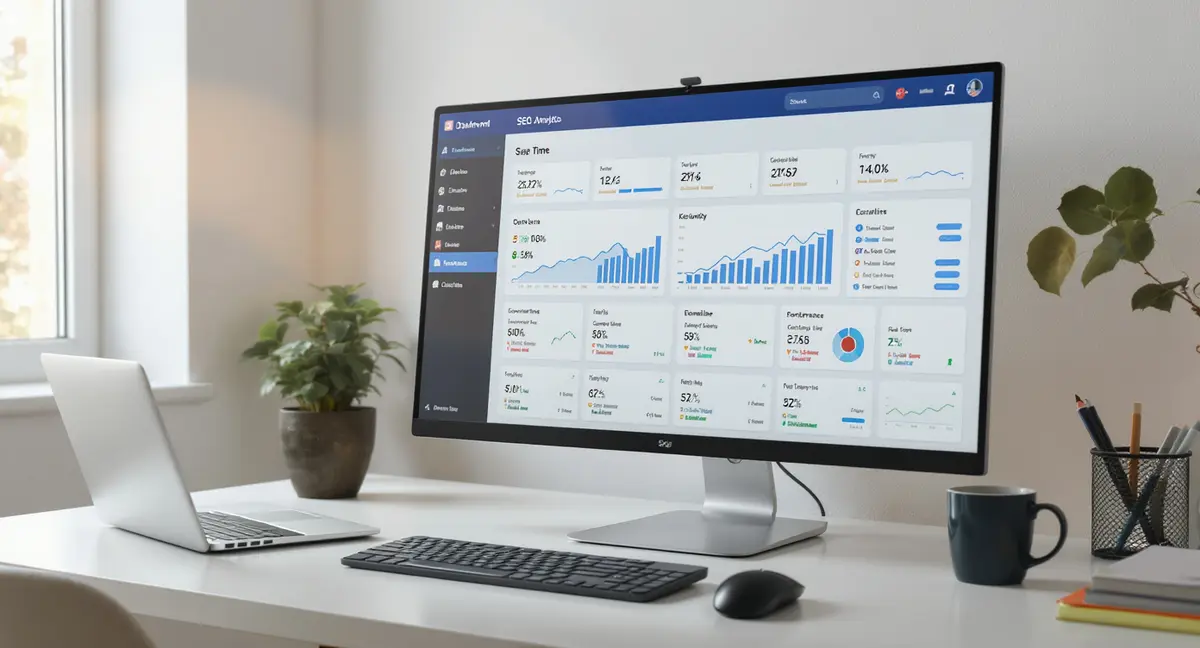
The short answer: SEO dashboard analytics should measure forward-looking engagement and AI visibility, not vanity metrics like rankings and impressions. The best dashboards track engaged sessions, scroll depth, conversion rates by landing page, and AI Share of Voice metrics. Success comes down to connecting traffic to revenue outcomes, monitoring AI citation frequency, and filtering data for accuracy. Early adopters tracking AI visibility see 25% better query visibility compared to businesses ignoring generative search (LLMrefs, 2026).
Most businesses stare at seo dashboard analytics every week and have no idea if they're winning or losing. They see numbers go up, numbers go down, and a lot of colorful charts that look impressive in meetings but don't connect to revenue. The problem isn't the data. It's what you're measuring and how you're interpreting it. Local seo is worth reading alongside this.
Traditional SEO dashboard analytics track rankings, clicks, and impressions. That worked when Google was the only game in town. In 2026, 50% of Google queries trigger AI Overviews, causing a 61% drop in organic click-through rates for traditional results (DemandSage, 2025). Your dashboard might show stable rankings while your actual visibility is collapsing because AI systems are answering queries without sending clicks your way.
This article shows you what to track now that search has fundamentally changed. You'll see which metrics predict future performance, which ones are vanity distractions, and how to build a dashboard that tells you whether your content is actually working. The businesses that adapt their seo dashboard analytics to include AI visibility metrics are seeing 120x impression increases and 800% year-over-year traffic growth from language models (BrightEdge, 2025). The ones still tracking 2024 metrics are flying blind.
What Makes SEO Dashboard Analytics Useful
The Difference Between Reporting and Intelligence
Most seo dashboard analytics are glorified report cards. They tell you what happened last month. Rankings went up three spots. Traffic increased 8%. Bounce rate dropped to 42%. Great. What do you do with that information?
Useful dashboards answer forward-looking questions. Is this trend accelerating or plateauing? Which content types are converting visitors into customers? Are we gaining or losing ground in AI search results? The shift from reporting to intelligence means tracking leading indicators, not lagging outcomes.
Consider engagement rate as a leading indicator. Data from Chapters Digital Solutions shows that engagement rate drops predict 70% of traffic losses before they appear in Google Search Console (Chapters Digital, 2026). If your dashboard tracks only clicks and impressions, you're seeing the problem after it's already cost you revenue. If you're tracking scroll depth, time on page, and engaged sessions, you can fix content before rankings crater.
Why Most Dashboards Track the Wrong Metrics
The metrics in most seo dashboard analytics come from what was easy to measure in 2015, not what matters in 2026. Keyword rankings? Google personalizes results by location, device, and search history, so position 3 in your office might be position 9 for your customer. Pageviews? Bots and internal traffic inflate the number unless you filter aggressively.
Vanity metrics survive because they look good in presentations. A graph showing 10,000 monthly impressions sounds impressive until you realize only 200 turned into clicks and five became customers. Reporting Ninja's analysis found that focusing on trends rather than snapshots reveals whether you're climbing or stalling (Reporting Ninja, 2026). Month-over-month and year-over-year comparisons matter more than absolute numbers.
The real issue is attribution. Organic search drives 53% of all trackable website traffic (BrightEdge), but most dashboards don't connect that traffic to revenue. You can't prove ROI with impressions and rankings. You need conversion tracking, revenue attribution, and customer acquisition cost per channel. If your dashboard doesn't show how many customers came from organic search and what they're worth, it's incomplete.
The Core Metrics That Predict SEO Performance
Traffic Metrics That Matter
Organic sessions are the starting point for seo dashboard analytics, but only if you filter correctly. Exclude internal traffic from your office IP addresses. Exclude paid search and social referrals. Use GA4's traffic source dimensions to isolate true organic search. Without these filters, you're measuring noise. If you want the practical breakdown, Enterprise seo is a good next step.
| Factor | What it is | Impact |
|---|---|---|
| Engaged Sessions & Scroll Depth | Traffic lasting 10+ seconds, multiple pageviews, or conversions; content read depth | Predicts ranking changes and filters bot traffic from real user intent |
| Conversion Rate by Landing Page | Percentage of organic visitors completing signups, demos, or purchases per page | Ties SEO metrics to revenue; identifies high-traffic pages with poor ROI |
| AI Share of Voice & Citations | Frequency your content appears in ChatGPT, Perplexity, and Google AI Overviews | Captures fastest-growing visibility channel; AI visitors convert at 27% vs. 2.1% traditional |
| Impressions-to-Conversion Rate | Combined metric: Google Search Console impressions flowing through GA4 to conversions | Diagnoses intent mismatch; reveals meta title/description and content quality problems |
| Core Web Vitals & Crawl Health | LCP, INP, CLS scores and Search Console indexing errors tracked in real-time | Pages below good thresholds lose 10-15% rankings; monitoring prevents organic decline |
Engaged sessions matter more than total sessions. GA4 defines an engaged session as lasting longer than 10 seconds, having a conversion event, or triggering two or more pageviews. This metric filters out accidental clicks and bot traffic. If your organic sessions are growing but engaged sessions are flat, your content is attracting the wrong audience or failing to hold attention.
New vs. returning visitor ratio tells you if your content is expanding reach or just serving the same audience repeatedly. A healthy ratio depends on your business model. E-commerce sites need high new visitor percentages. B2B service businesses benefit from repeat visits as prospects research before buying. Track both and watch for sudden shifts that signal content relevance problems.
Engagement Signals That Predict Ranking Changes
Scroll depth shows how far down the page visitors read. If 80% of visitors bounce after the first screen, your content isn't delivering on the headline promise. Google uses engagement signals as ranking factors. Pages with low scroll depth and high exit rates get demoted over time.
Time on page needs context. Three minutes on a 2,000-word guide is good. Three minutes on a 200-word product page means confusion. Compare time on page to content length and track changes over time. Sudden drops indicate content decay or increased competition pushing better answers to the top.
Conversion rate by landing page is the metric that ties seo dashboard analytics to business outcomes. Which organic landing pages generate email signups, demo requests, or purchases? GA4's exploration reports let you segment by first user source/medium and see conversion paths. If your highest-traffic pages have the lowest conversion rates, you're optimizing for the wrong keywords.
Building a Dashboard That Includes AI Search Visibility
Why Traditional SEO Metrics Miss Half the Picture
Google Search Console doesn't track whether your content appears in AI Overviews, ChatGPT responses, or Perplexity citations. Your seo dashboard analytics might show stable impressions while AI systems are citing your competitors and bypassing your site entirely. This is the visibility gap.
Early adopters tracking AI Share of Voice see 25% better query visibility compared to businesses ignoring generative search (LLMrefs, 2026). AI Share of Voice measures how often your brand or content gets cited when AI systems answer queries in your category. Track this manually by testing key queries in ChatGPT, Perplexity, and Google's AI Overview, or use emerging tools that automate the process.
The commercial impact is measurable. AI-sourced visitors convert at 27% compared to 2.1% from traditional search (SingleGrain, 2025). These visitors arrive with higher intent because the AI system pre-qualified the information. If your dashboard doesn't track AI citation frequency and AI-referred traffic, you're blind to your fastest-growing channel.
How to Track Generative Engine Optimization Performance
Start with query monitoring. Identify 20-30 high-value queries your business should rank for. Test them weekly in ChatGPT, Google AI Overviews, and Perplexity. Record whether your brand appears, in what position, and with what attribution. This manual process takes 30 minutes weekly and provides observation no automated tool currently captures completely. Seo analytics essentials is worth reading alongside this.
Track structured data implementation as a proxy metric. Schema markup helps AI systems extract and cite your content. Pages with FAQ schema, HowTo schema, and Article schema get cited more frequently in AI responses. Your seo dashboard analytics should show what percentage of your content includes structured data and whether that percentage is increasing.
Monitor citation-style backlinks. AI systems cite authoritative sources. If your content is being referenced by industry publications, research sites, and educational institutions, AI models are more likely to surface your information. Track referring domains that include attribution and citations, not just any backlink. LLMrefs client data shows backlink spikes can drive 15% increases in organic signups (LLMrefs, 2025).
Data Sources and Integration for Complete Visibility
Connecting Google Search Console and GA4
Google Search Console shows impressions, clicks, and average position for queries. GA4 shows what happens after the click. Neither tool alone gives you the full picture. Effective seo dashboard analytics combine both.
Link Search Console to GA4 through the Search Console integration in GA4's admin settings. This surfaces Search Console data inside GA4 reports, letting you see query performance alongside engagement and conversion metrics. You can segment by landing page, compare organic performance across device types, and track how query changes correlate with traffic shifts.
The most valuable combined metric is impressions-to-conversion rate. High impressions with low clicks mean your meta titles and descriptions need work. High clicks with low conversions mean your content doesn't match search intent. Track both in a single view to diagnose problems faster. GA4's exploration reports let you build custom funnels from Search Console impression through final conversion.
Adding Technical Health Monitoring
Core Web Vitals are confirmed ranking factors. Pages below Google's "good" threshold lose 10-15% of rankings (Google, 2025). Your seo dashboard analytics need real-time technical health monitoring, not quarterly audits.
Google's PageSpeed takeaways API provides Core Web Vitals data you can pull into dashboards. Track Largest Contentful Paint (LCP), Interaction to Next Paint (INP), and Cumulative Layout Shift (CLS) for your top 20 landing pages. Set alerts when any metric drops below "good" thresholds so you can fix issues before they impact rankings.
Crawl error monitoring from Search Console catches indexing problems. Track pages excluded from indexing, duplicate content flags, and mobile usability errors. A sudden spike in excluded pages signals technical issues that kill visibility. Automated alerts turn your dashboard into an early warning system. Studies show dashboards with proactive alerts reduce reporting time by 50% through automation (AgencyAnalytics, 2025).
Ready to take the next step with Strategyc?
Our team is ready to help you achieve your goals. Get Your Free Scan. If you want the practical breakdown, Seo dashboard white label is a good next step.
Designing Dashboards That Drive Action
Layout Principles for Executive-Friendly Reporting
The best seo dashboard analytics fit on one screen without scrolling. Executives don't have time to click through five tabs. Use a three-section layout: top section for KPI scorecards (organic sessions, conversion rate, revenue from organic), middle section for trend lines (month-over-month and year-over-year comparisons), bottom section for alerts and anomalies.
Visualizations matter. Line graphs show trends over time. Bar charts compare performance across categories (top landing pages, top queries, device types). Scorecards with color coding (green for hitting targets, red for missing them) communicate status instantly. Avoid pie charts. They waste space and make comparisons difficult.
Context beats precision. A metric that says "organic traffic: 12,847 sessions" is less useful than "organic traffic: +23% vs. last month, on track to hit Q1 goal." Add comparison periods and goal progress to every KPI. Your dashboard should answer "are we winning?" in five seconds.
Customization for Different Stakeholders
Marketing teams need granular data. They want to see performance by content type, query category, and landing page. Their seo dashboard analytics should include filters for date ranges, traffic sources, and conversion goals. Give them the ability to drill down into underperforming content and identify optimization opportunities.
Executives need business outcomes. They care about revenue from organic search, customer acquisition cost, and ROI compared to paid channels. Build executive dashboards around three questions: How much revenue came from organic search? How does that compare to last quarter? What's the trend? Skip the jargon. Use "customers from search" instead of "organic conversions."
Sales teams benefit from lead quality metrics. Which organic landing pages generate the highest-value leads? What content do prospects consume before requesting demos? Track content engagement by deal size to identify high-intent signals. If prospects who read your technical guides convert at 3x the rate of those who don't, your sales team needs that finding.
Common Mistakes That Make SEO Dashboard Analytics Useless
Tracking Metrics You Can't Influence
Some metrics are interesting but not actionable. Brand search volume is a lagging indicator of brand awareness. You can't directly optimize for it. Domain authority scores from third-party tools are estimates, not Google ranking factors. Tracking them wastes dashboard space.
Focus on metrics tied to specific actions. If click-through rate is low, rewrite meta descriptions. If engagement rate drops, improve content quality or page speed. If conversion rate lags, test different calls to action. Every metric on your seo dashboard analytics should answer "what do I do about this?"
The trap is tracking what's easy instead of what matters. Keyword rankings are easy to track and emotionally satisfying when they go up. But rankings don't pay the bills. Customers do. If your dashboard prioritizes rankings over revenue attribution, you're optimizing for the wrong outcome.
Ignoring Attribution and Revenue Connection
Most seo dashboard analytics stop at traffic. They show sessions, pageviews, and engagement but never connect to revenue. This makes SEO look like a cost center instead of a growth driver.
Set up conversion tracking in GA4 for every meaningful action: form submissions, phone calls, chat initiations, purchases. Assign monetary values to non-transactional conversions based on historical close rates. If 10% of demo requests become customers worth $5,000, each demo request is worth $500. Now your dashboard can show revenue from organic search. SEO checklist is worth reading alongside this.
Multi-touch attribution reveals the full picture. A customer might discover you through organic search, return via email, and convert through a paid ad. Last-click attribution gives all credit to the ad. Data-driven attribution in GA4 distributes credit across touchpoints. This shows organic search's true contribution to the customer experience, not just final conversions.
The Bottom Line on SEO Dashboard Analytics
Your seo dashboard analytics should predict problems before they cost you revenue, connect content performance to business outcomes, and include AI search visibility alongside traditional metrics. The businesses winning in 2026 track engagement signals that predict ranking changes, monitor AI Share of Voice, and tie every metric to customer acquisition.
The shift from reporting to intelligence means asking better questions. Not "how many clicks did we get?" but "which content is converting visitors into customers?" Not "what's our average position?" but "are we gaining ground in AI search results?" The answers determine whether your content investment compounds or stalls.
Stop paying for dashboards that show you pretty charts with no connection to growth. Find out if your content is set up for AI search and traditional visibility. Book a 30-Minute Content & Visibility Scan at and see where you actually stand. It takes 30 minutes. No pressure, just clarity.
Frequently Asked Questions
What are the most important metrics for SEO dashboard analytics?
Organic sessions (filtered for true search traffic), engaged sessions, conversion rate by landing page, and AI Share of Voice. These metrics connect visibility to business outcomes. Track month-over-month trends, not just absolute numbers, to identify acceleration or decline.
How do I connect Google Search Console and GA4 in one dashboard?
Link Search Console to GA4 through the Search Console integration in GA4's admin settings. This surfaces query data, impressions, and clicks inside GA4 reports. You can then combine Search Console metrics with engagement and conversion data for complete visibility.
Can I build effective SEO dashboard analytics in-house?
Yes, if you have GA4 access, Search Console permissions, and time to set up custom reports. The challenge isn't technical skill but knowing which metrics predict performance. Most businesses track vanity metrics because that's what's easy, not what drives decisions. Ownership requires clear KPI definitions and consistent monitoring.
How do I measure ROI from organic content using dashboard analytics?
Set up conversion tracking for every meaningful action (form fills, calls, purchases). Assign monetary values based on historical close rates. Use GA4's attribution reports to see how organic search contributes across the customer path. Track customer acquisition cost per channel to compare organic against paid.
Why should I track AI search visibility in my SEO dashboard?
AI systems now handle 29% of search queries, up from 14% six months ago (Exposure Ninja, 2025). Traditional seo dashboard analytics miss this entirely. AI-sourced visitors convert at 27% vs. 2.1% from traditional search. If you're not tracking AI Share of Voice and citations, you're blind to your fastest-growing traffic source.