Google Sheets Content Calendar: Build a Publishing System You Own
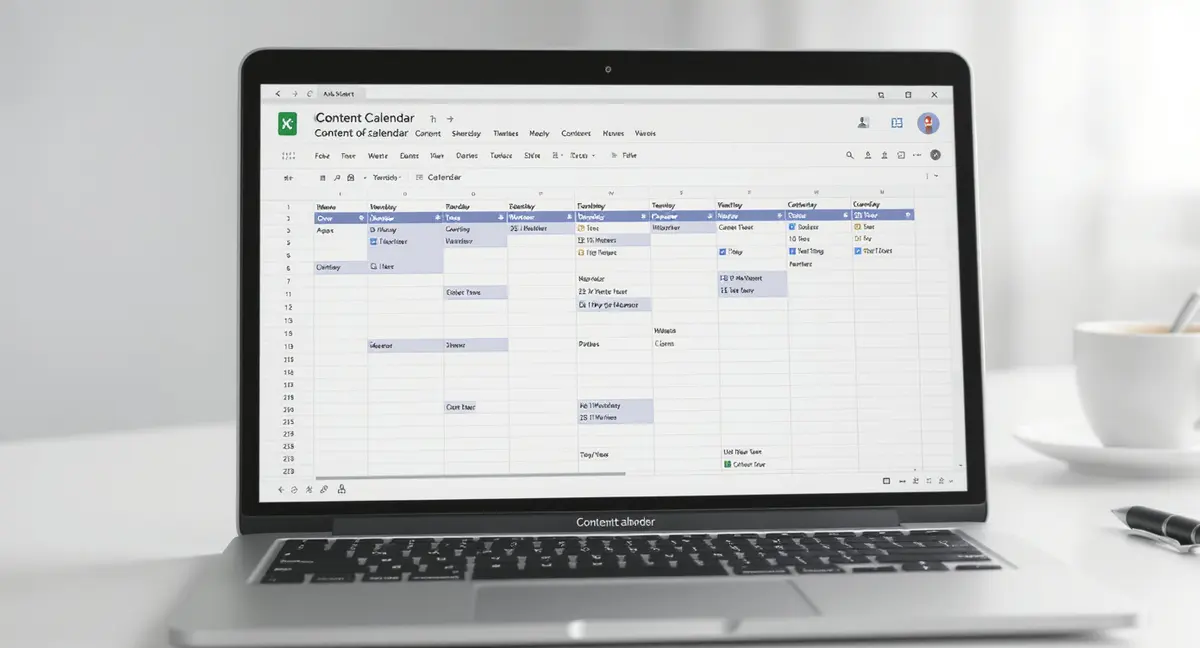
The short answer: A Google Sheets content calendar is a free, customizable publishing system that tracks articles, platforms, deadlines, and performance without vendor lock-in. Google Sheets content calendars track title, platform, publish date, status, owner, target keyword, word count, and organic sessions. Success in this space comes down to clear ownership, platform-specific organization, and performance measurement. Companies that publish consistently get 55% more website visitors than those that don't (HubSpot, 2024).
A google sheets content calendar is the simplest infrastructure most businesses ignore until they're paying someone else $2,000 per month to manage their publishing. You don't need specialized software. You don't need a retainer. You need a system that tracks what you publish, when it goes live, and what results it produces. Google Sheets does this for free, with collaboration built in and no vendor lock-in.
Most businesses approach content like a campaign: bursts of activity followed by silence. That's expensive and ineffective. Companies that publish consistently get 55% more website visitors than those that don't (HubSpot, 2024). A google sheets content calendar turns sporadic effort into compounding infrastructure. Every article you publish adds to cumulative traffic. Every piece of content remains discoverable months after publication. The calendar is what makes this possible, it's the difference between hoping you remember to post something and running a system that produces results whether you're thinking about it or not.
This article shows you how to build a google sheets content calendar that tracks publishing across platforms, measures what content performs, and scales without adding headcount. You'll see the exact columns to include, how to structure workflows for team collaboration, and which metrics actually matter for content that compounds over time.
Why Google Sheets Beats Specialized Content Calendar Software
Specialized content calendar tools cost $50-300 per month and lock your data inside proprietary platforms. When you stop paying, you lose access to your publishing history, performance data, and workflow templates. A google sheets content calendar costs nothing and exports to CSV instantly. You own the infrastructure.
Zero Learning Curve for Team Collaboration
Your team already knows Google Sheets. There's no onboarding process, no tutorial videos, no support tickets. Share the sheet, set permissions, and anyone with the link can update content status in real time. Marketing coordinators, freelance writers, and agency partners all work in the same environment without software conflicts or version control issues.
Real-time collaboration means multiple people can update the google sheets content calendar simultaneously. When a writer marks an article "Draft Complete," the editor sees the status change immediately. When the editor approves, the publisher schedules without email back-and-forth. This eliminates the "Did you get my message about the blog post?" problem that kills momentum in content teams.
Unlimited Customization Without Developer Dependency
Specialized tools force you into their workflow. Google Sheets adapts to yours. Add columns for SEO keywords, target word count, internal links, featured images, meta descriptions, or any metric your business tracks. Create drop-down menus for content status (Idea, Outline, Draft, Review, Scheduled, Published). Color-code rows by priority or platform. Build conditional formatting that highlights overdue deadlines automatically.
You control the structure. A home services company might track seasonal content six months ahead. An ecommerce brand might focus on product launch coordination across email, social, and blog. A B2B consultancy might organize content by buyer path stage. The google sheets content calendar molds to the business, not the reverse. When your needs change, you add a column. No feature request. No waiting for the next software update.
Essential Columns Every Google Sheets Content Calendar Needs
A functional google sheets content calendar requires eight core columns: Title, Platform, Publish Date, Status, Owner, Target Keyword, Word Count, and Performance Metric. These fields create accountability, track progress, and measure results without overcomplicating the sheet.
| Factor | What it is | Impact |
|---|---|---|
| Core Tracking Fields | Title, Platform, Publish Date, Status, Owner assignments | Prevents duplicate work, shows bottlenecks, drives accountability |
| SEO & Performance Columns | Target Keyword, Word Count, Organic Sessions metrics | Measures compound value, clarifies search intent, tracks ROI |
| Multi-Platform Structure | Single master tab or platform-specific tabs with repurposing links | Coordinates blog, LinkedIn, email, video without creating chaos |
| Workflow Automation | Conditional formatting, formulas, integration triggers | Reduces manual work, catches overdue deadlines, enables visual status |
Core Tracking Fields That Drive Publishing Consistency
Title identifies the content piece. Be specific: "How to Winterize Plumbing in Chicago" beats "Winter Plumbing Tips." Platform indicates where it publishes, blog, LinkedIn, email newsletter, YouTube. This matters because a 2,000-word blog article requires different effort than a 300-word LinkedIn post. Publish Date sets the deadline. Use actual calendar dates (2026-03-15), not vague targets like "Q1."
Status tracks workflow stage. Use a drop-down menu with options: Idea, Research, Outline, Draft, Review, Approved, Scheduled, Published. This prevents duplicate work and shows bottlenecks. If ten articles sit in "Review" for three weeks, you know editing is the constraint. Owner assigns responsibility. Every content piece needs one person accountable for moving it to Published. Without ownership, content stalls in Draft forever.
SEO and Performance Fields That Measure Compound Value
Target Keyword documents search intent. This isn't keyword stuffing, it's clarity about what problem the content solves. When you write "emergency plumber Chicago," you know the article targets urgent local service queries. When you write "content marketing ROI," you know the article serves marketing directors evaluating budget allocation. The keyword column keeps content focused and prevents generic filler.
Word Count sets scope. A 500-word article takes two hours to write and edit. A 2,500-word guide takes eight hours. Knowing this upfront prevents scope creep and helps you estimate publishing capacity. Performance Metric tracks results, usually organic sessions or conversions. Update this monthly. A google sheets content calendar that shows which articles drive traffic and which don't is the difference between guessing and knowing what content compounds.
| Column Name | Purpose | Format Example |
|---|---|---|
| Title | Content identifier | How to Build a Content Calendar in Google Sheets |
| Platform | Publishing channel | Blog, LinkedIn, Email |
| Publish Date | Deadline | 2026-03-15 |
| Status | Workflow stage | Draft, Review, Published |
| Owner | Accountability | Sarah M., John D. |
| Target Keyword | Search intent | google sheets content calendar |
| Word Count | Scope estimate | 2500 |
| Organic Sessions | Performance | 347 (last 30 days) |
How to Structure Your Google Sheets Content Calendar for Multi-Platform Publishing
Most businesses publish across three to five platforms: website blog, LinkedIn, email newsletter, YouTube, and sometimes Instagram or Facebook. A single google sheets content calendar can coordinate all of them without creating chaos. The key is treating each platform as a separate row, even when content repurposes across channels.
Platform-Specific Tabs vs. Single Master Calendar
Small teams (1-3 people) work best with a single master tab where every content piece gets one row. Add a Platform column with drop-down options. This keeps everything visible on one screen. You see blog posts scheduled for March 15, LinkedIn posts for March 16, and email newsletters for March 17 in sequential rows. No tab-switching. No missed deadlines because someone forgot to check the LinkedIn tab.
Larger teams (4+ people) benefit from platform-specific tabs with a master overview tab. Create separate tabs for Blog, LinkedIn, Email, and Video. Each tab includes the same core columns but adds platform-specific fields, LinkedIn might track hashtags and engagement rate, email might track open rate and click-through rate. The master tab pulls key data from each platform tab using formulas, showing upcoming deadlines and performance at a glance. This structure prevents the google sheets content calendar from becoming a 500-row scroll-fest where nobody can find anything.
Content Repurposing Tracking to Maximize Asset Value
One 2,000-word blog article becomes five LinkedIn posts, three email newsletter sections, and one YouTube script. That's eight content pieces from one research effort. The google sheets content calendar should track this relationship. Add a "Source Content" column that links repurposed pieces back to the original article.
Example: You publish "10 Ways to Reduce HVAC Energy Costs" on your blog March 1. Row 2 in the calendar shows this article. Rows 3-7 show LinkedIn posts derived from sections 2, 4, 6, 8, and 10 of the original article, each scheduled one week apart. The "Source Content" column in rows 3-7 says "HVAC Energy Costs (Blog 3/1)." This prevents accidental duplication and shows which core content assets produce the most derivative value. If the original article drives 500 sessions per month, you know those five LinkedIn posts are worth the repurposing effort.
Building Workflow Automation Into Your Google Sheets Content Calendar
A static google sheets content calendar is a fancy to-do list. A responsive one uses formulas, conditional formatting, and integrations to reduce manual work and catch problems before they derail publishing. You don't need to be a spreadsheet expert. Three automation techniques handle 90% of workflow friction.
Conditional Formatting for Visual Status Management
Conditional formatting changes cell color based on values. Set rules so "Published" rows turn green, "Overdue" rows turn red, and "Scheduled" rows turn yellow. Your team sees status at a glance without reading every cell. To set this up: select the Status column, click Format → Conditional Formatting, and create rules for each status value. Choose colors that work for colorblind team members, green/red is common but problematic. Use green/blue or green/orange instead.
Apply date-based formatting to the Publish Date column. If today's date passes the publish date and Status isn't "Published," the row turns red. This catches missed deadlines automatically. The google sheets content calendar becomes a visual dashboard, not a wall of text. Marketing managers open the sheet and immediately see what's behind schedule, what's ready to publish, and what's in progress.
Formula-Driven Performance Tracking and Reporting
Use formulas to calculate publishing velocity and content ROI. Add a "Month" column that extracts the month from Publish Date using =TEXT(C2,"MMMM"). Create a summary section at the top of the sheet that counts how many articles published each month: =COUNTIFS(Month,"March",Status,"Published"). This shows whether you're hitting publishing targets without manually counting rows.
Track cumulative organic sessions by summing the Performance Metric column: =SUM(H2:H100). Update this monthly. If cumulative sessions grow 15% month-over-month, your content is compounding. If they're flat, you're publishing content that doesn't rank or doesn't match search intent. The google sheets content calendar becomes a performance dashboard that answers "Is this working?" without exporting data to another tool. Early AI search adopters see 120x impression increases and 800% year-over-year traffic growth from optimized content (BrightEdge, 2025). Your calendar should track whether you're capturing that opportunity.
Integrating SEO Research Directly Into Your Content Calendar
Keyword research and content planning live in separate tools for most teams. That creates friction. You research keywords in one platform, then manually transfer them to your google sheets content calendar. That extra step is where good ideas die. Integrate SEO research directly into the calendar so every content idea starts with search data.
Keyword Opportunity Columns That Prioritize High-Value Content
Add three columns after Target Keyword: Search Volume, Keyword Difficulty, and Current Rank. Search Volume shows monthly searches for the target keyword. Use free tools like Google Keyword Planner or paid alternatives to pull this data. Keyword Difficulty estimates how hard it is to rank (usually scored 0-100). Current Rank tracks where your site ranks today for that keyword, if at all.
These three columns transform your google sheets content calendar into a prioritization tool. Sort by Search Volume descending to see which topics have the most demand. Filter for Keyword Difficulty under 40 to find opportunities where you can rank without building dozens of backlinks. Highlight rows where Current Rank is 11-20, these are keywords where you're close to page one and a content refresh might push you over. This is how you decide what to write next based on data, not guesswork.
SERP Feature Tracking for AI and Voice Search Optimization
Add a column called "SERP Features" that documents what appears in search results for your target keyword: Featured Snippet, People Also Ask, AI Overview, Local Pack, Video Carousel. This tells you what format your content needs to compete. If the keyword triggers a Featured Snippet, structure your article with a concise 40-60 word answer in the first paragraph. If it triggers People Also Ask, add an FAQ section with schema markup.
AI Overviews now appear in 50% of Google queries, causing a 61% drop in organic click-through rate (DemandSage, 2025). If your target keyword triggers an AI Overview, your content must be structured for AI citation, factual density with named sources, clear section headers, and FAQ sections. The google sheets content calendar should flag this upfront so writers know the article needs AI optimization before they start drafting. Businesses optimizing for AI search see 27% conversion rates from AI-sourced visitors versus 2.1% from traditional search (SingleGrain, 2025). That's a 13x difference. Your calendar should track which content targets these high-converting queries.
Want to see how your site stacks up?
Get a free visibility scan and find out where you stand. Book your free scan.
Measuring Content Performance That Compounds
Most content calendars track publishing activity: how many articles went live, how many social posts scheduled. That measures effort, not results. A google sheets content calendar that drives business growth tracks performance metrics that show whether content compounds over time or dies after the first week.
Organic Sessions and Time-Decay Analysis
Add a column for Organic Sessions (Last 30 Days). Update this monthly using Google Analytics or Google Search Console. This shows which content pieces drive consistent traffic long after publication. An article published six months ago that still generates 200 sessions per month is compounding. An article published last week that generated 50 sessions and then dropped to zero is not.
Track performance decay by adding columns for Month 1 Sessions, Month 3 Sessions, Month 6 Sessions. If an article starts at 100 sessions in Month 1, drops to 80 in Month 3, and holds at 75 in Month 6, that's healthy decay, the content is stabilizing. If it drops to 10 by Month 3, the content didn't match search intent or didn't rank. The google sheets content calendar shows you which content types compound and which don't. Double down on what works. Stop producing what doesn't.
Conversion Tracking for Revenue Attribution
Organic sessions matter, but conversions matter more. Add columns for Goal Completions and Revenue (if ecommerce). Pull this from Google Analytics using UTM parameters or content grouping. If an article drives 500 sessions but zero conversions, it's attracting the wrong audience or the call-to-action is weak. If an article drives 50 sessions and 10 conversions, it's high-intent content worth expanding.
B2B companies should track form submissions, demo requests, or content downloads. Service businesses should track phone calls, quote requests, or booking completions. The google sheets content calendar becomes a revenue attribution tool that answers "Which content pays for itself?" Organic search leads close at 14.6% compared to 1.7% for outbound leads (Search Engine Journal). Your calendar should identify which content pieces drive those high-converting organic visitors so you can create more of them.
Scaling Your Google Sheets Content Calendar Without Losing Control
A google sheets content calendar that works for five articles per month breaks when you scale to twenty. The sheet becomes slow, rows get disorganized, and nobody knows what's current. Scaling requires structure changes that preserve speed and clarity as volume increases.
Archiving Published Content to Maintain Sheet Performance
Google Sheets slows down around 1,000 rows, especially with conditional formatting and formulas. Once content publishes, move it to an Archive tab. Keep the main calendar tab limited to 100-150 rows: content in Idea, Draft, Review, and Scheduled status, plus Published content from the last 90 days. Everything older moves to Archive.
Set up a simple archiving process: At the end of each quarter, filter the Status column for "Published," filter the Publish Date column for dates older than 90 days, copy those rows, and paste them into the Archive tab. Delete them from the main tab. The google sheets content calendar stays fast and readable. You still have access to historical data, it just lives in a separate tab that doesn't slow down daily workflow.
Template Rows and Duplication for Faster Content Planning
Create a "Template" section at the top of your google sheets content calendar with pre-formatted rows for common content types: blog article, LinkedIn post, email newsletter, video script. Each template row includes standard columns pre-filled: word count ranges, typical workflow stages, platform-specific fields. When you plan new content, duplicate the relevant template row instead of formatting from scratch.
This standardizes content planning across team members. A new marketing coordinator doesn't need to guess what columns to fill in or what word count to target. They duplicate the blog article template, update the title and target keyword, assign an owner, and set a publish date. The google sheets content calendar becomes a system that works the same way regardless of who's using it. That's how you scale from one person publishing five articles per month to a team publishing twenty without coordination chaos.
When to Graduate From Google Sheets to an Installed Content System
A google sheets content calendar handles planning and tracking. It doesn't write content, optimize for AI search, or distribute finished articles. If you're publishing 15+ pieces per month, managing multiple writers, and targeting AI visibility, you need infrastructure beyond a spreadsheet. That's where installed content systems like Strategyc's Content & Visibility Engine come in.
What a Google Sheets Content Calendar Cannot Do
Google Sheets doesn't generate content. It doesn't research keywords at scale. It doesn't structure articles for AI citation or add schema markup automatically. It doesn't integrate with publishing platforms to schedule posts or track performance in real time. These are manual tasks that sit outside the calendar. As publishing volume increases, manual work becomes the bottleneck.
The google sheets content calendar also doesn't adapt to algorithm changes. When Google shifts how it evaluates content quality, like the September 2023 Helpful Content Update that rewarded first-hand expertise, your calendar doesn't flag which existing articles need updates. When AI Overviews start dominating search results for your target keywords, the calendar doesn't restructure content to improve citation chances. You handle these strategic shifts manually, which works at small scale but breaks at 50+ published articles.
Signals You Need Infrastructure Beyond a Spreadsheet
You need more than a google sheets content calendar when: (1) You're publishing 15+ pieces per month and spend more time updating the calendar than creating content. (2) You have three or more people contributing content and coordination issues cause missed deadlines. (3) You're targeting AI search visibility (ChatGPT, Perplexity, Google AI Overviews) and manually adding schema markup and citation-friendly formatting is taking hours per article. (4) You have 50+ published articles and don't know which ones need updates to maintain rankings.
At this scale, installed content systems that handle research, optimization, and distribution become infrastructure investments, not expenses. Platforms like Strategyc's Content & Visibility Engine install on your infrastructure, you own the workflows, the AI accounts, the content, and the data. The system produces structured, AI-optimized content designed for Google, AI search answers, and voice search. Install takes 4-6 weeks. After that, you control publishing pace without monthly retainers. The google sheets content calendar becomes a planning layer on top of production infrastructure you own permanently.
What This Means for Your Business
A google sheets content calendar is the simplest infrastructure most businesses skip. They publish sporadically, forget what worked, and wonder why content doesn't compound. The calendar fixes this. It tracks what you publish, measures what performs, and creates accountability so content doesn't stall in Draft forever. You don't need specialized software. You need structure.
Start with eight core columns: Title, Platform, Publish Date, Status, Owner, Target Keyword, Word Count, and Performance Metric. Add conditional formatting so overdue content turns red automatically. Update organic sessions monthly so you know which articles compound and which don't. If you're publishing fewer than ten pieces per month, this system is enough. If you're scaling past that, you need infrastructure that handles production, not just planning.
Find out if your current content is set up to compound. Book a 30-Minute Content & Visibility Scan to see how your business appears in Google, AI search, and voice search today. No pressure. No commitment. You'll leave knowing where you stand and what infrastructure you actually need.
Frequently Asked Questions
How many articles should I plan in my google sheets content calendar?
Plan 90 days ahead for blog content and 30 days for social media. This gives writers time to research and draft without last-minute scrambling. If you're publishing weekly, maintain 12-15 planned blog articles in your calendar at all times. Monthly publishers need 3-4 articles queued.
Can I measure ROI from organic content using a Google Sheets calendar?
Yes, by tracking organic sessions and conversions per article. Add columns for Goal Completions and Revenue, then calculate cost per article (writer fee + editor time) divided by conversions. If an article costs $500 to produce and generates 20 conversions worth $50 each, ROI is 100%. Update quarterly to see which content pays for itself.
What's the difference between a content calendar and a content strategy?
A content calendar tracks execution, what publishes when and who's responsible. A content strategy defines why you're publishing: target audience, keyword priorities, competitive positioning, and conversion goals. The calendar is the tool. The strategy is the plan. You need both. A google sheets content calendar without strategy becomes random publishing.
Should I build this system in-house or install owned infrastructure?
Build in-house if you're publishing fewer than 10 pieces monthly and have someone who can manage the calendar, conduct keyword research, and optimize content for AI search. Install owned infrastructure like Strategyc's Content & Visibility Engine if you're scaling past 15 pieces monthly, targeting AI visibility, or spending more time coordinating than creating. Installed systems handle production. You control publishing pace and own the infrastructure permanently.
How do I prevent my google sheets content calendar from becoming outdated?
Schedule a monthly calendar review where you update performance metrics, archive published content older than 90 days, and adjust future topics based on what's ranking. Assign one person as calendar owner responsible for keeping data current. If the calendar becomes a dumping ground nobody maintains, it stops being useful. Treat it like infrastructure, not a document.