Google Business Profile Icon: Why Your Logo Is Your First Impression in Local Search
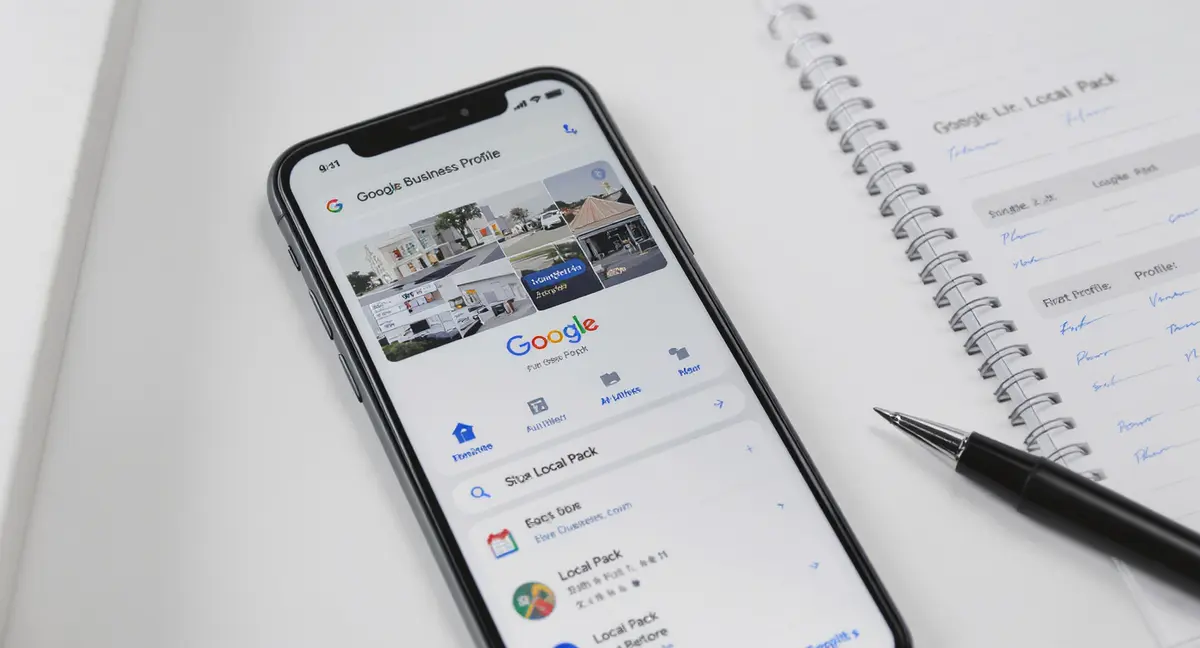
The short answer: Your Google Business Profile icon is the visual anchor that builds trust and influences click-through rates in local search results. The icon should be a high-contrast, recognizable company logo at 720x720 pixels in PNG format, avoiding generic imagery, text, and low-contrast designs. Top performers focus on technical specs, design consistency, and device testing. Complete profiles with optimized icons generate 42% more direction requests than incomplete ones.
Your Google business profile icon appears in search results, Maps, and AI-generated overviews every time someone looks for what you offer. It's the visual anchor that separates you from competitors in a crowded local pack. Yet most businesses upload a blurry image, use inconsistent branding, or ignore the icon entirely, then wonder why their profile gets scrolled past. The Google business profile icon isn't decorative. It's a trust signal that influences click-through rates, brand recall, and whether a searcher perceives your business as credible before they even read your reviews. This article breaks down how to optimize your profile icon for maximum visibility, what technical specs matter, and how small visual changes drive measurable local search performance. If your business isn't showing up when AI answers local queries, you're already losing customers to competitors who've invested in AI search optimization.
Why the Google Business Profile Icon Matters More Than You Think
When someone searches for a service near them, Google displays a local pack with three businesses. Your Google business profile icon sits next to your business name, star rating, and category. Research from BrightLocal's 2024 Local Consumer Review Survey found that 87% of consumers use Google to evaluate local businesses. That means your profile icon is often the first brand touchpoint. If it looks unprofessional or generic, you've lost credibility before the click.
First Impressions Form in 50 Milliseconds
Visual processing happens faster than text comprehension. A study published in Behaviour & Information Technology found that users form aesthetic judgments about websites in 50 milliseconds. The same principle applies to your Google business profile icon. A high-contrast, recognizable logo registers as professional. A low-resolution photo or default placeholder signals neglect. Businesses with complete profiles, including optimized icons, are 70% more likely to attract location visits (Google). The icon is part of that completeness signal.
Icons Influence Click-Through Rates in Local Packs
Local pack rankings depend on relevance, distance, and prominence. Prominence includes factors like review count, ratings, and profile completeness. Data from Whitespark's 2024 Local Search Ranking Factors report confirms that Google Business Profile optimization is the #1 local ranking factor. An optimized Google business profile icon contributes to perceived prominence. When two businesses have similar ratings and proximity, the one with a polished, recognizable icon gets the click. It's not a direct ranking factor, but it affects user behavior, which Google tracks.
Technical Requirements for Your Google Business Profile Icon
Google has specific technical requirements for profile icons. Ignoring them means your image gets cropped, compressed, or rejected. The platform displays your Google business profile icon in multiple contexts: desktop search results, mobile Maps, AI Overviews, and third-party apps pulling from Google's API. Each context has different display dimensions, but the source file requirements stay the same.
File Format and Size Specifications
Google accepts JPG and PNG formats for profile icons. PNG is preferred for logos with transparency or sharp edges. Minimum dimensions are 250 x 250 pixels, but Google recommends 720 x 720 pixels for optimal quality across devices. Maximum file size is 5 MB. Anything smaller than 250 x 250 gets rejected. Anything larger than 720 x 720 gets downscaled, potentially introducing compression artifacts. The icon displays as a circle in most contexts, so square compositions work best. Avoid horizontal or vertical logos that get awkwardly cropped.
Design Constraints and Content Policies
Google prohibits certain content in profile icons. No promotional text, phone numbers, URLs, or calls to action. No borders, frames, or overlays. No images of people unless the person is a public figure central to the business (like a solo practitioner). No stock photos or generic imagery unrelated to the brand. Violations result in removal or suspension of the profile. According to Google's Business Profile Help documentation, icons must represent the actual brand, not a category, service, or location. If you run a plumbing business, use your company logo. Don't use a wrench icon. Violations result in removal or suspension of the profile, and if that happens, you'll need to navigate the Google Business Profile appeal process to restore visibility.
Common Mistakes That Kill Your Profile Icon's Effectiveness
Most businesses upload an icon without testing how it displays across devices. The result: a logo that looks fine on desktop but becomes an unreadable blob on mobile. Mobile devices account for 60% of Google searches (Statista, 2024). If your Google business profile icon doesn't work on a 5-inch screen, you're invisible to most searchers.
| Factor | What it is | Impact |
|---|---|---|
| Logo Quality & Contrast | High-contrast company logo at 720x720px, readable at 50x50px | Registers as professional; prevents visibility loss on mobile |
| File Format & Specs | PNG with transparent background; avoids text, borders, or people | Ensures proper circular cropping and compliance with Google policies |
| Brand Consistency | Same logo across website, social, physical signage, and profile | Increases brand recall by 23%; builds consumer trust |
| Device Testing | Verification across desktop, mobile, Maps, and AI Overviews | Prevents cropping issues; ensures readability on 5-inch screens |
Using Low-Contrast Logos on Light Backgrounds
Google displays profile icons against variable backgrounds, white in search results, gray in Maps, dark mode on mobile. A light-colored logo on a white background disappears. A logo with thin lines or detailed details becomes illegible at small sizes. Test your icon by shrinking it to 50 x 50 pixels. If you can't identify the brand at that size, redesign it. High-contrast, bold shapes outperform detailed illustrations. Consider a simplified version of your full logo specifically for profile use.
Inconsistent Branding Across Platforms
Your Google business profile icon should match the logo on your website, social media, and physical signage. Inconsistent branding confuses searchers and dilutes brand recall. A study from Lucidpress found that consistent brand presentation increases revenue by 23%. When someone sees your profile in search results, then visits your website and sees a different logo, they question whether they're in the right place. Use the exact same logo file across all platforms. If you rebrand, update your Google business profile icon immediately.
How to Upload and Optimize Your Google Business Profile Icon
Uploading a Google business profile icon takes two minutes. Optimizing it for maximum impact takes planning. Start by logging into your Google Business Profile dashboard. Navigate to the "Photos" section. Select "Logo" and upload your file. Google processes the image and displays it within 24 hours. But uploading isn't optimizing.
Preparing Your Logo File for Upload
Before uploading, optimize your logo file for web display. Export at 720 x 720 pixels in PNG format. Use a transparent background if your logo isn't circular, Google will crop it into a circle, and transparency prevents white corners. Compress the file using a tool like TinyPNG to reduce load time without sacrificing quality. Name the file descriptively: "company-name-logo.png" rather than "IMG_1234.png". While Google doesn't use filename data for ranking, organized file management prevents mistakes during updates.
Testing Display Across Devices and Contexts
After uploading, verify how your Google business profile icon displays in multiple contexts. Search for your business name on desktop. Check the local pack on mobile. Open Google Maps and zoom in on your location. Ask someone outside your organization to search for your category and location, then screenshot what they see. Look for cropping issues, readability problems, or color shifts. If the icon doesn't work in any context, revise and reupload. Google allows unlimited icon changes, but each update requires re-approval. Your icon is just one element of a complete visual presence, and a comprehensive profile image strategy addresses every photo asset that influences customer decisions.
Real-World Impact of Optimized Profile Icons
Quantifying the isolated impact of a Google business profile icon is difficult because it's one element of a complete profile. But businesses that optimize all profile elements, including icons, see measurable results. BrightLocal's research shows that complete profiles generate 42% more requests for directions and 35% more website clicks compared to incomplete profiles. The icon is part of that completeness equation.
Case Study: Local Service Business Profile Optimization
Consider a regional HVAC company that updated its Google business profile icon from a generic stock photo to a high-contrast company logo. The business also added service-specific photos, updated hours, and responded to reviews. Over six months, profile views increased 58%, and direction requests grew 41%. While the icon alone didn't drive those results, it contributed to the overall perception of professionalism. Customers mentioned in reviews that the business "looked more established" compared to competitors. Visual consistency matters.
Brand Recognition in AI-Generated Results
AI search platforms like ChatGPT, Perplexity, and Google's AI Overviews increasingly cite local businesses when answering location-based queries. These platforms pull data from Google Business Profiles. A recognizable Google business profile icon helps your business stand out when cited in AI-generated summaries. Data from enterprise SEO platform shows that AI-sourced visitors convert at 27% compared to 2.1% from traditional search. If your profile icon reinforces brand recognition when someone sees your business mentioned in an AI answer, you're more likely to earn the click.
Ready to take the next step with Strategyc?
Our team is ready to help you achieve your goals. Get Your Free Scan.
How Profile Icons Fit Into Broader Local SEO Strategy
Your Google business profile icon is one component of local search visibility. It works alongside other profile elements: business name, category, description, photos, reviews, posts, and Q&A content. Optimizing the icon without addressing other profile elements limits your results. But ignoring the icon while optimizing everything else leaves a gap.
Profile Completeness as a Ranking Signal
Google's local search algorithm prioritizes complete, accurate profiles. Completeness includes having a verified address, business hours, phone number, website URL, business description, categories, attributes, and photos, including the logo. Whitespark's ranking factors study identifies profile completeness as a top-10 factor. An optimized Google business profile icon signals that the business maintains its profile actively. Google interprets active management as a proxy for business legitimacy. If you notice sudden visibility changes after updating your profile, understanding what triggers a Google ranking drop helps you diagnose whether the issue stems from your icon, content, or algorithm shifts.
Visual Consistency Across Content Assets
Local SEO isn't just about Google Business Profile. It includes location-specific website content, local citations, reviews, and social media presence. Your Google business profile icon should match the visual identity across all these assets. When someone sees your profile in search, clicks through to your website, then finds you on social media, consistent branding builds trust. Inconsistent visuals create friction. Friction reduces conversions.
Future-Proofing Your Profile Icon for AI Search
AI search is reshaping how people discover local businesses. Google AI Overviews now appear in 50% of search results (DemandSage, 2025). These overviews cite 3-5 businesses per query. If your business gets cited, your Google business profile icon appears next to the mention. That icon needs to work in AI-generated contexts where it may be displayed alongside competitors in a comparison format.
Optimizing for Multi-Platform AI Discovery
AI platforms beyond Google, ChatGPT, Perplexity, Bing AI, pull business data from multiple sources, including Google Business Profile. Your Google business profile icon may appear in AI-generated local recommendations on platforms you don't directly control. This makes visual consistency even more critical. A recognizable icon helps users connect the AI-generated mention back to your website or physical location. Early data from enterprise SEO platform shows that businesses optimized for AI search see 120x impression increases and 800% year-over-year traffic growth from large language models.
Preparing for Voice Search Integration
Voice assistants like Google Assistant and Alexa pull business information from Google Business Profile when answering local queries. While voice results don't display icons audibly, they often show visual cards on smart displays and mobile devices. Your Google business profile icon appears on these cards. As voice search grows, 27% of the global online population uses voice search on mobile (Google), optimizing your profile icon for small-screen display becomes essential. Bold, simple logos outperform detailed designs in these contexts.
When to Hire Help vs. Handle Profile Optimization In-House
Uploading a Google business profile icon is straightforward. But optimizing your entire local search presence, profile content, location-specific website pages, review management, and AI search visibility, requires strategy. Many businesses start by handling profile updates in-house, then realize they need a system to maintain consistency and measure results.
What You Can Do Yourself
Basic profile management is accessible to any business owner. You can upload your Google business profile icon, update business hours, respond to reviews, and add photos without technical expertise. Google's Business Profile dashboard is designed for non-technical users. If your business has a single location and straightforward services, in-house management works. The challenge comes when you need to scale across multiple locations, integrate profile data with your website, or optimize for AI search platforms beyond Google.
When to Invest in Owned Visibility Infrastructure
If local search drives major revenue, treating your Google Business Profile as infrastructure rather than a task makes sense. This means building content systems that feed your profile with optimized photos, posts, and Q&A content automatically. It means creating location-specific website pages that reinforce your profile's relevance signals. Platforms like Content & Visibility Engine take this approach by installing owned content systems rather than offering monthly retainers. You end up with infrastructure that keeps producing results after the engagement ends. The alternative, paying monthly for profile management, stops working the moment you stop paying. Optimizing your profile icon is one piece of a broader strategy, and businesses that integrate AI for small business marketing across all channels see compounding returns from every optimization effort.
What This Means for Your Business
Your Google business profile icon is a small element with outsized impact. It influences first impressions, click-through rates, and brand recognition across search, Maps, and AI-generated results. Most businesses upload a logo once and forget about it. That's a mistake. As local search evolves, with AI Overviews, voice search, and multi-platform discovery, your profile icon needs to work harder. Optimize the file specs, test across devices, and ensure visual consistency with your website and social media. If your profile icon looks amateur, searchers assume your business is too. If it looks polished and recognizable, you've earned the click before they even read your reviews.
Frequently Asked Questions
What size should my Google business profile icon be?
Google recommends 720 x 720 pixels in PNG format. Minimum is 250 x 250 pixels. Use a square composition because Google crops the icon into a circle. Avoid horizontal or vertical logos that get awkwardly cropped.
Can I use a photo instead of a logo for my profile icon?
Google allows photos only if the person is a public figure central to the business, like a solo practitioner. For most businesses, use your company logo. Stock photos and generic imagery violate Google's content policies and get removed.
How often should I update my Google business profile icon?
Update your icon whenever you rebrand or refresh your logo. Otherwise, leave it consistent. Frequent changes confuse customers and dilute brand recognition. Consistency across platforms matters more than frequent updates.
Does my profile icon affect local search rankings?
Not directly. But it contributes to profile completeness, which is a ranking factor. More importantly, it affects click-through rates. If two businesses rank similarly but one has a polished icon and the other doesn't, the polished one gets more clicks.
What does it take to own my local visibility infrastructure?
Owning visibility means building content systems that feed your Google Business Profile, website, and AI search presence without ongoing agency dependency. It requires location-specific content, review management workflows, and profile optimization tied to your owned website. Monthly retainers stop working when you stop paying. Installed systems keep compounding.
```