Google Ads Conversion Rate Optimization That Drives Revenue
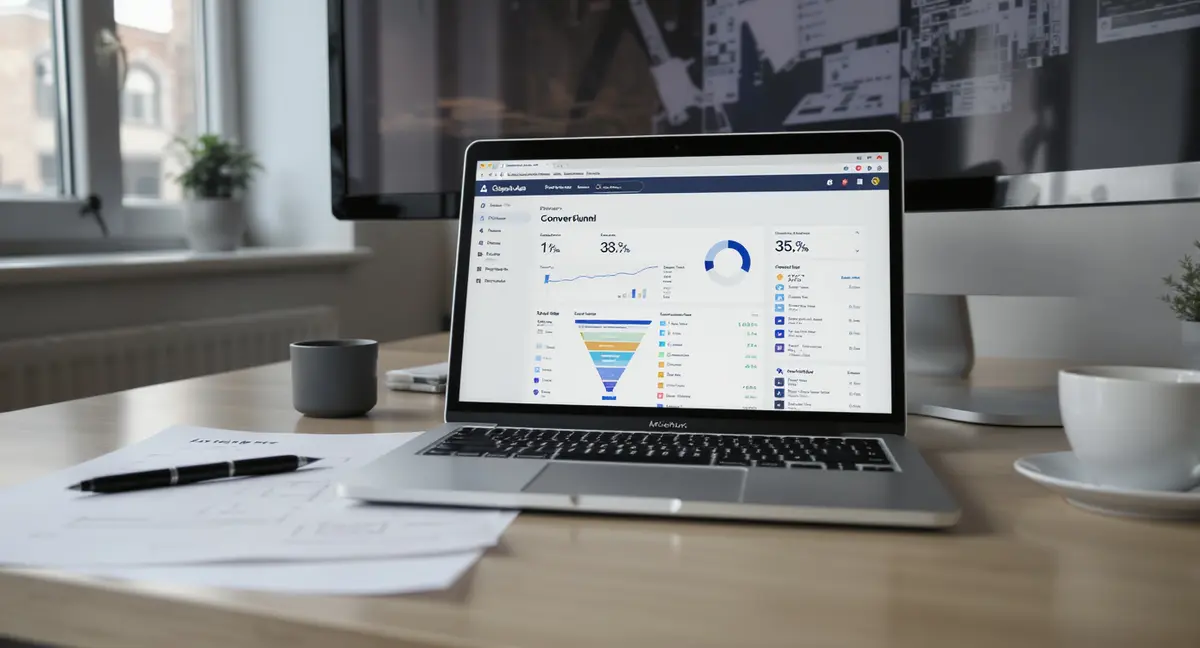
The short answer: Google ads conversion rate optimization is the systematic process of increasing the percentage of ad clicks that complete a desired action, purchase, form fill, call, or download. It combines landing page design, ad-to-page message match, audience targeting, and conversion tracking accuracy. Three variables move the needle: landing page relevance, conversion tracking precision, and bid strategy alignment. WordStream found businesses that optimize landing pages see 2-3x higher conversion rates than those running generic pages. As AI-powered search engines reshape how users discover businesses, understanding Perplexity SEO becomes essential for brands that want visibility beyond traditional Google results.
Most businesses treat Google Ads like a vending machine. Put money in, hope leads come out. When conversion rates sit at 2-3%, they blame the platform or assume they need more traffic. The real problem is almost never traffic volume. It's what happens after the click. Google ads conversion rate optimization fixes the gap between clicks and customers. You're already paying for the visitor. The question is whether your landing page, offer clarity, and conversion path are set up to turn that visitor into revenue. According to Unbounce, the median landing page conversion rate across industries is 4.6%, but top performers hit 11.45%. That gap represents millions in lost revenue for businesses running the same ad spend through broken funnels. This isn't about tweaking button colors or running endless A/B tests. It's about building a system where every element, ad copy, keyword intent, page speed, form friction, trust signals, works together to move visitors toward a single, clear action. The businesses winning on Google Ads in 2026 aren't spending more. They're converting more of what they already have.Why Most Google Ads Campaigns Waste 90% of Their Clicks
The Measurement Blind Spot That Kills Optimization
You can't optimize what you don't measure. Google Ads conversion tracking is the foundation of every successful campaign, yet 47% of small businesses admit they don't track conversions accurately, according to Databox. Without proper tracking, you're flying blind. You don't know which keywords drive revenue, which landing pages convert, or whether your campaign is profitable. Google's conversion tracking tool uses the Google tag (formerly Google Ads tag) to record actions visitors take after clicking your ad. Install it via Google Tag Manager or directly in your site header. Tag every meaningful action: form submissions, phone calls, purchases, PDF downloads. The tag fires when a visitor completes the action, sending data back to Google Ads. This data feeds your reports, attribution models, and Smart Bidding algorithms. Enhanced conversions improve accuracy by sending hashed first-party data (email, phone number) from your conversion forms back to Google. This helps Google match conversions to ad clicks even when cookies are blocked or users switch devices. Set up improved conversions through Google Tag Manager or the Google Ads API. Without it, you're losing 15-30% of your conversion data to tracking gaps.The Landing Page Mismatch Costing You Money
Most Google Ads campaigns send all traffic to the homepage. That's a conversion killer. A visitor searching "emergency plumber Chicago" clicks your ad and lands on a generic homepage with five service categories, a company history paragraph, and no clear next step. They leave within seconds. Message match is the alignment between ad copy, keyword intent, and landing page content. If your ad promises "24/7 emergency plumbing," your landing page headline must say exactly that. Use the same language, the same offer, the same visual hierarchy. Instapage found that message-matched landing pages convert 2.5x better than generic pages. Create dedicated landing pages for each major keyword theme or offer. A "commercial HVAC repair" campaign should land on a page built for commercial HVAC, not residential services. Include the keyword in the H1, repeat the ad's value proposition above the fold, and use a single, prominent call-to-action. Remove navigation menus, footer links, and anything else that gives visitors an escape route. One page, one goal.| Factor | What it is | Impact |
|---|---|---|
| Conversion tracking accuracy | Percentage of conversions correctly attributed to ad clicks | High, without it, optimization is guesswork |
| Message match score | Alignment between ad copy and landing page headline | High, 2.5x conversion lift when matched |
| Page load speed | Time from click to fully interactive landing page | High, 53% of mobile visitors abandon after 3 seconds |
| Form field count | Number of inputs required to convert | Medium, each field reduces completion by 5-10% |
| Trust signal presence | Reviews, certifications, client logos near CTA | Medium, increases conversion 10-20% |
How to Fix Conversion Tracking Before You Spend Another Dollar
Setting Up Conversion Actions That Actually Matter
Not all conversions are equal. A newsletter signup is not the same as a $5,000 purchase. Google Ads lets you define multiple conversion actions and assign each a value. Start by identifying your primary conversion, the action that directly generates revenue or qualified leads. For ecommerce, that's a purchase. For B2B services, it's a demo request or qualified form fill. For local businesses, it's a phone call or appointment booking. Create conversion actions in Google Ads under Tools > Conversions > New Conversion Action. Choose the source: website, app, phone calls, or import from Google Analytics 4. For website conversions, you'll generate a tag snippet to install on your thank-you page or confirmation screen. The tag fires when a visitor reaches that page, recording the conversion. Assign values to each conversion action. If your average customer is worth $2,000 and 20% of form fills become customers, assign a $400 value to each form submission. This lets Google Ads calculate return on ad spend (ROAS) and optimize bids toward profitable conversions. According to Search Engine Journal, advertisers who assign conversion values see 30% better ROAS than those who treat all conversions equally.Eliminating Tracking Gaps With Enhanced Conversions
Cookie-based tracking is dying. Apple's Intelligent Tracking Prevention, Firefox's Enhanced Tracking Protection, and Chrome's planned cookie deprecation all reduce the accuracy of traditional conversion tracking. Enhanced conversions solve this by sending hashed first-party data from your forms directly to Google. When a visitor fills out your contact form, your website sends their email address (hashed using SHA-256) to Google along with the conversion event. Google matches that hashed email to a signed-in Google account, attributing the conversion to the correct ad click even if cookies were blocked. This recovers 15-30% of lost conversions. Set up improved conversions through Google Tag Manager by modifying your conversion tag to capture form field data. Alternatively, use the Google Ads API if you process conversions server-side. Google's official help documentation walks through both methods. Enhanced conversions require user consent under GDPR and CCPA, so ensure your consent management platform is configured correctly.What High-Converting Landing Pages Actually Look Like
The Above-the-Fold Formula That Drives Action
Visitors decide whether to stay or leave within 3 seconds. Your above-the-fold section must answer three questions instantly: Where am I? What can I do here? Why should I do it now? Most landing pages fail all three. Start with a headline that mirrors the ad copy and keyword intent. If the ad says "Get a Free HVAC Estimate in 24 Hours," the landing page H1 should say exactly that. Not "Welcome to ABC Heating & Cooling." Not "Trusted HVAC Services Since 1995." The exact promise from the ad. Place a single, high-contrast call-to-action button above the fold. Use action-oriented copy: "Get My Free Estimate," "Schedule My Consultation," "Download the Guide." Avoid vague CTAs like "Learn More" or "Submit." The button should be the most visually prominent element on the page, larger than body text, bright color that contrasts with the background, surrounded by white space. Include one trust signal near the CTA. A five-star Google review snippet, a certification badge, or a "200+ businesses served" stat. According to BrightLocal, 87% of consumers read online reviews for local businesses, and displaying reviews on landing pages increases conversions by 15-20%. Don't bury social proof in the footer. Put it where visitors see it before they scroll.Reducing Form Friction Without Losing Lead Quality
Every form field is a conversion barrier. Unbounce found that reducing a form from 11 fields to 4 fields increased conversions by 120%. But shorter forms can attract lower-quality leads. The solution is progressive disclosure: ask for the minimum information upfront, then collect additional details after the initial commitment. For B2B lead gen, start with name, email, and company. For local service businesses, ask for name, phone, and zip code. For ecommerce, collect only what's required to process the order, don't ask for a phone number if you'll never call. Use autofill-friendly field names (name="email", name="phone") so browsers can populate forms automatically. Remove optional fields entirely. If you don't need it to qualify or contact the lead, don't ask for it. Use conditional logic to show additional fields only when necessary. For example, if a visitor selects "I'm interested in commercial services," show a company size dropdown. Otherwise, hide it. Test multi-step forms for complex offers. Breaking a 10-field form into three steps (contact info → project details → preferences) can increase completion rates by 30-50%. Each step feels smaller and less overwhelming. Show a progress indicator so visitors know how much remains.Which Bid Strategies Actually Improve Conversion Rates
When to Use Manual CPC vs Smart Bidding
Manual CPC gives you control. You set the maximum cost-per-click for each keyword, and Google never bids higher. This works when you're launching a new campaign, have limited conversion data, or need strict budget control. But manual bidding can't react to real-time auction signals, time of day, device, location, audience, that Smart Bidding uses to optimize bids. Smart Bidding uses machine learning to adjust bids automatically based on conversion likelihood. Google's algorithm analyzes millions of signals per auction: device type, browser, location, time of day, remarketing list membership, and more. It predicts which clicks are most likely to convert and bids higher for those, while reducing bids on lower-intent traffic. The catch: Smart Bidding needs conversion data to learn. Google recommends at least 30 conversions in the past 30 days before switching to Target CPA or Maximize Conversions. Below that threshold, the algorithm lacks enough signal to optimize effectively. If you're just starting, use Manual CPC or Maximize Clicks to build conversion volume, then transition to Smart Bidding once you hit the minimum.Setting Target CPA Without Destroying Profitability
Target CPA bidding tells Google the average amount you want to pay per conversion. Set it too low, and Google restricts your bids so much you get almost no traffic. Set it too high, and you'll hit your target but lose money on every conversion. Calculate your maximum allowable CPA before you set a target. Start with your customer lifetime value. If the average customer is worth $2,000 and you're willing to spend 20% of that on acquisition, your max CPA is $400. But if only 25% of leads convert to customers, your max cost per lead is $100 ($400 × 25%). That's your ceiling. Set your initial Target CPA 20-30% below your maximum. If your max is $100, start with a $70-80 target. This gives Google room to optimize without risking profitability. Monitor performance for 2-3 weeks. If conversion volume is strong and actual CPA is below target, you can increase the target to scale. If conversions drop off, you've set the target too aggressively. According to Google's internal data, advertisers using Target CPA see 15-20% more conversions at the same cost compared to manual bidding, once the algorithm has sufficient data. But that advantage disappears if you set unrealistic targets or switch strategies too frequently. Give Smart Bidding at least 30 days to stabilize before making major changes.See How Your Business Shows Up in AI Search
Get a free AI visibility scan. See exactly where you rank on ChatGPT, Perplexity, and Google AI, and what to do about it. Get Your Free Scan. Once your conversion tracking is accurate, you can layer in Google Analytics for conversion rate optimization to identify which traffic sources and user behaviors drive the highest-value actions.
How to Eliminate Wasted Spend on Low-Intent Traffic
Using Search Terms Reports to Find Conversion Killers
Your campaign targets "emergency plumber." Google shows your ad for "plumber salary," "how to become a plumber," and "plumber meme." You pay for clicks that will never convert. This is why the search terms report is the single most important optimization tool in Google Ads. Access it under Insights & Reports > Search Terms. This shows every actual query that triggered your ad, along with impressions, clicks, cost, and conversions for each. Sort by cost descending. Look for queries with high spend and zero conversions. Those are your negative keyword candidates. Add irrelevant terms as negative keywords at the campaign or account level. If you sell residential HVAC and keep getting clicks for "commercial HVAC," add "commercial" as a negative. If you're a personal injury lawyer and see clicks for "criminal defense," add "criminal" as a negative. Be aggressive. According to WordStream, the average account wastes 76% of its budget on irrelevant clicks. Negative keywords are how you reclaim that spend. Review your search terms report weekly for new campaigns, monthly for mature ones. Google constantly matches your keywords to new queries. A keyword you added last month might start triggering irrelevant traffic this month as search behavior shifts.Tightening Match Types to Improve Conversion Rates
Broad match keywords give Google maximum flexibility to show your ad for related queries. That sounds good until "roof repair" starts triggering ads for "roof repair cost calculator" (informational, won't convert) and "roof repair DIY" (wrong audience). Phrase match and exact match give you more control. Phrase match requires the query to contain your keyword phrase in the same order, but allows additional words before or after. "roof repair" in phrase match will show for "emergency roof repair Chicago" but not "repair roof shingles." Exact match shows your ad only for queries that match your keyword's meaning, with minor variations like plurals or misspellings. Start new campaigns with phrase match. It balances reach and relevance. Monitor your search terms report. If you see irrelevant queries, either add them as negatives or switch to exact match. If conversion rates are strong and you want more volume, test broad match with a lower bid or separate campaign. Google ads conversion rate optimization often means narrowing your targeting to focus spend on high-intent queries. A campaign with 1,000 clicks at 2% conversion rate produces 20 conversions. Cut the irrelevant 500 clicks, and you might get 500 clicks at 4% conversion rate, still 20 conversions, but at half the cost. That's the power of match type discipline.Why Conversion Rate Optimization Is a System, Not a Tactic
Building a Testing Framework That Compounds Results
One landing page test might lift conversions 10%. That's good. But a systematic testing program that runs 2-3 tests per month for a year can double or triple conversion rates. The businesses that dominate Google Ads don't rely on one-off wins. They build testing into their workflow. Start with high-impact elements: headline, CTA copy, form length, trust signals. Use Google Ads Experiments to split traffic between two landing page variants. Run each test for at least 100 conversions per variant (200 total) to reach statistical significance. Conversion rate optimization requires patience. A test with 20 conversions per variant proves nothing. Document every test: hypothesis, variants, results, and learning. Even failed tests produce insights. If removing a form field didn't improve conversions, you learned that field isn't the friction point. Focus on the next hypothesis. Over time, your documentation becomes a playbook of what works for your audience. Prioritize tests using the PIE framework: Potential (how much improvement is possible), Importance (how much traffic this page gets), Ease (how quickly you can implement the test). Test high-PIE elements first. A homepage test that's easy to implement and gets 10,000 visitors per month beats a checkout page test that requires developer work and only sees 500 visitors.Connecting Google Ads to the Rest of Your Visibility System
Google Ads is not a standalone channel. It works best as part of a broader content and visibility system. Organic search, AI search optimization, and owned content all feed the same conversion funnel. Businesses that treat Google Ads as their only visibility source pay rent forever. Businesses that build owned assets reduce their dependency on paid traffic over time. Use Google Ads to test messaging and offers quickly. Launch a new service? Run a small Search campaign to see which headlines and value propositions generate clicks and conversions. Take the winners and build them into your organic content strategy. This is faster and cheaper than guessing what will resonate. Retarget website visitors with Display and YouTube campaigns. Someone who reads three blog articles on your site but doesn't convert is a warmer lead than a cold search visitor. Show them case studies, testimonials, or a limited-time offer. According to Criteo, retargeting campaigns see 10x higher click-through rates than prospecting campaigns. Build content that ranks organically for the same keywords you're bidding on. If you're paying $15 per click for "workers comp insurance California," publish a complete guide that ranks organically for that term. You'll capture clicks without paying for them. Even if organic ranking takes 6-12 months, the compound effect is worth it. Paid traffic is a rental. Organic ranking is an asset.The Bottom Line
Google ads conversion rate optimization is not about spending more. It's about converting more of what you already spend. Fix conversion tracking first so you know what's working. Build landing pages that match ad intent and eliminate friction. Use Smart Bidding once you have enough conversion data. Cut wasted spend with negative keywords and tighter match types. Test systematically, not randomly. The businesses that win on Google Ads in 2026 treat it as one part of a larger visibility system. They use paid traffic to test and scale what works, then build those insights into owned content that compounds over time. They don't rent visibility. They install systems that produce results whether they're paying Google this month or not.Frequently Asked Questions
What is a good conversion rate for Google Ads?
Average conversion rates vary by industry, but most fall between 2-5% for search campaigns. According to WordStream, the top 25% of advertisers achieve 11% or higher. Your target depends on your industry, offer complexity, and average order value. Focus on improving your rate, not hitting an arbitrary benchmark. If your internal team lacks the bandwidth or expertise to implement these changes, partnering with experienced conversion rate optimization companies can accelerate results without the learning curve. For a deeper breakdown of the specific elements that make landing pages convert, our guide to conversion rate optimization landing page design covers testing frameworks, psychological triggers, and layout patterns that consistently outperform generic templates.
How long does it take to see results from Google ads conversion rate optimization?
Landing page and ad copy changes can show impact within 7-14 days. Smart Bidding strategies need 30 days and at least 30 conversions to stabilize. Systematic testing programs compound results over 6-12 months. Quick wins exist, but sustained improvement requires ongoing optimization and enough traffic volume to test effectively. The right conversion rate optimization software can automate much of the testing and analysis work, letting you identify winning variations faster than manual observation ever could.
Should I optimize for clicks or conversions first?
Always optimize for conversions. High click-through rates mean nothing if visitors don't convert. Set up conversion tracking before you launch any campaign. Use conversion-focused bid strategies like Target CPA or Maximize Conversions once you have baseline data. Clicks are a vanity metric. Revenue is what matters.
Can I build a high-converting Google Ads system in-house?
Yes, if you have time to learn the platform and run ongoing tests. Google Ads requires technical setup (conversion tracking, tag management), strategic planning (keyword research, audience targeting), creative development (ad copy, landing pages), and continuous optimization. Many businesses start in-house, hit a performance ceiling, then decide whether to invest in training or install a system that handles optimization systematically.
How do I measure ROI from Google ads conversion rate optimization?
Track cost per conversion and return on ad spend (ROAS). Calculate your customer lifetime value and maximum allowable acquisition cost. If you spend $10,000 on ads, generate 50 conversions at $200 each, and those conversions produce $30,000 in revenue, your ROAS is 3:1. Compare this month's metrics to last month's to measure optimization impact. Focus on profit, not just conversion volume.