How to Build a Content Calendar Template in Google Sheets Your Team Will Use
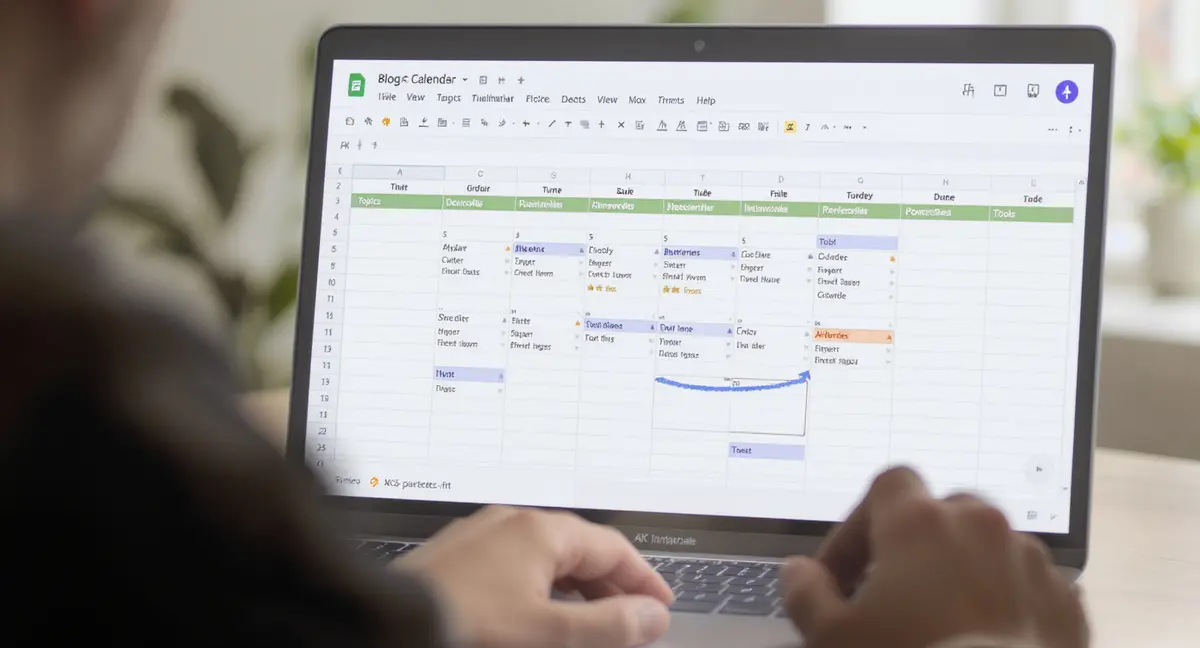
The short answer: A content calendar template in Google Sheets is a free, shareable spreadsheet that organizes publishing across channels, eliminating guesswork and enforcing consistency. Content calendars should include writer, topic, keywords, audience, status, and SEO metadata columns that force strategic decisions before publishing. Success comes down to structured columns that capture decision context, multi-channel tabs customized for each format's requirements, and automation features like conditional formatting that flag bottlenecks. Teams using calendars publish 3x more consistently than those without.
A content calendar template google sheets setup is the difference between publishing consistently and scrambling every week to figure out what to write. Most businesses start with good intentions, blog twice a week, post daily on social, then reality hits. Without a system to track topics, deadlines, and who's responsible for what, content planning becomes guesswork. Google Sheets solves this because it's free, shareable, and flexible enough to handle everything from blog posts to Instagram stories in one place. SEO checklist is worth reading alongside this.
The problem isn't finding a template. You can download dozens of free content calendar template google sheets files right now. The problem is most of them sit unused after the first week because they're either too complicated (17 tabs you'll never touch) or too simple (just dates and titles with no SEO context). A working calendar needs structure without bloat, columns that force strategic decisions like target keywords and audience intent, not just what you feel like writing today.
This guide walks through building a content calendar template google sheets system that supports real publishing consistency. You'll see which columns matter for SEO, how to structure tabs for different content types, and how to avoid the version-control chaos that kills team calendars. The goal is a calendar you actually open every Monday, not one that lives in your downloads folder forever.
Why Google Sheets Beats Fancy Content Tools for Most Businesses
Content planning software promises automation, integrations, and beautiful interfaces. Then you hit the paywall, $50/month for features you don't need. A content calendar template google sheets approach costs zero and works immediately. According to a 2024 Smartsheet survey, 80% of high-performing marketing teams use Google Sheets for content calendars specifically because there's no barrier to entry. No onboarding, no training videos, just a spreadsheet everyone already knows how to use.
Free Access Means No Excuses
Paid tools create dependency. When the subscription lapses, your calendar disappears. Sheets lives in your Google Drive permanently. You can duplicate it, share it with contractors, or hand it off to a new hire without worrying about seat licenses. This matters more than it sounds, CoSchedule found in 2022 that content teams with calendars publish 3x more consistently than those without. The tool that's always available is the one that gets used.
Sheets also handles real-time collaboration better than most dedicated platforms. Five people can edit simultaneously without conflicts. Comments thread directly on cells, so feedback stays attached to the specific post it references. Version history tracks every change automatically, which saves you when someone accidentally deletes a month of planning.
Customization Without Developer Help
Pre-built content tools lock you into their workflow. If you need a column for "AI search optimization status" or "evergreen refresh date," you're stuck unless the vendor adds it. A content calendar template google sheets file is just rows and columns, add whatever you need. Conditional formatting can color-code posts by status (draft, review, published). Drop-down menus standardize inputs like content type or target platform. Formulas can auto-calculate days until deadline or flag overdue items.
Consider a business that publishes blog content, LinkedIn posts, and monthly email newsletters. A single Sheets calendar can track all three with separate tabs, each customized for that format's needs. The blog tab includes keyword and meta description columns. The social tab tracks character counts and hashtags. The email tab links to design files and segment lists. One file, three workflows, zero monthly fees.
Essential Columns Every Content Calendar Template Google Sheets Needs
A calendar with just "Title" and "Date" is a to-do list, not a strategy tool. The Inflow team recommends at minimum: writer, topic, keywords, audience, and dates. Those five columns force you to think beyond "we should blog about X" and into "who searches for this, and what do they need to know?" Data from the Content Marketing Institute shows 62% of B2B marketers report calendars reduce missed deadlines, but only when the calendar includes ownership and status tracking. If you want the practical breakdown, Google sheets content is a good next step.
| Factor | What It Is | Impact |
|---|---|---|
| Structured Columns | Writer, keywords, audience, status, search intent metadata | Forces strategic decisions; prevents redundant topics and deadline misses |
| Multi-Channel Tabs | Separate tabs for blog, social, email customized per format | Prevents content blur; reveals coverage gaps and pillar depth patterns |
| Automation & Formatting | Conditional rules, formulas, color-coding by status and deadlines | Catches bottlenecks instantly; reduces manual updates and errors |
| Free Accessibility | Zero-cost, always-available Google Drive storage and real-time collaboration | Eliminates tool dependency; enables instant sharing with team and contractors |
| SEO & Performance Columns | Meta descriptions, internal links, competitor URLs, 30-day traffic tracking | Planned SEO ranks 2.5x faster; builds topical authority through clustered topics |
Core Planning Columns
Start with these eight columns in every content calendar template google sheets:
- Publication Date: When it goes live, not when you hope to finish writing it
- Content Title/Topic: Working headline that clarifies the angle
- Primary Keyword: The exact phrase you're targeting for search visibility
- Content Type: Blog post, video, social post, email, format matters for production time
- Writer/Owner: One name, not "team" or "TBD"
- Status: Idea, Outlined, Draft, Review, Scheduled, Published
- Target Audience: Which customer segment or persona this serves
- Search Intent: Informational, Commercial, Transactional, shapes how you write
These columns turn a calendar into a decision-making tool. When you see three posts in a row targeting the same keyword, you catch the redundancy before wasting time. When publication dates cluster in one week and leave the next empty, you rebalance before the gap happens.
SEO and Performance Tracking Add-Ons
If content is part of your visibility strategy, add these columns to measure what's working:
- Meta Description: Write it during planning, not five minutes before publishing
- Internal Links: Which existing posts should link here, and which posts this should link to
- Competitor Content: URLs of top-ranking articles you're trying to outperform
- Publish URL: Direct link once live, so you can find it fast
- 30-Day Traffic: Page views one month post-publish
- Evergreen Refresh Date: When to update this content with new data
A 2023 Ahrefs study found SEO content planned via calendars ranks 2.5x faster than ad-hoc publishing. The reason is simple, calendars force you to cluster related topics, which builds topical authority. When you can see your last six posts on one screen, you notice you've covered "keyword research" but never "keyword intent." That gap becomes next week's post.
How to Structure Tabs for Multi-Channel Content Planning
Single-tab calendars work until you're managing more than one content type. Then everything blurs together, blog deadlines mix with Instagram captions, and you can't see patterns in either. A well-structured content calendar template google sheets uses separate tabs for different channels, each with columns tailored to that format's requirements.
Blog and Long-Form Content Tab
Your blog tab needs depth because articles take longer to produce and have more SEO dependencies. Include all the core columns from the previous section, plus word count target and CTA/offer. Word count matters because a 600-word post and a 2,500-word guide require different production timelines. The CTA column forces you to decide the post's business purpose before writing, are you driving newsletter signups, product demos, or just building authority?
Add a "Content Pillar" column to group related posts. If you're building authority around "local SEO," tag every relevant post with that pillar. Over time, you'll see whether you're building depth (10 posts on one pillar) or spreading thin (one post each on 10 topics). Depth wins for search visibility, Google rewards sites that thoroughly cover a subject, not sites that skim 50 subjects. Social media essentials is worth reading alongside this.
Social Media and Short-Form Tab
Social content moves faster and needs different tracking. A content calendar template google sheets for social should include platform (Instagram, LinkedIn, Twitter), post copy (or first 50 characters), visual asset link, and scheduled time. Character count matters, LinkedIn posts perform best at 150-300 characters, Twitter maxes at 280. A simple formula can flag posts that exceed platform limits before you waste time editing.
Hashtag tracking is underrated. Create a separate "Hashtags" tab listing your standard tags by topic, then reference it in your social tab. This prevents the common mistake of using #marketing on every post regardless of content. The free template from Google Drive (docs.google.com) includes dedicated tabs for Instagram, Pinterest, and hashtag libraries, useful if visual platforms are core to your strategy.
Automation Features That Make Calendars Work on Autopilot
Manual calendars break down when the team grows past three people. Someone forgets to update status, another person schedules two posts for the same day, and suddenly the calendar is less reliable than memory. Smart automation keeps a content calendar template google sheets accurate without constant babysitting.
Conditional Formatting for Visual Status Tracking
Color-coding turns a wall of text into a scannable dashboard. Set up conditional formatting rules so "Published" rows turn green, "In Review" turns yellow, and "Overdue" turns red. You can spot bottlenecks instantly, if five posts are stuck in yellow for two weeks, your review process is the problem, not your writers.
Date-based formatting catches deadline creep. Create a rule that highlights any row where publication date is within three days and status isn't "Scheduled." This gives you a 72-hour warning to either finish the post or reschedule before you miss the slot. According to HubSpot's 2023 research, 70% of marketers use content calendars to improve efficiency, but efficiency only happens when the calendar actively flags problems.
Data Integrations for Performance Tracking
Platforms like Coefficient let you pull live analytics data directly into Sheets. Connect your Google Analytics account, and your calendar can auto-populate traffic numbers for published posts. This turns your content calendar template google sheets into a performance dashboard, you see which topics drive traffic without opening a separate tool.
RankYak takes this further by integrating SEO platform data. Their automated template pulls keyword rankings, search volume, and competitor analysis directly into the calendar. You can see which posts are ranking, which need optimization, and where competitors are outperforming you, all in one view. The trade-off is complexity. Automated calendars require setup time and ongoing maintenance. For teams under five people, manual updates often work better than troubleshooting broken integrations.
Ready to take the next step with Strategyc?
Our team is ready to help you achieve your goals. Get Your Free Scan.
Common Mistakes That Kill Content Calendar Adoption
Most content calendar template google sheets files get abandoned within a month. Not because the concept is bad, but because the implementation ignores how people actually work. Check out what breaks calendars and how to avoid it. If you want the practical breakdown, Tiktok content calendar is a good next step.
Over-Engineering the First Version
The 32-template roundup from Social Media Strategies Summit shows calendars with 15+ columns, multiple tabs, and elaborate formulas. They look impressive. They also take an hour to understand and 20 minutes to update. Start simple, eight columns, one tab, no formulas. Add complexity only when the simple version proves insufficient. Tabitha Whiting's templates include pre-filled examples specifically to avoid "blank template paralysis." Seeing a working calendar with real entries makes it easier to start than staring at empty cells.
Version control becomes a nightmare when too many people edit simultaneously. Google Sheets handles real-time collaboration well, but only if everyone understands the structure. Create an "Instructions" tab explaining what each column means and how to use drop-downs. The free template from Google Drive includes a "Getting Started" tab with this exact guidance, copy that approach.
Ignoring Post-Publish Optimization
Most calendars treat publication as the finish line. The post goes live, the row turns green, everyone moves on. That's a mistake. Content compounds over time, but only if you refresh it. Add an "Evergreen Refresh Date" column set to 6-12 months after publication. When that date arrives, update statistics, add new sections, and republish. This keeps old posts ranking instead of decaying.
Track performance metrics directly in the calendar. Add columns for 30-day traffic, 90-day traffic, and conversions if you have attribution data. When you see a post that drove 500 visits in month one and 50 in month three, you know it needs optimization or internal linking. A content calendar template google sheets that tracks performance becomes a strategic asset, not just a publishing checklist.
When to Upgrade Beyond Google Sheets
Sheets works until it doesn't. For solopreneurs and teams under five, a content calendar template google sheets handles everything. Beyond that, limitations appear. Real-time collaboration breaks down when 10 people edit simultaneously, changes conflict, cells lock, and frustration builds. Version history helps, but only if someone remembers to check it before overwriting critical data.
Signs You've Outgrown Spreadsheets
If you're managing more than 50 content pieces per month across multiple channels, Sheets becomes unwieldy. Scrolling through 200 rows to find one post wastes time. Filtering helps, but you're essentially building a database in a tool designed for calculations. At that scale, dedicated content platforms like Airtable or Notion offer better search, tagging, and view options.
Integration needs also push teams beyond Sheets. If you need your calendar to automatically create tasks in Asana, send Slack reminders, and pull analytics from three different tools, native Sheets integrations won't cut it. Zapier can bridge some gaps, but you're adding complexity and monthly costs. Coefficient's approach, live data connections within Sheets, works for analytics but doesn't solve workflow automation.
Hybrid Approaches for Growing Teams
You don't have to abandon Sheets entirely. Use it for planning and high-level strategy, then export to specialized tools for execution. Plan your content calendar template google sheets with topics, keywords, and deadlines. Once a post is assigned, move it to your project management tool for production tracking. This keeps strategic planning in one accessible place while letting execution tools handle their specific workflows.
For businesses where content drives visibility and growth, the calendar is infrastructure, not a deliverable. It should compound value over time, showing patterns in what works, gaps in coverage, and opportunities competitors miss. Whether that lives in Sheets or a dedicated platform matters less than whether it gets used every week. The best calendar is the one your team actually opens. Content strategy templates is worth reading alongside this.
The Bottom Line on Content Calendar Template Google Sheets
A content calendar template google sheets system works because it removes friction. No logins, no monthly fees, no training required. The businesses that publish consistently aren't the ones with the fanciest tools, they're the ones with a system that makes the next post obvious. When your calendar shows exactly what to write, who's writing it, and when it's due, publishing stops being a scramble and starts being a process.
Start with the eight essential columns: publication date, title, keyword, content type, owner, status, audience, and intent. Add tabs for different channels only when you're actually managing multiple formats. Build in performance tracking so the calendar shows what's working, not just what's planned. And keep it simple enough that updating takes five minutes, not an hour.
Content compounds when you publish consistently over months and years. A calendar is the infrastructure that makes consistency possible. If you're still planning content in your head or scattered across Slack threads, you're losing visibility to competitors who have systems. Find out where your content strategy stands right now. Book a 30-minute Content & Visibility Scan at https://strategyc.io/scan to see how your current publishing approach measures up and what infrastructure would actually move the needle.
Frequently Asked Questions
How do I make a copy of a content calendar template google sheets and customize it?
Open the template, click File > Make a Copy, and save it to your Google Drive. Then customize columns by adding or removing fields based on your workflow. Adjust drop-down menus, conditional formatting, and formulas to match your content types and team structure.
What columns are essential for SEO-focused content calendars?
Include primary keyword, search intent, meta description, target audience, internal links, and competitor URLs. These columns force strategic decisions during planning rather than guessing during writing. Add a 30-day traffic column to track performance after publication.
Can I build an effective content system in-house without ongoing agency costs?
Yes, if you install the right infrastructure. A content calendar template google sheets handles planning, but you also need keyword research processes, content quality standards, and performance tracking. Systems you own keep producing results after setup, unlike monthly retainers that stop when payments stop.
How do I measure ROI from organic content published through a calendar?
Track traffic, conversions, and keyword rankings for each published piece. Add columns in your calendar for 30-day and 90-day traffic, then compare against production cost. Content ROI compounds, a post published today may drive leads for years, making initial cost-per-lead calculations misleading.
What's the difference between manual and automated content calendar templates?
Manual calendars require hand-entered data for every field. Automated versions like RankYak or Coefficient pull keyword rankings, analytics, and SEO metrics directly from connected tools. Automation saves time but adds complexity and potential integration failures. Start manual, automate only proven bottlenecks.