The Best Free SEO Tools for Wordpress That Move the Needle in 2026
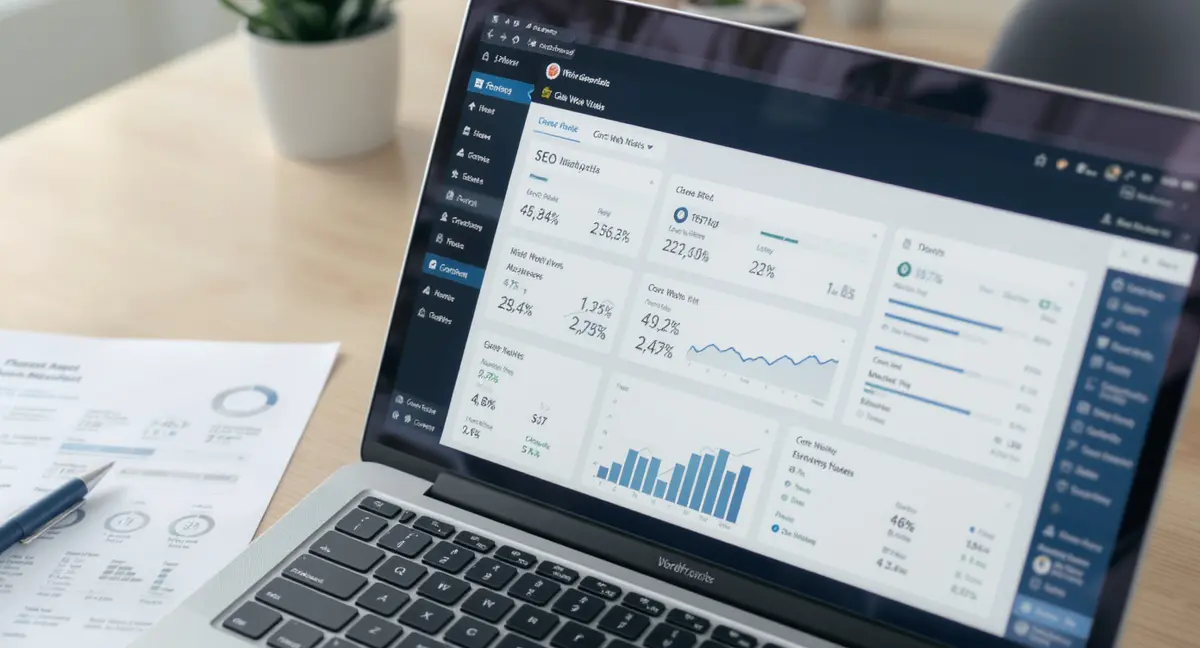
The short answer: The best free SEO tools for WordPress combine on-site plugins with external analytics platforms to cover content optimization, technical health, and performance tracking. The best free SEO tools WordPress users rely on include Google Search Console for indexing data, plugin-based schema markup for structured data, and speed testing tools for Core Web Vitals. Top performers focus on content structure, technical crawlability, and measurable traffic growth. If you need a systematic approach to covering all ranking factors, the SEO checklist walks through every technical and content element that matters in 2026.
Most WordPress site owners think SEO is just installing a plugin and filling in meta descriptions. That's not wrong, it's just incomplete. The best free SEO tools for WordPress span three categories: on-site optimization plugins, external diagnostic platforms, and analytics systems that tell you what's working. You need all three to compete in 2026, when 50% of Google queries trigger AI Overviews and organic click-through rates have dropped 61% for traditional results.
Check out what changed: AI search engines like ChatGPT and Perplexity now cite 3-5 sources per query. If your WordPress site isn't structured for machine readability, schema markup, clear headings, factual density, you're invisible to the systems reshaping search. According to Search Engine Journal, organic search still drives 53% of all trackable website traffic, but only sites optimized for both human readers and AI parsers capture that traffic now.
This article breaks down the best free SEO tools WordPress operators use to rank in Google, appear in AI answers, and track what's actually driving conversions. You'll see what each tool does, how to combine them into a working system, and which gaps free tools can't fill. No fluff. No 47-plugin listicles. Just the stack that produces measurable results.
Why Free SEO Tools for WordPress Still Matter in 2026
Free tools haven't become obsolete, they've become essential infrastructure. The average small business spends $1,500-$5,000 per month on SEO retainers, according to Ahrefs' 2024 agency pricing study. That's $18,000-$60,000 annually for services that stop producing results the moment you stop paying. Free tools let you own the process instead of renting it.
The Economics of Owned vs Rented SEO Infrastructure
When you pay an agency, you're paying for their tool subscriptions, their labor, and their margin. The tools themselves, Google Search Console, Analytics, PageSpeed Insights, are free. The knowledge to use them isn't proprietary. What you're renting is someone else's system for applying free tools to your site. That rental model made sense when SEO was arcane. In 2026, when Google publishes its ranking documentation and AI tools explain technical concepts in plain language, the knowledge gap has collapsed.
The best free SEO tools for WordPress give you 80% of what paid platforms offer. You won't get the enterprise-grade competitor analysis or automated reporting dashboards. But you will get indexing data, keyword insights, speed diagnostics, and schema validation, the core inputs that determine whether your content ranks. HubSpot's 2024 State of Marketing report found that companies publishing consistent blog content get 55% more website visitors than those that don't. The tools to publish that content and measure its impact are free. The discipline to use them consistently isn't.
What Free Tools Can and Can't Do
Free SEO tools for WordPress handle on-page optimization, technical audits, and performance monitoring. They don't handle content strategy, competitive intelligence, or advanced link analysis. Google Search Console tells you which queries drive impressions and clicks. It doesn't tell you which queries your competitors rank for that you don't. Google Analytics shows traffic sources and user behavior. It doesn't show you why visitors leave without converting.
The gap isn't the tools, it's the interpretation layer. Free tools provide data. Paid platforms provide context and recommendations. If you've got the expertise to interpret raw data, free tools are sufficient. If you need the platform to tell you what to do next, you'll hit limits quickly. That's not a weakness of free tools, it's a feature. They reward competence and punish guesswork.
The Core Plugin: On-Site Optimization and Schema Markup
Every WordPress site needs one SEO plugin to handle meta tags, sitemaps, and structured data. The best free SEO tools WordPress users install first are the plugins that control how search engines read your content. These aren't optional, without them, you're asking Google to guess what your pages are about. Speed improvements often start at the foundation, and choosing the right WordPress theme eliminates bloat before you install a single plugin.
What a Free SEO Plugin Actually Does
An SEO plugin gives you control over title tags, meta descriptions, canonical URLs, and Open Graph tags for social sharing. It generates XML sitemaps so search engines can discover your content. It adds schema markup, structured data that tells Google "this is a product" or "this is a local business" or "this is a how-to guide." Schema markup is how you appear in rich results: the star ratings, FAQ accordions, and recipe cards that dominate mobile search.
The free versions of major plugins, on-page SEO plugin SEO, Rank Math, SEOPress Free, all handle these basics. They differ in interface design and feature depth, but the core functionality is identical. You can optimize unlimited pages, generate sitemaps, and add basic schema types without paying. The paid versions add schema types for events, courses, and products, plus integrations with Google News and video SEO. For most WordPress sites, the free tier is sufficient.
Schema Markup and AI Search Visibility
Schema markup matters more in 2026 than it did in 2024. AI search engines prioritize structured data because it's machine-readable. When ChatGPT or Perplexity scrapes your page, schema markup tells the AI exactly what each section contains. Research from Princeton and Georgia Tech published at KDD 2024 found that structured content with clear section formatting improves AI citation rates by 30-40%. That's not a ranking factor, it's a visibility factor. If your content isn't structured for AI parsing, it won't get cited even if it ranks on page one of Google.
Free plugins let you add Article schema, FAQ schema, and HowTo schema, the three types that drive AI citations. You mark up your content once during publishing. The schema stays in your HTML forever. No monthly fee. No dependency on a third-party service. That's what ownership looks like.
| Plugin Category | Best for | Key Free Features | Limitation |
|---|---|---|---|
| All-in-one SEO suite | Sites needing meta control + schema + sitemaps | Title/meta optimization, XML sitemaps, basic schema types | Advanced schema (events, courses) requires paid tier |
| Content analysis plugin | Writers optimizing readability and keyword usage | Real-time content scoring, readability checks, keyword density | No competitor analysis or keyword suggestions |
| Technical SEO plugin | Sites with redirect needs or broken link issues | Redirect management, 404 monitoring, canonical control | Bulk operations limited in free versions |
Google Search Console: The Diagnostic Layer You Can't Skip
Google Search Console is the best free SEO tool WordPress operators ignore until something breaks. It's not a plugin, it's a web-based platform that shows you exactly how Google sees your site. If you're not checking Search Console weekly, you're flying blind.
What Search Console Tells You That Analytics Can't
Google Analytics shows traffic after people click through to your site. Search Console shows impressions and clicks before they arrive. You see which queries trigger your pages in search results, what your average position is, and your click-through rate for each query. That's the data you need to identify content gaps. If you're ranking position 8-15 for a high-volume query, you're close but invisible. Search Console tells you which pages need optimization to break into the top 5.
Search Console also surfaces technical issues: indexing errors, mobile usability problems, Core Web Vitals failures, security issues, and manual penalties. These aren't suggestions, they're blockers. If Google can't index your page because of a robots.txt misconfiguration, that page will never rank no matter how good the content is. Search Console is where you find out. If interpreting raw data feels overwhelming, hiring the right SEO consultant gives you the expertise layer without locking you into a permanent retainer.
Using Search Console Data to Prioritize Content Improvements
The Performance report in Search Console shows queries sorted by impressions. Filter for queries where you rank positions 8-20 and have at least 100 monthly impressions. Those are your quick wins. You're already relevant for those queries, you just need to move up 5-10 positions to capture traffic. According to Backlinko's 2024 CTR study, position 1 gets 27.6% of clicks, while position 10 gets 2.5%. Moving from position 15 to position 5 can 10x your traffic for that query.
Look for queries with high impressions but low clicks. That's a signal your title tag or meta description isn't compelling. Rewrite them to include the query and a clear benefit. Then monitor the CTR change over the next 30 days. This is the feedback loop that separates effective SEO from guesswork. You change something, measure the result, and iterate. Search Console makes that loop possible without spending a dollar.
Find out if your WordPress site is set up for AI search visibility. Book a free 30-minute scan, no commitment, just a clear picture of where you stand.Speed and Core Web Vitals: The Performance Stack
Site speed isn't a nice-to-have anymore, it's a ranking factor. Google's Core Web Vitals measure loading performance (LCP), interactivity (INP), and visual stability (CLS). If your WordPress site fails these metrics, you're losing rankings and conversions. The best free SEO tools WordPress operators use for speed diagnostics are Google PageSpeed Insights, GTmetrix, and Chrome DevTools.
Why Core Web Vitals Matter More Than Ever
Google confirmed in 2021 that Core Web Vitals are a ranking signal. But the bigger impact is user behavior. A one-second delay in page load time reduces conversions by 7%, according to research from Portent. Mobile users are even less patient, 53% abandon sites that take longer than three seconds to load. Your content might be perfect, but if it takes five seconds to render, visitors leave before they read it.
The best free SEO tools for WordPress speed testing give you specific diagnostics: oversized images, render-blocking JavaScript, unused CSS, slow server response times. PageSpeed Insights runs a Lighthouse audit and assigns scores for performance, accessibility, best practices, and SEO. Scores below 90 indicate problems. Scores below 50 indicate serious problems that are costing you traffic and revenue.
Free Tools vs Paid Performance Monitoring
Free speed tools give you point-in-time snapshots. You run a test, get a score, see recommendations, and implement fixes. Paid monitoring platforms track performance continuously and alert you when metrics degrade. For most WordPress sites, point-in-time testing is sufficient. Run PageSpeed Insights monthly. If scores drop, investigate. If scores stay above 90, you're fine.
The exception is ecommerce and high-traffic sites where every 100ms of latency costs measurable revenue. Those sites need real user monitoring (RUM) and synthetic testing. But if you're running a content site, a local service business, or a small online store, free tools handle 95% of what you need. The limiting factor isn't the tool, it's whether you act on the recommendations.
See How Your Business Shows Up in AI Search
Get a free AI visibility scan. See exactly where you rank on ChatGPT, Perplexity, and Google AI, and what to do about it. Get Your Free Scan. Once your plugin is configured, applying those settings to individual pages is where rankings actually happen, and the WordPress page SEO process shows you exactly how to optimize each one.
Keyword Research Without Paying for a Platform
Keyword research is where free tools show their limits. Paid platforms give you search volume, keyword difficulty, and SERP analysis in one dashboard. Free tools make you piece together data from multiple sources. It's slower, but it works. The best free SEO tools WordPress users rely on for keyword research are Google Keyword Planner, Google Trends, and Search Console's query data.
Google Keyword Planner: The Baseline for Search Volume
Google Keyword Planner is a free tool inside Google Ads. You don't need to run ads to use it, just create an account. It shows search volume ranges (10-100, 100-1K, 1K-10K, etc.) and suggests related keywords. The volume data isn't precise unless you're running active ad campaigns, but it's accurate enough to identify high-volume vs low-volume queries.
Start with a seed keyword, "WordPress SEO" or "local SEO services" or whatever your core topic is. Keyword Planner returns hundreds of related queries with volume estimates. Export the list. Filter for queries with 100+ monthly searches. Those are your content targets. You won't get keyword difficulty scores or SERP feature data, but you'll know which queries have search demand. That's 70% of what you need to build a content plan.
Google Trends for Seasonality and Momentum
Google Trends shows search interest over time. It doesn't give you absolute volume, but it shows relative trends. If you're deciding between two content topics, Trends tells you which one is growing and which one is declining. It also shows geographic interest and related queries. This is how you spot emerging topics before they peak.
Combine Keyword Planner and Trends: use Planner to identify high-volume queries, then use Trends to confirm they're not seasonal or declining. A query with 10K monthly searches that's been flat for three years is safer than a query with 5K searches that spiked last month and is already dropping. Trends prevents you from chasing fads.
Analytics and Conversion Tracking: Measuring What Matters
Traffic is a vanity metric. Conversions are what matter. The best free SEO tools for WordPress analytics are Google Analytics 4 and Google Tag Manager. They're not SEO tools in the traditional sense, they're measurement tools. But if you can't measure which content drives leads, you can't optimize your SEO strategy.
Google Analytics 4: The New Standard
Google Analytics 4 (GA4) replaced Universal Analytics in 2023. It tracks users across devices and sessions, not just pageviews. You can see which traffic sources drive conversions, which pages have the highest engagement, and where users drop off in your funnel. For WordPress sites, the key reports are Acquisition (where traffic comes from), Engagement (what users do on site), and Conversions (which actions they complete).
Set up conversion tracking for the actions that matter: form submissions, phone calls, email clicks, purchases. Then filter your content performance by conversions, not just traffic. A blog post that gets 100 visits and 5 conversions is more valuable than a post that gets 1,000 visits and zero conversions. GA4 makes that visible. Most WordPress site owners look at traffic and assume more is better. The ones who track conversions know which content actually drives business results.
What Free Analytics Can't Tell You
GA4 shows what happened. It doesn't tell you why. You can see that 60% of users leave after 10 seconds, but you can't see what they were looking for or why they didn't find it. That requires session recordings, heatmaps, or user surveys, tools like Hotjar or Microsoft Clarity. The free tiers of those tools give you limited sessions per month, enough to spot obvious problems but not enough for continuous optimization.
Free analytics also don't connect to CRM or revenue data automatically. If you're running a service business, you need to manually tag which leads came from organic search and which ones closed. That's doable but tedious. Paid platforms automate it. The tradeoff is time vs cost. If you've got the time to manually track lead sources, free tools are sufficient. If you need automated attribution, you'll need a paid stack. When technical issues surface in Search Console, targeted WordPress SEO help addresses the specific fixes that unblock indexing and restore rankings.
The Bottom Line: Free Tools Build Owned Infrastructure
The best free SEO tools for WordPress give you everything you need to rank in Google, appear in AI search results, and track conversions, if you've got the discipline to use them consistently. You won't get the automation, competitor analysis, or advanced reporting that paid platforms offer. But you will own the process. When you stop paying an agency, their systems stop working. When you stop using free tools, your content keeps ranking because the optimization is baked into your site.
What matters is what that looks like in practice: install one SEO plugin for meta tags and schema markup. Connect Google Search Console and Analytics. Run monthly speed audits with PageSpeed Insights. Use Keyword Planner and Trends for content planning. Track conversions, not just traffic. That's the stack. It's free. It's owned. And it compounds over time instead of resetting every time you switch agencies.
The limitation isn't the tools, it's whether you have the expertise to interpret the data and the discipline to act on it. Free tools reward competence. They punish guesswork. If you're not sure what to do with Search Console data or how to fix a Core Web Vitals failure, free tools won't help. That's when you need either education or infrastructure. Education takes time. Infrastructure takes investment. Both are better than paying rent forever.
Frequently Asked Questions
What's the difference between free and paid WordPress SEO plugins?
Free plugins handle meta tags, sitemaps, and basic schema markup. Paid versions add advanced schema types (events, courses, products), redirect management, and integrations with Google News or WooCommerce. For most content sites, free plugins cover 90% of what you need.
Can I rank in Google using only free SEO tools for WordPress?
Yes. Google Search Console, Analytics, and a free SEO plugin give you the data and control needed to rank. The constraint isn't the tools, it's whether you have the expertise to interpret data and optimize content consistently. Free tools reward competence.
How do I measure ROI from organic content if I'm not paying an agency?
Set up conversion tracking in Google Analytics 4 for the actions that matter: form submissions, calls, purchases. Filter your content reports by conversions, not traffic. Track which queries and pages drive leads. That's your ROI measurement, no agency required.
What does it take to own my visibility infrastructure instead of renting it?
Ownership means controlling the tools, the content, the data, and the process. Install a free SEO plugin on your WordPress site. Connect Search Console and Analytics. Publish optimized content consistently. When you stop paying an agency, their systems stop. When you own the infrastructure, it keeps producing.
Do free SEO tools work for AI search optimization?
Yes, but with limits. Free plugins let you add schema markup and structure content for AI parsing. Search Console shows which queries trigger AI Overviews. What free tools don't do: track citations in ChatGPT or Perplexity, or optimize specifically for AI answer boxes. That requires manual monitoring or paid platforms.